






- ABP Framework version: v7.2.2
- UI Type: Blazor Server
- Database System: EF Core (SQL Server, Oracle, MySQL, PostgreSQL, etc..)
- Tiered (for MVC) or Auth Server Separated (for Angular): yes
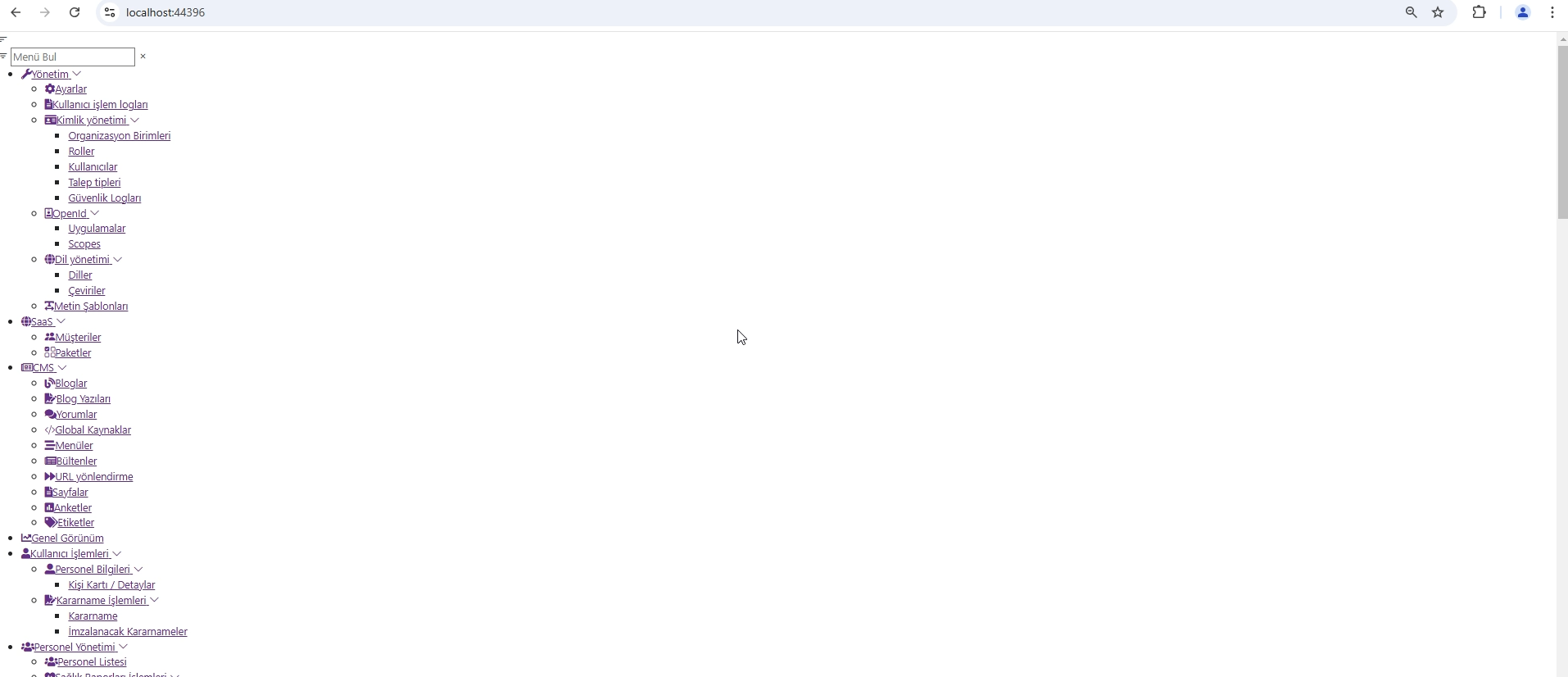
On page load, the side menu is currently visible as shown in the screenshot. How can I set it so that the side menu opens only after the page has fully loaded?
5 Answer(s)
-
0
Yes, the page is working; we just don't want the menu to appear with broken CSS when it first loads.
 Markdown supported.Copy, paste, or drag & drop images and files (max 100 MB per file, 100 MB total per post)
 -
0
hi
What is your leptonx package version?
I have checked, this issue has been fixed in leptonx 3.x.x
Can you try to upgrade abp&volo&leptonx packages?
Markdown supported.Copy, paste, or drag & drop images and files (max 100 MB per file, 100 MB total per post) -
0
<PackageReference Include="Volo.Abp.AspNetCore.Components.Server.LeptonXTheme" Version="2.2.-" /> <PackageReference Include="Volo.Abp.AspNetCore.Mvc.UI.Theme.LeptonX" Version="2.2.-" />
I will try.
I'm using the Blazorise DatePicker, and in the month section, October appears twice, while November is missing. When selecting the second October, it assigns 11 but displays as October in the Turkish translation. What could be the reason? Was this fixed in later versions?
 Markdown supported.Copy, paste, or drag & drop images and files (max 100 MB per file, 100 MB total per post)
 -
0
hi
I think Blazorise used the wrong translation.
https://github.com/Megabit/Blazorise/blob/master/Source/Blazorise/Resources/Localization/DatePicker/tr.json#L39-L40
You can try to
Custom languages textshttps://blazorise.com/docs/helpers/localization#toc_Custom-languages
It will be best you can change the right text in https://github.com/Megabit/Blazorise/
Thanks.
Markdown supported.Copy, paste, or drag & drop images and files (max 100 MB per file, 100 MB total per post)


