

Open Closed

Tabs are not rendered #8246


User avatar
0
marian.pintes@m2ms.sk created

Hello,

I wanted to separate settings options into more table (for example: https://demo.abp.io/setting-management). But when I used a sample from your web site https://abp.io/docs/latest/framework/ui/mvc-razor-pages/tag-helpers/tabs the component is not rendered. I think it should be rendered as 'ul' and 'li' tags. I suppose that I miss something but I do not know what is missing. Could you help me please?

  • ABP Framework version: v8.1.0
  • UI Type: Blazor Server
  • Database System: EF Core (SQL Server)
  • Tiered (for MVC) or Auth Server Separated (for Angular): -
  • Exception message and full stack trace: -
  • Steps to reproduce the issue: -
Markdown supported.
Copy, paste, or drag & drop images and files (max 100 MB per file, 100 MB total per post)

12 Answer(s)
  • User Avatar
    0
    maliming created
    Support Team Fullstack Developer

    hi

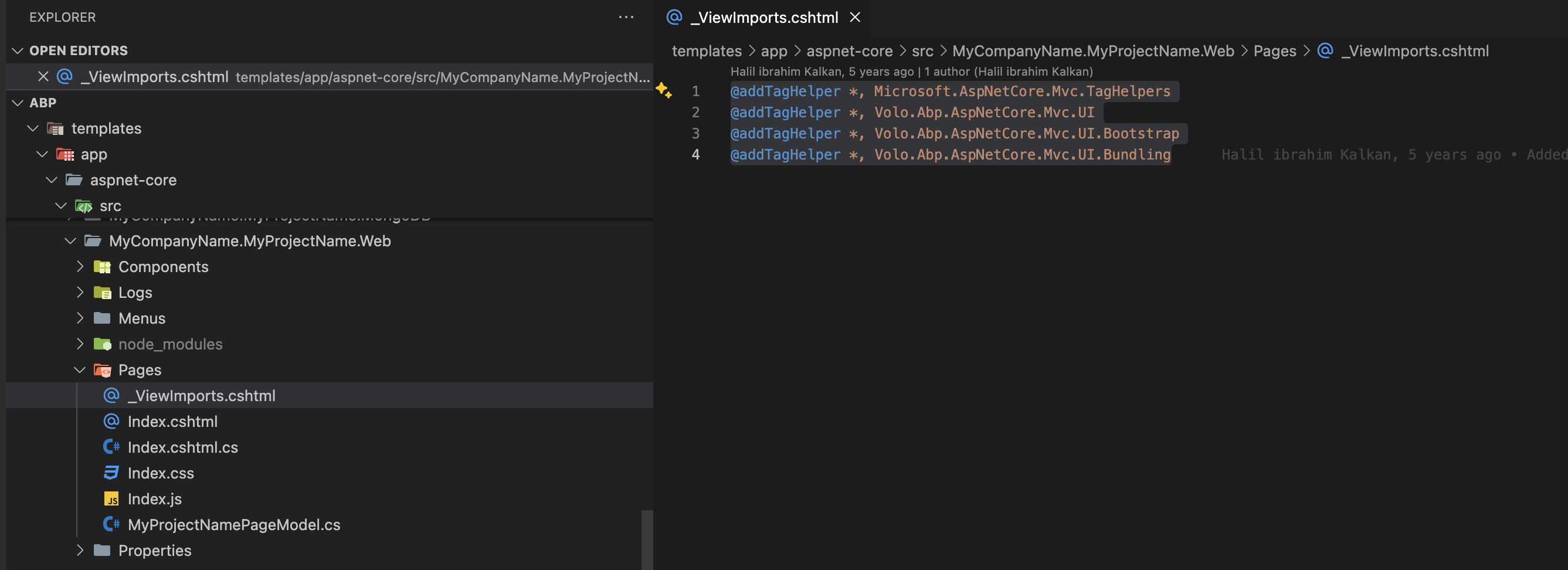
    Do you have the _ViewImports.cshtml file in the component folder?

    The taghelper needs this file.

    Markdown supported.
    Copy, paste, or drag & drop images and files (max 100 MB per file, 100 MB total per post)
  • User Avatar
    0
    marian.pintes@m2ms.sk created

    Hi,

    yes, I have (here is the content):

    @addTagHelper *, Microsoft.AspNetCore.Mvc.TagHelpers @addTagHelper *, Volo.Abp.AspNetCore.Mvc.UI @addTagHelper *, Volo.Abp.AspNetCore.Mvc.UI.Bootstrap @addTagHelper *, Volo.Abp.AspNetCore.Mvc.UI.Bundling @addTagHelper *, Volo.Abp.AspNetCore.Components.Server.LeptonXTheme

    Markdown supported.
    Copy, paste, or drag & drop images and files (max 100 MB per file, 100 MB total per post)
  • User Avatar
    0
    maliming created
    Support Team Fullstack Developer

    hi

    Can you share a project(https://wetransfer.com/) to reproduce?

    liming.ma@volosoft.com

    Thanks

    Markdown supported.
    Copy, paste, or drag & drop images and files (max 100 MB per file, 100 MB total per post)
  • User Avatar
    0
    marian.pintes@m2ms.sk created

    Hello,

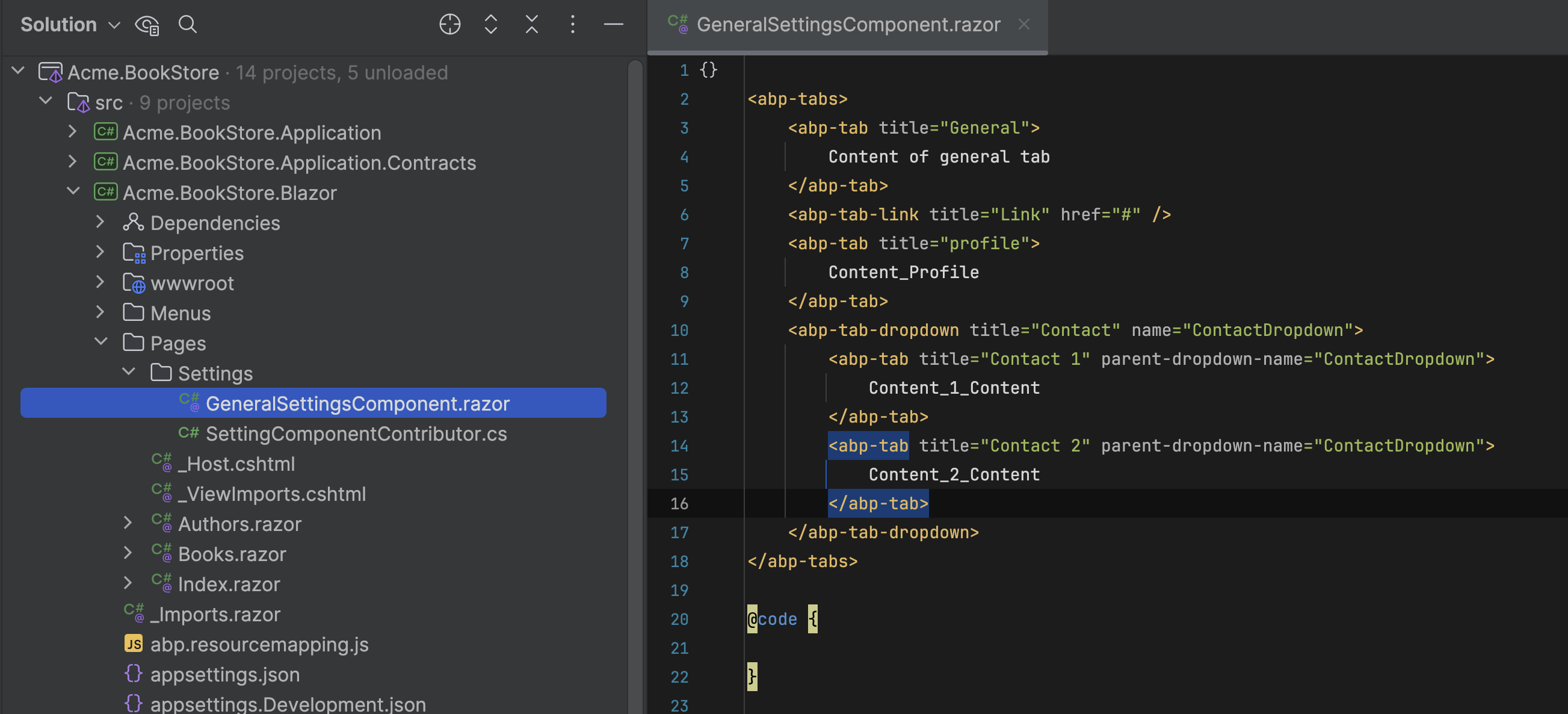
    I uploaded sample project - Book Store. Go to Administration -> Settings -> Book Store Settings should display tabs.

    Thank you in advance

    Marian

    Markdown supported.
    Copy, paste, or drag & drop images and files (max 100 MB per file, 100 MB total per post)

  • User Avatar
    0
    maliming created
    Support Team Fullstack Developer

    hi

    What is your project name?

    Is it BookStore-Blazor-EfCore.7z

    Markdown supported.
    Copy, paste, or drag & drop images and files (max 100 MB per file, 100 MB total per post)

  • User Avatar
    0
    marian.pintes@m2ms.sk created

    Yes, it is

    Markdown supported.
    Copy, paste, or drag & drop images and files (max 100 MB per file, 100 MB total per post)
  • User Avatar
    0
    maliming created
    Support Team Fullstack Developer

    ok, I will check it asap.

    Markdown supported.
    Copy, paste, or drag & drop images and files (max 100 MB per file, 100 MB total per post)
  • User Avatar
    0
    maliming created
    Support Team Fullstack Developer

    hi

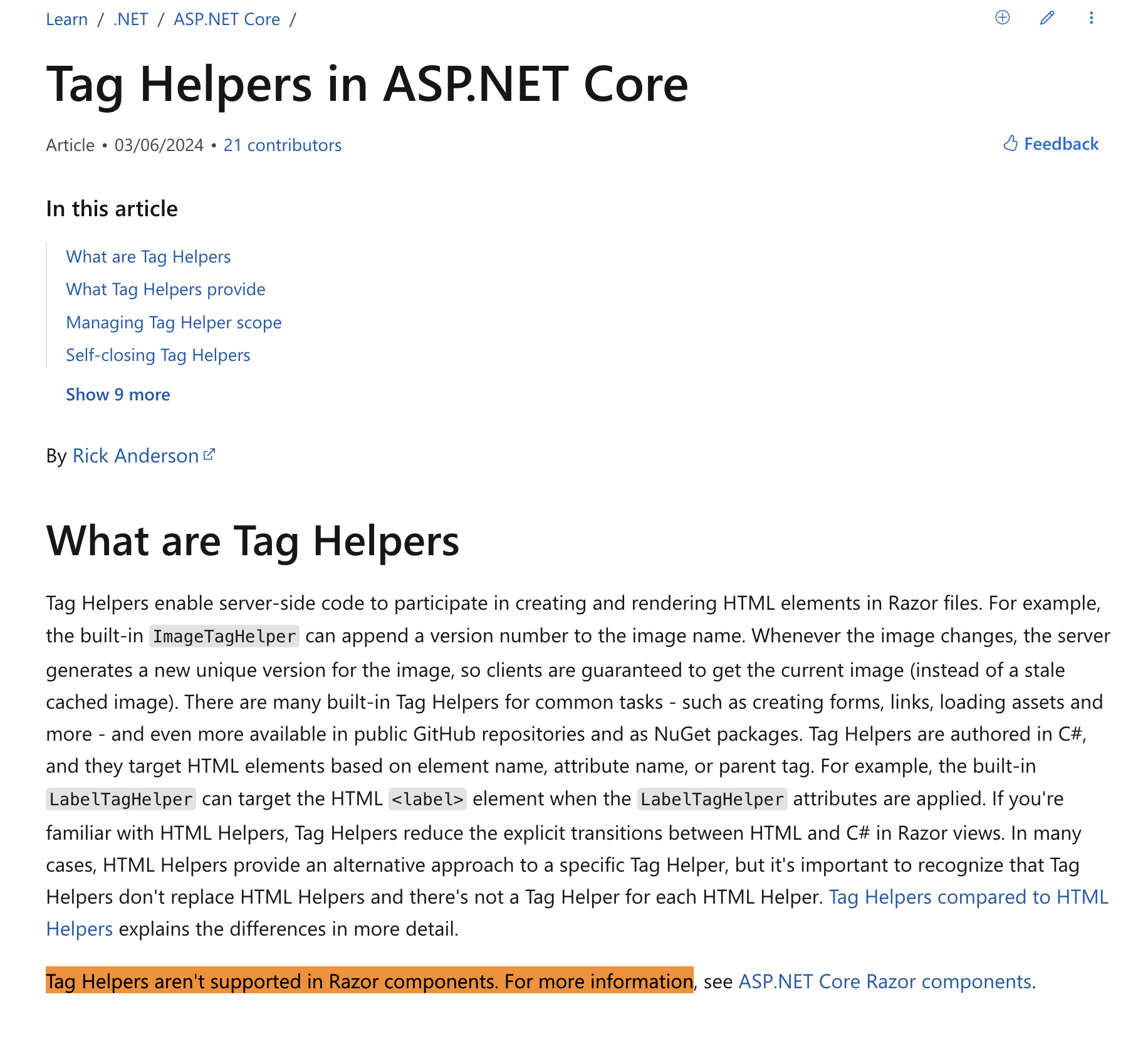
    Your component is the Blazor component, which can't use the MVC tag helper.

    Markdown supported.
    Copy, paste, or drag & drop images and files (max 100 MB per file, 100 MB total per post)
  • User Avatar
    0
    marian.pintes@m2ms.sk created

    Hi,

    sorry, my mistake - I didn't notice that is MVC sample page. I wrote it into search engine and copy-paste the example.

    Instead of that should I use blazorise components? (for example: https://blazorise.com/docs/components/tab)

    Thanks

    Markdown supported.
    Copy, paste, or drag & drop images and files (max 100 MB per file, 100 MB total per post)
  • User Avatar
    0
    maliming created
    Support Team Fullstack Developer

    Yes, you can use blazorise

    Markdown supported.
    Copy, paste, or drag & drop images and files (max 100 MB per file, 100 MB total per post)
  • User Avatar
    0
    marian.pintes@m2ms.sk created

    Thanks

    Markdown supported.
    Copy, paste, or drag & drop images and files (max 100 MB per file, 100 MB total per post)
  • User Avatar
    0
    maliming created
    Support Team Fullstack Developer

    : )

    Markdown supported.
    Copy, paste, or drag & drop images and files (max 100 MB per file, 100 MB total per post)
Boost Your Development
ABP Live Training
Packages
See Trainings
Mastering ABP Framework Book
The Official Guide
Mastering
ABP Framework
Learn More
Mastering ABP Framework Book
Made with ❤️ on ABP v10.8.0-preview. Updated on September 16, 2026, 07:12
1
ABP Assistant
🔐 You need to be logged in to use the chatbot. Please log in first.