






Check the docs before asking a question: https://abp.io/docs/latest
Check the samples to see the basic tasks: https://abp.io/docs/latest/samples
The exact solution to your question may have been answered before, and please first use the search on the homepage.
Provide us with the following info:
🧐 Hint: If you are using the ABP Studio, you can see all the information about your solution from the configuration window, which opens when you right-click on the solution and click on the Solution Configuration button.
- ABP Framework version: vX.X.X
- UI Type: Angular / MVC / Blazor WASM / Blazor Server
- Database System: EF Core (SQL Server, Oracle, MySQL, PostgreSQL, etc..) / MongoDB
- Tiered (for MVC) or Auth Server Separated (for Angular): yes/no
- Exception message and full stack trace:
- Steps to reproduce the issue:
<br>
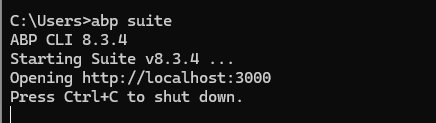
<br>

5 Answer(s)
-
0
Hi, we intentionally removed the Create new solution button and its logic from ABP Suite. ABP introduced a new templating system, which is fully compatible with the ABP Studio from v8.2+. So, it's recommended that solutions be created with either the new ABP CLI or ABP Studio. This way, you will be able to use the new templating system.
Regards.
Markdown supported.Copy, paste, or drag & drop images and files (max 100 MB per file, 100 MB total per post) -
0
dotnet tool uninstall -g Volo.Abp.Cli sucess
dotnet tool install -g Volo.Abp.Studio.Cli sucess
run "abp suite" display this:
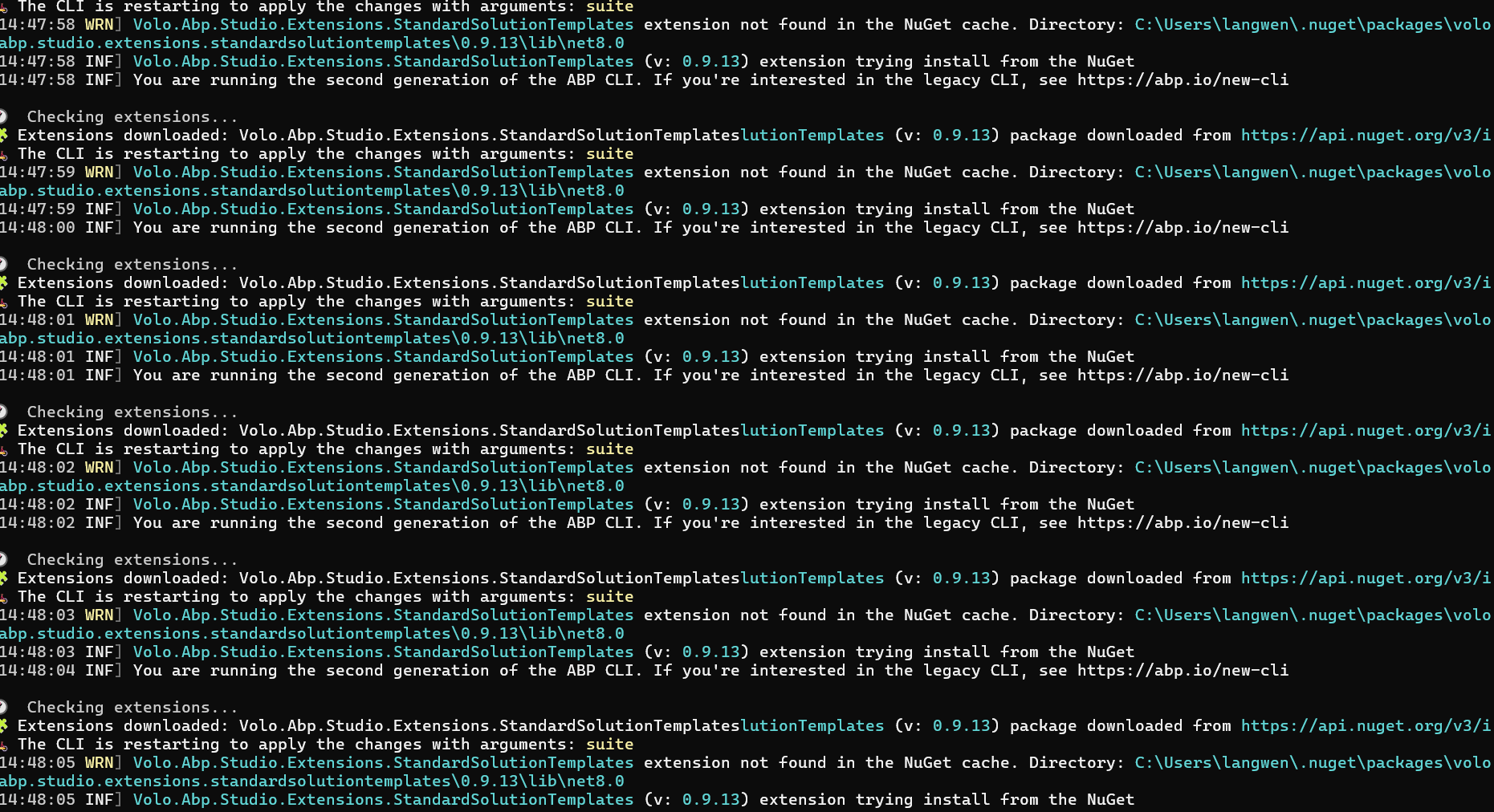
Could not reproduce it:
 Markdown supported.Copy, paste, or drag & drop images and files (max 100 MB per file, 100 MB total per post)
 -
0
Hi,
You can try restarting ABP Studio.
And install suite here
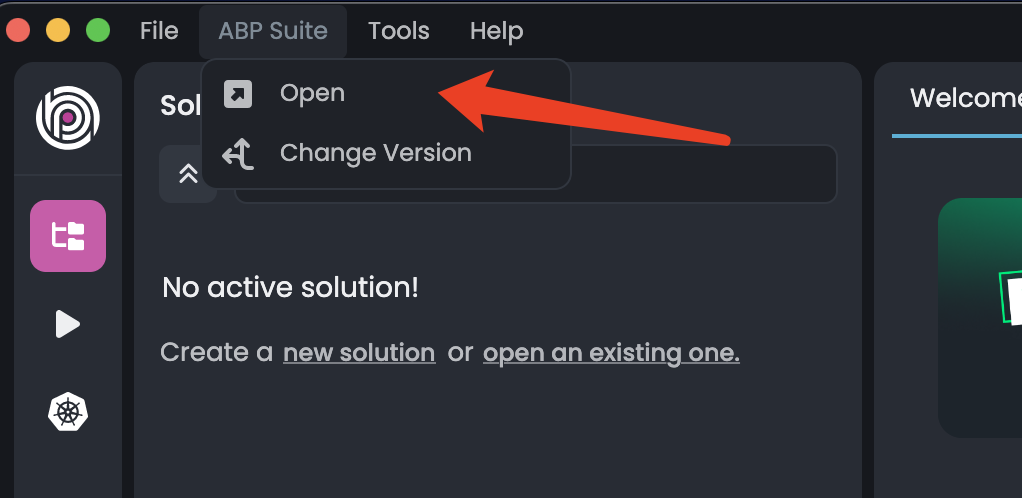 Markdown supported.Copy, paste, or drag & drop images and files (max 100 MB per file, 100 MB total per post)





