






0
Vishnuvardhan created
- ABP Framework version: v8.0.0
- UI Type: MVC / Blazor Server
- Database System: EF Core (SQL Server)
- **Tiered (for MVC): yes
- Exception message and full stack trace:
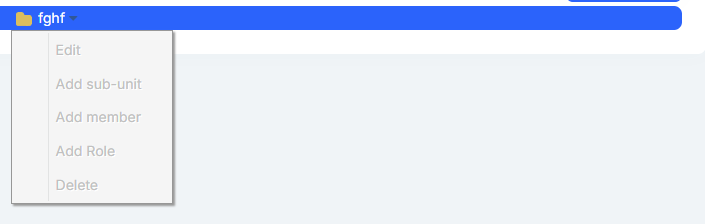
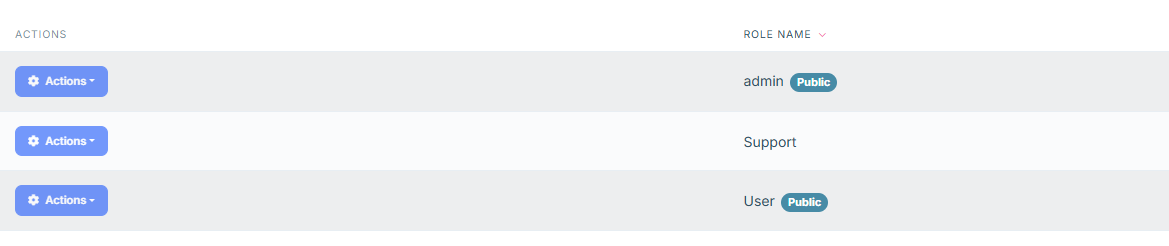
- Steps to reproduce the issue: updated .net 7 to .net 8 , in identity module users and roles and organization units actions button get disabled not able to open the actions and also not able to perform the actions. I am updating the reference screenshots.

Markdown supported.
Copy, paste, or drag & drop images and files (max 100 MB per file, 100 MB total per post)
5 Answer(s)
-
0
Hi,
you can try delete
yarn.lockfile and runabp install-libsMarkdown supported.Copy, paste, or drag & drop images and files (max 100 MB per file, 100 MB total per post) -
0
Hi,
i have tried this, still getting the same issue, i have checked the actions button in inspect and it is showing disabled="disabled"
Markdown supported.Copy, paste, or drag & drop images and files (max 100 MB per file, 100 MB total per post) -
0
Hi,
Can you share the
package.jsoncontent?Markdown supported.Copy, paste, or drag & drop images and files (max 100 MB per file, 100 MB total per post) -
0
Hi,
package.json: { "version": "1.0.0", "name": "my-app", "private": true, "dependencies": { "@volo/abp.aspnetcore.mvc.ui.theme.leptonx": "~2.0.0", "@volo/saas": "~7.0.0", "@volo/audit-logging": "~7.0.0", "@volo/identity": "~7.0.0", "@volo/account": "~7.0.0", "@volo/language-management": "~7.0.0", "@abp/aspnetcore.mvc.ui.theme.basic": "^7.0.0", "@abp/docs": "^7.0.0" } }
Markdown supported.Copy, paste, or drag & drop images and files (max 100 MB per file, 100 MB total per post) -
0
updated .net 7 to .net 8
Hi, you need to upgrade your NPM packages, too.
Remove
yarn.lockand restore pacakgespackage.json: { "version": "1.0.0", "name": "my-app", "private": true, "dependencies": { "@volo/abp.aspnetcore.mvc.ui.theme.leptonx": "~3.3.4", "@volo/saas": "~8.3.4", "@volo/audit-logging": ~8.3.4", "@volo/identity": ~8.3.4", "@volo/account": ~8.3.4", "@volo/language-management": ~8.3.4", "@abp/aspnetcore.mvc.ui.theme.basic": ~8.3.4", "@abp/docs": ~8.3.4", } }Markdown supported.Copy, paste, or drag & drop images and files (max 100 MB per file, 100 MB total per post)


