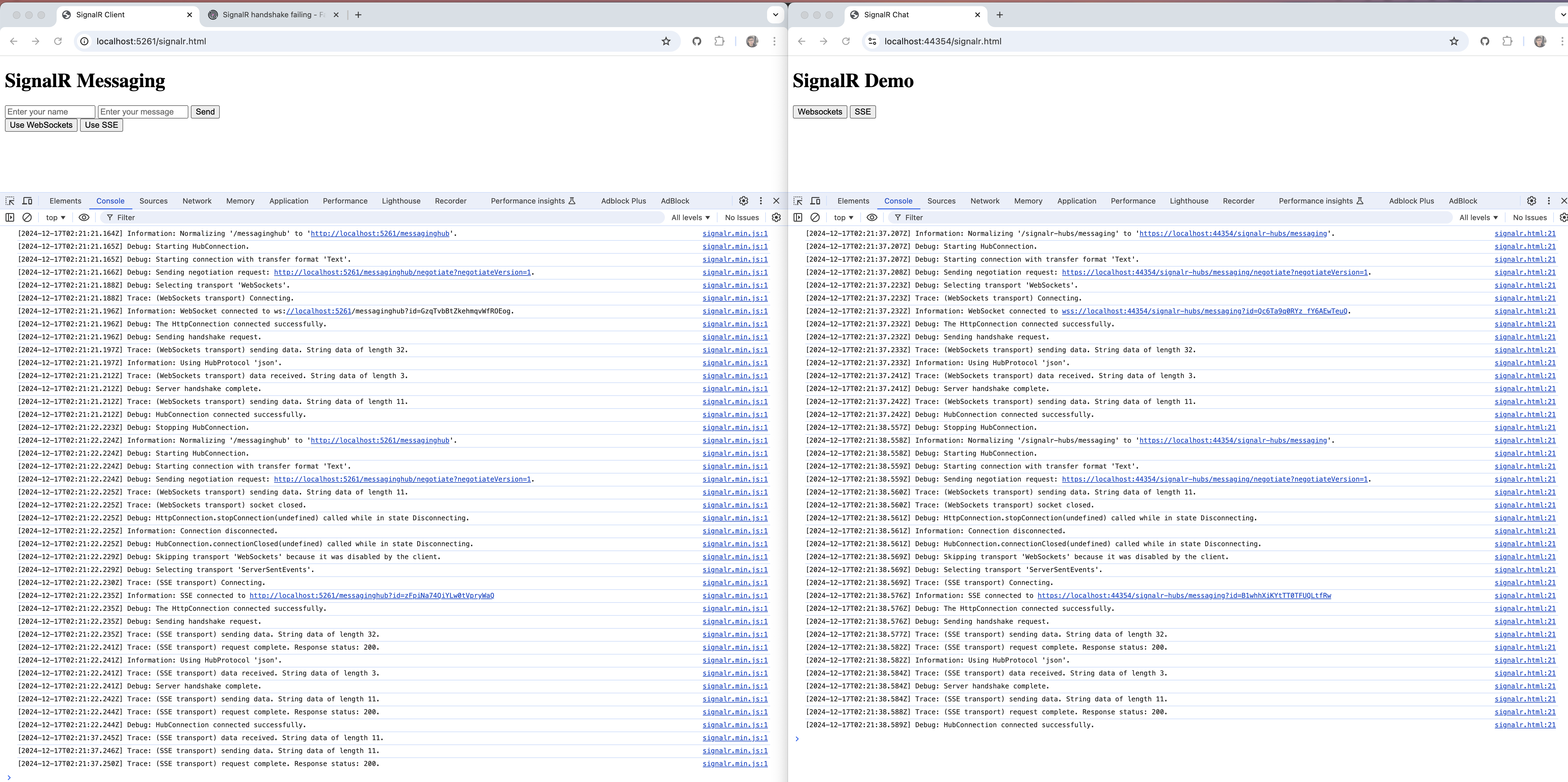
Our application uses the AbpHub for establishing a SignalR connecdtion with the FE. Behind a corporate firewall, the websockets transport layer is often blocked. The expectation is that SignalR should fallback to a different transport type (ServerSentEvents or LongPolling) however this does not seem to be the case
Using a minimal asp.net core application, the fallback mechanism works. However using a minimal ABP framework project the fallback does not work. Let me know if you need a sample projedt.
Thanks
13 Answer(s)
-
0
Try this in wwwroot.. You do not need to click any button. In the developer console it should indicate that signalR connected
<!DOCTYPE html>
<html lang="en">

<head>
    <meta charset="UTF-8">
    <meta name="viewport" content="width=device-width, initial-scale=1.0">
    <title>WebRTC with SignalR Cli Demo</title>
    <script src="https://cdnjs.cloudflare.com/ajax/libs/microsoft-signalr/8.0.7/signalr.min.js"></script>
</head>

<body>
    <h1>WebRTC with SignalR</h1>
    <div>
        <form id="initForm" onsubmit="handleFormSubmit(event)">
            <label for="scenarioId">Scenario ID:</label>
            <input type="text" id="scenarioId" name="scenarioId" value="3a15abf7-237d-ebab-bdc4-345a639725ce" required>
            <label for="personaId">Persona ID:</label>
            <input type="text" id="personaId" name="personaId" value="3a15aae8-923b-7cec-53b4-3c98a1d942b8" required>
            <button type="submit" id="startWebRTCButton">Start Conversation</button>
        </form>

        <script>
            function handleFormSubmit(event) {
                event.preventDefault();
                const scenarioId = document.getElementById("scenarioId").value;
                const personaId = document.getElementById("personaId").value;
                startWebRTC(scenarioId, personaId)
            }
        </script>
    </div>
    <ul id="messagesList"></ul>

    <script>
        const configuration = {};
        const _rtc = new RTCPeerConnection(configuration);
        let localStream;
        let inboundStream = null;
        let remoteAudio = null;

        const _signalR = new signalR.HubConnectionBuilder()
            .withUrl("/signalr-hubs/messaging", { withCredentials: true })
            .build();

        _signalR.on("ReceiveMessage", (message) => {
            console.log(message)
            const li = document.createElement("li");
            li.textContent = `${tag}: ${message}`;
            document.getElementById("messagesList").prepend(li);
        });

        _signalR.on("ReceiveWebRtcMessage", async (message) => {
            console.log("ReceiveWebRtcMessage: ", message);

            const messageObj = JSON.parse(message);
            if (messageObj.type) {
                switch (messageObj.type) {
                    case 'offer':
                        // Handle offer
                        let offerSdp = messageObj.sdp;
                        console.log("Received sdp offer: ", offerSdp);

                        // Set the remote description (the offer from the server)

                        await _rtc.setRemoteDescription(new RTCSessionDescription({ type: 'offer', sdp: offerSdp }));
                        // Create an answer to the offer
                        const answer = await _rtc.createAnswer();
                        // Set the local description with the answer
                        await _rtc.setLocalDescription(answer);
                        sendAnswer(answer.sdp);
                        break;
                    case 'answer':
                        let sdp = messageObj.sdp;
                        console.log("Received sdp answer: ", sdp);
                        await _rtc.setRemoteDescription(new RTCSessionDescription({ type: 'answer', sdp }));
                        break;
                    case 'icecandidate':
                        console.log("handling icecandidate: ", message);

                        try {
                            while (!_rtc.remoteDescription) {
                                await new Promise(resolve => setTimeout(resolve, 200));
                            }

                            const candidateInit = JSON.parse(messageObj.candidate);
                            await _rtc.addIceCandidate(new RTCIceCandidate(candidateInit));
                        } catch (e) {
                            console.error("Error adding received ICE candidate", e);
                        }
                        break;
                    default:
                        console.warn("Unknown message type:", messageObj.type);
                }
            } else {
                console.warn("Message does not contain a type property");
            }
        });

        _signalR.on("ReceiveOffer", async (offer) => {
            console.log("Received SDP offer:", offer);
            await _rtc.setRemoteDescription(new RTCSessionDescription({ type: 'offer', offer }));
            const answer = await _rtc.createAnswer();
            await _rtc.setLocalDescription(answer);
            sendAnswer(answer.sdp);
        });

        _signalR.on("ReceiveAnswer", async (sdp) => {
            console.log("Received SDP answer:", sdp);
            await _rtc.setRemoteDescription(new RTCSessionDescription({ type: 'answer', sdp }));
        });

        _signalR.on("ReceiveIceCandidate", async (candidate) => {
            console.log("Received ICE candidate:", candidate);
            try {
                await _rtc.addIceCandidate(new RTCIceCandidate(candidate));
            } catch (e) {
                console.error("Error adding received ICE candidate", e);
            }
        });

        async function startWebRTC(scenarioId, personaId) {
            document.getElementById("startWebRTCButton").disabled = true;
            const devices = await navigator.mediaDevices.enumerateDevices();
            const audioDevices = devices.filter(device => device.kind === 'audioinput');
            if (audioDevices.length === 0) {
                throw new Error("No audio input devices found");
            }

            localStream = await navigator.mediaDevices.getUserMedia({ video: false, audio: true });
            remoteAudio = document.createElement("audio");
            remoteAudio.autoplay = true;
            document.body.appendChild(remoteAudio);

            localStream.getTracks().forEach(track => _rtc.addTrack(track, localStream));

            _rtc.onicecandidate = event => {
                if (event.candidate) {
                    console.log("event candidate", event.candidate);
                    sendIceCandidate(event);
                }
            };

            _rtc.ontrack = (ev) => {
                console.log('Received remote audio stream');

                console.log("*** ontrack event ***", ev.track);
                console.log("*** ontrack event ***", ev.streams);
                if (ev.streams && ev.streams[0]) {
                    remoteAudio.srcObject = ev.streams[0];
                } else {
                    if (!inboundStream) {
                        inboundStream = new MediaStream();
                        remoteAudio.srcObject = inboundStream;
                    }
                    inboundStream.addTrack(ev.track);
                }
            };

            _rtc.oniceconnectionstatechange = () => {
                console.log("ICE connection state:", _rtc.iceConnectionState);

                if (_rtc.iceConnectionState === 'connected') {
                    // Connection is stable and ready
                    console.log("ICE connection state: connected");
                    console.log("Initialising conversation...");
                    initializeConversation({ ScenarioId: scenarioId, PersonaId: personaId });
                }
            };

            _rtc.onnegotiationneeded = async () => {
                console.log("Negotiation needed, creating offer");
                const offer = await _rtc.createOffer();
                await _rtc.setLocalDescription(offer);
                sendOffer(offer.sdp);
            };

            const transcriptionChannel = _rtc.createDataChannel("transcription");
            transcriptionChannel.onopen = () => {
                console.log("Data channel Transcription opened");
                transcriptionChannel.send(JSON.stringify({ type: "transcription", message: "Hello from client" }));
            };
            transcriptionChannel.onmessage = (event) => {
                console.log(`Data channel Transcription: ${event.data}`);
            };
            transcriptionChannel.onclose = () => {
                console.log("Data channel Transcription closed");
            }
        }

        _signalR.start().then(() => {
            console.log("SignalR connected");
            //startWebRTC();
        }).catch(err => console.error(err.toString()));

        function sendOffer(sdp) {
            console.log("Sending SDP offer:", sdp);
            _signalR.invoke("OnReceivedWebRtcMessageAsync", JSON.stringify({ type: "offer", sdp: sdp })).catch(err => console.error(err.toString()));
        }

        function sendAnswer(sdp) {
            console.log("Sending SDP answer:", sdp);
            _signalR.invoke("OnReceivedWebRtcMessageAsync", JSON.stringify({ type: "answer", sdp: sdp })).catch(err => console.error(err.toString()));
        }

        function sendIceCandidate(ev) {
            console.log("Sending ICE candidate: ", ev);
            _signalR.invoke("OnReceivedWebRtcMessageAsync", JSON.stringify({ type: ev.type, candidate: JSON.stringify(ev.candidate) }))
                .catch(err => console.error(err.toString()));
        }

        function initializeConversation(input) {
            _signalR.invoke("InitializeConversation", JSON.stringify(input)).catch(err => console.error(err.toString()));
        }

        window.onload = () => {
            console.log("Window loaded");
        };
    </script>
</body>
</html>
Markdown supported.Copy, paste, or drag & drop images and files (max 100 MB per file, 100 MB total per post) -
0
hi
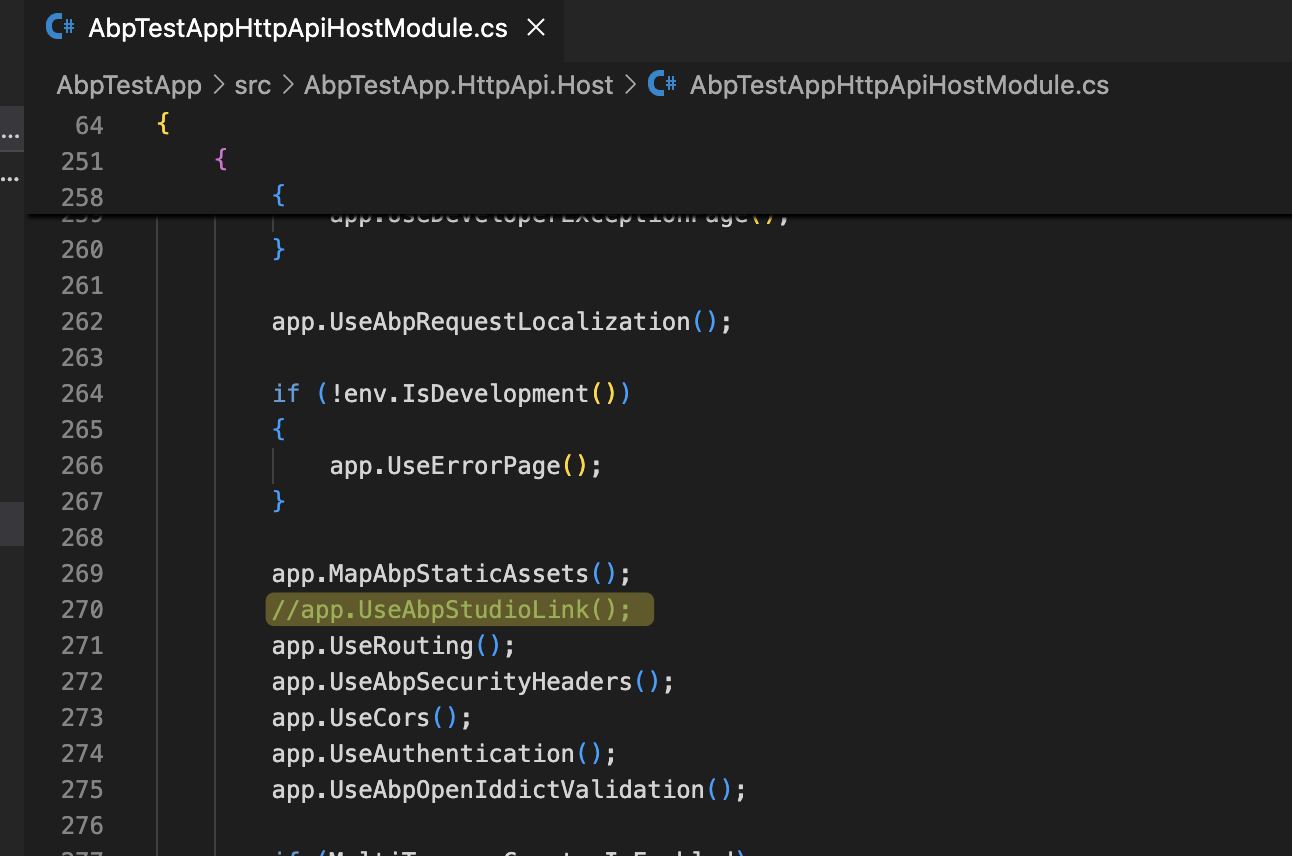
It seems these two projects have no differences after removing the
//app.UseAbpStudioLink();fromAbpTestAppHttpApiHostModuleHow can I test
using a minimal ABP framework project the fallback does not workcase?Markdown supported.Copy, paste, or drag & drop images and files (max 100 MB per file, 100 MB total per post) -
0
Hi, Please follow below steps for the shared ABP Test App.
unzip AbpTestApp.zip
cd AbpTestApp
dotnet build
dotnet run --project src\AbpTestApp.HttpApi.Host

# open browser
start https://localhost:44354/signalr.html

# F12 // Open Browswer Dev Tool's Console Tab
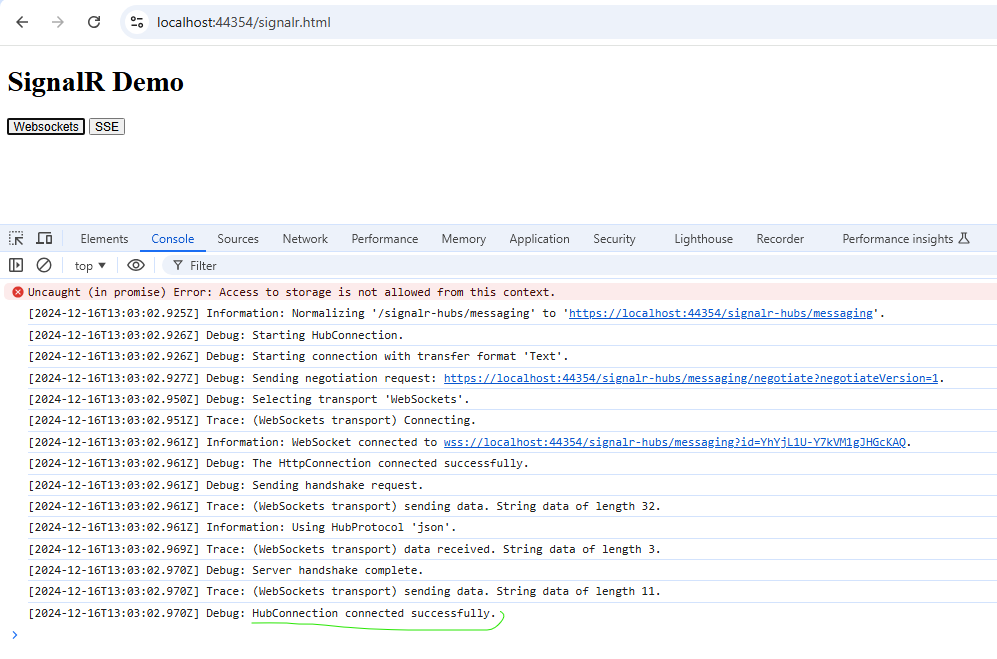
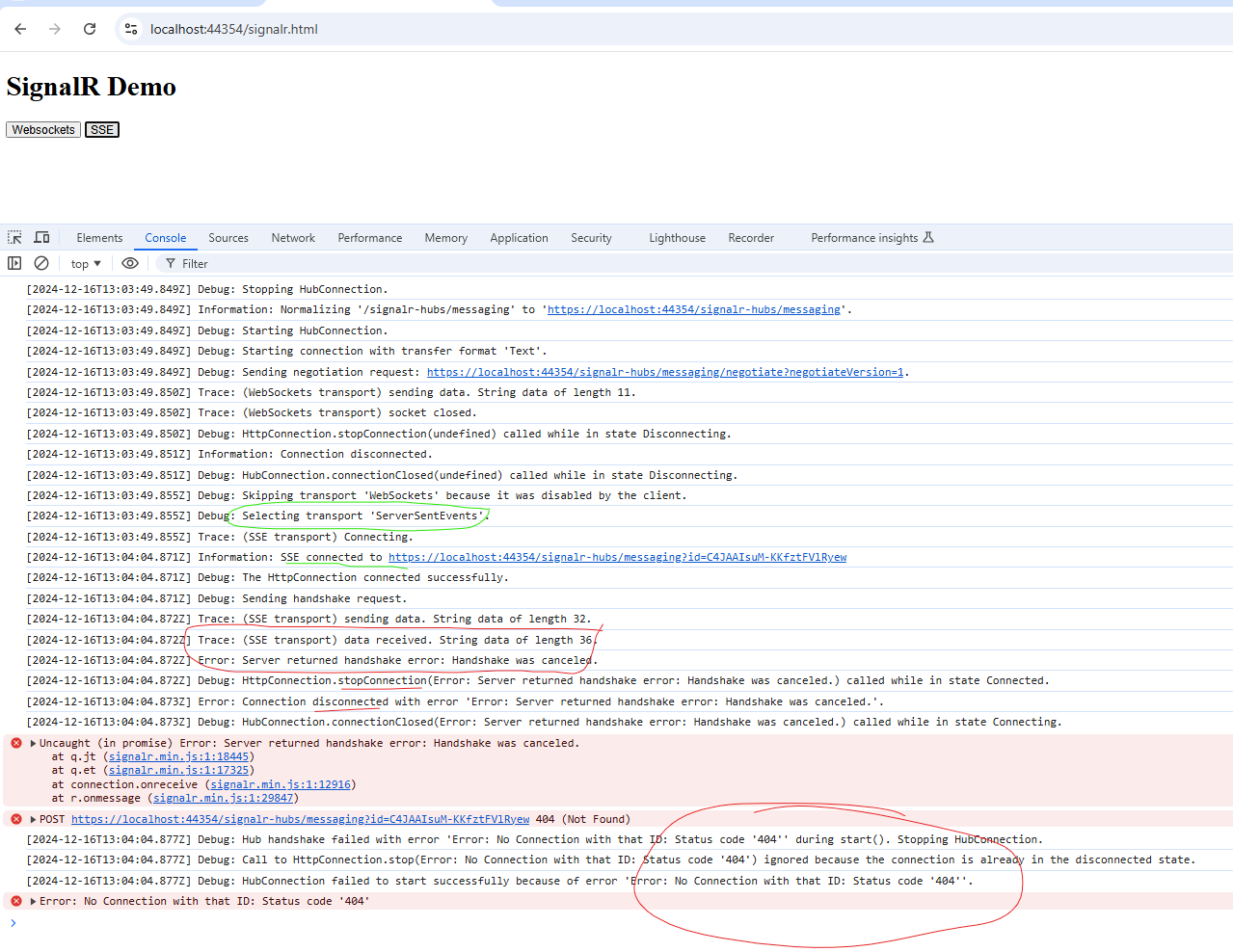
There are 2 options: Websockets and SSE. If you click Websockets, the logs show successful. however, if you click SSE, you will see the error. See picture below.
 Markdown supported.Copy, paste, or drag & drop images and files (max 100 MB per file, 100 MB total per post)
 -
0
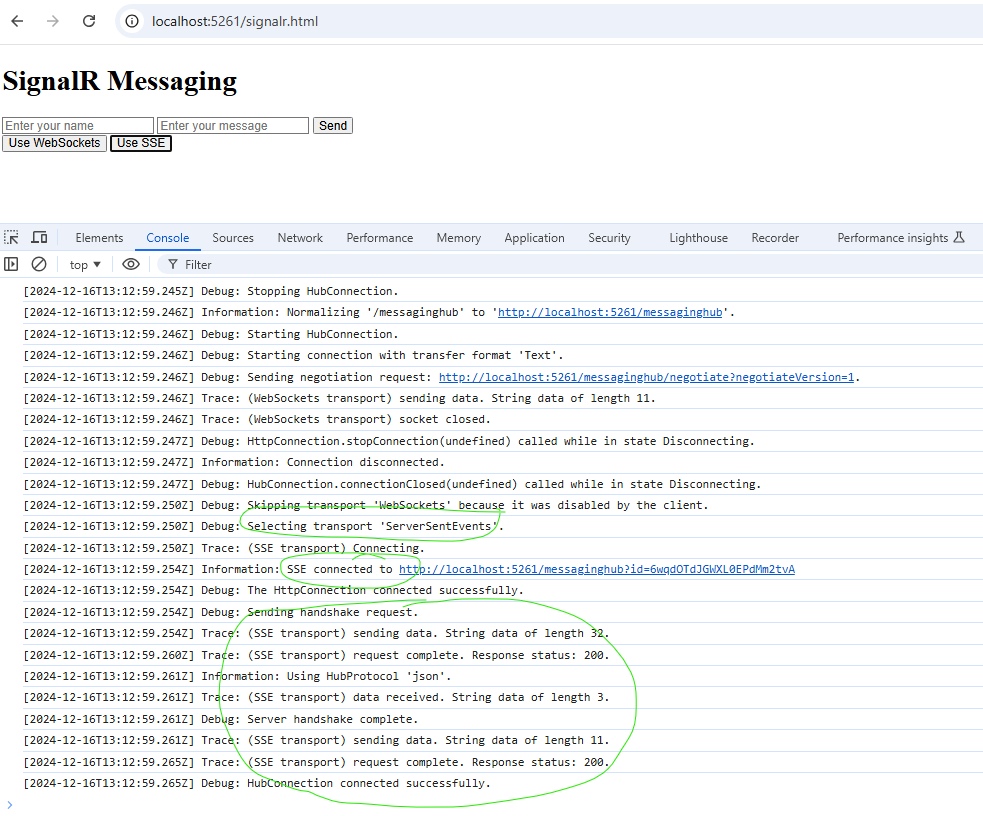
Note that it working well on asp.net core webapi without ABP framework
instructions below
unzip AspNetCoreWebApi.zip
cd AspNetCoreWebApi
dotnet build
dotnet run

# open browswer
start http://localhost:5261/signalr.html

# F12 // open brower dev tool // console tab
# click Websockets OR SSE and observe result in console // both cases working well.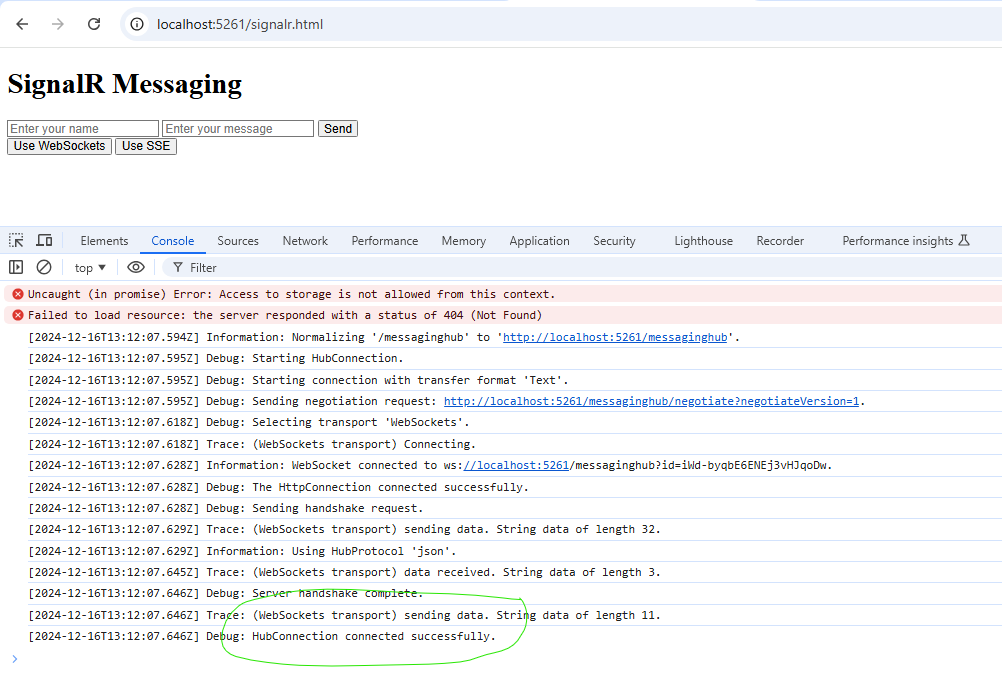
 Markdown supported.Copy, paste, or drag & drop images and files (max 100 MB per file, 100 MB total per post)