






Hi,
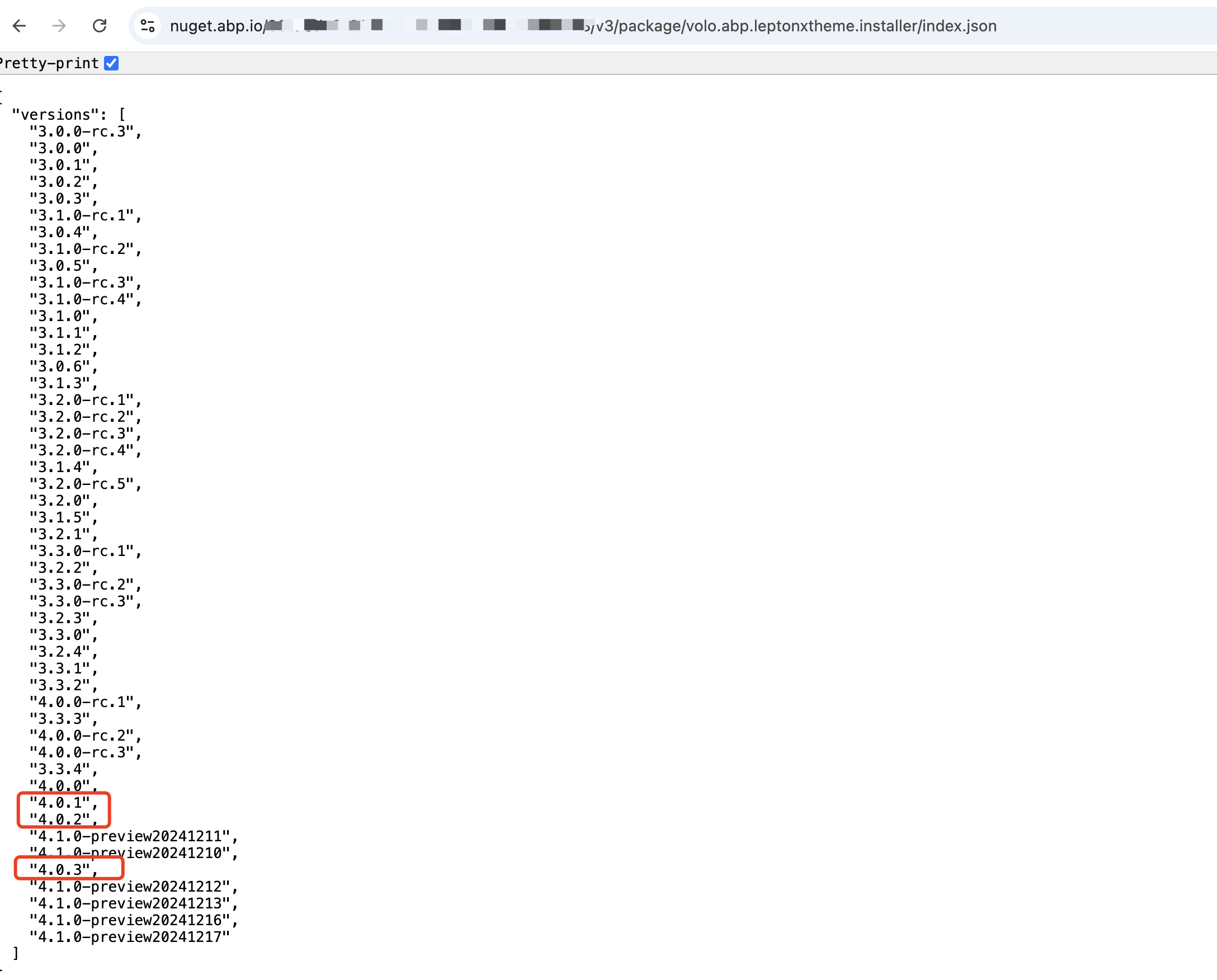
Since I purchase your framework, I have been unable to use it. I have tried every avenue but no matter what I cannot get the leptonXtheme to work. The nugget feed returns that it does exist. While I don't feel that using 1 of my support ticket is called for this, I do need to get started on this project and need this to work. I also tried posting at https://abp.io/support/questions/8330/Bugs--Issues-v90x?CurrentPage=2
https://nuget.abp.io/{mykey}/v3/package/volo.abp.leptonxtheme.installer/index.json
{ "error": { "code": null, "message": "There is no entity NugetPackage with id = !", "details": null, "data": null, "validationErrors": null } }
I have tried updating the app file from 4.0.1 to 4.0.3
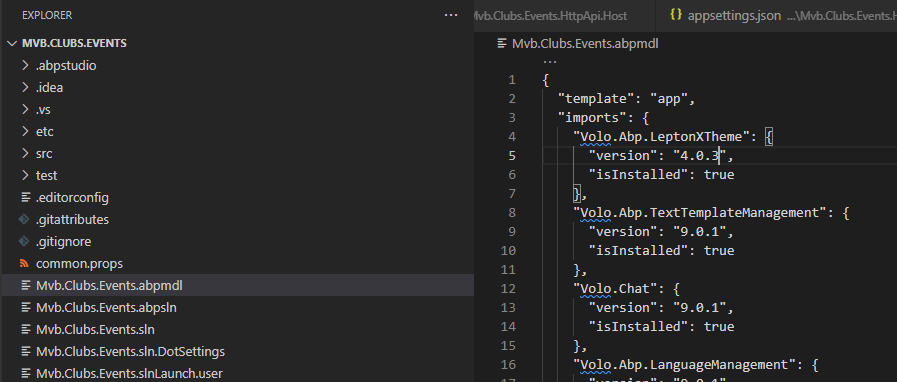
"template": "app", "imports": { "Volo.Abp.LeptonXTheme": { "version": "4.0.2", "isInstalled": true },
"template": "app", "imports": { "Volo.Abp.LeptonXTheme": { "version": "4.0.3", "isInstalled": true },
set studio to version 9.0.0 (found in forum)
tried updating via abp.studio
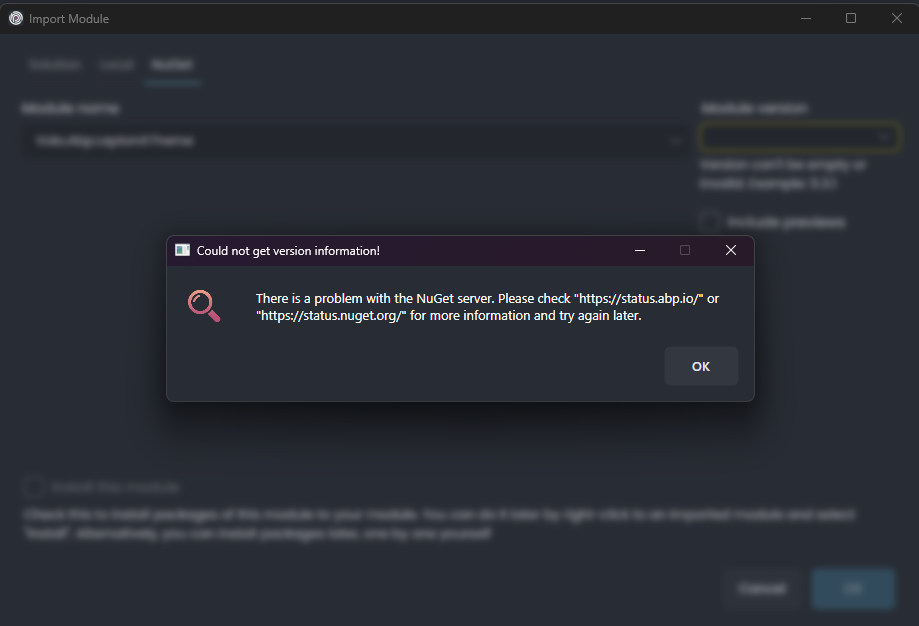
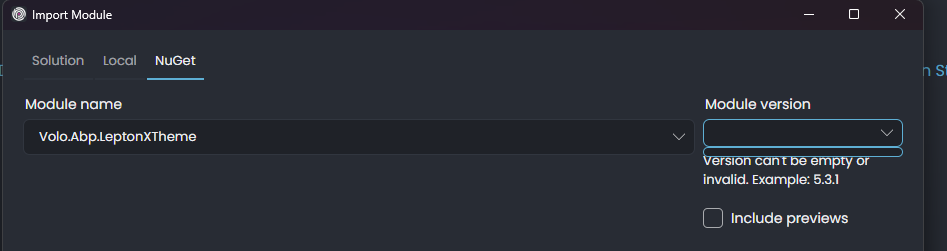
tried the abp cli
abp update [18:33:43 INF] You are running the second generation of the ABP CLI. If you're interested in the legacy CLI, see https://abp.io/new-cli [18:33:46 INF] Package: "Volo.Abp.Autofac-v9.0.2" is up to date {everything here is fine} [18:33:47 INF] Package: "Volo.Abp.Studio.Client.AspNetCore-v0.9.16" is up to date [18:33:47 INF] Package: "Volo.Abp.Studio.Client.AspNetCore-v0.9.16" is up to date [18:33:47 INF] Volo packages are updated in Mvb.Clubs.Events solution [18:33:47 INF] Checking installed npm global packages... [18:34:02 INF] Adjusting import versions... [18:34:04 ERR] NuGet package not found Package: Volo.Abp.LeptonXTheme.Installer, Version: 4.0.3 Volo.Abp.Studio.AbpStudioException: Exception of type 'Volo.Abp.Studio.AbpStudioException' was thrown. at async Task Volo.Abp.Studio.Nuget.NugetPackageManager.DownloadAsync(string packageId, string version, bool useOnlyPublicNuGet) at async Task<string> Volo.Abp.Studio.Nuget.NugetSourceCodeStore.GetContentsPathAsync(string packageId, string version) at async Task<string> Volo.Abp.Studio.Modules.Installing.RemoteModuleManager.ISpDzk97Ii(string , string ) at async Task<ModuleInfo> Volo.Abp.Studio.Modules.Installing.RemoteModuleManager.xn452iRHb5(string , string version) at async Task<ModuleInfo> Volo.Abp.Studio.Modules.Installing.RemoteModuleManager.GetModuleInfoAsync(string referenceModule, string version) at async Task Volo.Abp.Studio.Modules.ModuleManager.AdjustImportVersionsAsync(string modulePath) at async Task Volo.Abp.Studio.Cli.Commands.StudioUpdateCommand.ExecuteAsync(CommandLineArgs commandLineArgs) at async Task Volo.Abp.Studio.Cli.StudioCliService.RunInternalAsync(CommandLineArgs commandLineArgs) at async Task Volo.Abp.Studio.Cli.StudioCliService.RunAsync(string[] args)
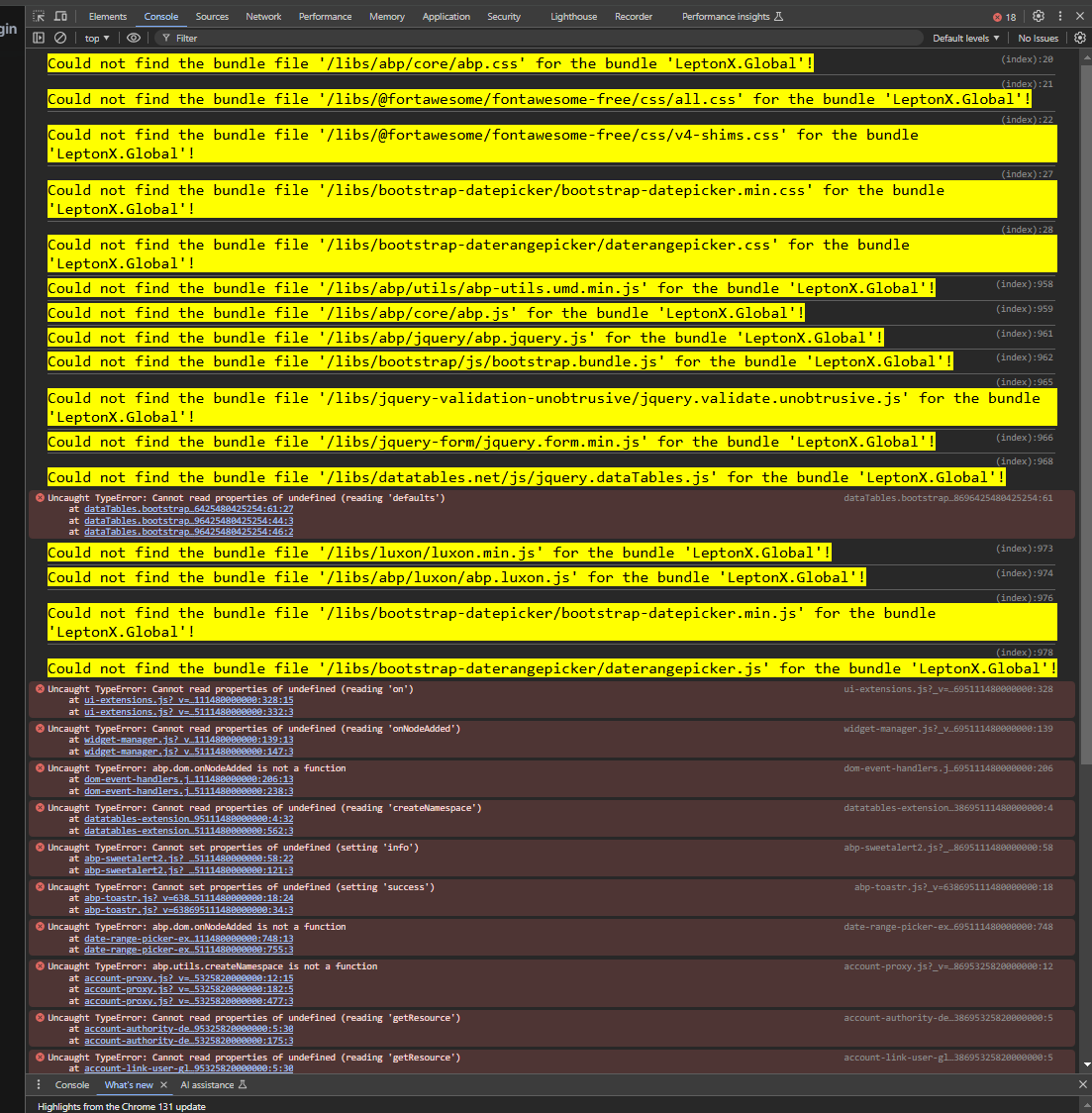
When running the site this is what I get.
Configuration
- Template: app
- Created ABP Studio Version: 0.9.16
- Tiered: Yes
- Multi-Tenancy: Yes
- UI Framework: mvc
- Theme: leptonx
- Theme Style: dark
- Database Provider: ef
- Database Management System: postgresql
- Separate Tenant Schema: Yes
- Mobile Framework: maui
- Public Website: Yes
- Include Tests: Yes
- Optional Modules:
- GDPR
- FileManagement
- TextTemplateManagement
- LanguageManagement
- AuditLogging
- Chat
- OpenIddictAdmin
Please help
8 Answer(s)
-
0
It works for me ,could you share your nuget source key with me? my email is shiwei.liang@volosoft.com
When running the site this is what I get.
you can try running
abp install-libscommand in the project directoryMarkdown supported.Copy, paste, or drag & drop images and files (max 100 MB per file, 100 MB total per post) -
0
<?xml version="1.0" encoding="utf-8"?> <configuration> <packageSources> <add key="nuget.abp.io" value="https://nuget.abp.io/..../v3/index.json" /> <add key="nuget.org" value="https://api.nuget.org/v3/index.json" /> </packageSources> <packageSourceMapping> <packageSource key="nuget.abp.io"> <package pattern="Volo." /> </packageSource> <packageSource key="nuget.org"> <package pattern="" /> <package pattern="Microsoft." /> <package pattern="Volo." /> </packageSource> </packageSourceMapping> </configuration>
Markdown supported.Copy, paste, or drag & drop images and files (max 100 MB per file, 100 MB total per post) -
0
Hi,
Don't expose your nuget key on the Internet.
This may be a problem, but we are checking. your ticket was refunded.
Markdown supported.Copy, paste, or drag & drop images and files (max 100 MB per file, 100 MB total per post) -
0
Hi,
you can try again
Markdown supported.Copy, paste, or drag & drop images and files (max 100 MB per file, 100 MB total per post) -
0
: )
Markdown supported.Copy, paste, or drag & drop images and files (max 100 MB per file, 100 MB total per post)


