






We've used the provided documentation in order to add a new property to the IdentityRole entity:
*Project.Domain.Shared/ProjectModuleExtensionConfigurator.cs*

public static class ProjectModuleExtensionConfigurator
{
    private static readonly OneTimeRunner OneTimeRunner = new OneTimeRunner();

    public static void Configure()
    {
        OneTimeRunner.Run(() =>
        {
            ConfigureExistingProperties();
            ConfigureExtraProperties();
        });
    }

    private static void ConfigureExistingProperties()
    {

    }

    private static void ConfigureExtraProperties()
    {
        /* https://docs.abp.io/en/abp/latest/Module-Entity-Extensions */

        ObjectExtensionManager.Instance.Modules().ConfigureIdentity(identity =>
        {
            identity.ConfigureRole(role =>
            {
                role.AddOrUpdateProperty<bool>(
                    RoleConsts.IsGlobalPropertyName,
                    options =>
                    {
                        options.Attributes.Add(new RequiredAttribute());
                        options.Attributes.Add(new DefaultValueAttribute(false));
                    });
            });
        });
    }
}
What we've found is that this adds a new column to the Roles table in the angular front end, but does not add the field to the create/edit Role modals. Digging some more, we found the documentation for Dynamic Form Extensions, and configured this for Roles:
*/src/app/core/prop-contributors.ts*

import { eIdentityComponents, IdentityCreateFormPropContributors, IdentityEditFormPropContributors  } from '@volo/abp.ng.identity';
import { ePropType, FormProp, FormPropList } from '@abp/ng.components/extensible';
import { IdentityRoleDto } from '@volo/abp.ng.identity/proxy';

const isGlobalProp = new FormProp<IdentityRoleDto>({
    type: ePropType.Boolean,
    name: 'isGlobal',
    displayName: 'Is Global',
    validators: () => [],
});

export function isGlobalPropContributor(propList: FormPropList<IdentityRoleDto>) {
    propList.addByIndex(isGlobalProp, 1);
}

export const roleCreateFormPropContributors: IdentityCreateFormPropContributors = {
    // enum indicates the page to add contributors to
    [eIdentityComponents.Roles]: [
        isGlobalPropContributor,
        // You can add more contributors here
    ]
};

export const roleEditFormPropContributors: IdentityEditFormPropContributors = {
    // enum indicates the page to add contributors to
    [eIdentityComponents.Roles]: [
        isGlobalPropContributor,
        // You can add more contributors here
    ]
};

*/src/app/app-routing.module.ts*

// ...
{
    path: 'identity',
    loadChildren: () => import('@volo/abp.ng.identity').then(m => m.IdentityModule.forLazy({
      createFormPropContributors: roleCreateFormPropContributors,
      editFormPropContributors: roleEditFormPropContributors
    })),
  },
// ...
Despite this, no new field is appearing on the Create/Edit Role modals.
We also considered/tried to replace the RoleComponent using component replacement, but this would require us to completely rewrite the role component and it's associated behaviour (CRUD, claims, permissions, move users, etc), which we do not want to do.
How can we achieve our goal of managing this new property within the Roles modal?
- ABP Framework version: v8.3.0
- UI Type: Angular
- Database System: EF Core (SQL Server)
- Tiered (for MVC) or Auth Server Separated (for Angular): yes
- Exception message and full stack trace: N/A
- Steps to reproduce the issue: N/A
14 Answer(s)
-
0
Hi,
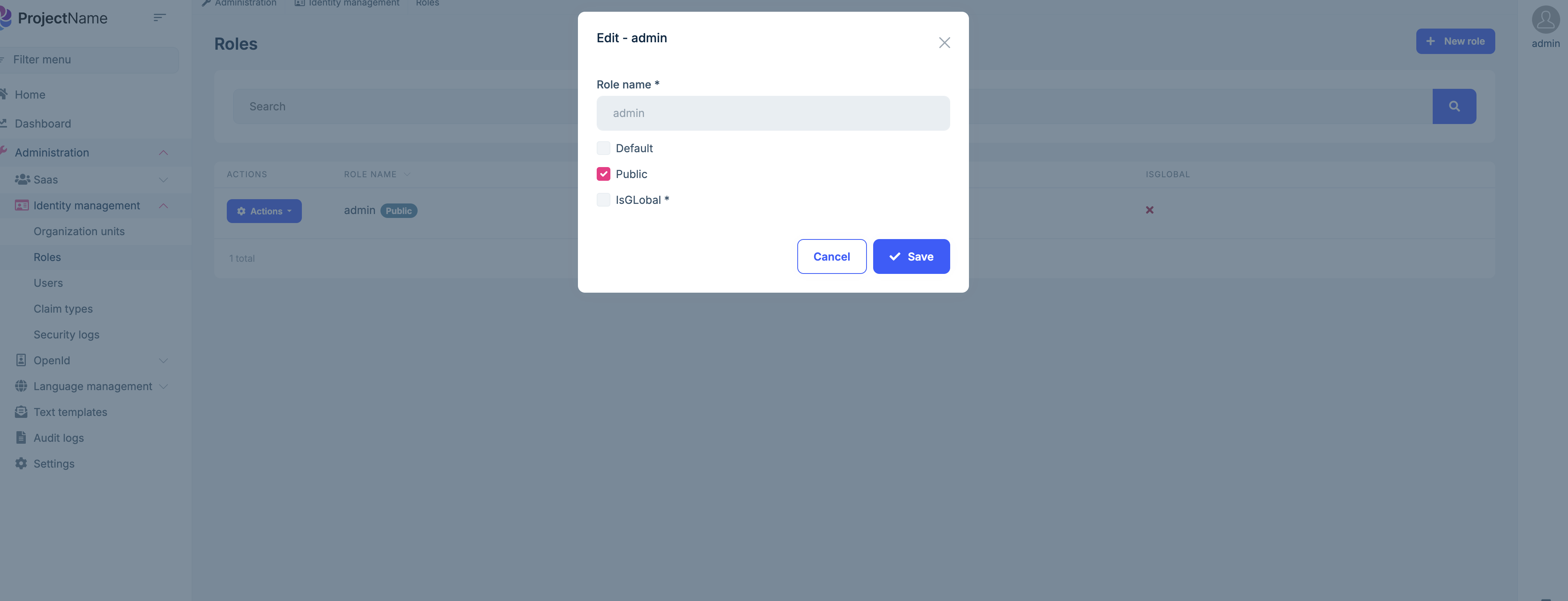
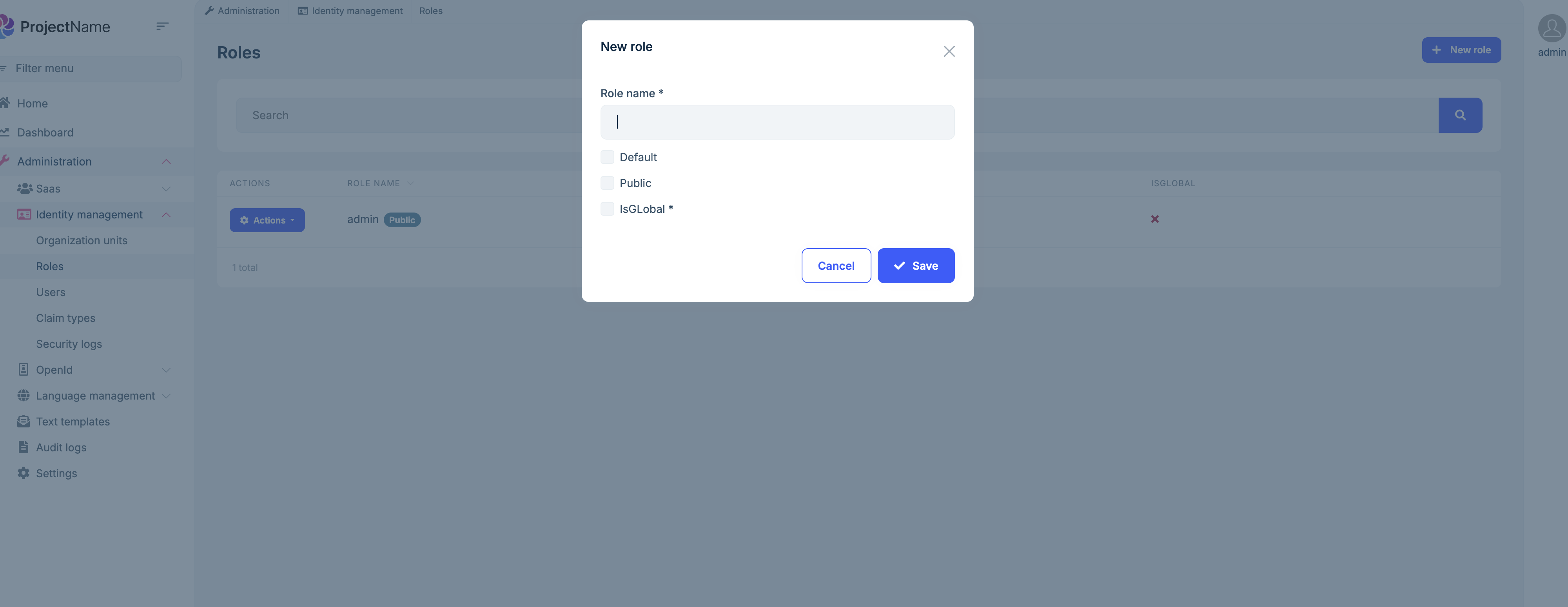
I can't reproduce the problem. (my version is 9.0.2, you can try upgrade to the latest version.)
ObjectExtensionManager.Instance.Modules().ConfigureIdentity(identity =>
{
    identity.ConfigureRole(role =>
    {
        role.AddOrUpdateProperty<bool>(
            "IsGLobal",
            options =>
            {
                options.Attributes.Add(new RequiredAttribute());
                options.DefaultValue = false;
            });
    });
});
 Markdown supported.Copy, paste, or drag & drop images and files (max 100 MB per file, 100 MB total per post)
 -
0
To confirm, is your demo using the angular front end? I found a few things that seemed to imply that this worked for the MVC front end, but not for Angular.
I'd also like to clarify: is it possible to upgrade to ABP 9.x and use .NET Core 8? My team would like to stick to LTS versions of Core.
Markdown supported.Copy, paste, or drag & drop images and files (max 100 MB per file, 100 MB total per post) -
0
Hi,
No, I'm using the angular UI.
I'd also like to clarify: is it possible to upgrade to ABP 9.x and use .NET Core 8? My team would like to stick to LTS versions of Core.
okay, I can confirm this issue, and I will have the Angular team respond to you.
Markdown supported.Copy, paste, or drag & drop images and files (max 100 MB per file, 100 MB total per post) -
0
-
0
The solution builds and runs, but once we attempt to login we receive an error indicating that “ExtendedProperties” does not exist as a column. Digging into the logs, I was able to export the attached CSV. For some reason ABP 9.0.3 is requesting an ExtendedProperties column on AbpSessions, which is not valid.
Hi, are you talking about
ExtraProperties?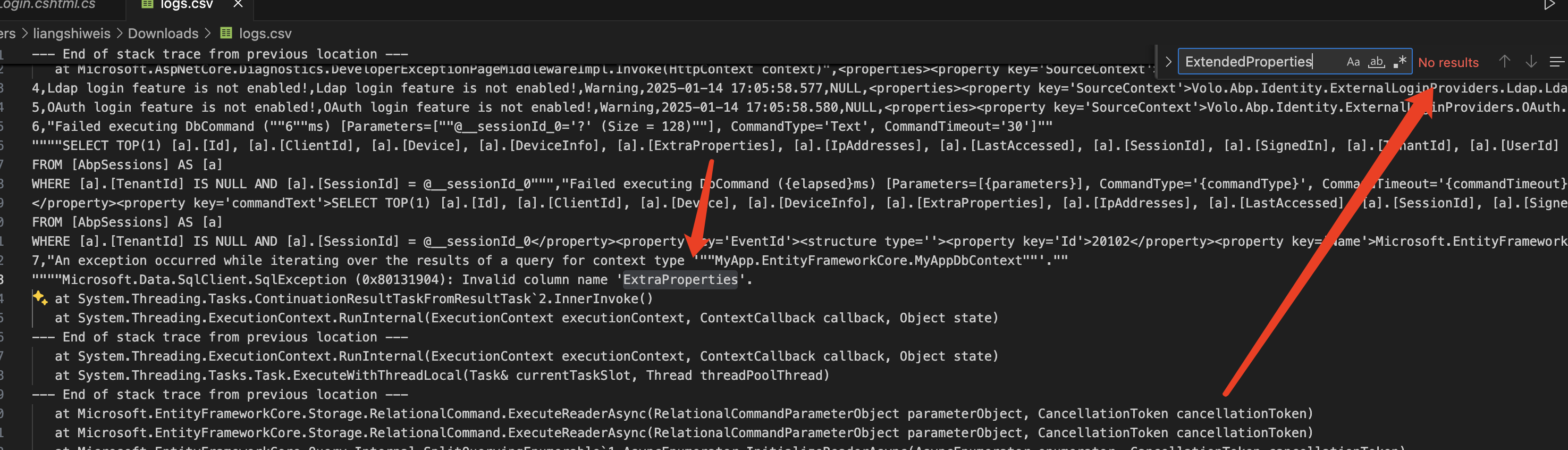
You can check your database table.
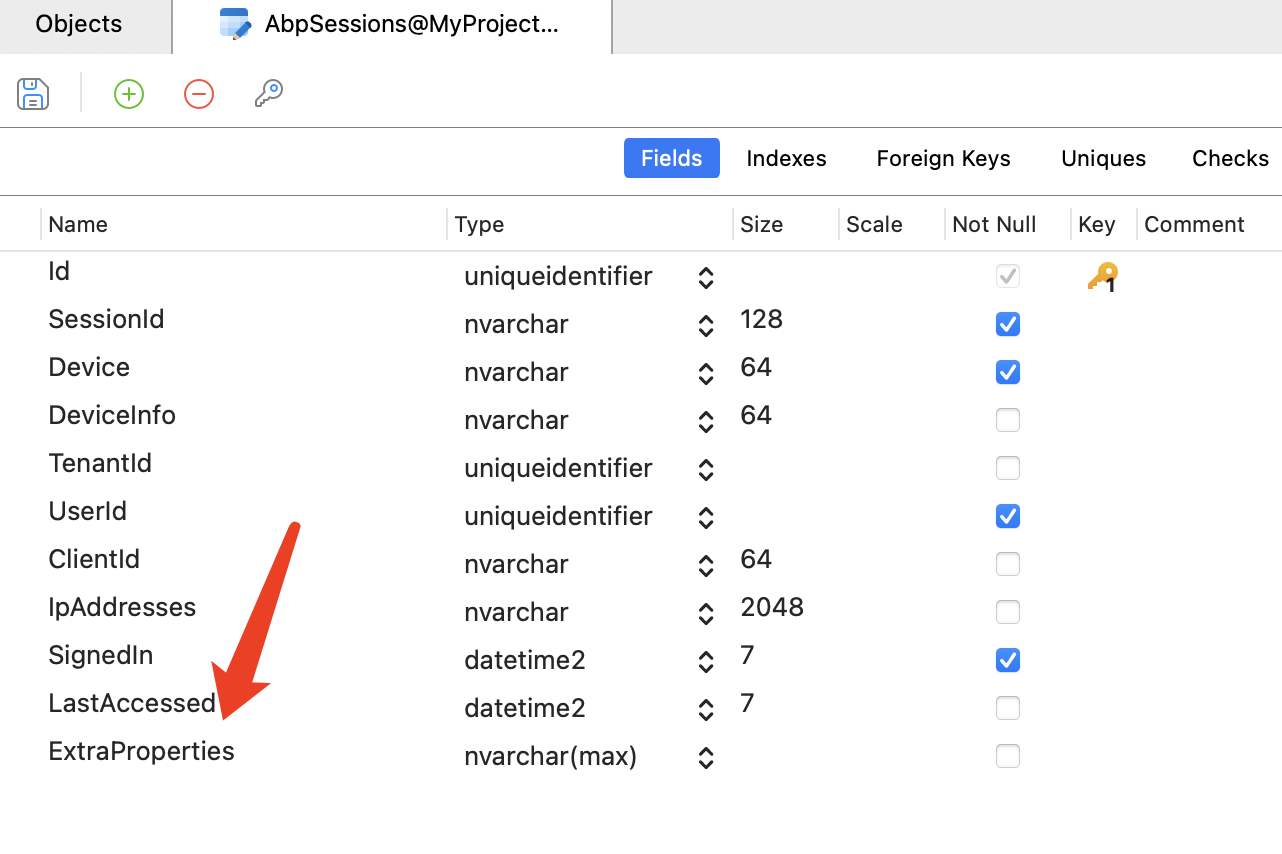
Make sure all abp packages are
9.0.3Markdown supported.Copy, paste, or drag & drop images and files (max 100 MB per file, 100 MB total per post) -
0
Sorry, yes, "ExtraProperties". All projects were updated to 9.0.3 but our database does not have the column. We tried creating a migration, but it was empty. We also tried running the dbmigrator with a new database name (to generate a new database) and still did not get this new column.
Markdown supported.Copy, paste, or drag & drop images and files (max 100 MB per file, 100 MB total per post) -
0
Hi,
I think there might be an issue with your database configuration. can you share your project structure and the DbContext code.
Markdown supported.Copy, paste, or drag & drop images and files (max 100 MB per file, 100 MB total per post) -
0
-
0
Hi,
Okay, please send to shiwei.liang@volosoft.com
Markdown supported.Copy, paste, or drag & drop images and files (max 100 MB per file, 100 MB total per post) -
0
Hi,
Sorry, but I didn't get your email.
Markdown supported.Copy, paste, or drag & drop images and files (max 100 MB per file, 100 MB total per post) -
0
This is because your migration snapshot has the right entity definition, maybe you have created a migration file, but deleted it manually.
you can try to remove this and create a new migrations file again.
b.Property<string>("ExtraProperties")
    .HasColumnType("nvarchar(max)")
    .HasColumnName("ExtraProperties");
Markdown supported.Copy, paste, or drag & drop images and files (max 100 MB per file, 100 MB total per post) -
0
That's really strange. To the best of my awareness I didn't delete any upgrades (except for empty ones), but you're right: I don't see a way for this situation to happen otherwise.
Thanks for your help on figuring this one out!
Markdown supported.Copy, paste, or drag & drop images and files (max 100 MB per file, 100 MB total per post)



