- ABP Framework version: v8.2
- UI Type: Blazor WASM
- Database System: EF Core (SQL Server, Oracle, MySQL, PostgreSQL, etc..) / MongoDB
- Tiered (for MVC) or Auth Server Separated (for Angular): yes/no
- Exception message and full stack trace:
- Steps to reproduce the issue
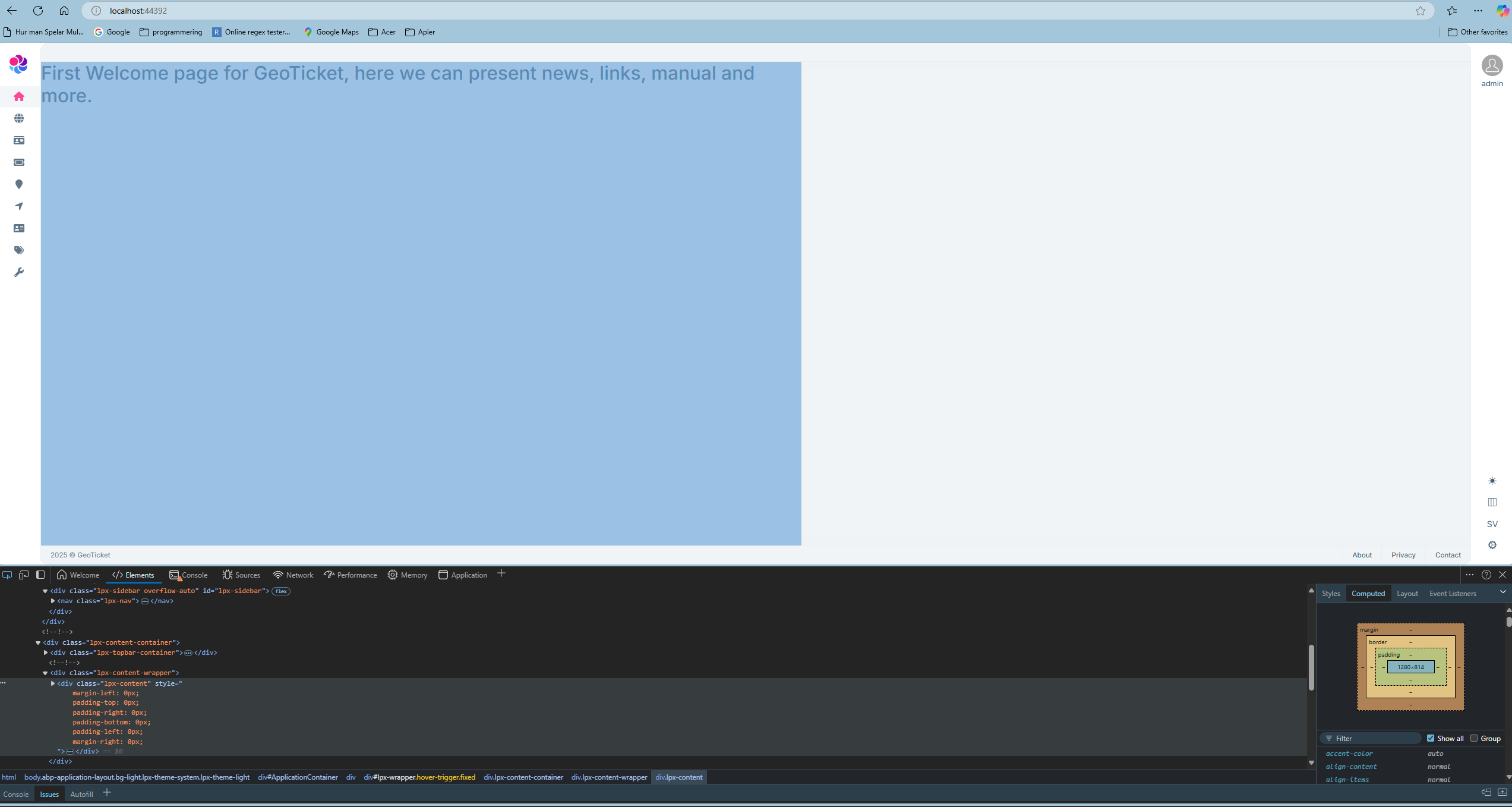
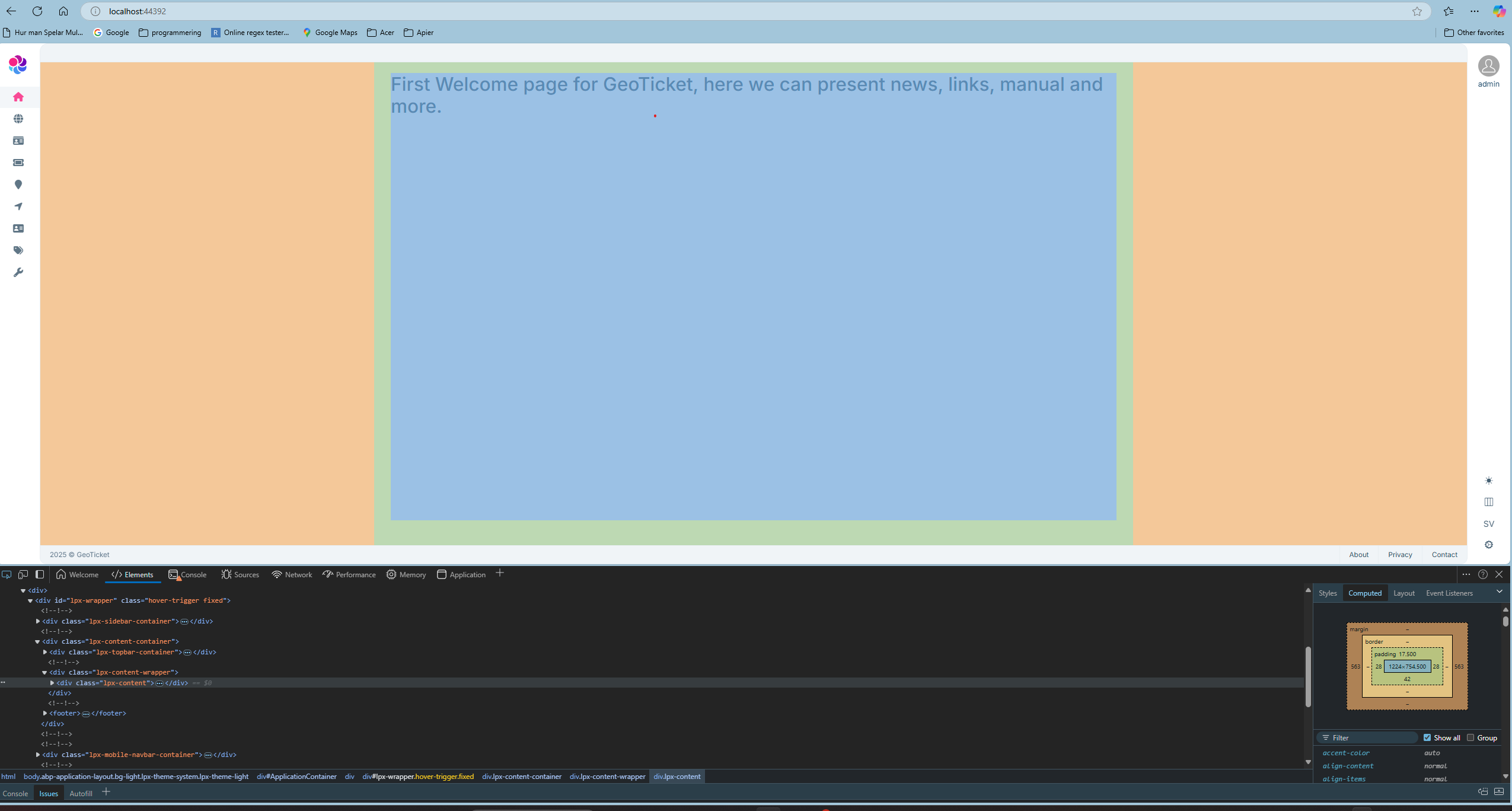
Why are we not getting full width on .lpx-content? We have tried writing custom CSS to override .lpx-content and inheriting from the parent without success. The parent CSS .lpx-content-wrapper is as large as we want it to be. Any suggestions? Even if we set margin, border, and padding to 0, we still don't get full width. See screenshot!
4 Answer(s)
-
0
Hi,
You can consider using a
Fluidlayout instead ofFixed.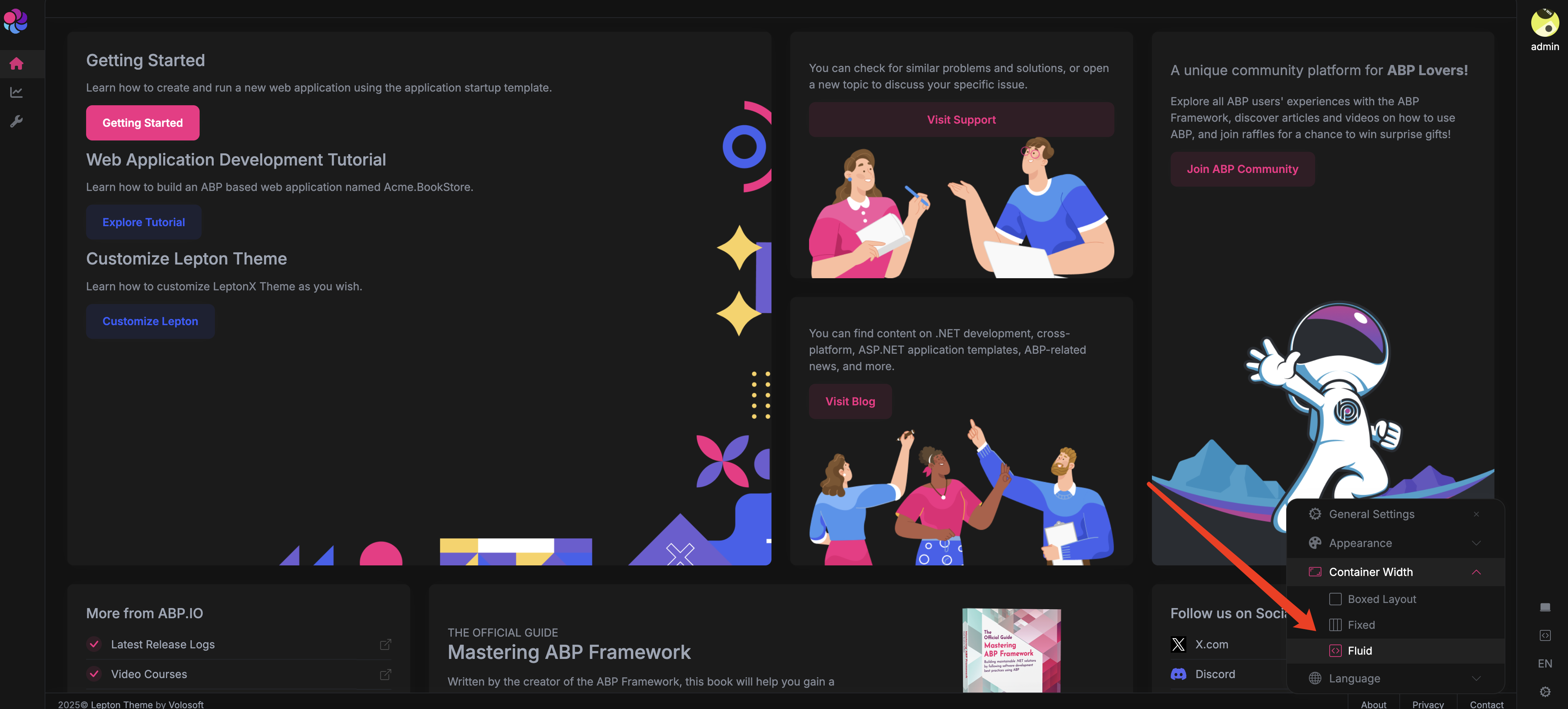 Markdown supported.Copy, paste, or drag & drop images and files (max 100 MB per file, 100 MB total per post)
 -
0
What do you mean by using container-fluid? The classes you see in the image are from when we created the project using your instructions.
We can't find anywhere to change them.
Is there a way to extract these files into the project so we can edit them? For example, there is no MainLayout file in the project. If we remove class="lpx-content" in the browser's developer tools, we get the look we want.
Markdown supported.Copy, paste, or drag & drop images and files (max 100 MB per file, 100 MB total per post) -
0
Hi,
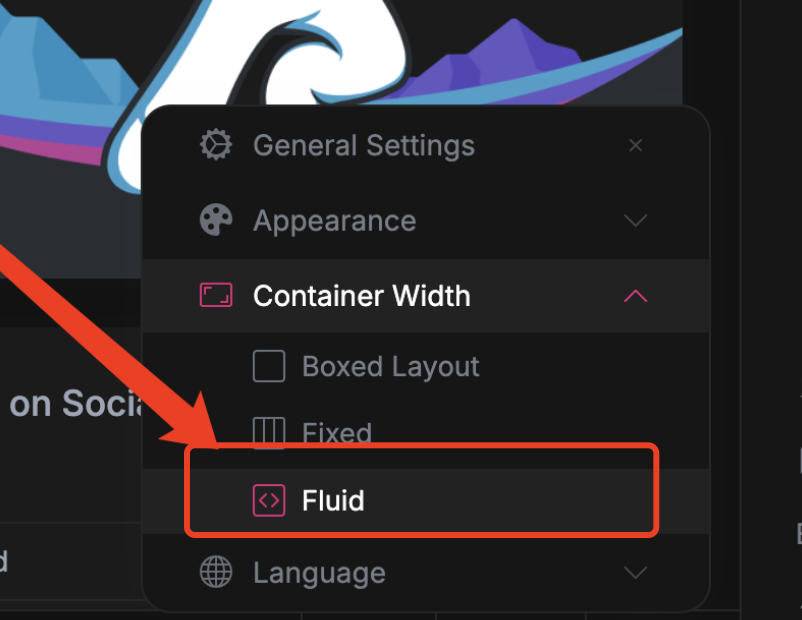
You can see it in the settings.
 Markdown supported.Copy, paste, or drag & drop images and files (max 100 MB per file, 100 MB total per post)