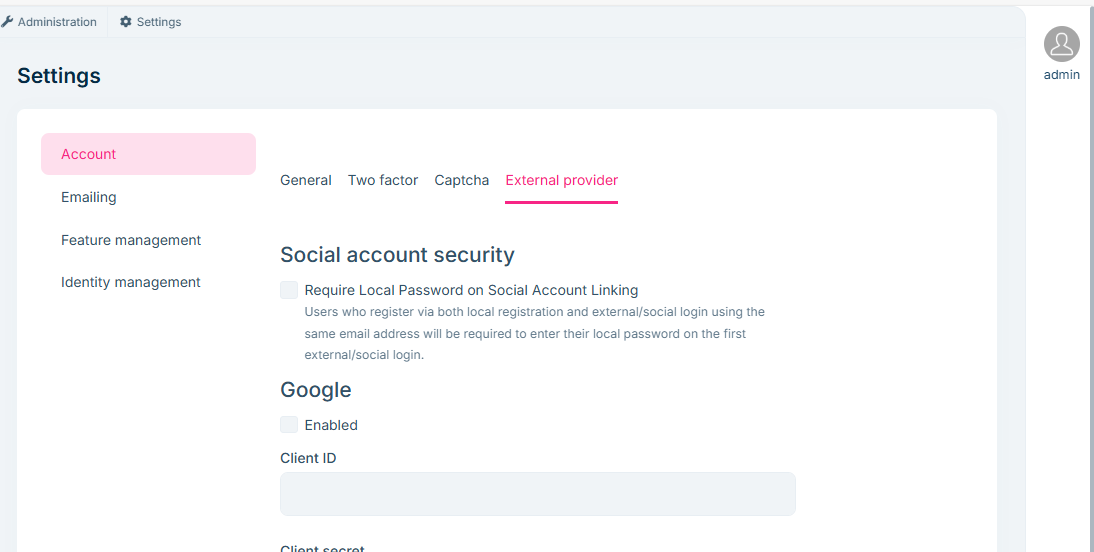
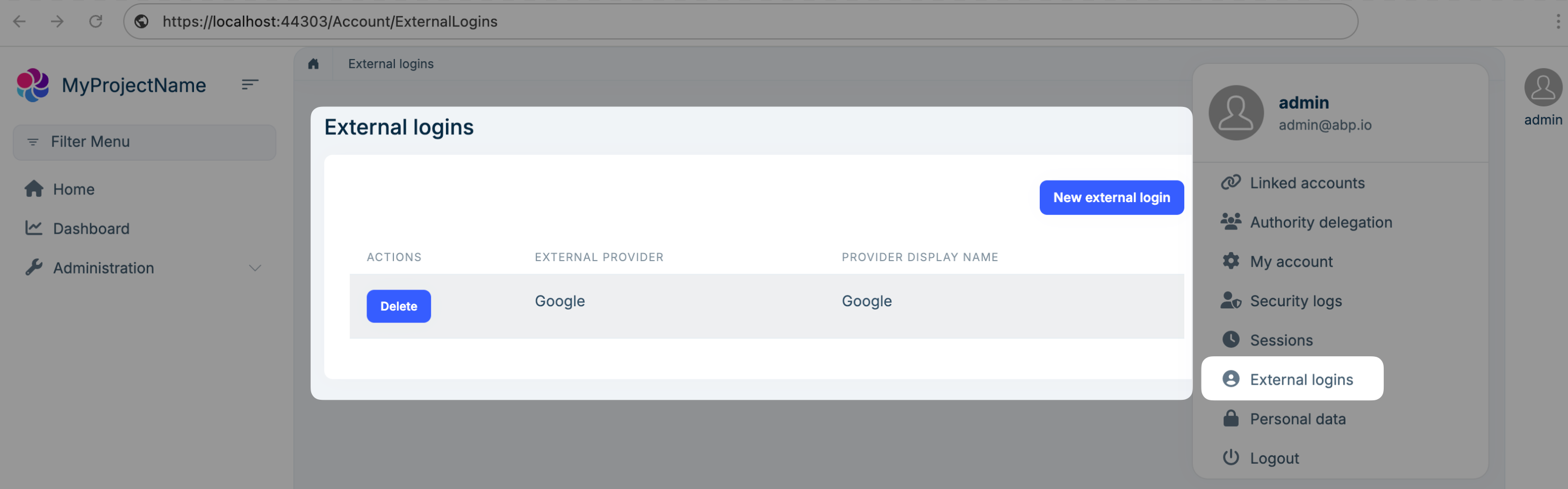
It's not just the frame itself
For example, https://account.abp.io/, I want to log in through Google or Twitter and bind my own account, but the account name already exists.
I also want to unbind the associated SSO account and re-bind it
This feature helps to increase the functionality of the website
Although I can implement it myself, if the framework itself implements it, I don't have to maintain it myself
Hope the abp team can pay attention to it
Thanks
12 Answer(s)
-
0
Hi,
ABP already supports this
https://abp.io/docs/latest/modules/account-pro#manage-external-logins
Markdown supported.Copy, paste, or drag & drop images and files (max 100 MB per file, 100 MB total per post) -
0
Hi
Which version to use?
I used when 9.0.0 to create an empty template, but no Account External Provider
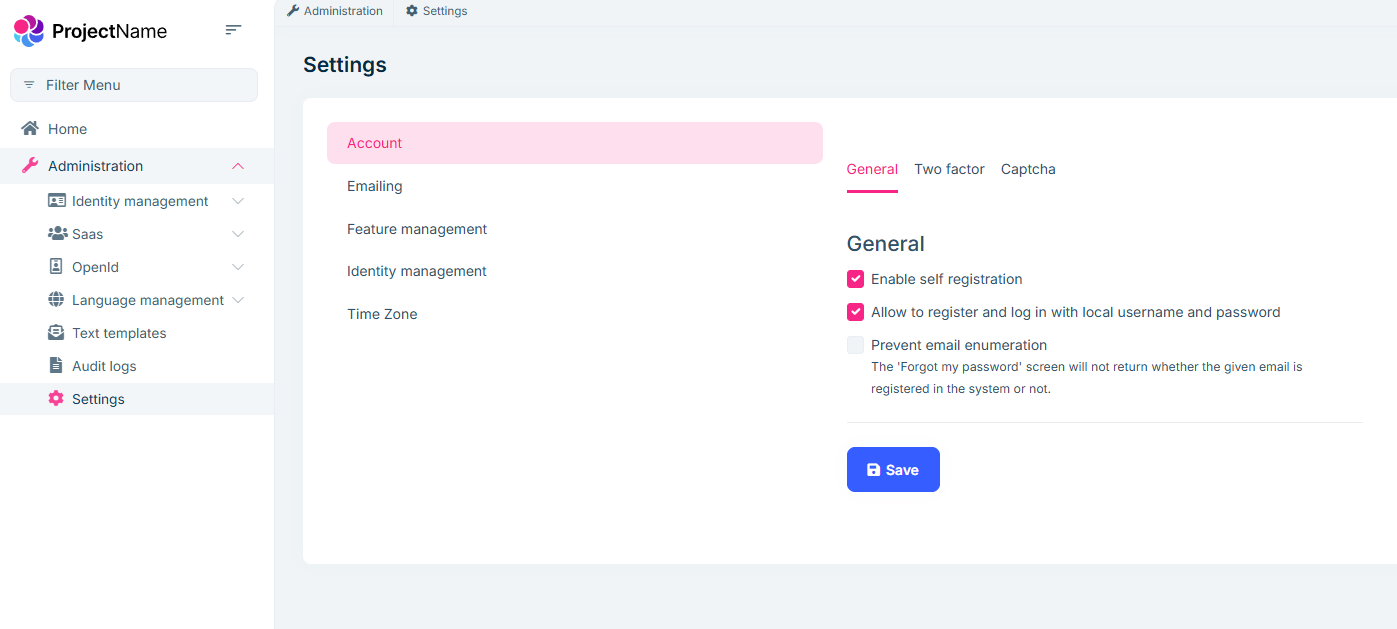
The template has confirmed that SSO is enabled
  context.Services.AddAuthentication()
      .AddGoogle(GoogleDefaults.AuthenticationScheme, options =>
      {
          options.ClaimActions.MapJsonKey(AbpClaimTypes.Picture, "picture");
      })
      .WithDynamicOptions<GoogleOptions, GoogleHandler>(
          GoogleDefaults.AuthenticationScheme,
          options =>
          {
              options.WithProperty(x => x.ClientId);
              options.WithProperty(x => x.ClientSecret, isSecret: true);
          }
      )
      .AddMicrosoftAccount(MicrosoftAccountDefaults.AuthenticationScheme, options =>
      {
          //Personal Microsoft accounts as an example.
          options.AuthorizationEndpoint = "https://login.microsoftonline.com/consumers/oauth2/v2.0/authorize";
          options.TokenEndpoint = "https://login.microsoftonline.com/consumers/oauth2/v2.0/token";

          options.ClaimActions.MapCustomJson("picture", _ => "https://graph.microsoft.com/v1.0/me/photo/$value");
          options.SaveTokens = true;
      })
      .WithDynamicOptions<MicrosoftAccountOptions, MicrosoftAccountHandler>(
          MicrosoftAccountDefaults.AuthenticationScheme,
          options =>
          {
              ////options.WithProperty(x => x.ClientId);
              options.WithProperty(x => x.ClientSecret, isSecret: true);
          }
      )
      .AddTwitter(TwitterDefaults.AuthenticationScheme, options =>
      {
          options.ClaimActions.MapJsonKey(AbpClaimTypes.Picture, "profile_image_url_https");
          options.RetrieveUserDetails = true;
      })
      .WithDynamicOptions<TwitterOptions, TwitterHandler>(
          TwitterDefaults.AuthenticationScheme,
          options =>
          {
              options.WithProperty(x => x.ConsumerKey);
              options.WithProperty(x => x.ConsumerSecret, isSecret: true);
          }
      );
Markdown supported.Copy, paste, or drag & drop images and files (max 100 MB per file, 100 MB total per post) -
0
Hi,
I can't reproduce the problem.
Version(9.0.3)
My steps
- abp new Qa8688 -u angular
- Create database migration and run projects
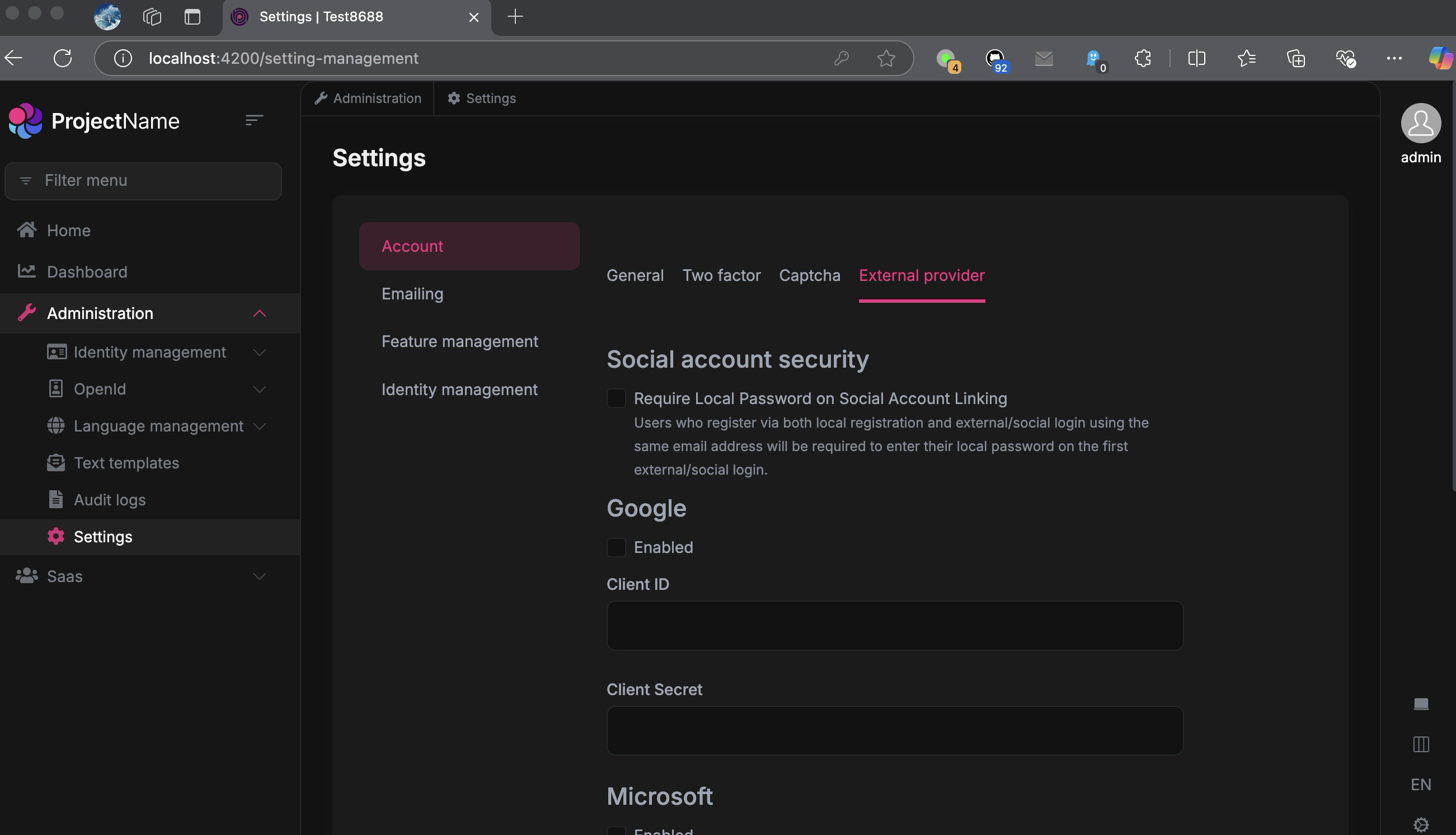 Markdown supported.Copy, paste, or drag & drop images and files (max 100 MB per file, 100 MB total per post)
 -
0
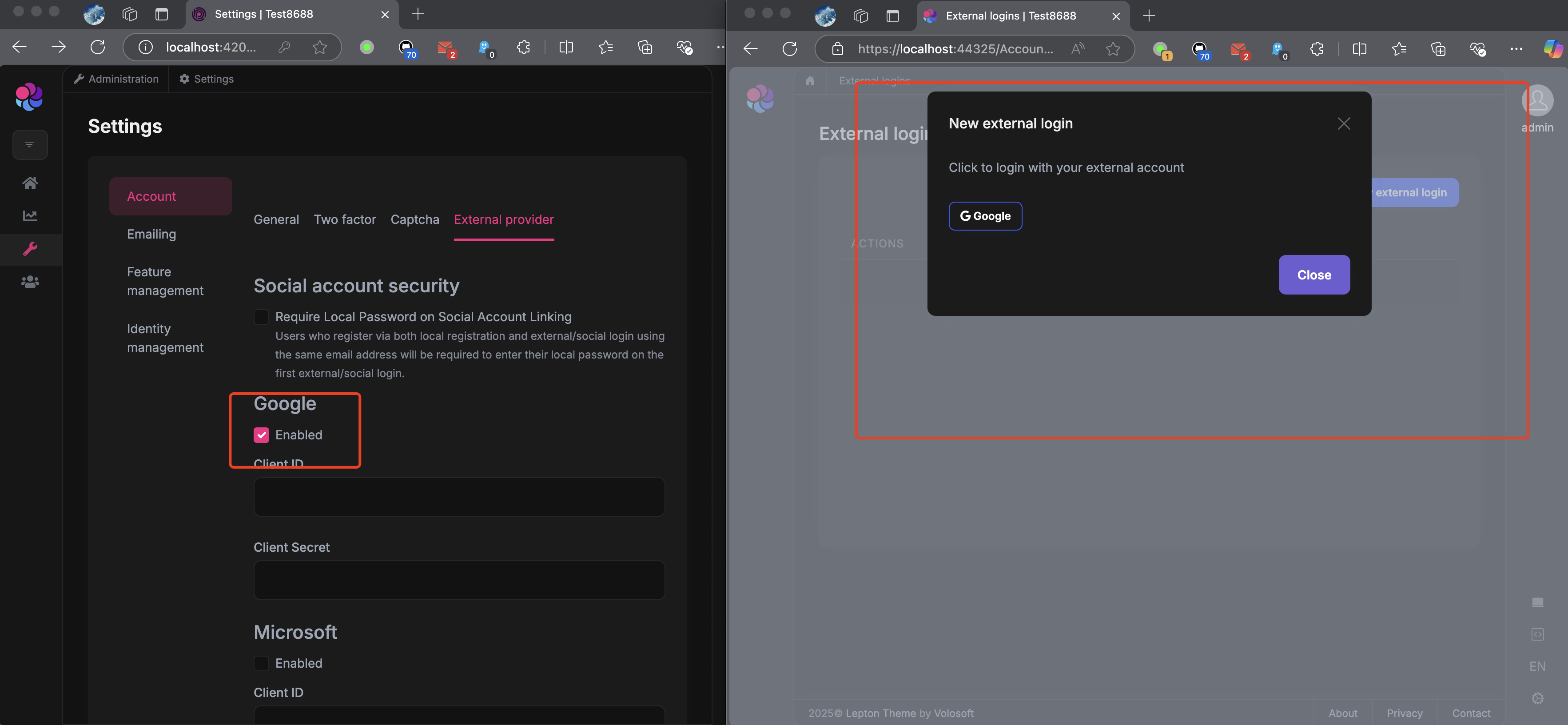
You need to enable an external provider first.
Markdown supported.Copy, paste, or drag & drop images and files (max 100 MB per file, 100 MB total per post) -
0
I can't reproduce the problem
 Markdown supported.Copy, paste, or drag & drop images and files (max 100 MB per file, 100 MB total per post)
 -
0
Angular environment that can be reproduced
const oAuthConfig = {
  issuer: 'http://localhost:44372/',
  redirectUri: baseUrl,
  clientId: 'BookStore_App',
  responseType: 'password', // change to password
  scope: 'offline_access BookStore',
  requireHttps: false,
  impersonation: {
    userImpersonation: true,
    tenantImpersonation: true,
  },
};
Markdown supported.Copy, paste, or drag & drop images and files (max 100 MB per file, 100 MB total per post) -
0
Hi,
Currently, the angular password flow does not support external login.
Markdown supported.Copy, paste, or drag & drop images and files (max 100 MB per file, 100 MB total per post) -
0
Hi,
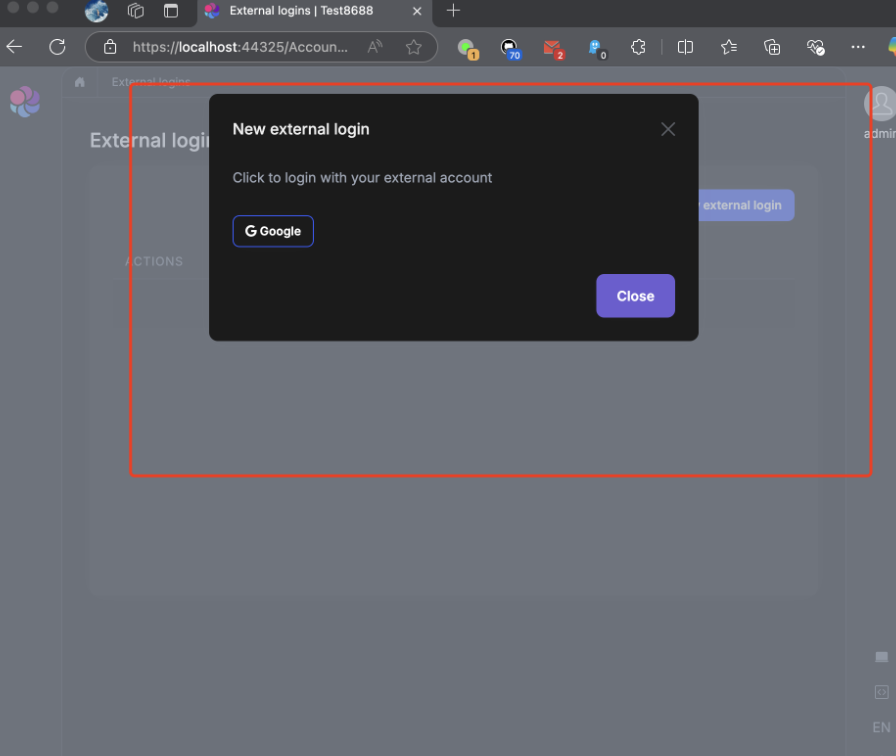
Currently, manual binding of social accounts is supported only after user login.
Like this.
 Markdown supported.Copy, paste, or drag & drop images and files (max 100 MB per file, 100 MB total per post)