






7 Answer(s)
-
0
can you open the developer console and check if there's a log. 1- open Chrome Developer Console and refresh page 2- see if there's an error or awaiting XHR request 3- check the CMD window (which you have started the Suite). is there any error there?
Markdown supported.Copy, paste, or drag & drop images and files (max 100 MB per file, 100 MB total per post) -
0
1 - done 2 - no errors:
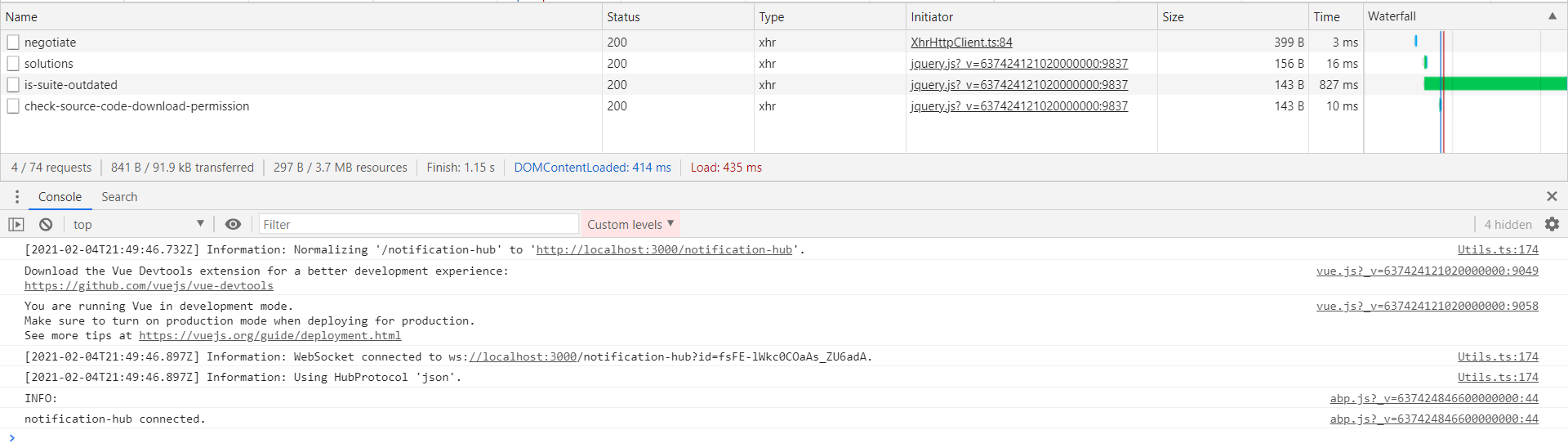 3 - no errorsMarkdown supported.Copy, paste, or drag & drop images and files (max 100 MB per file, 100 MB total per post)
 -
0
Hi, any updates here?
Markdown supported.Copy, paste, or drag & drop images and files (max 100 MB per file, 100 MB total per post) -
0
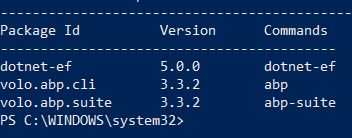
I'm not able to reproduce the issue. Can you run the command below and ensure that suite and CLI both have the same version?
dotnet tool list -gMarkdown supported.Copy, paste, or drag & drop images and files (max 100 MB per file, 100 MB total per post) -
0
Yes, they are of the same version:
 Markdown supported.Copy, paste, or drag & drop images and files (max 100 MB per file, 100 MB total per post)
 -
0
By chance I realized when my error takes place! It happens when there is no any ABP solution created! But it needs to be able to download ABP modules source code even if no solution created so far, right?
Markdown supported.Copy, paste, or drag & drop images and files (max 100 MB per file, 100 MB total per post) -
0
Yes, you're right. I removed all solutions and I can reproduce the issue right now. I opened an issue internally to fix this. As a workaround you can create a solution temporarily and download the source of the module.
Markdown supported.Copy, paste, or drag & drop images and files (max 100 MB per file, 100 MB total per post)



