






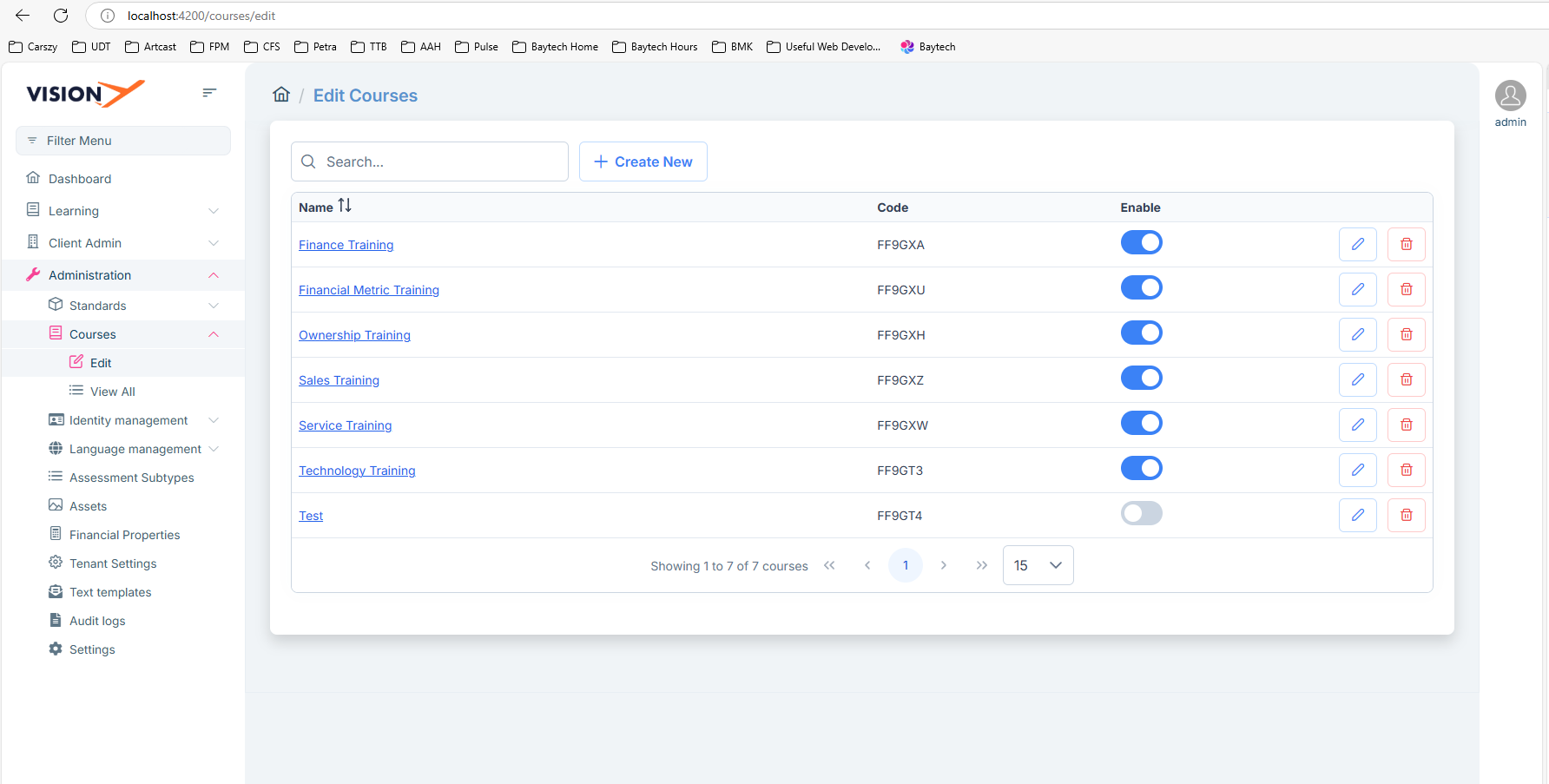
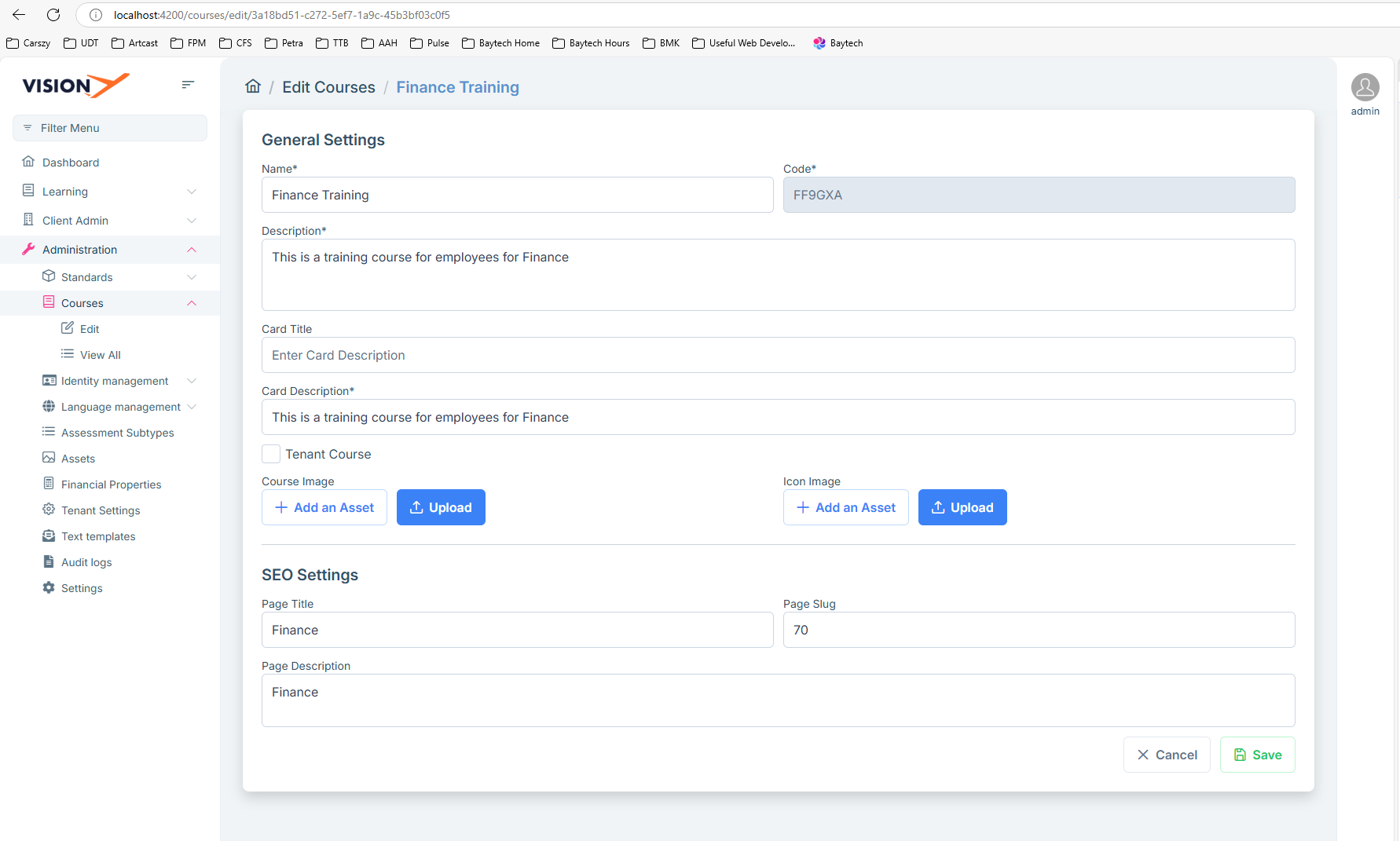
How can I make the Courses > Edit menu item stay active for when it routes to courses/edit/{id}. The menu item is active on courses/edit but when I route to courses/edit/{id}, it no longer stays active. I attached two images below showing this behavior.
5 Answer(s)
-
0
Hello,
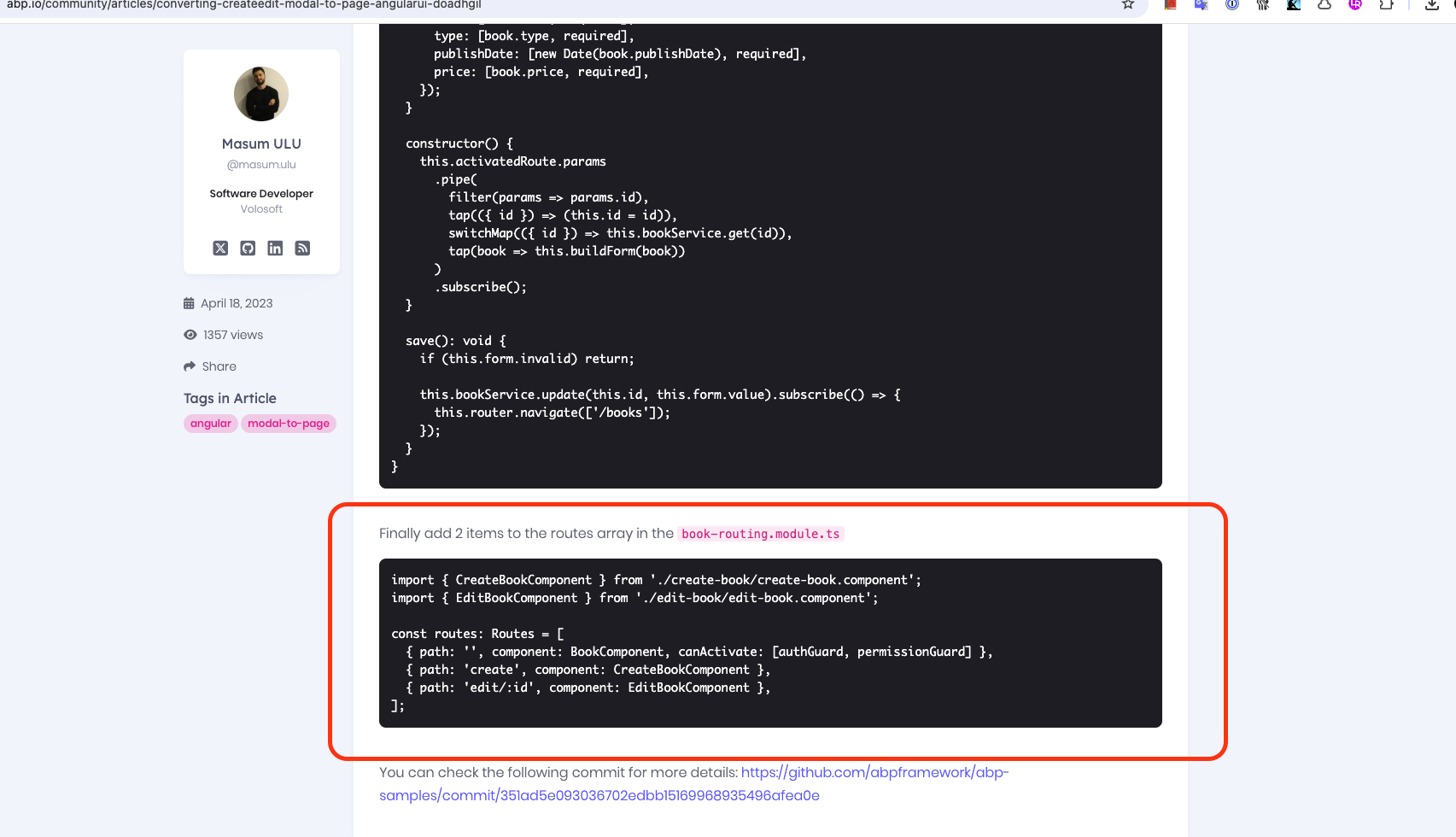
YourComponentName-routing.module.ts should be as follows:
import { CreateBookComponent } from './create-book/create-book.component';
import { EditBookComponent } from './edit-book/edit-book.component';

const routes: Routes = [
  { path: '', component: BookComponent, canActivate: [authGuard, permissionGuard] },
  { path: 'create', component: CreateBookComponent },
  { path: 'edit/:id', component: EditBookComponent },
];
More information on this topic can be found here: https://abp.io/community/articles/converting-createedit-modal-to-page-angularui-doadhgil
Markdown supported.Copy, paste, or drag & drop images and files (max 100 MB per file, 100 MB total per post) -
0
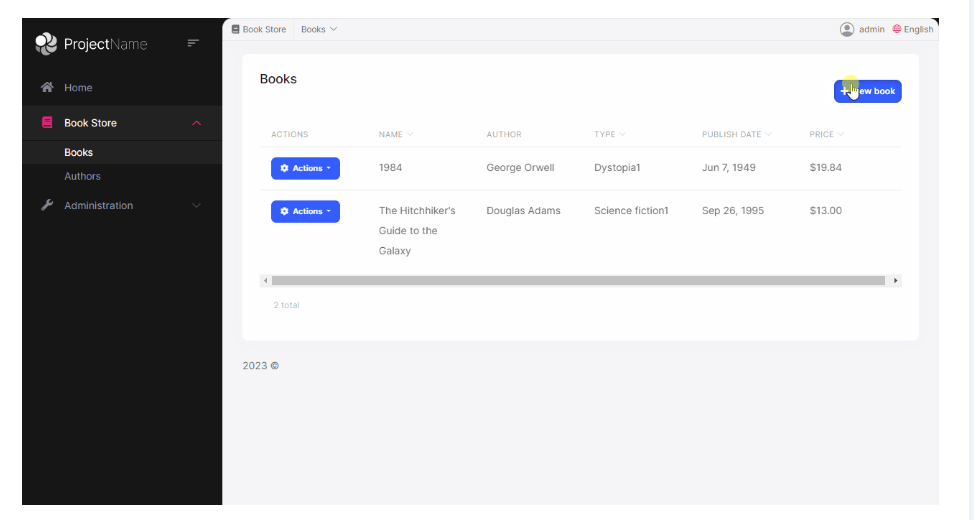
The link you provided also highlights the same problem. Here the books menu item link is active and highlighted:
Once you route to /create, it is not longer highlighted:
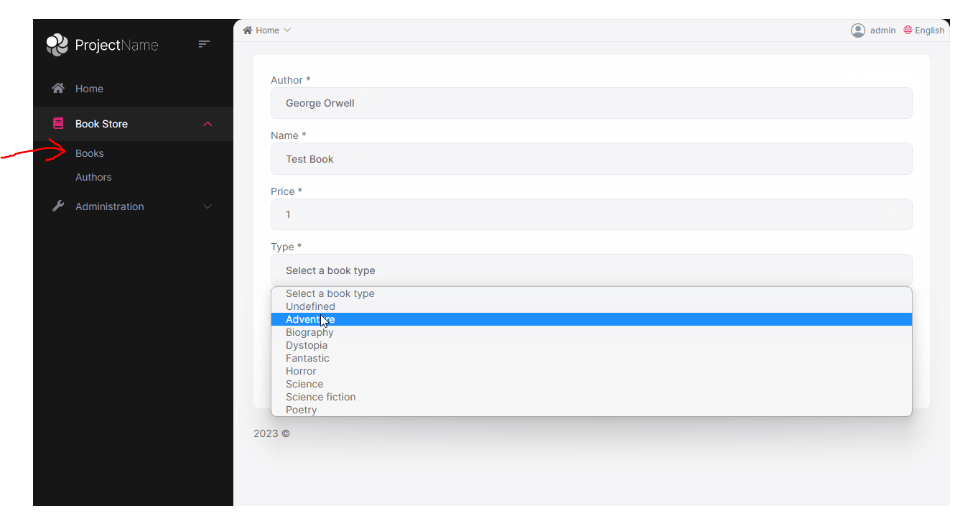
The book menu item matches the path "/books" so the menu item is active, but when you route to "books/create" it no longer is a match and removes the active class from the menu item.
Markdown supported.Copy, paste, or drag & drop images and files (max 100 MB per file, 100 MB total per post) -
0
Hi,
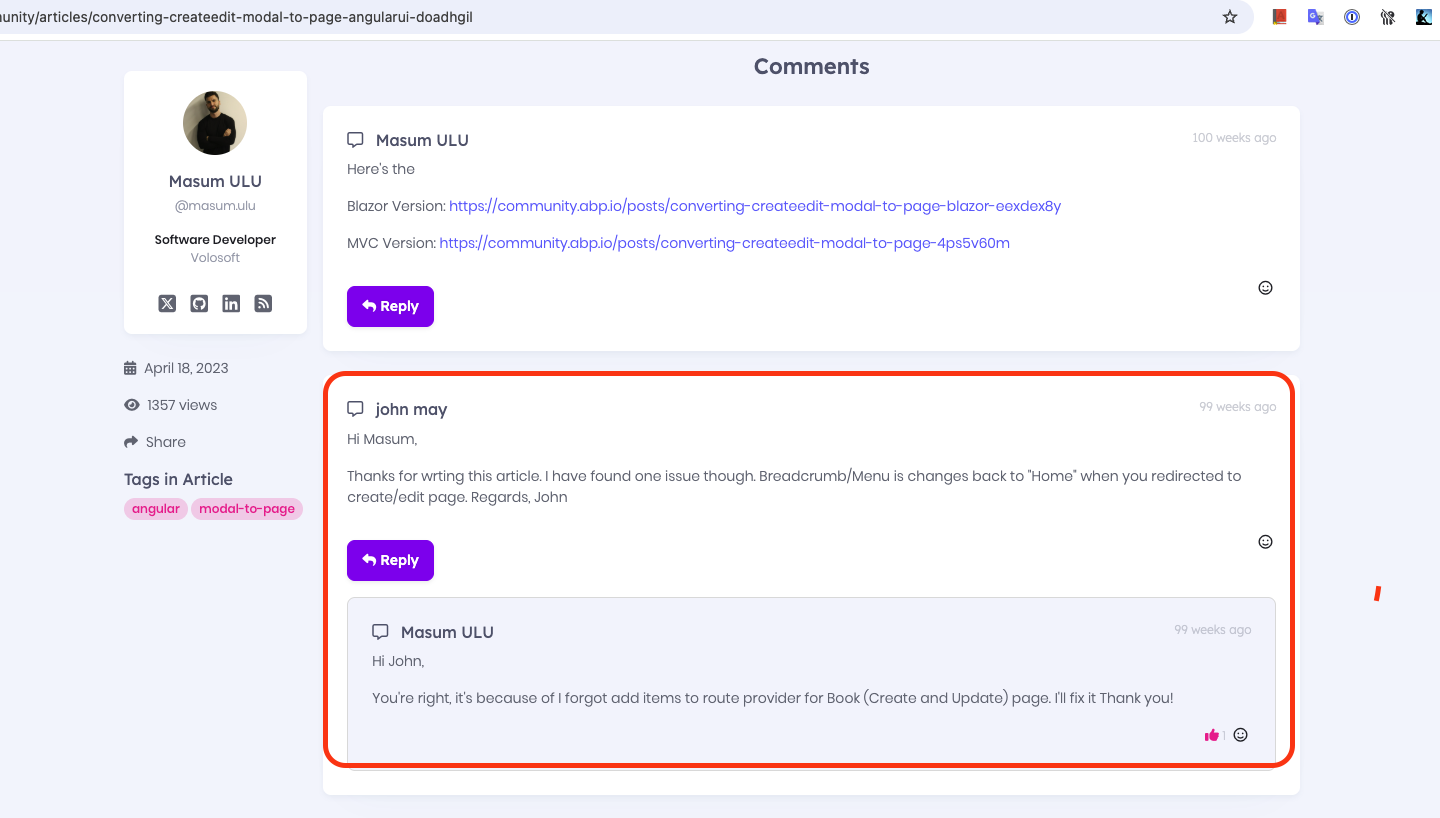
The GIF in the article may not be visible because it is old, but at the end of the article there is a block of code like the one below and it seems to have been done. This feature may not be visible in the GIF because it was added later in the article.
 Markdown supported.Copy, paste, or drag & drop images and files (max 100 MB per file, 100 MB total per post)
 -
0
app-routing.module.ts
{
    path: 'courses',
    loadChildren: () =>
      import('./courses/courses-routing.module').then(m => m.CoursesRoutingModule),
},
route.provider.ts
{
    name: '::Menu:Courses',
    parentName: 'AbpUiNavigation::Menu:Administration',
    iconClass: 'pi pi-book',
    order: 2,
    requiredPolicy: 'Menu.CoursesMenu',
},
{
    path: '/courses/edit',
    name: '::Menu:Courses:Edit',
    parentName: '::Menu:Courses',
    iconClass: 'pi pi-pen-to-square',
    order: 1,
    layout: eLayoutType.application,
    requiredPolicy: 'Menu.CoursesMenu.Edit',
},
courses-routing.module.ts
const routes: Routes = [
    {
        path: 'edit',
        loadComponent: () => import('./edit/edit-courses.component').then(m => m.EditCoursesComponent),
        canActivate: [permissionGuard],
        data: {
          requiredPolicy: 'BMK.Courses.Edit',
        },
    },
    {
        path: 'edit/:courseId',
        loadComponent: () =>
          import('./edit/course/edit-course.component').then(m => m.EditCourseComponent),
        canActivate: [permissionGuard],
        canDeactivate: [unsavedChangesGuard],
        data: {
          requiredPolicy: 'BMK.Courses.Edit',
        },
    },
];
Only the /edit route is activating the active class for the Edit menu item.
I also linked someone that has a similar issue in Stack Overflow
Markdown supported.Copy, paste, or drag & drop images and files (max 100 MB per file, 100 MB total per post) -
0
Hi,
If it does not fix your problem, please share your solution if it's possible via email (to support@abp.io with ticket number), so we can more quickly fix your problem.
Markdown supported.Copy, paste, or drag & drop images and files (max 100 MB per file, 100 MB total per post)


