






I've already seen this ticket: https://abp.io/support/questions/7304/Ip-address-in-audit-logs-not-client%27s-ip-address
I've confirmed X-Forwarded-For is correct

I've done the following code changes
In EduverseHttpApiHostModule in OnApplicationInitialization

In EduverseHttpApiHostModule in ConfigureServices

Audit logs still showing wrong IP address

11 Answer(s)
-
0
You may need to configure your web server. Can you explain how your project is deployed?
Markdown supported.Copy, paste, or drag & drop images and files (max 100 MB per file, 100 MB total per post) -
0
we have deployed the FE stack on Cloudfront + s3. This connects via Application Load balancer to backend stack which is on Elastic Container Service.
Note that in the example I gave, I called the endpoint from the Swagger UI.
Also the X-Forwarded-For header showing a valid IP address is the exact same request which was logged by Audit Log (which recorded a loopback IP address). I would assume that the IP address would be taken from that X-Forwarded-For header.
Markdown supported.Copy, paste, or drag & drop images and files (max 100 MB per file, 100 MB total per post) -
0
This connects via Application Load balancer to backend stack which is on Elastic Container Service.
Hi,
In addition to configuring the ASPNETCore application, you need to configure the web server(load balancer)
See
- https://learn.microsoft.com/en-us/aspnet/core/host-and-deploy/proxy-load-balancer?view=aspnetcore-9.0
- https://docs.aws.amazon.com/elasticloadbalancing/latest/classic/enable-proxy-protocol.html
Markdown supported.Copy, paste, or drag & drop images and files (max 100 MB per file, 100 MB total per post) -
0
the ALB is already configured to set X-Forwarded-For header as the client's source IP address. That is why the X-Forwarded-For header is showing the correct IP as shown:

What further configuration is needed?
Markdown supported.Copy, paste, or drag & drop images and files (max 100 MB per file, 100 MB total per post) -
0
Hi,
Could you share your
EduverseHttpApiHostModulecode? thanks.Markdown supported.Copy, paste, or drag & drop images and files (max 100 MB per file, 100 MB total per post) -
0
My email is shiwei.liang@volosoft.com
Markdown supported.Copy, paste, or drag & drop images and files (max 100 MB per file, 100 MB total per post) -
0
Hi,
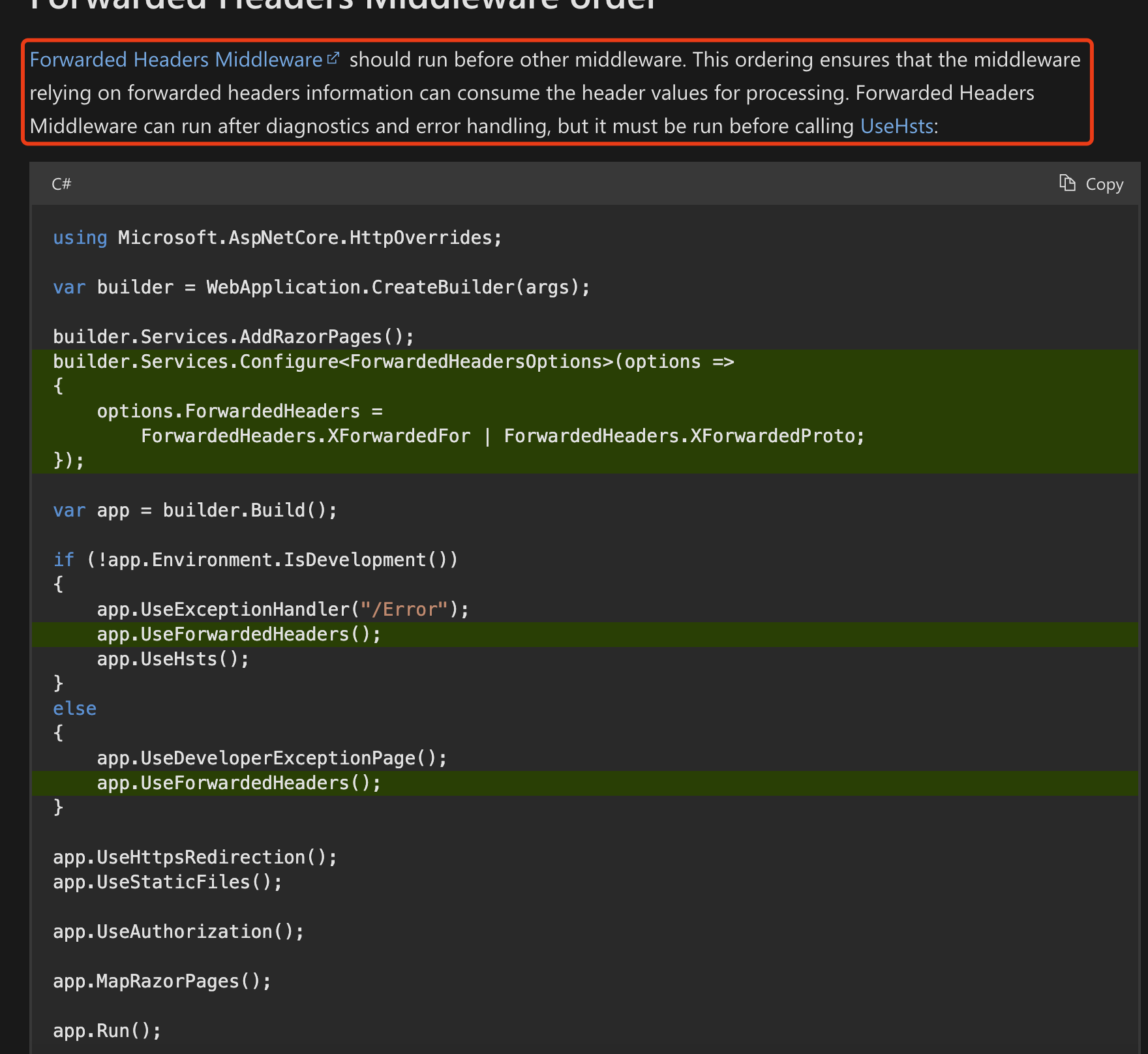
I checked your code, you put the forward headers middleware at the end of the pipeline. that's why it's not working.
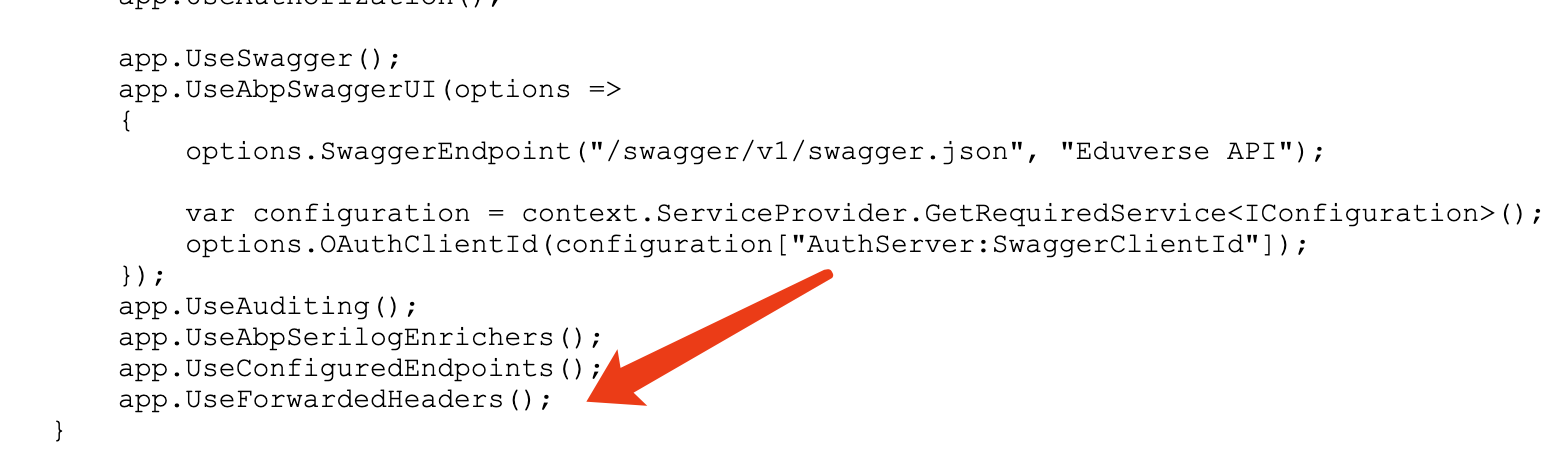
You can try moving it under
UseCookiePolicySee the document https://learn.microsoft.com/en-us/aspnet/core/host-and-deploy/proxy-load-balancer?view=aspnetcore-9.0#forwarded-headers-middleware-order
 Markdown supported.Copy, paste, or drag & drop images and files (max 100 MB per file, 100 MB total per post)
 -
0
great catch, it works now. thank you.
on a separate note, I would like to unlock a ticket to add more comments: https://abp.io/support/questions/8778/Language-Text-changes-to-be-platform-wide
are you able to help me with that?
Markdown supported.Copy, paste, or drag & drop images and files (max 100 MB per file, 100 MB total per post) -
0
okay, unlocked.
Markdown supported.Copy, paste, or drag & drop images and files (max 100 MB per file, 100 MB total per post)


