






I want to upgrade my project to latest abp version. Existing abp version: 9.0.5
First, i successfully updated Volo.Abp.Studio.Cli and Volo.Abp.Suite to the latest version. Then i tried runnig "abp update" command in project root folder.
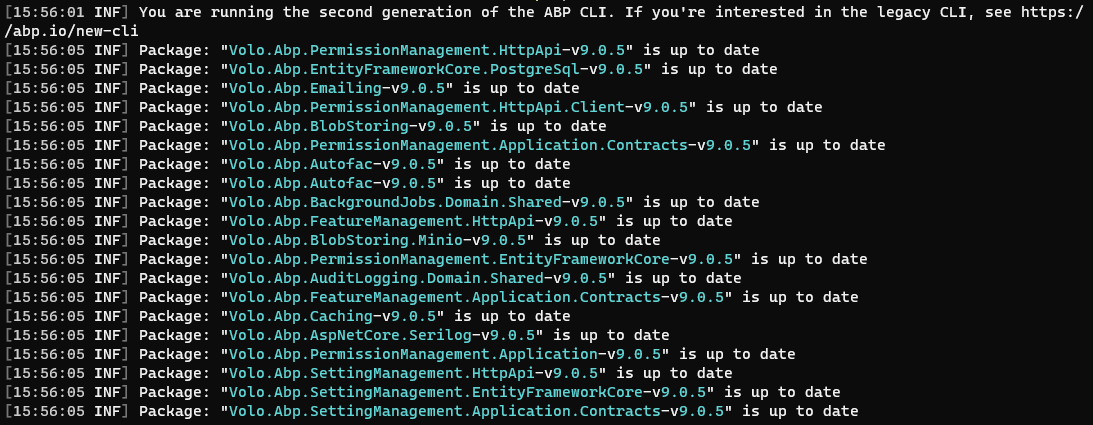
I am getting console messages that almost all packages is up to date (except LeptonX and Volo.Abp.Studio.Client.AspNetCore)
8 Answer(s)
-
0
Hi, when using the
abp updatecommand, normally, the command checks the latest stable version from this file and then updates your project.So, it's really weird to see that. Can you try to update by specifying the version and see if it works for you:
abp update --version 9.1.1Markdown supported.Copy, paste, or drag & drop images and files (max 100 MB per file, 100 MB total per post) -
0
Hi,
It works now. Thank you.
There are some enconding characters (%20) at the end of the latest-version.json file url. Is it possible that the latest version information cannot be obtained because of this when performing an ABP update?
Markdown supported.Copy, paste, or drag & drop images and files (max 100 MB per file, 100 MB total per post) -
0
Hi,
It works now. Thank you.
There are some enconding characters (%20) at the end of the latest-version.json file url.
Is it possible that the latest version information cannot be obtained because of this when performing an ABP update?Yes, it might be. I'll check that, thanks for pointing that out 👍
Markdown supported.Copy, paste, or drag & drop images and files (max 100 MB per file, 100 MB total per post) -
0
You're welcome 👍
Markdown supported.Copy, paste, or drag & drop images and files (max 100 MB per file, 100 MB total per post) -
0
One more question about latest version:
After update completed when i check the UI's, I realized that all datatables have horizontal scrol now. Is it a bug or what?
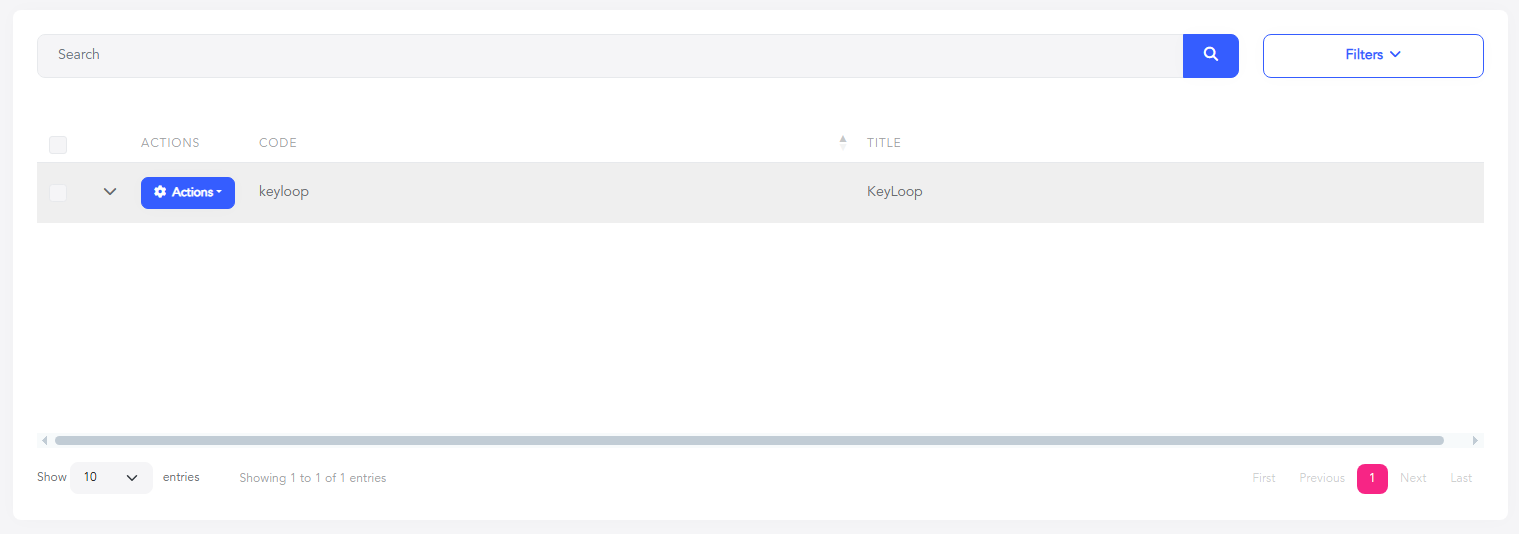
Note: There is no css overload for datatables
Markdown supported.Copy, paste, or drag & drop images and files (max 100 MB per file, 100 MB total per post) -
0
One more question about latest version:
After update completed when i check the UI's, I realized that all datatables have horizontal scrol now. Is it a bug or what?
Note: There is no css overload for datatables
Yes, this is a known issue and we will fix it with the next patch release.
Markdown supported.Copy, paste, or drag & drop images and files (max 100 MB per file, 100 MB total per post) -
0
Is the next patch release date obvious?
Markdown supported.Copy, paste, or drag & drop images and files (max 100 MB per file, 100 MB total per post)


