






 I get this error while creating a new microservice project, and Node.js is already installed.
5 Answer(s)
-
0
Hi, can you please run the following command and then try to re-create the microservice template?
npm install -g npx@latestIf it does not fix your problem, then please share all details such as ABP Studio version, options that you selected, and any other additional options.
Regards.
Markdown supported.Copy, paste, or drag & drop images and files (max 100 MB per file, 100 MB total per post) -
0
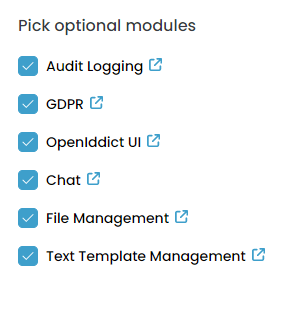
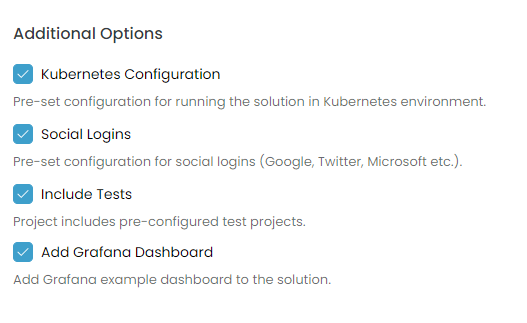
I tried, but it didn't work. volo.abp.studio.cli 0.9.25 Mssql, Multitenancy Active, Forented Angular, Mobile React Native, Public website Active,
 Markdown supported.Copy, paste, or drag & drop images and files (max 100 MB per file, 100 MB total per post)
 -
0
Thanks for reporting the issue, it's a known issue and we've fixed it. In the meantime, as a quick workaround, you can check https://github.com/abpframework/abp/issues/22658#issuecomment-2809189458 and apply it.
Markdown supported.Copy, paste, or drag & drop images and files (max 100 MB per file, 100 MB total per post) -
0
When will the new version be released with this issue fixed?
Markdown supported.Copy, paste, or drag & drop images and files (max 100 MB per file, 100 MB total per post) -
0
When will the new version be released with this issue fixed?
Actually, there's no specific release date yet, but it's likely to be sometime this week for ABP Studio.
Markdown supported.Copy, paste, or drag & drop images and files (max 100 MB per file, 100 MB total per post)


