3 Answer(s)
-
0
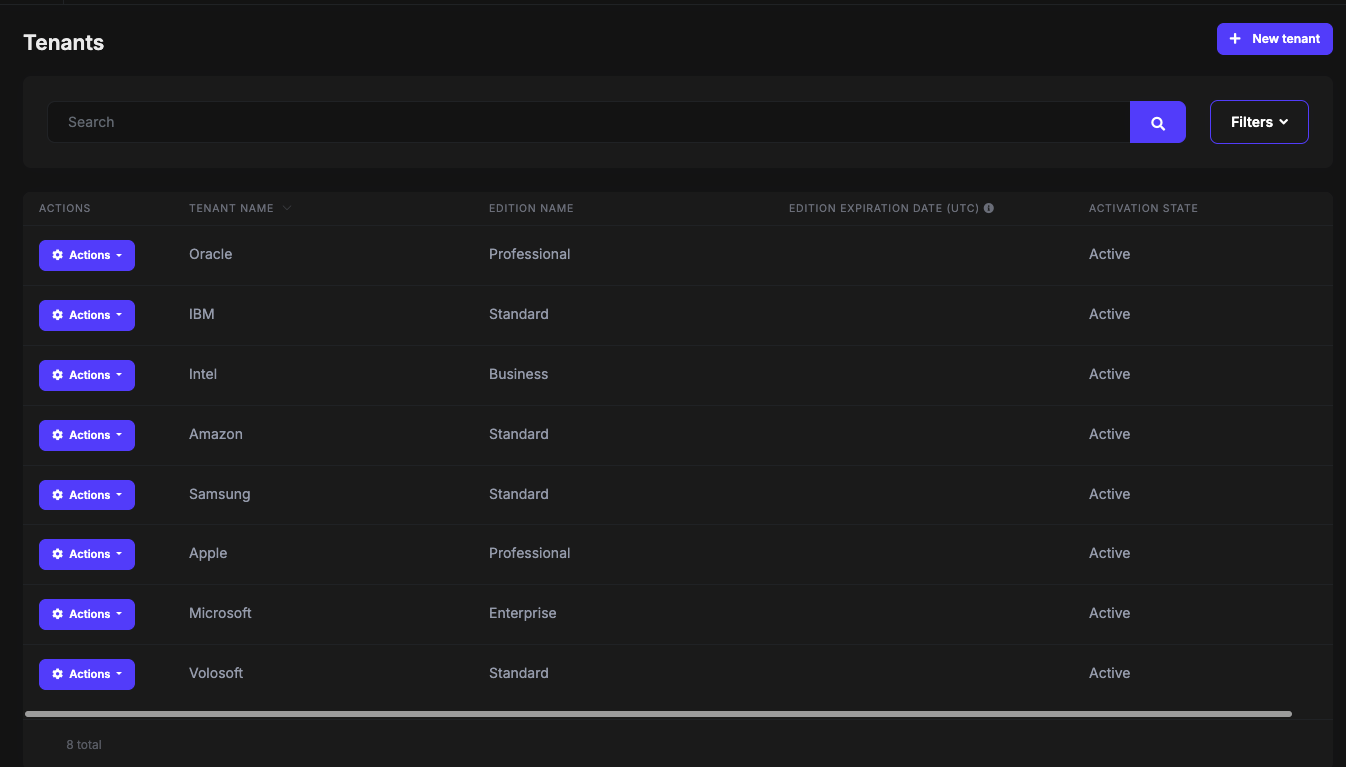
You can check LeptonX demo to find a proper component. All the components from this website is done in LeptonX, you can directly get the HTML code and make it work in your application:
By the way, the component from the screenshot is AbpPageSearchBoxViewComponent from ABP Framework: https://github.com/abpframework/abp/blob/dev/framework/src/Volo.Abp.AspNetCore.Mvc.UI.Theme.Shared/Pages/Shared/Components/AbpPageSearchBox/Default.cshtml
You can easily render it in your page like below:
@await Component.InvokeAsync(typeof(AbpPageSearchBoxViewComponent))Make sure the following using statement is added:
@using Volo.Abp.AspNetCore.Mvc.UI.Theme.Shared.Pages.Shared.Components.AbpPageSearchBoxMarkdown supported.Copy, paste, or drag & drop images and files (max 100 MB per file, 100 MB total per post)