






How to apply role based authorization to the module. We have to hide menu items which is on the 'Side Navbar', as per role based authorization. Give me the example of angular framework.
3 Answer(s)
-
0
Hi,
CurrentUser object has
rolesarray on it. You can easily access roles of the user easily in client-side: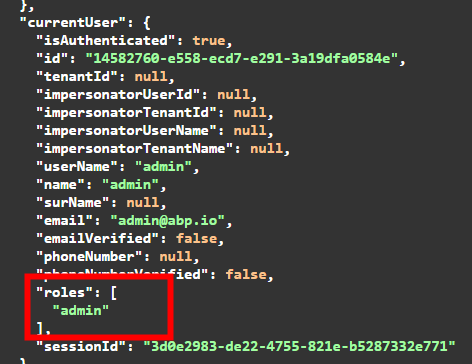
And, at the backend, CurrentUser has an
IsInRolemethod for this check: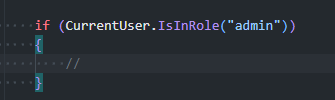
Our @Angular team can answer if need a more complex scenario for angular
Markdown supported.Copy, paste, or drag & drop images and files (max 100 MB per file, 100 MB total per post) -
0
Need more clarification and example to handle authorization. Please give me the example to hide side navbar menu items according to specific roles.
Markdown supported.Copy, paste, or drag & drop images and files (max 100 MB per file, 100 MB total per post) -
0
Hello! To manage visibility based on user roles, you can use the
invisibleorrequiredPolicyproperty. These properties help control which navigation items are shown depending on the user's permissions.You can find more details about these properties in the ABP Framework codebase here.
For example, if you decide to use the
invisibleproperty, you can modify the navigation items like this:import { ABP, AuthService, RoutesService } from '@abp/ng.core'; ... protected routes = inject(RoutesService); updateRouteVisibility(name: string, invisible: boolean) { const route = this.routes.find(route => route.name === name); // const invisible = --you can add your own logic to decide visibility-- if (route) { this.routes.patch(name, { invisible: invisible, } as Partial<ABP.Route>); } } ...Let me know if you need further assistance on that.
Markdown supported.Copy, paste, or drag & drop images and files (max 100 MB per file, 100 MB total per post)



