






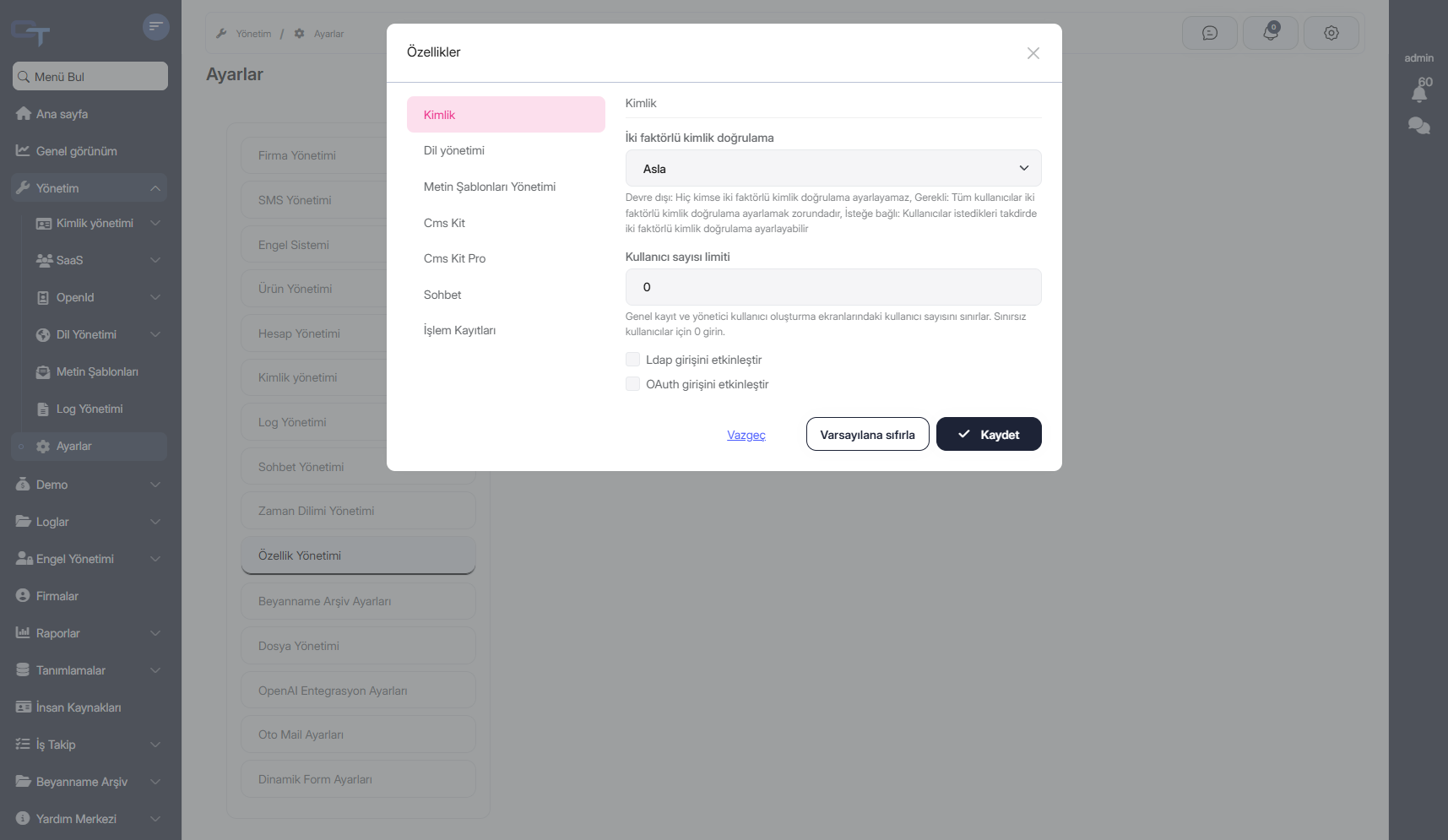
Hello, We have an ABP IO + Angular Project. From the Angular Project, I want to change the appearance of the page that is loaded into the pop-up window opened from the Administration -> Settings -> Feature Management -> Manage Host Features tab by applying CSS codes. I could not find this component in the Angular Project, how can I do this?
3 Answer(s)
-
0
Hello, I recommend the following steps to achieve this:
First, create a new tab component
//new-feature-management-tab.component.ts
import { LocalizationModule, ReplaceableTemplateDirective } from '@abp/ng.core';
import { FeatureManagementTabComponent } from '@abp/ng.feature-management';
import { Component } from '@angular/core';
import { NewFeatureManagementComponent } from '../new-feature-management/new-feature-management.component';

@Component({
  selector: 'app-new-feature-management-tab',
  imports: [LocalizationModule, NewFeatureManagementComponent, ReplaceableTemplateDirective],
  template: `
    <p class="pt-2 text-wrap">
      {{ 'AbpFeatureManagement::ManageHostFeaturesText' | abpLocalization }}
    </p>

    <button class="btn btn-primary" type="button" (click)="openFeaturesModal()">
      <i class="me-1 fa fa-cog" aria-hidden="true"></i>
      {{ 'AbpFeatureManagement::ManageHostFeatures' | abpLocalization }}
    </button>
    @if (visibleFeatures) {
    <app-new-feature-management
      *abpReplaceableTemplate="{
        inputs: {
          providerName: { value: 'T' },
          providerKey: { value: providerKey },
          visible: { value: visibleFeatures, twoWay: true }
        },
        outputs: { visibleChange: onVisibleFeaturesChange },
        componentKey: 'FeatureManagement.FeatureManagementComponent'
      }"
      [(visible)]="visibleFeatures"
      providerName="T"
      [providerKey]="providerKey"
    >
    </app-new-feature-management>
    }
  `,
  styleUrl: './new-feature-management-tab.component.scss',
})
export class NewFeatureManagementTabComponent extends FeatureManagementTabComponent {}
Secondly, create a new management component
// new-feature-management.component.ts
@Component({
  selector: 'app-new-feature-management',
  imports: [
    CommonModule,
    ThemeSharedModule,
    LocalizationModule,
    FormsModule,
    NgbNavModule,
    FreeTextInputDirective,
    NgTemplateOutlet,
  ],
  template: `@if (visible) {
    <abp-modal [(visible)]="visible" [busy]="modalBusy" [options]="{ size: 'lg' }">
      <ng-template #abpHeader>
        <h3 class="test">
          {{ 'AbpFeatureManagement::Features' | abpLocalization }}
          @if (providerTitle) { - {{ providerTitle }}
          }
        </h3>
      </ng-template>

      <ng-template #abpBody>
        <div class="row">
          @if (groups.length) {
          <div class="col-md-4">
            <ul
              ngbNav
              #nav="ngbNav"
              [(activeId)]="selectedGroupDisplayName"
              class="nav-pills"
              orientation="vertical"
            >
              @for (group of groups; track group.name) {
              <li [ngbNavItem]="group.displayName">
                <a ngbNavLink>{{ group.displayName }}</a>
                <ng-template ngbNavContent>
                  <h4>{{ selectedGroupDisplayName }}</h4>
                  <hr class="mt-2 mb-3" />

                  @for (feature of features[group.name]; track feature.id || i; let i = $index) {
                  <div class="mt-2" [ngStyle]="feature.style" (keyup.enter)="save()">
                    @switch (feature.valueType?.name) { @case (valueTypes.ToggleStringValueType) {
                    <div class="form-check" [class.px-4]="!!feature.parentName">
                      <input
                        class="form-check-input"
                        type="checkbox"
                        [id]="feature.name"
                        [(ngModel)]="feature.value"
                        (ngModelChange)="onCheckboxClick($event, feature)"
                      />

                      <label class="form-check-label" [htmlFor]="feature.name">{{
                        feature.displayName
                      }}</label>
                      <ng-container
                        *ngTemplateOutlet="descTmp; context: { $implicit: feature.description }"
                      ></ng-container>
                    </div>
                    } @case (valueTypes.FreeTextStringValueType) {
                    <div class="mb-3 form-group" [class.px-2]="!!feature.parentName">
                      <label [htmlFor]="feature.name" class="form-label">{{
                        feature.displayName
                      }}</label>
                      <input
                        class="form-control"
                        type="text"
                        [id]="feature.name"
                        [(ngModel)]="feature.value"
                        [abpFeatureManagementFreeText]="feature"
                      />

                      <ng-container
                        *ngTemplateOutlet="descTmp; context: { $implicit: feature.description }"
                      ></ng-container>
                    </div>
                    } @case (valueTypes.SelectionStringValueType) { @if
                    (feature.valueType.itemSource?.items?.length) {
                    <div class="mb-3 form-group" [class.px-2]="!!feature.parentName">
                      <label [htmlFor]="feature.name" class="form-label">{{
                        feature.displayName
                      }}</label>
                      <select class="form-select" [id]="feature.name" [(ngModel)]="feature.value">
                        @for ( item of feature.valueType.itemSource?.items; track item.value ) {
                        <option [ngValue]="item.value">
                          {{
                            item.displayText?.resourceName + '::' + item.displayText?.name
                              | abpLocalization
                          }}
                        </option>
                        }
                      </select>
                      <ng-container
                        *ngTemplateOutlet="descTmp; context: { $implicit: feature.description }"
                      ></ng-container>
                    </div>
                    } } @default {
                    {{ feature.displayName }}
                    } }
                  </div>
                  }
                </ng-template>
              </li>
              }
            </ul>
          </div>

          <ng-template #descTmp let-description>
            @if (description) {
            <small class="d-block form-text text-muted">{{ description }}</small>
            }
          </ng-template>

          <div class="col-md-8"><div class="py-0" [ngbNavOutlet]="nav"></div></div>
          } @if (!groups.length) {
          <div class="col">
            {{ 'AbpFeatureManagement::NoFeatureFoundMessage' | abpLocalization }}
          </div>
          }
        </div>
      </ng-template>

      <ng-template #abpFooter>
        <button abpClose type="button" class="btn btn-link">
          {{ 'AbpFeatureManagement::Cancel' | abpLocalization }}
        </button>

        @if (groups.length) {
        <abp-button
          buttonClass="btn btn-outline-primary"
          [disabled]="modalBusy"
          (click)="resetToDefault()"
          aria-hidden="true"
        >
          {{ 'AbpFeatureManagement::ResetToDefault' | abpLocalization }}
        </abp-button>
        } @if (groups.length) {
        <abp-button
          iconClass="fa fa-check"
          [disabled]="modalBusy"
          (click)="save()"
          aria-hidden="true"
        >
          {{ 'AbpFeatureManagement::Save' | abpLocalization }}
        </abp-button>
        }
      </ng-template>
    </abp-modal>
    } `,
  styleUrl: './new-feature-management.component.scss',
})
export class NewFeatureManagementComponent extends FeatureManagementComponent {}
Lastly, update the settings tabs to include your changes
//app.component.ts
import { SettingTabsService } from '@abp/ng.setting-management/config';
export class AppComponent {
  protected settingTabs = inject(SettingTabsService);

  constructor() {
    this.settingTabs.patch('AbpFeatureManagement::Permission:FeatureManagement', {
      name: 'New Feature Management',
      order: 100,
      requiredPolicy: 'FeatureManagement.ManageHostFeatures',
      component: NewFeatureManagementTabComponent,
    });
  }
}
Let me know if you need further assistance.
Markdown supported.Copy, paste, or drag & drop images and files (max 100 MB per file, 100 MB total per post) -
0
Hello, Your solution worked, thank you. But I need the save() method in FeatureManagementComponent, can you share the source code? Best regards.
Markdown supported.Copy, paste, or drag & drop images and files (max 100 MB per file, 100 MB total per post) -
0
Hello again, I am glad to hear that the suggestion worked on your side.
You can check this for the related source code https://github.com/abpframework/abp/blob/3f3788f513a15f63ed0c99891ae51884fffed5a3/npm/ng-packs/packages/feature-management/src/lib/components/feature-management/feature-management.component.ts#L121
Markdown supported.Copy, paste, or drag & drop images and files (max 100 MB per file, 100 MB total per post)


