**When I created a Tenant in the Angular UI It is creating a tenant in the saastenant table and User in AbpUser Table the Both **
When I am creating the Tenant through the swagger Post API,i It is creating a tenant in the saastenant table but not the User in AbpUser Table
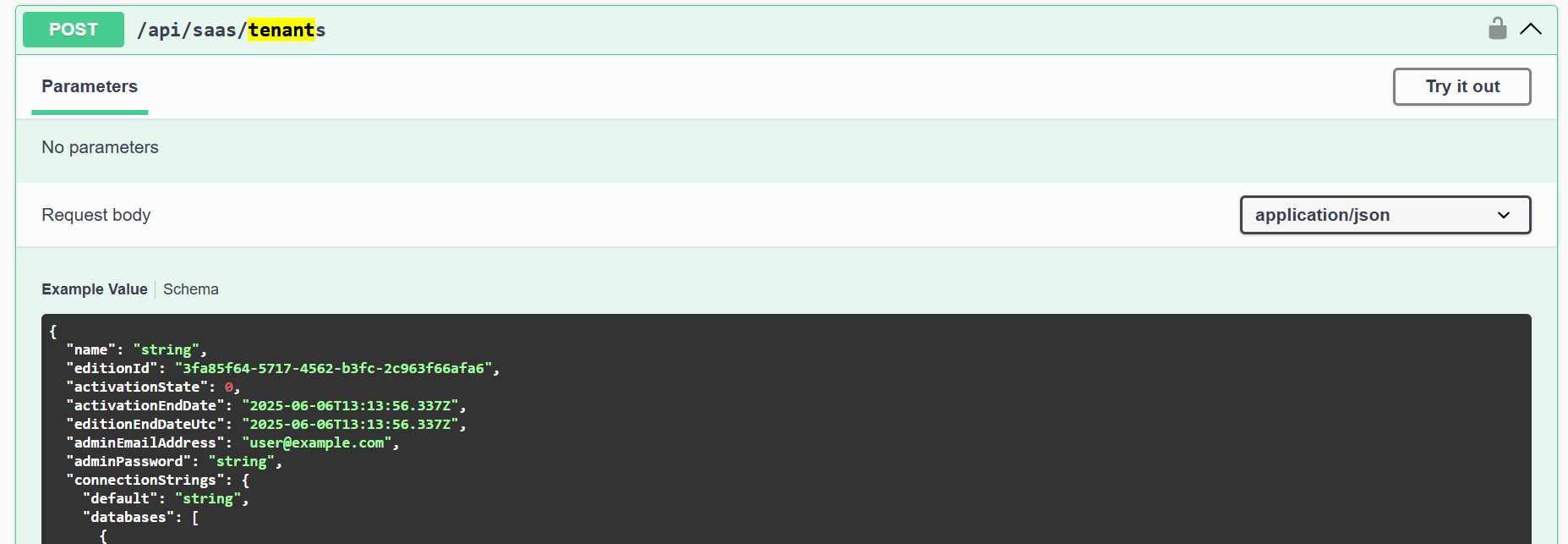
To create an user and tenants do we have other api's need's to invoked
- Exception message and full stack trace:
- Steps to reproduce the issue:
7 Answer(s)
-
0
The log you share contains connection string errors, the token's audit is invalid, etc.
Is your connection string correct?
Can you share the HTTP request info from Swagger?
Thanks.
Markdown supported.Copy, paste, or drag & drop images and files (max 100 MB per file, 100 MB total per post) -
0
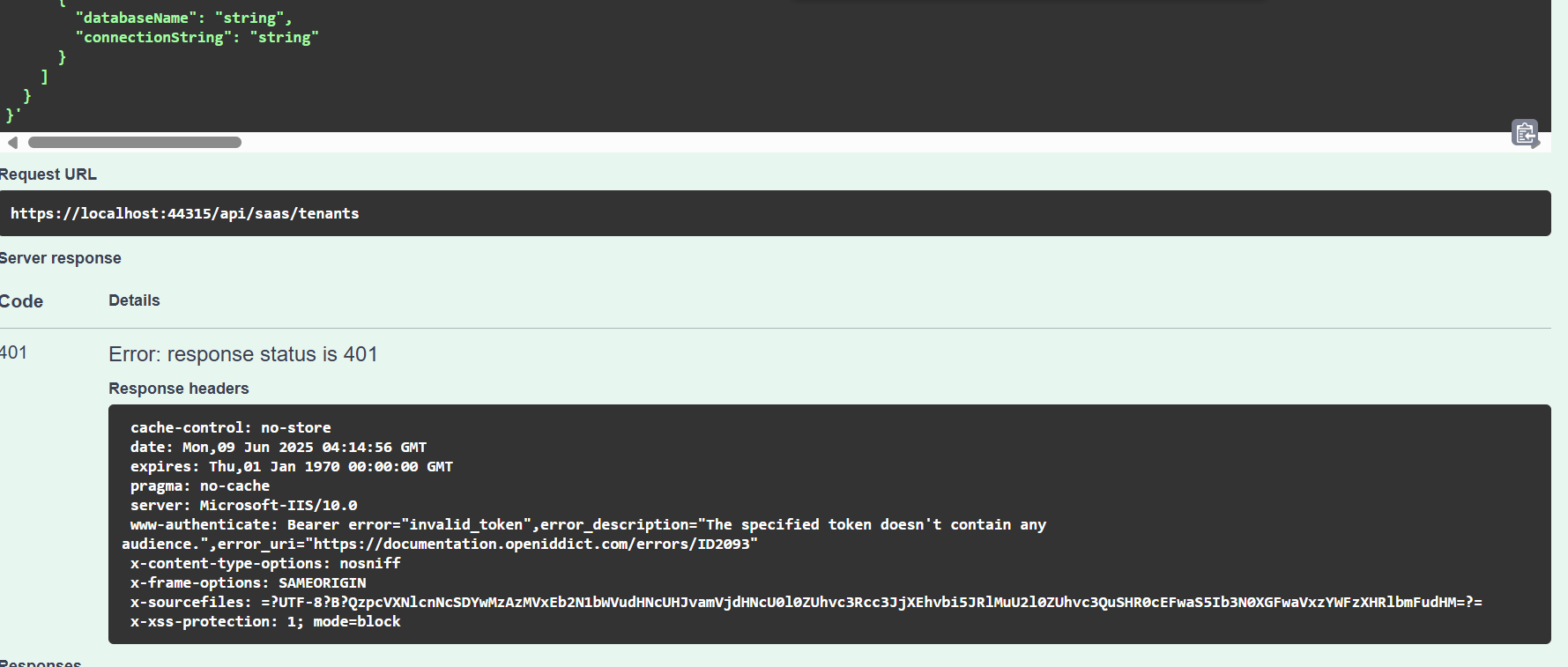 few times we are facing this error
This is my connection String
"ConnectionStrings": {
"Default": "Server=localhost;Database=PlatformHost;Trusted_Connection=True;TrustServerCertificate=true"
},Markdown supported.Copy, paste, or drag & drop images and files (max 100 MB per file, 100 MB total per post)
few times we are facing this error
This is my connection String
"ConnectionStrings": {
"Default": "Server=localhost;Database=PlatformHost;Trusted_Connection=True;TrustServerCertificate=true"
},Markdown supported.Copy, paste, or drag & drop images and files (max 100 MB per file, 100 MB total per post) -
0
{
  "name": "TestingTenant",
  "editionId": "3fa85f64-5717-4562-b3fc-2c963f66afa6",
  "activationState": 0,
  "activationEndDate": "2025-06-09T04:25:34.834Z",
  "editionEndDateUtc": "2025-06-09T04:25:34.834Z",
  "adminEmailAddress": "TestingTenant@gmail.com",
  "adminPassword": "Satya@123",
  "connectionStrings": {
    "default": "string",
    "databases": [
      {
        "databaseName": "string",
        "connectionString": "string"
      }
    ]
  }
}
Markdown supported.Copy, paste, or drag & drop images and files (max 100 MB per file, 100 MB total per post) -
0
hi
Please remove the
stringfrom input if you don't want to set connection string.Try this:
{
  "name": "TestingTenant",
  "editionId": "3fa85f64-5717-4562-b3fc-2c963f66afa6",
  "activationState": 0,
  "activationEndDate": "2025-06-09T04:25:34.834Z",
  "editionEndDateUtc": "2025-06-09T04:25:34.834Z",
  "adminEmailAddress": "TestingTenant@gmail.com",
  "adminPassword": "Satya@123"
}
Markdown supported.Copy, paste, or drag & drop images and files (max 100 MB per file, 100 MB total per post)