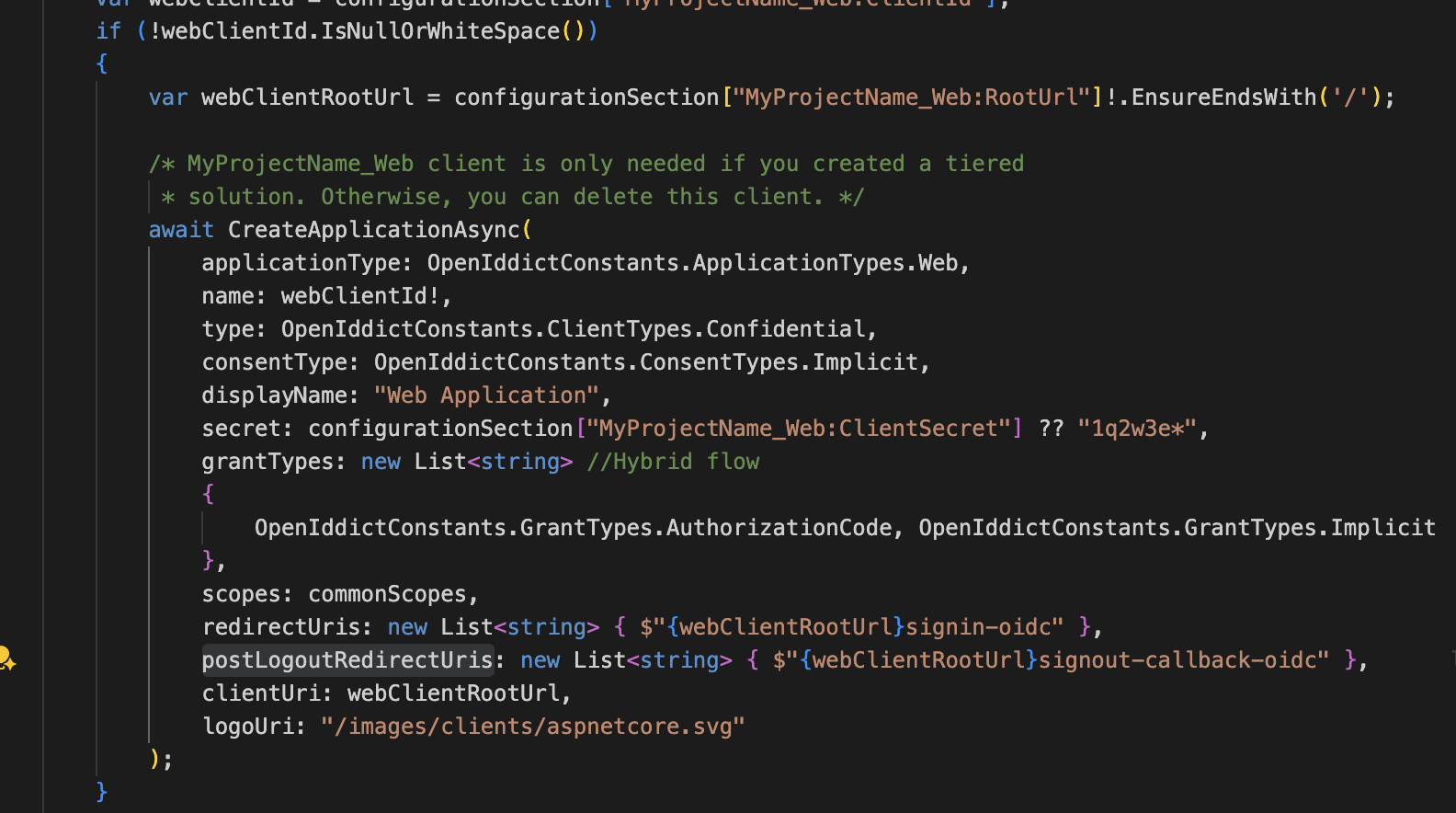
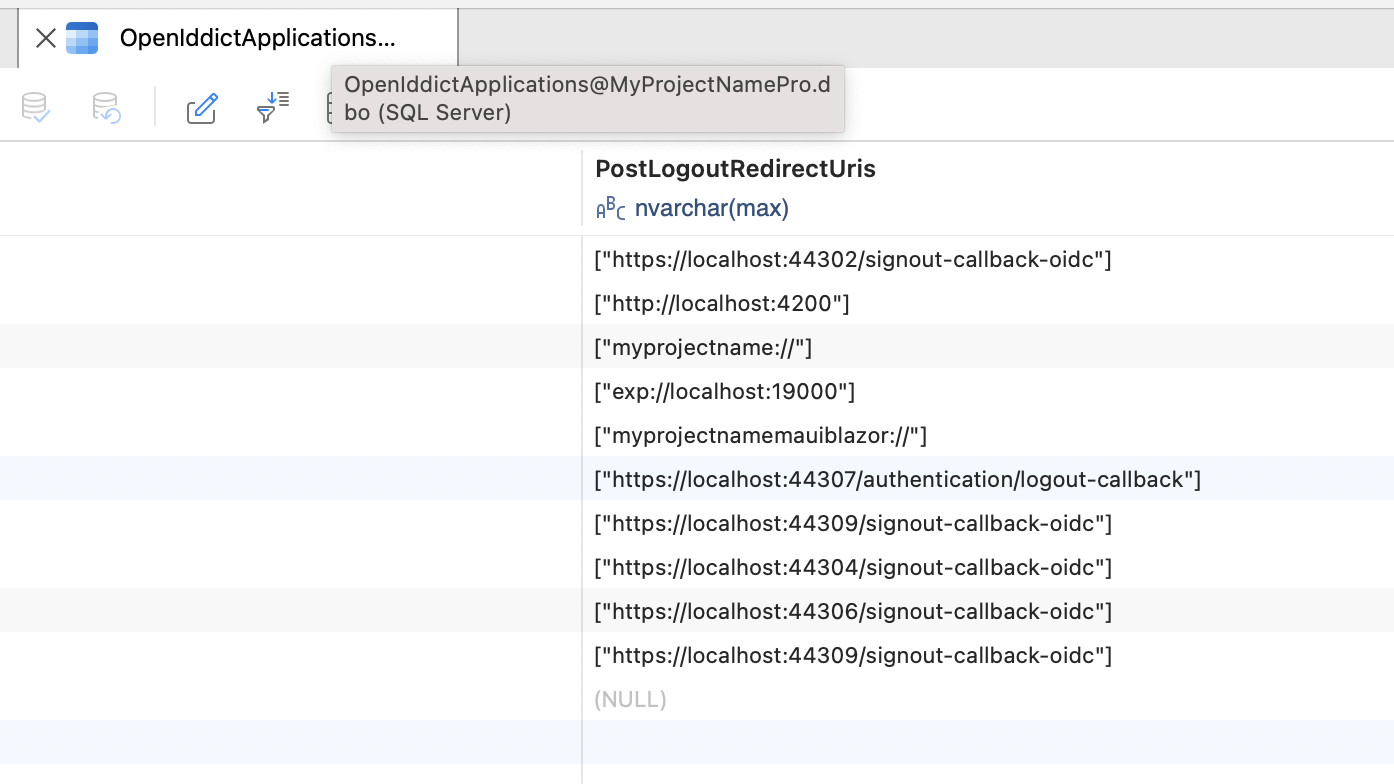
- Steps to reproduce the issueTenant subdomain logout is not working. Tenant stays logged in always:
116 Answer(s)
-
0
I will try to publish. When tenant login happens following lines are missing. How can I add that ?
** [Debug] Executing AbpApplicationConfigurationAppService.GetAsync()... [Debug] Executed AbpApplicationConfigurationAppService.GetAsync()." During tenant login**
Thank you
Markdown supported.Copy, paste, or drag & drop images and files (max 100 MB per file, 100 MB total per post) -
0
Pushed to web, pls check. https://dev.approach.cpat.dev and https://cpattest.dev.approach.cpat.dev
Markdown supported.Copy, paste, or drag & drop images and files (max 100 MB per file, 100 MB total per post) -
0
pls check your email, sent you logs. Thank you
Markdown supported.Copy, paste, or drag & drop images and files (max 100 MB per file, 100 MB total per post) -
0
sent you
Markdown supported.Copy, paste, or drag & drop images and files (max 100 MB per file, 100 MB total per post) -
0
done, pls check
Markdown supported.Copy, paste, or drag & drop images and files (max 100 MB per file, 100 MB total per post) -
0
hi
the 400 error
Checking wildcard domain for url: http://cpattest.dev.approach.cpat.dev/signout-callback-oidc
Checking wildcard domain format: https://*.auth.approach.cpat.dev/
Checking wildcard domain format: https://*.dev.approach.cpat.dev/signin-oidc
Checking wildcard domain format: https://*.dev.approach.cpat.dev/signout-callback-oidc
No wildcard domain found for url: http://cpattest.dev.approach.cpat.dev/signout-callback-oidc

The end session request was rejected because the specified post_logout_redirect_uri was invalid: http://cpattest.dev.approach.cpat.dev/signout-callback-oidc.
Please add
http://cpattest.dev.approach.cpat.dev/signout-callback-oidcto your TMS_MVC_Web'spost_logout_redirect_uri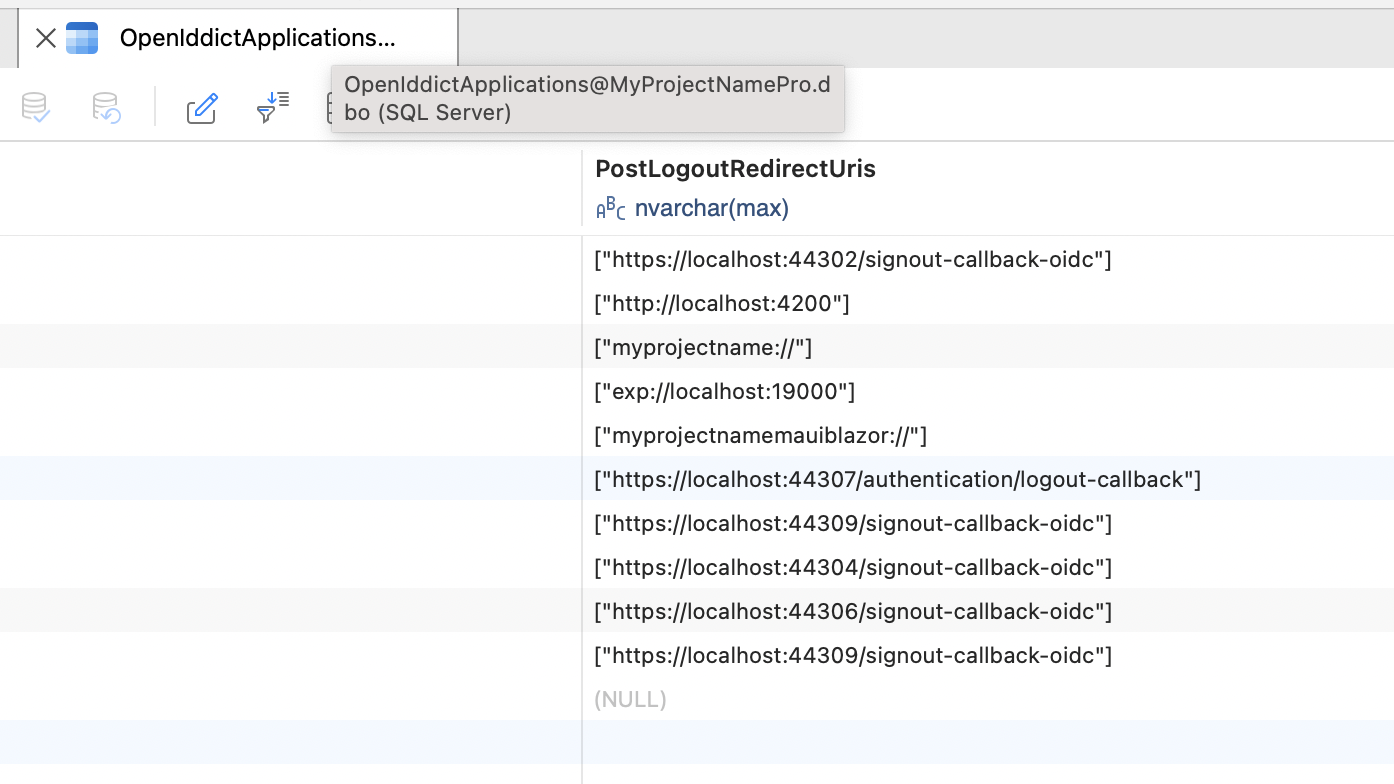
Thanks.
Markdown supported.Copy, paste, or drag & drop images and files (max 100 MB per file, 100 MB total per post) -
0
Thank you, I do not see code for post_logout_redirect_uri. Where should I add it ?
Markdown supported.Copy, paste, or drag & drop images and files (max 100 MB per file, 100 MB total per post) -
0
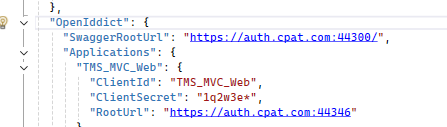
yup root url in domain does not have wild card. Let me add wildcard and retry .. ?
 Markdown supported.Copy, paste, or drag & drop images and files (max 100 MB per file, 100 MB total per post)
 -
0
I will ping you as soon as code is deployed to web today. Note: On my development computer, I cannot duplicate the 400 error. We might still have original issue related to logout tenant. I will send you update. Thank you very much
Markdown supported.Copy, paste, or drag & drop images and files (max 100 MB per file, 100 MB total per post) -
0
Noticed one issue: When tenant got created, we are not running
CreateApplicationsAsyncwith wildcard root url. i.e. above code is not getting executed for new tenant. That might be causing logout not to happen for tenant. I will send you link once published.Markdown supported.Copy, paste, or drag & drop images and files (max 100 MB per file, 100 MB total per post) -
0
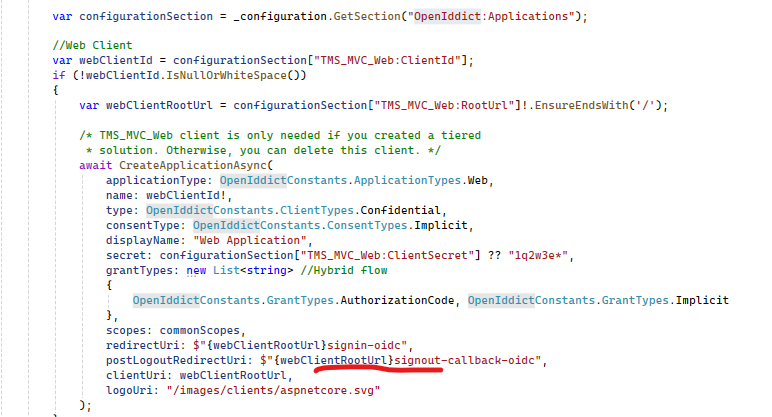
You have postLogoutRedirectUris which is List but I have postLogoutRedirectUri string. Will that make the difference? Still failing to login or logout
Please check. https://auth.approach.cpat.dev/
await CreateApplicationAsync(
     applicationType: OpenIddictConstants.ApplicationTypes.Web,
     name: webClientId!,
     type: OpenIddictConstants.ClientTypes.Confidential,
     consentType: OpenIddictConstants.ConsentTypes.Implicit,
     displayName: "Web Application",
     secret: configurationSection["TMS_MVC_Web:ClientSecret"] ?? "1q2w3e*",
     grantTypes: new List<string> //Hybrid flow
     {
         OpenIddictConstants.GrantTypes.AuthorizationCode, OpenIddictConstants.GrantTypes.Implicit
     },
     scopes: commonScopes,
     redirectUri: $"{webClientRootUrl}signin-oidc",
     postLogoutRedirectUri: $"{webClientRootUrl}signout-callback-oidc",
     clientUri: webClientRootUrl,
     logoUri: "/images/clients/aspnetcore.svg"
 );
Markdown supported.Copy, paste, or drag & drop images and files (max 100 MB per file, 100 MB total per post) -
0
It is like : `select [PostLogoutRedirectUris] FROM [TMS_MVC].[dbo].[OpenIddictApplications] where ClientId = 'TMS_MVC_Web'
Output: "[https://auth.cpat.com:44346/signout-callback-oidc"]`
We use same DB for all tenants.
Markdown supported.Copy, paste, or drag & drop images and files (max 100 MB per file, 100 MB total per post) -
0
hi
You can try to update
PostLogoutRedirectUrisas["https://auth.cpat.com:44346/signout-callback-oidc", "http://cpattest.dev.approach.cpat.dev/signout-callback-oidc"]You can also update the
PostLogoutRedirectUrisin UI page.Checking wildcard domain for url: http://cpattest.dev.approach.cpat.dev/signout-callback-oidc Checking wildcard domain format: https://*.auth.approach.cpat.dev/ Checking wildcard domain format: https://*.dev.approach.cpat.dev/signin-oidc Checking wildcard domain format: https://*.dev.approach.cpat.dev/signout-callback-oidc No wildcard domain found for url: http://cpattest.dev.approach.cpat.dev/signout-callback-oidc The end session request was rejected because the specified post_logout_redirect_uri was invalid: http://cpattest.dev.approach.cpat.dev/signout-callback-oidc.Markdown supported.Copy, paste, or drag & drop images and files (max 100 MB per file, 100 MB total per post) -
0
Let me try
Markdown supported.Copy, paste, or drag & drop images and files (max 100 MB per file, 100 MB total per post) -
0
I have updated sql table manually in the deployed web site that you can access. Now the deployed code is in the docker, I will work with devOps team to clear redis cache tomorrow and will send you updated logs.
Note: When tenant is created with 9.0.4 version, we had "SaasDataSeedContributor : IDataSeedContributor, ITransientDependency" But that does not get called in 9.2.3 So, I tried to add TenantCreatedEventHandler to update the table, it is not working. I am just trying this locally on my development computer. I have not deployed this code yet.
Markdown supported.Copy, paste, or drag & drop images and files (max 100 MB per file, 100 MB total per post)