Open Closed

Getting exception while using manage profile section #987


User avatar
0
safi created

Hi

I am trying to update my details so getting error after clicking on manage profile option. Please see the below screenshot for the same and let me know why I am getting this.
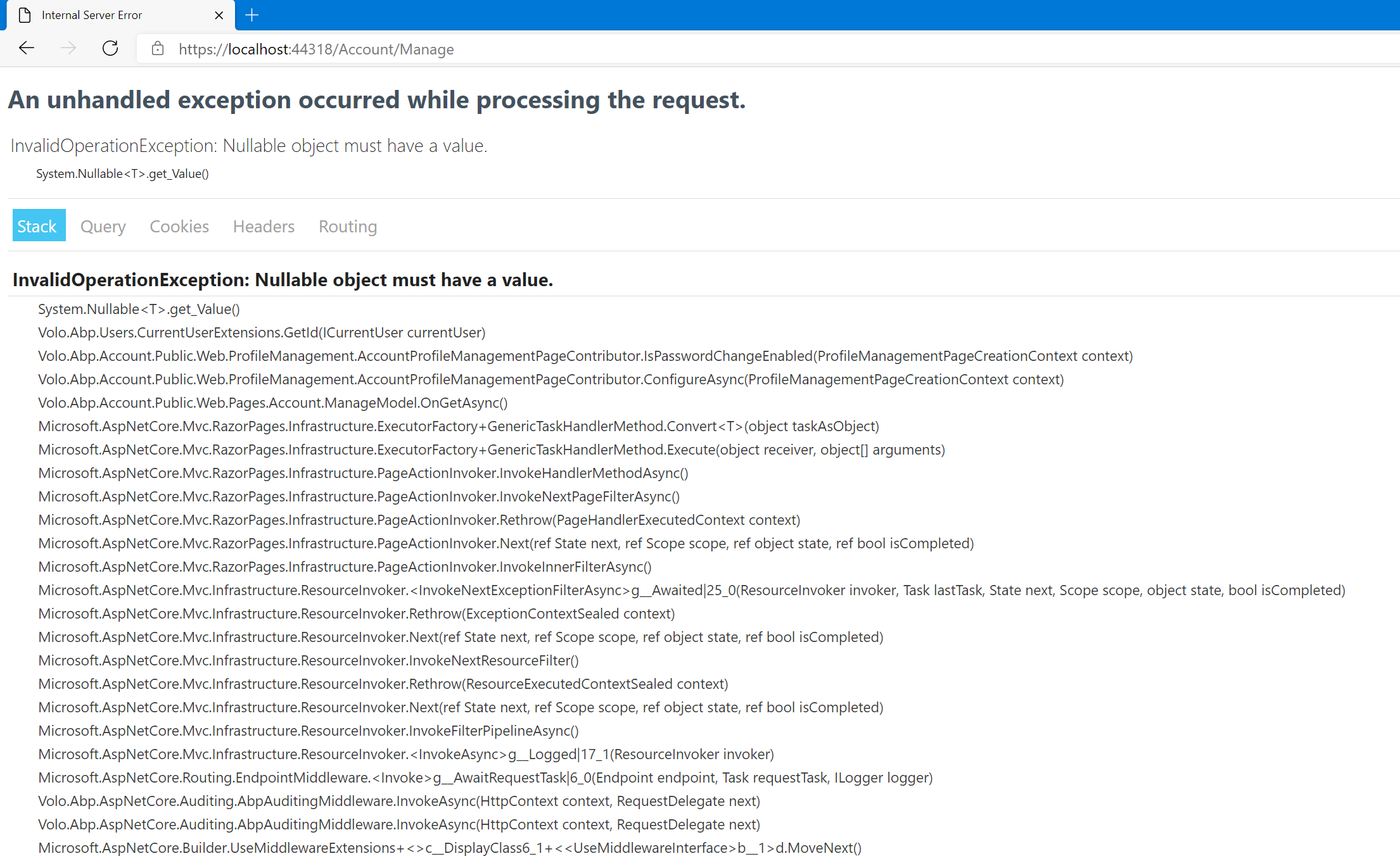
Thanks,

Markdown supported.
Copy, paste, or drag & drop images and files (max 100 MB per file, 100 MB total per post)

17 Answer(s)
  • User Avatar
    0
    maliming created
    Support Team Fullstack Developer

    hi

    • ABP Framework version: vX.X.X
    • UI type: Angular / MVC
    • DB provider: EF Core / MongoDB
    • Tiered (MVC) or Identity Server Separated (Angular): yes / no
    • Steps to reproduce the issue:
    Markdown supported.
    Copy, paste, or drag & drop images and files (max 100 MB per file, 100 MB total per post)
  • User Avatar
    0
    safi created

    Hi

    Abp framework version : 4.1.1 UI Type : MVC DB Provider : EF Core Tiered or Identity Server Separated : No Steps to reproduce the issue : I am using commercial version of abp so after logged in as admin If I click on manage profile that time I am getting this issue.

    Thanks,

    Markdown supported.
    Copy, paste, or drag & drop images and files (max 100 MB per file, 100 MB total per post)
  • User Avatar
    0
    maliming created
    Support Team Fullstack Developer

    hi safi

    I can't reproduce the problem wiht your steps. Can you try in browser incognito mode?

    Markdown supported.
    Copy, paste, or drag & drop images and files (max 100 MB per file, 100 MB total per post)
  • User Avatar
    0
    safi created

    Hi

    Yes tried in private window too but same error is coming so is it possible to connect via zoom?

    Thanks,

    Markdown supported.
    Copy, paste, or drag & drop images and files (max 100 MB per file, 100 MB total per post)
  • User Avatar
    0
    maliming created
    Support Team Fullstack Developer

    hi safi

    Can you provide a demo project that reproduce this problem? liming.ma@volosoft.com

    Markdown supported.
    Copy, paste, or drag & drop images and files (max 100 MB per file, 100 MB total per post)
  • User Avatar
    0
    safi created

    Hi

    You can create commercial project and then after login you will get this.

    Thanks,

    Markdown supported.
    Copy, paste, or drag & drop images and files (max 100 MB per file, 100 MB total per post)
  • User Avatar
    0
    gterdem created
    Senior .NET Developer

    I couldn't reproduce either.

    • Which browser do you use?
    • Is your project multi-tenant and is it tenant admin user?
    Markdown supported.
    Copy, paste, or drag & drop images and files (max 100 MB per file, 100 MB total per post)
  • User Avatar
    0
    safi created

    Hi

    I am using chrome as well as edge browser but in both browser same error is coming. I am getting nullable object must have value error after clikcing on manage profile option.

    Thanks,

    Markdown supported.
    Copy, paste, or drag & drop images and files (max 100 MB per file, 100 MB total per post)
  • User Avatar
    0
    gterdem created
    Senior .NET Developer
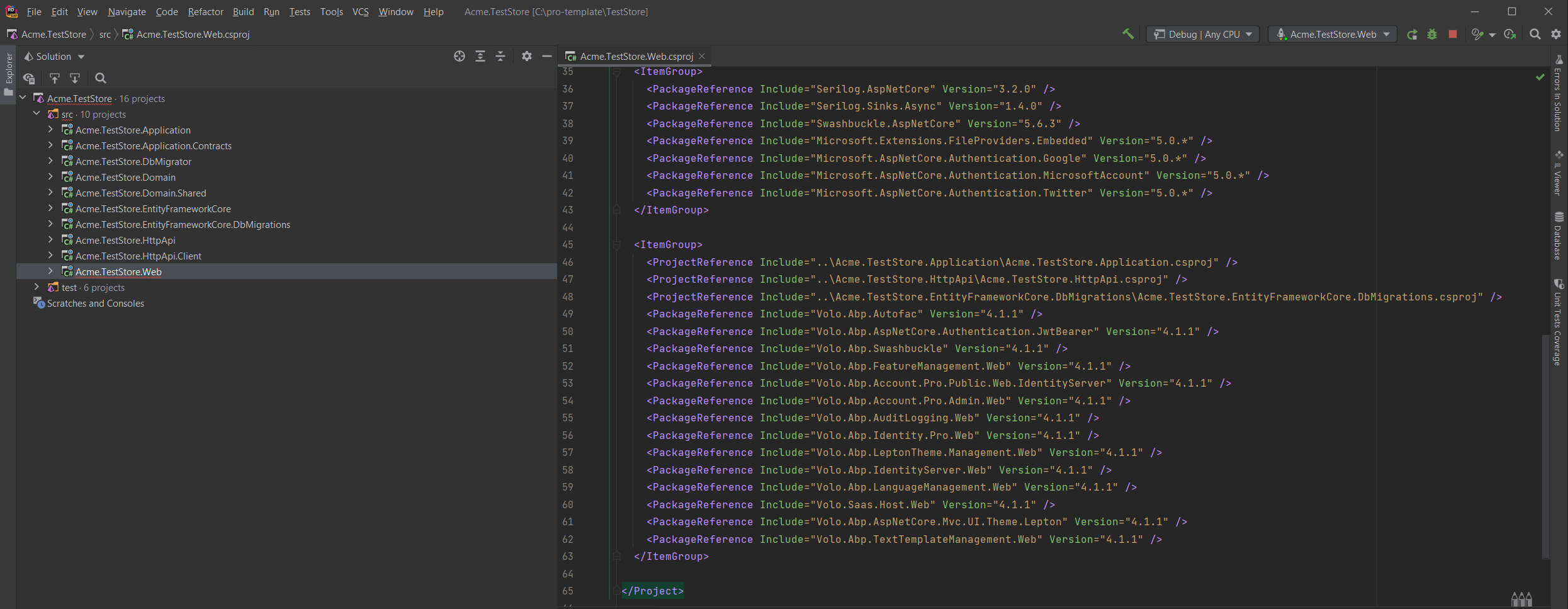
    • Created a project named Acme.BookStore
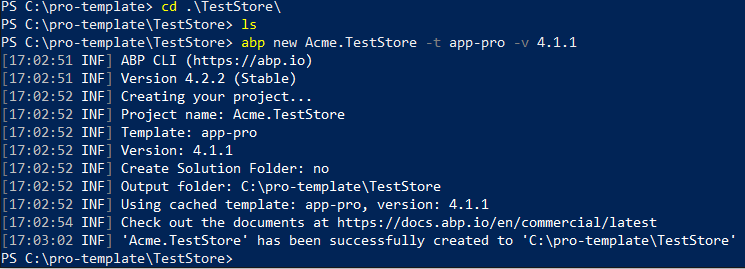
    • Ran db migrator
    • Project references 4.1.1:
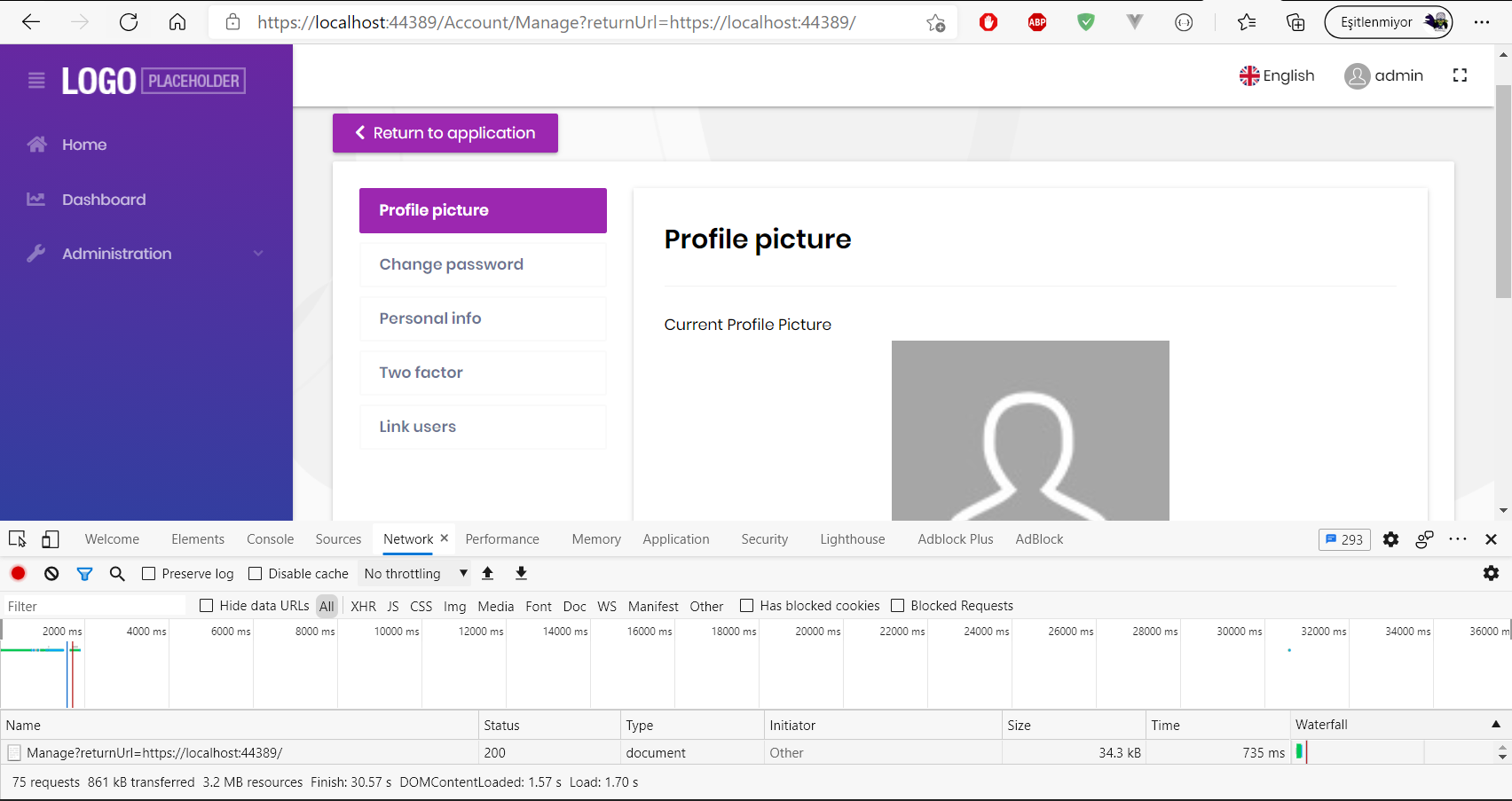
    • Ran Web project:

    Can you host the project in a private repository that we can check?

    Markdown supported.
    Copy, paste, or drag & drop images and files (max 100 MB per file, 100 MB total per post)
  • User Avatar
    0
    safi created

    Ok and we can connect on zoom as well.

    Markdown supported.
    Copy, paste, or drag & drop images and files (max 100 MB per file, 100 MB total per post)
  • User Avatar
    0
    gterdem created
    Senior .NET Developer

    I think you deleted the database and re-created afterwards tried to reach to account management without signing out. Since UserId is cached, you are getting the error page.

    Try clearing the site cache and relog to application. That should fix the problem.

    If you don't know how: Please go to developlers tool (F12) and at Application tab, Storage; Clear site data
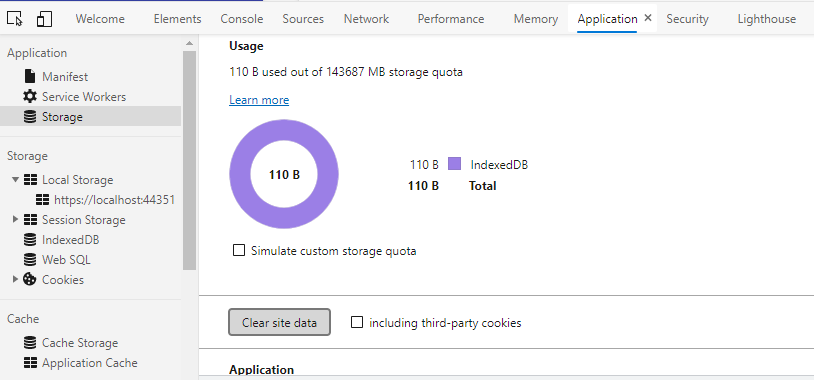
    Markdown supported.
    Copy, paste, or drag & drop images and files (max 100 MB per file, 100 MB total per post)
  • User Avatar
    0
    safi created

    Hi

    You guys are really wasting my time. I am telling you again and again it's urgent for me but you are not bother to reply on my comments. Is anyone here to help me out?

    Thanks,

    Markdown supported.
    Copy, paste, or drag & drop images and files (max 100 MB per file, 100 MB total per post)
  • User Avatar
    0
    liangshiwei created
    Fullstack Developer

    Hi,

    We need a project and steps to reproduce the problem, if you can provide them, we can help you solve the problem quickly. You can email me: shiwei.liang@volosoft.com

    Markdown supported.
    Copy, paste, or drag & drop images and files (max 100 MB per file, 100 MB total per post)
  • User Avatar
    0
    safi created

    Hi

    I tried with sample project which is downloaded from abp site so not getting this error so can you please connect me on zoom and check in my machine?

    Thanks,

    Markdown supported.
    Copy, paste, or drag & drop images and files (max 100 MB per file, 100 MB total per post)

  • User Avatar
    0
    liangshiwei created
    Fullstack Developer

    Sure, please email me.

    Markdown supported.
    Copy, paste, or drag & drop images and files (max 100 MB per file, 100 MB total per post)

  • User Avatar
    0
    safi created

    Email sent please check.

    Markdown supported.
    Copy, paste, or drag & drop images and files (max 100 MB per file, 100 MB total per post)
  • User Avatar
    0
    liangshiwei created
    Fullstack Developer

    Solved

    Markdown supported.
    Copy, paste, or drag & drop images and files (max 100 MB per file, 100 MB total per post)
Boost Your Development
ABP Live Training
Packages
See Trainings
Mastering ABP Framework Book
The Official Guide
Mastering
ABP Framework
Learn More
Mastering ABP Framework Book
Made with ❤️ on ABP v10.8.0-preview. Updated on September 16, 2026, 14:50
1
ABP Assistant
🔐 You need to be logged in to use the chatbot. Please log in first.