Thank you maliming!
The sorting is fixed.
Yea I guess the OnCreateForm.IsVisible is a blazor problem on your side because options.UI.OnTable.IsVisible = true; is working as expected.
Hi, thanks for the response. The extended fields are already mapped as separate columns in AbpUsers, so they are not stored inside ExtraProperties/JSON. The sorting issue still occurs because ABP executes the dynamic OrderBy against IdentityUser, not against the extended entity, so the column cannot be resolved.
Also, my second question is still unanswered: The UI configuration OnCreateForm.IsVisible = false is ignored. The field still appears in the create dialog. Is there a known workaround or a correct place to apply UI visibility settings for IdentityUser extensions so they are respected?
Thanks.
Edit: This is how I did it: https://abp.io/docs/latest/framework/architecture/modularity/extending/module-entity-extensions#module-entity-extensions Error Log Sorting: 2025-11-27 08:24:45.745 +01:00 [ERR] No property or field 'MyProperty' exists in type 'IdentityUser' No property or field 'MyProperty' exists in type 'IdentityUser' (at index 0)
This is my config like the AI-Bot said
ObjectExtensionManager.Instance
                .MapEfCoreProperty<IdentityUser, string?>(
                    MyConsts.MyProperty,
                    (_, propertyBuilder) =>
                    {
                        propertyBuilder.IsRequired(false);
                    })
Thank you maliming!
Thank you! And what is the proper way to handle this in a normal login with username and password?
When I navigate between different pages using the sidebar, the cookie seems to be ignored. However, when I refresh the page in the browser, the cookie is correctly validated, and I am logged out. Is there a simple way to always check the cookie, even when navigating via the sidebar?
Feature did work but some documentation was missing. GitHub Issue: https://github.com/abpframework/abp/issues/22970
The scripts which are added are the following:
<script src="/_content/Volo.Abp.AspNetCore.Components.Web/libs/abp/js/abp.js"></script> <script src="/_content/Volo.Abp.AspNetCore.Components.Web/libs/abp/js/authentication-state-listener.js"> </script><script src="/_content/Volo.Abp.Account.Pro.Public.Blazor.Shared/IdleTracker.js"></script> <script src="/_content/Volo.Saas.Host.Blazor/libs/chart/chart.min.js"></script> <script src="/_content/Volo.Abp.AuditLogging.Blazor/libs/chart/chart.min.js"></script> <script src="/_content/Volo.Abp.AspNetCore.Components.Web.LeptonXTheme/side-menu/libs/bootstrap/js/bootstrap.bundle.min.js"></script> <script src="/_content/Volo.Abp.AspNetCore.Components.Web.LeptonXTheme/side-menu/libs/jquery/jquery.min.js"></script> <script src="/_content/Volo.Abp.AspNetCore.Components.Web.LeptonXTheme/side-menu/libs/bootstrap-datepicker/js/bootstrap-datepicker.min.js"></script> <script src="/_content/Volo.Abp.AspNetCore.Components.Web.LeptonXTheme/side-menu/js/lepton-x.bundle.min.js"></script> <script src="/_content/Volo.Abp.AspNetCore.Components.Server.LeptonXTheme/scripts/leptonx-blazor-compatibility.js"></script> <script src="/_content/Volo.Abp.AspNetCore.Components.Web.LeptonXTheme/scripts/global.js"></Scrip> <script src="_framework/blazor.web.js"></script> <script src="/_framework/aspnetcore-browser-refresh.js"></script></body></html><
So there might be the /Idle/Default.js missing.
What is the easiest way to check if persistent login is enabled?
Yes I am 100% not triggering something on the side with my mouse. Some background jobs are running but I don't think they matter to JS. The idle timer settings are working completly on his own or? Because we got settings defintions too. Is there somewhere a demo side with working idle online?
Hello, today I updated to ABP Version 9.1.3. Did anybody face the issue that after the update all red X changed from the symbol 'fas fa-xmark text-danger' to 'fas fa-ticket-simple text-danger'?
Is this intended?
New:
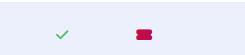
Old:

I run abp install-libs again and now my icons and the red cross is back. But the 2nd point is still open. I am using lepton X theme and I want to remove the default heading from the PageHeader component. I have already tried the following but he keeps ignoring it: (In my blazor module) https://abp.io/docs/latest/framework/ui/blazor/page-header









