So currently , we cannot access the admin features currently in angular, so the admin will not be able to built web pages, menus and all in angular UI?
[maliming] said: hi
I have joined the repository.
But for an existing project , when we add CMS KIT , navigation links are getting updated but the CMS admin Module and Public site is not loading .
Can you share the steps?
Thanks.
We have shared repository access. Below are the exact steps we followed and the issue we are facing.
Steps Performed
We created a fresh ABP solution using ABP Studio:
After project creation, we installed CMS Kit using the ABP CLI with the required configurations.
At this point, we expected CMS Kit to be usable from the UI.
Expected Behavior
After installing CMS Kit, we expected:
Actual Behavior
Done, You can check once.
Yes, sure - here you can find the attached github repo - https://github.com/Amitavpanda-omiyal/CMSModuleDemo
CMSModuleTest - is the project made of angular and .net - where we want to add CMSKit + Public website and want to have all features of CMS Kit.
Please once have a look.
Hi @maliming, can we get over a call, it will be easier for me to understand.
Yeah, but is there anyway that we can achieve in our case as we discussed above.
[abpdevPro] said: Hi @maliming,
We tried the same approach in our setup. Our Project A is an ABP solution with Angular UI + .NET backend.
- After installing CMS Kit in Project A, the backend side (DB migrations, tables, etc.) got updated successfully, but we couldn’t see any CMS Kit UI/menu on the Angular side. From what we understand, the CMS Kit UI is currently available only for MVC/Razor Pages (and Blazor Server via MVC/Razor hosting), not for Angular, so our tenants won’t have a UI to manage pages/menus/content from the Angular application. For reference, the CMS management screen is working fine for us in a separate Razor Pages-based project (screenshot attached). -
- Is there any official command or recommended approach to add the Public Website to an existing Angular + .NET solution (i.e., to generate/add the Web.Public project/folder into our current solution structure)? If there is no direct CLI command, please confirm the recommended way
Would appreciate guidance on the best supported path for an Angular UI solution where tenants need CMS management capabilities.
Hi @maliming , Need response from you on this - not satisifed with the response of AI.
Hi @maliming,
We tried the same approach in our setup. Our Project A is an ABP solution with Angular UI + .NET backend.
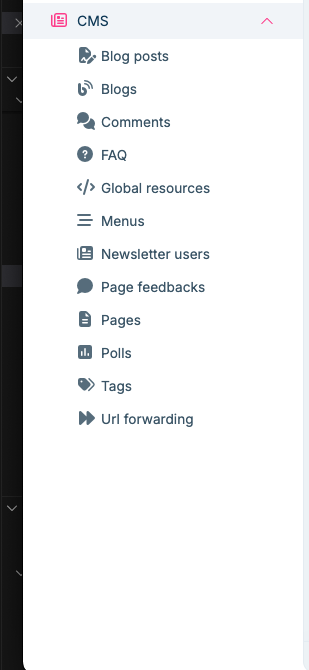
Would appreciate guidance on the best supported path for an Angular UI solution where tenants need CMS management capabilities.
I’m reviewing it now and will verify whether it’s working. I’ll get back to you with a response.
Hi Thanks, we are done, Need one advice :
How to implement this in our custom layout component.