@Mohammad this document explains your question in details https://docs.abp.io/en/abp/latest/Best-Practices/Module-Architecture
@developer1 this is a know bug and it's already fixed. you can get the fixed version when the new release will be published
hi,
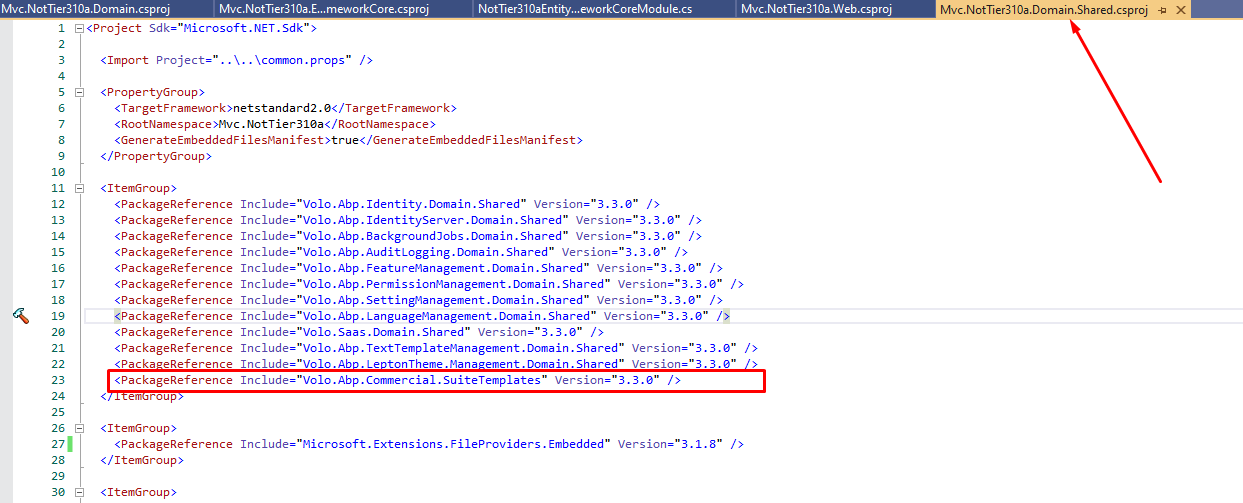
Suite works with the same version of your project. so if you updated suite to v3.3 then you also need to update your project to v3.3
there won't be a combobox even if you implement this. As I mentioned, this feature will come in the next releases. (4.1) what you can do is; you can replace the New Organisation razor page.
This document explains how to customize UI => https://docs.abp.io/en/abp/latest/UI/AspNetCore/Customization-User-Interface
If you create your own view in the Pages/Identity/OrganizationUnits directory (as embedded resource) it'll overwrite the existing page
Create CreateModal.cshtml file in your web project under Pages/Identity/OrganizationUnits/CreateModal.cshtml
Add the below code to your CreateModal.cshtml and make your customizations
CreateModal.cshtml
@page
@using Microsoft.AspNetCore.Mvc.Localization
@using Microsoft.Extensions.Localization
@using Volo.Abp.AspNetCore.Mvc.UI.Bootstrap.TagHelpers.Modal
@using Volo.Abp.Identity.Localization
@using Volo.Abp.Identity.Web.Pages.Identity.OrganizationUnits
@using Volo.Abp.Localization
@using Volo.Abp.ObjectExtending
@model CreateModalModel
@inject IHtmlLocalizer<IdentityResource> L
@inject IStringLocalizerFactory StringLocalizerFactory
@{
Layout = null;
}
<form asp-page="/Identity/OrganizationUnits/CreateModal" autocomplete="off">
<abp-modal>
<abp-modal-header title="@L["NewOrganizationUnit"].Value"></abp-modal-header>
<abp-modal-body>
<abp-input asp-for="OrganizationUnit.ParentId"/>
<abp-input asp-for="OrganizationUnit.DisplayName"/>
@foreach (var propertyInfo in ObjectExtensionManager.Instance.GetProperties<CreateModalModel.OrganizationUnitInfoModel>())
{
if (propertyInfo.Type.IsEnum)
{
<abp-select asp-for="OrganizationUnit.ExtraProperties[propertyInfo.Name]"
label="@propertyInfo.GetLocalizedDisplayName(StringLocalizerFactory)">
</abp-select>
}
else
{
<abp-input type="@propertyInfo.GetInputType()"
asp-for="OrganizationUnit.ExtraProperties[propertyInfo.Name]"
label="@propertyInfo.GetLocalizedDisplayName(StringLocalizerFactory)"
asp-format="@propertyInfo.GetInputFormatOrNull()"
value="@propertyInfo.GetInputValueOrNull(Model.OrganizationUnit.ExtraProperties[propertyInfo.Name])"/>
}
}
</abp-modal-body>
<abp-modal-footer buttons="@(AbpModalButtons.Cancel | AbpModalButtons.Save)"></abp-modal-footer>
</abp-modal>
</form>
CreateModal.cshtml.cs
public class CreateModalModel : IdentityPageModel
{
[BindProperty]
public OrganizationUnitInfoModel OrganizationUnit { get; set; }
protected IOrganizationUnitAppService OrganizationUnitAppService { get; }
public CreateModalModel(IOrganizationUnitAppService organizationUnitAppService)
{
OrganizationUnitAppService = organizationUnitAppService;
OrganizationUnit = new OrganizationUnitInfoModel();
}
public virtual Task OnGetAsync(Guid? parentId)
{
OrganizationUnit.ParentId = parentId;
return Task.CompletedTask;
}
public virtual async Task<IActionResult> OnPostAsync()
{
ValidateModel();
var input = ObjectMapper.Map<OrganizationUnitInfoModel, OrganizationUnitCreateDto>(OrganizationUnit);
await OrganizationUnitAppService.CreateAsync(input);
return NoContent();
}
public class OrganizationUnitInfoModel : ExtensibleObject
{
[HiddenInput]
public Guid? ParentId { get; set; }
[Required]
public string DisplayName { get; set; }
}
}
hi did you have a chance to look at https://docs.abp.io/en/abp/latest/UI/Angular/Component-Replacement
thank you for your feedback. we have created an issue. also your question credit has been refunded.
Internal issue no: 3743
I guess you don't need to put GetUnitCategoryLookupAsync into AppOrganizationUnitController. You can create a new controller. Can you try it.
hi
In the current version, there's automatic way of making a combobox for navigation property.
But it's in our roadmap.

AppOrganizationUnitController has not been registered this exception is weird! because AppOrganizationUnitController is derived from OrganizationUnitController which is derived from AbpController. so it must be already registered to the DI system.
public class OrganizationUnitController : AbpController, IOrganizationUnitAppService, IApplicationService, IRemoteService
did you create the controller in *.HttpApi
How do I issse a payment to 2Checkout from an order line?
This is a sample appsettings.json (web) configuration for the payment module:
"Payment": {
"TwoCheckout": {
"Signature": "SECRET_KEY",
"CheckoutUrl": "https://secure.2checkout.com/order/checkout.php",
"LanguageCode": "en",
"CurrencyCode": "USD",
"TestOrder": "1",
"ExtraInfos": [
"2Checkout may add VAT/TAX to the price."
]
}
}
in your purchase page you can place an order like this:
public class IndexModel : PageModel
{
Inject
private readonly IPaymentRequestAppService _paymentRequestAppService;
public virtual async Task<IActionResult> OnPost()
{
var paymentRequestDto = new PaymentRequestCreateDto
{
ExtraProperties = new Dictionary<string, object>
{
{
"two-checkout",
new TwoCheckoutPaymentRequestExtraParameterConfiguration
{
Currency = "USD",
AdditionalCallbackParameters = "s=1"
}
},
{
"stripe",
new StripePaymentRequestExtraParameterConfiguration
{
Currency = "EUR",
Locale = "it",
PaymentMethodTypes = new List<string>()
{
"alipay",
"sofort"
},
AdditionalCallbackParameters = "s=1"
}
},
{
PayPalConsts.GatewayName,
new PayPalPaymentRequestExtraParameterConfiguration
{
CurrencyCode = "EUR",
Locale = "en",
AdditionalCallbackParameters = "s=1"
}
}
}
};
}
paymentRequestDto.Products.Add(new PaymentRequestProductCreateDto
{
Code = "002",
Count = 1,
Name = "Premium Edition",
UnitPrice = 300,
TotalPrice = 300,
ExtraProperties = new Dictionary<string, IPaymentRequestProductExtraParameterConfiguration>
{
{
"two-checkout",
new TwoCheckoutPaymentRequestProductExtraParameterConfiguration
{
ProductCode = "1111111"
}
}
}
});
//...
var paymentRequest = await _paymentRequestAppService.CreateAsync(paymentRequestDto);
return LocalRedirectPreserveMethod("/Payment/GatewaySelection?paymentRequestId=" + paymentRequest.Id);
hi,
See this doc that explains how to switch btw database providers https://docs.abp.io/en/abp/latest/Entity-Framework-Core-Other-DBMS
There's a parameter in ABP CLI --template-source. This parameter allows you to generate a project from your own template.
What you need to to do is, download a new app-pro template with the name MyCompanyName.MyProjectName
Make your customizations on it.
Then zip it.
Put it in a folder like c:\MyAbpTemplates
Create a new project according to your requirements based on your own template.
abp new Acme.BookStore -t app-pro -u mvc --mobile none --database-provider ef --template-source c:\MyAbpTemplates