That's definately a false alarm! Virus programs makes a heroistic check... A heuristic check is a method that lets a computer program "guess" about unknown stuff. The Suite DLL creates a web hosting, makes requests, accesses directories so they mark it as potentially risky. But it has nothing to do with virus. As you see from the Norton report, it says Heuristic Virus, which means the application follows a bunch of rules about what makes something look like a virus and when it sees a program that does similar things, it gets flagged as questionable.
Here's the virus total score: 2 / 72 https://www.virustotal.com/gui/file/0911c25aaee672cc24e95654cd3d96c209cc1a01dce89c04cfff5cdd48ffecbc/detection
You can ignore this and exclude Volo.Abp.Suite.dll from your antivirus.
@arifharsono you cannot use this class in Application.Contracts because that layer is not aware of Web components.
Use it in your *.Web project. There should be already a BookStoreBrandingProvider.cs in your web project. (Change BookStore with your project name)
The class in this package => Volo.Abp.AspNetCore.Mvc.UI.Theme.Shared
namespace Volo.Abp.AspNetCore.Mvc.UI.Theme.Shared.Components
{
    public class DefaultBrandingProvider : IBrandingProvider, ITransientDependency
    {
        public virtual string AppName => "MyApplication";

        public virtual string LogoUrl => null;

        public virtual string LogoReverseUrl => null;
    }
}
hi @sean.alford , thanks for reporting long primary key issue. Created an issue for that.
I think your app is corrupted.
try deleting this directory => %UserProfile%\.dotnet\tools\.store\volo.abp.suite
then install again
Hi Sean,
Ok! I see it now...
So let's do it step by step.
First of all, ABP Suite asks you a DTO of the dependent entity. As AppUser entity comes from the template and has not DTO, we'll create the corresponding DTO class.
I'll explain it based on the BookStore project (change all Acme.BookStore placeholders to your actual project name)
Create a new folder named Users in the root directory of Acme.BookStore.Application.Contracts project.
Add the below DTO file:
public class AppUserDto : IdentityUserDto
{

}
Now, we need to create a mapping for this new DTO.
Go to BookStoreApplicationAutoMapperProfile.cs and add the below line:
CreateMap<AppUser, AppUserDto>().Ignore(x => x.ExtraProperties);
Now we can pick this DTO from navigatin property modal
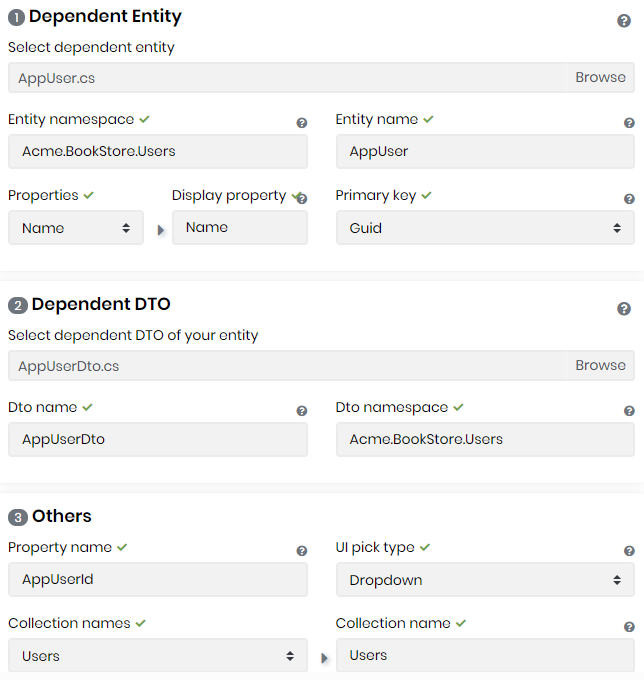
Click the Save and Generate button
And here's how it looks like
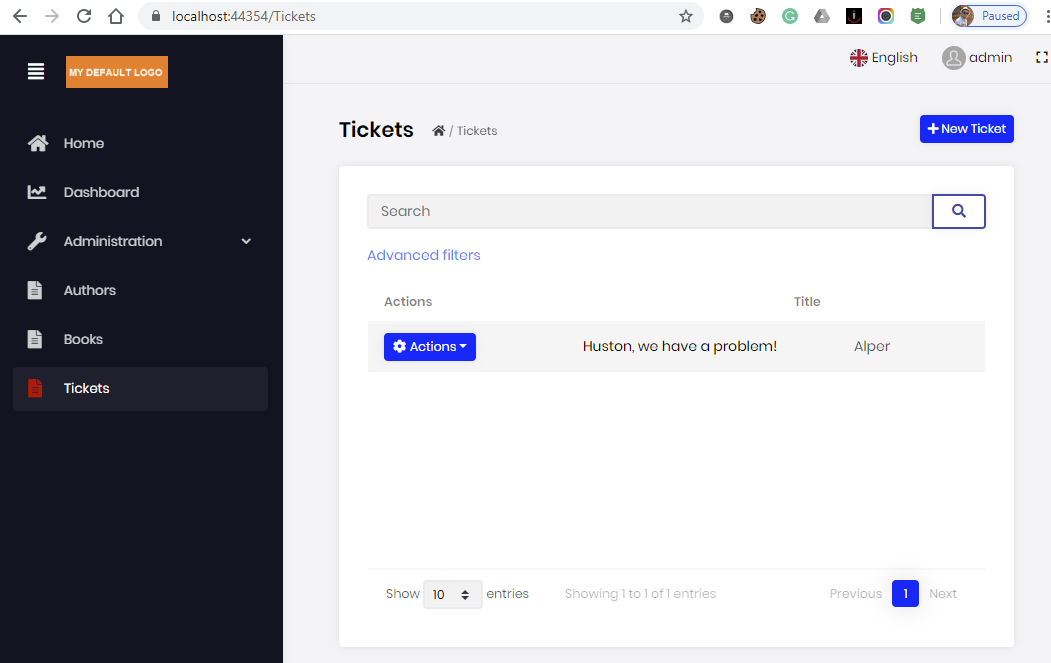
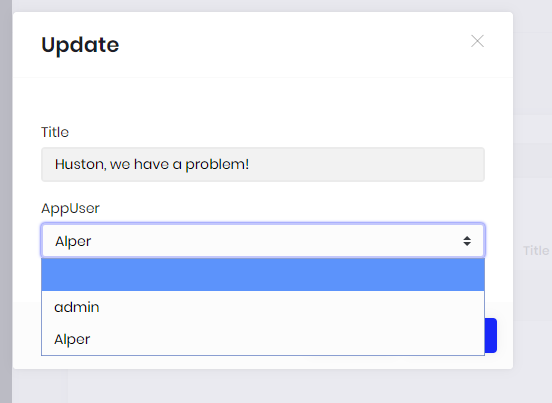
finally you might need to add this localization to the en.json
"AppUser": "User"
@ninomartini this must be fixed in the latest version. tomorrow there'll be 2.7.1 for NPM packages. then you can update it or wait for the v2.8.0
@roop.yekollu, can you run
abp suite remove
then
abp suite install
If you created it via Suite, it creates the entity DTO files in Acme.BookStore.Application.Contracts\EntityNamePlural\
But AppUser seems like database table name, not an entity name! Did you name the user entity AppUser?
If you name it AppUser then Suite generates AppUserDto and it's being used in IAppUserAppService.cs
Open your Visual Studio and search for AppUserDto in IAppUserAppService
Task<AppUserDto> CreateAsync(AppUserCreateDto input);
we are using the same strategy. we have a table/collection that stores the SequentialNumber . This way, it's being DBMS agnostic.
The DTO's generated via ABP Suite is located in *.Application.Contracts project.
Forexample BookDto is here src\Acme.BookStore.Application.Contracts\Books\BookDto.cs
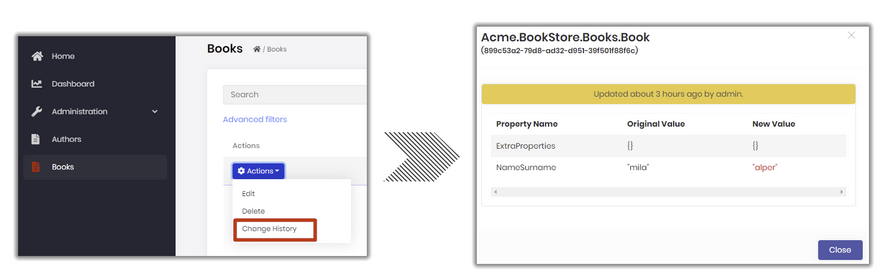
How to show entity change history on a new entity in ABP MVC? https://gist.github.com/ebicoglu/e14de3f18a18242e38e17eccf41c0c6d