Nice! I will update the code on my end and try again, hopping this will fix it.
I'll let you know after my testing here.
Thank you for your assistance.
Hi ! Thank you for assistance.
Can you please confirm the content of the profile file after I applied your suggestion just to let me know If I'm doing right ?
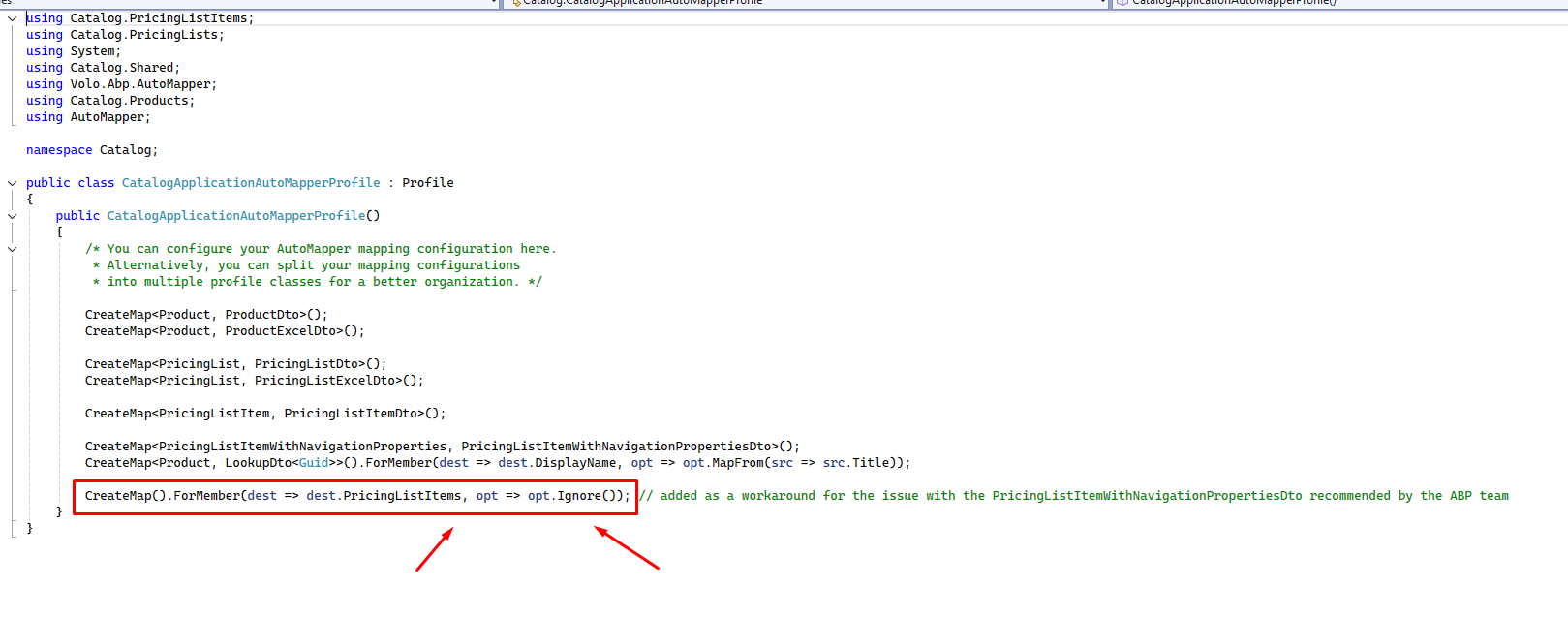
Hi @m.aliozkaya,
Thank you for your assistance.
Our solution is working correctly so far with three entities as you could confirm in the previos message:
Product (master entity)
PricingList (master entity)
PricingListItem (child entity linked to PricingList)
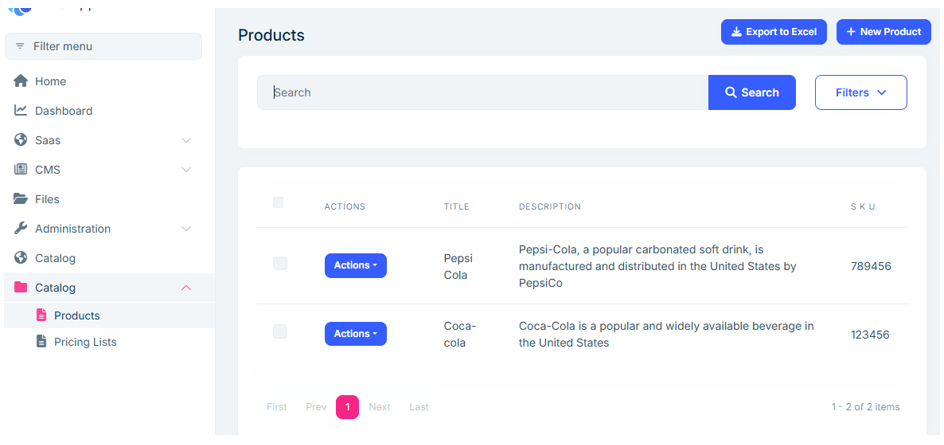
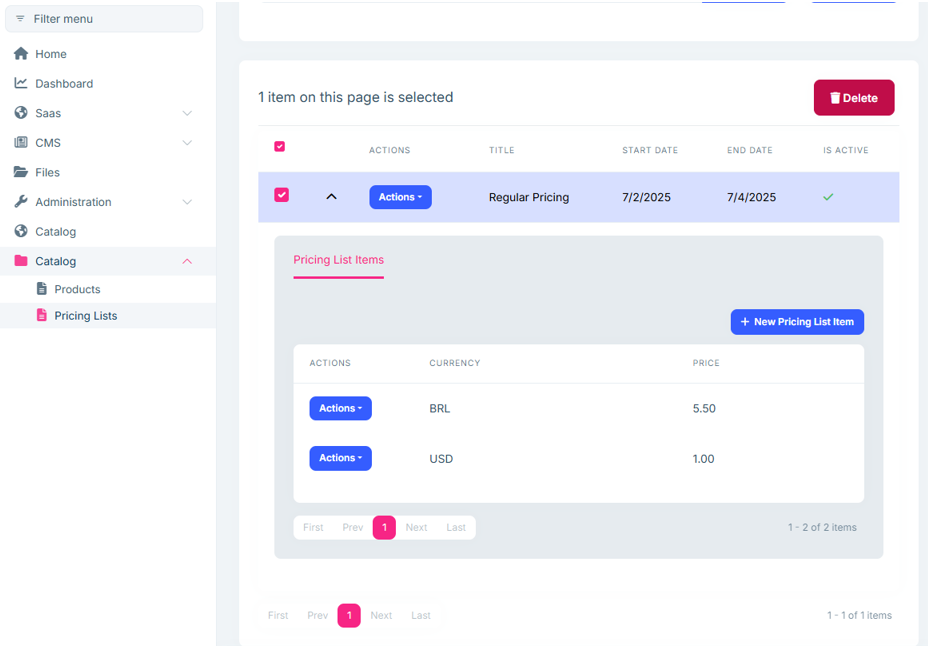
At this stage, the PricingListItem entity contains only two properties: Currency and Price. Everything runs smoothly up to this point.
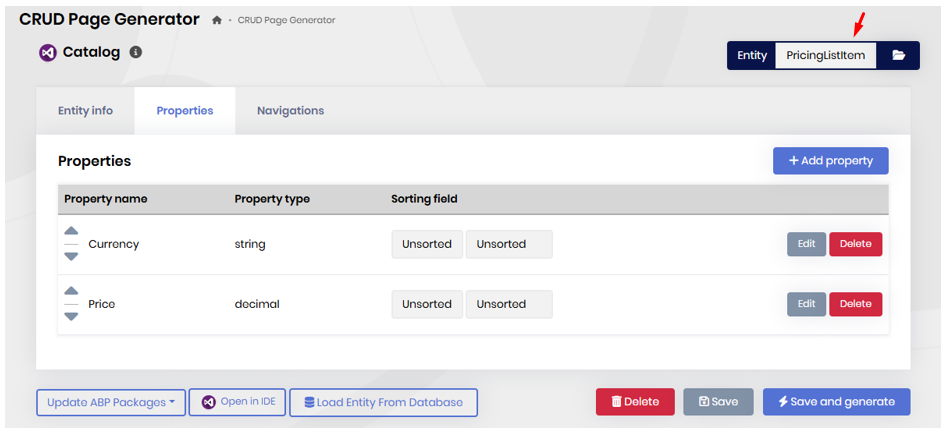
I’ve now added a new commit to the branch, where I introduce a Navigation Property in the PricingListItem entity pointing to ProductId from the Product entity, using ABP Suite 9.2.0. You can check the latest commit on the branch for details.
Here’s what I did and what I observed:
Added the Navigation Property to PricingListItem (ProductId).
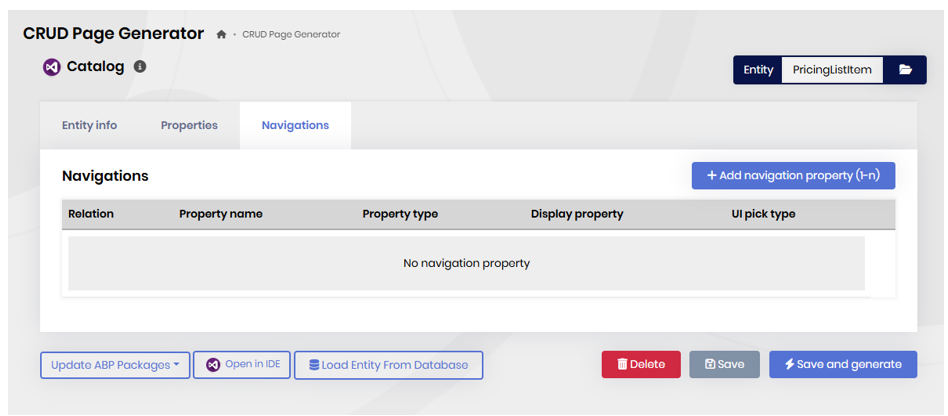
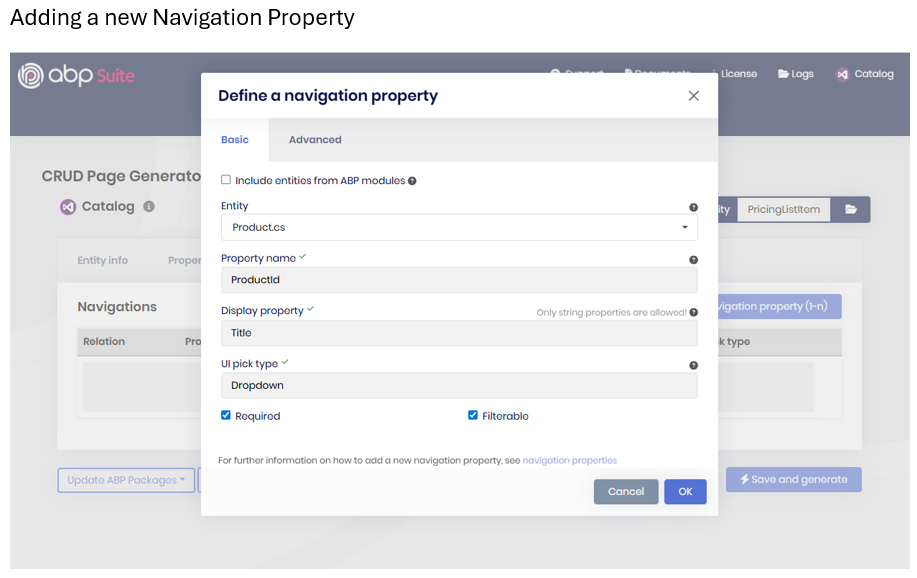

ABP Suite generated the updated code successfully.
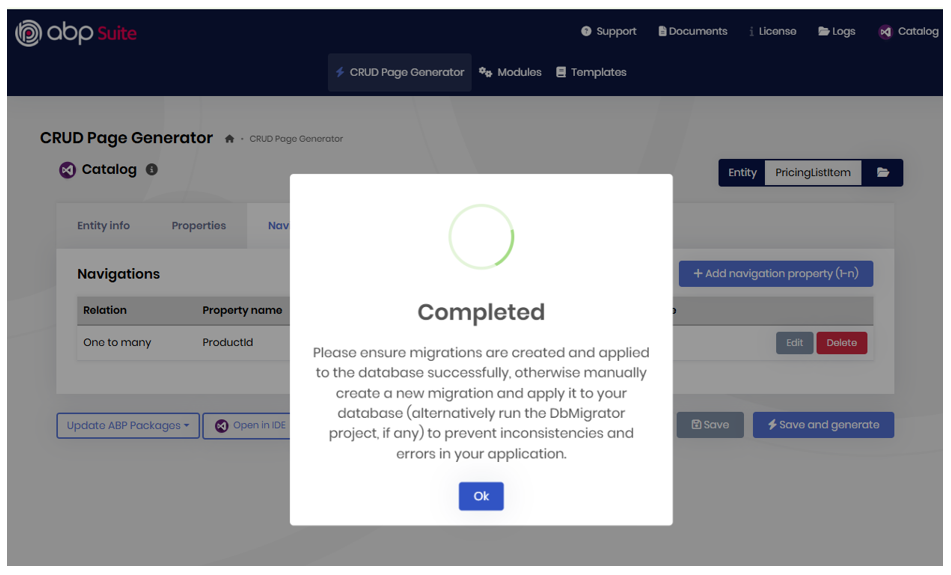
Applied the migration successfully.
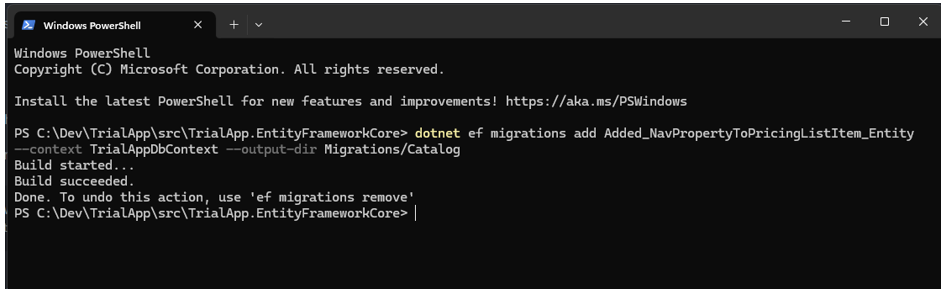
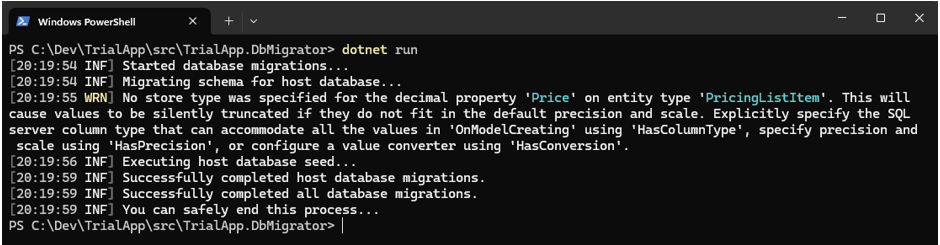
Ran DbMigrator without errors.
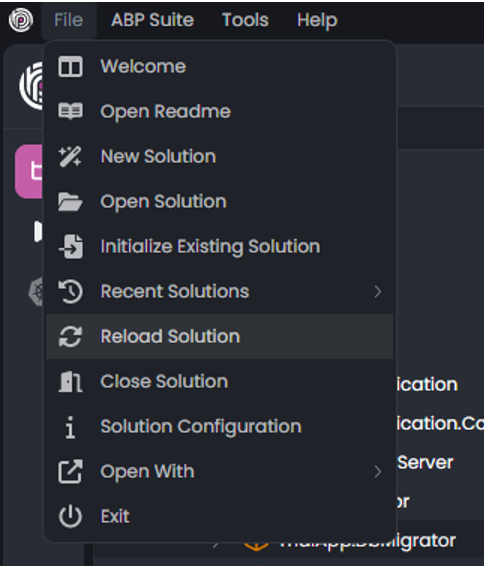
Reloaded the solution successfully.
The solution started launching the services.
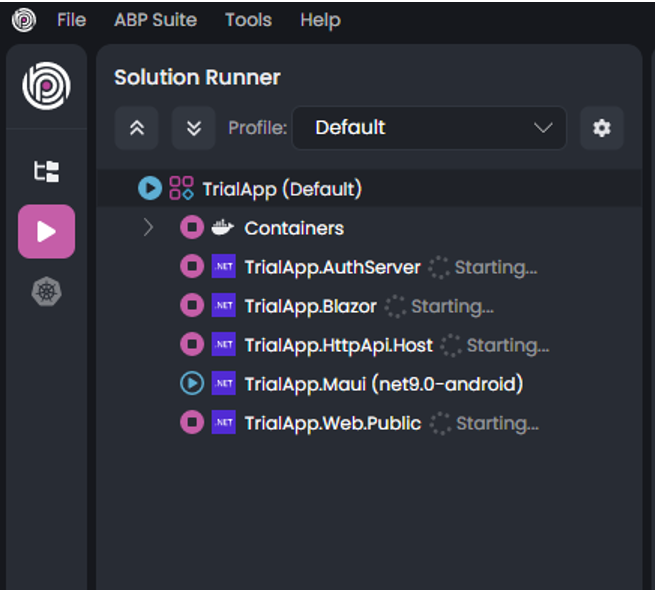
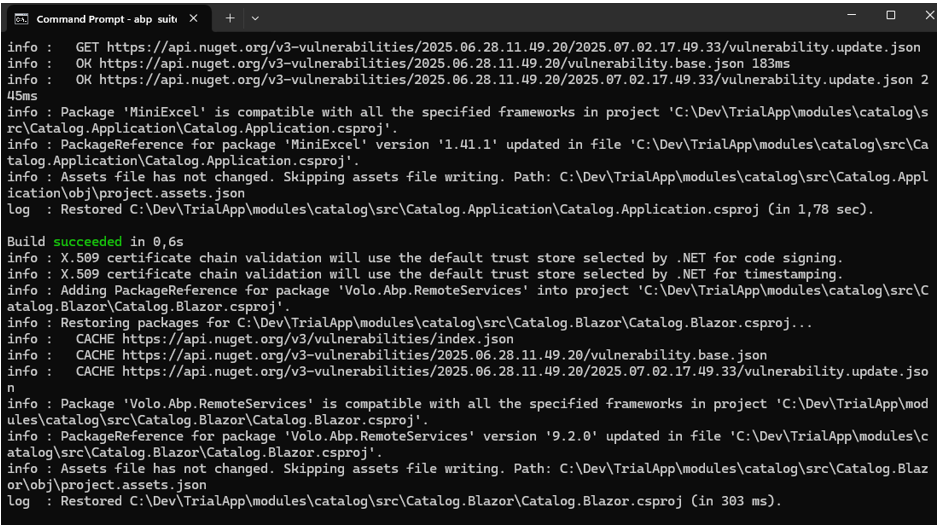
However, after this change, the HttpApi.Host service hangs indefinitely when running in ABP Studio. As a consequence, the other dependent services also hang due to the unavailability of HttpApi.Host.
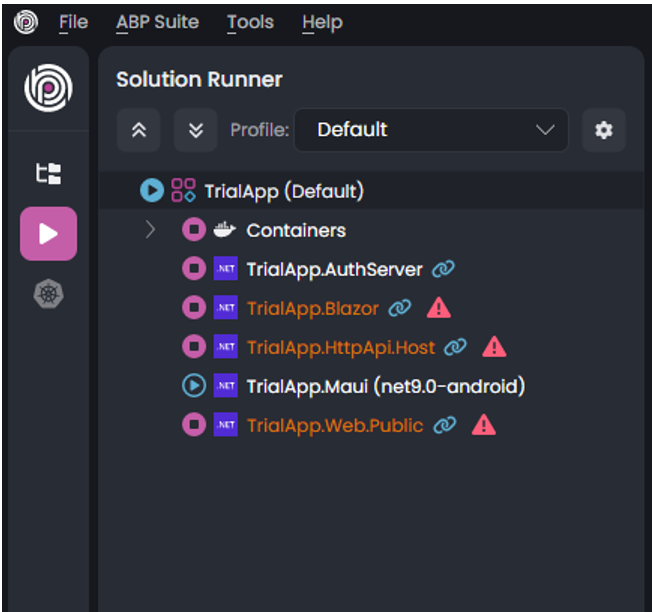
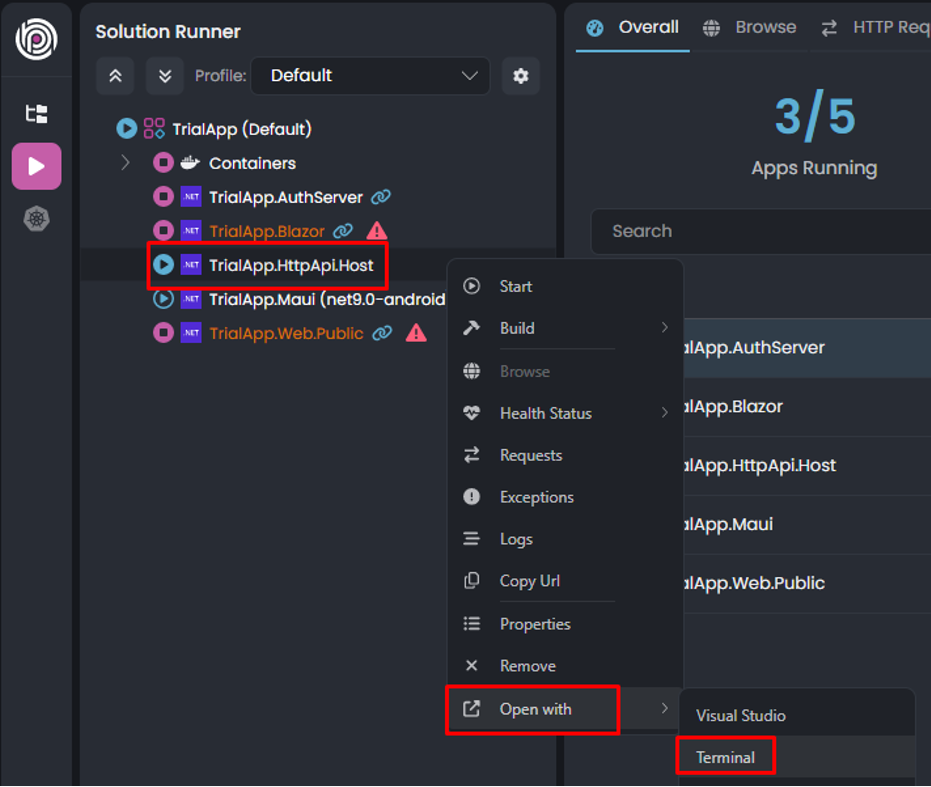
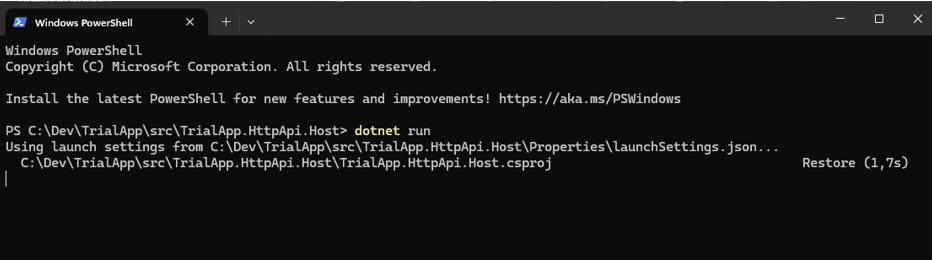
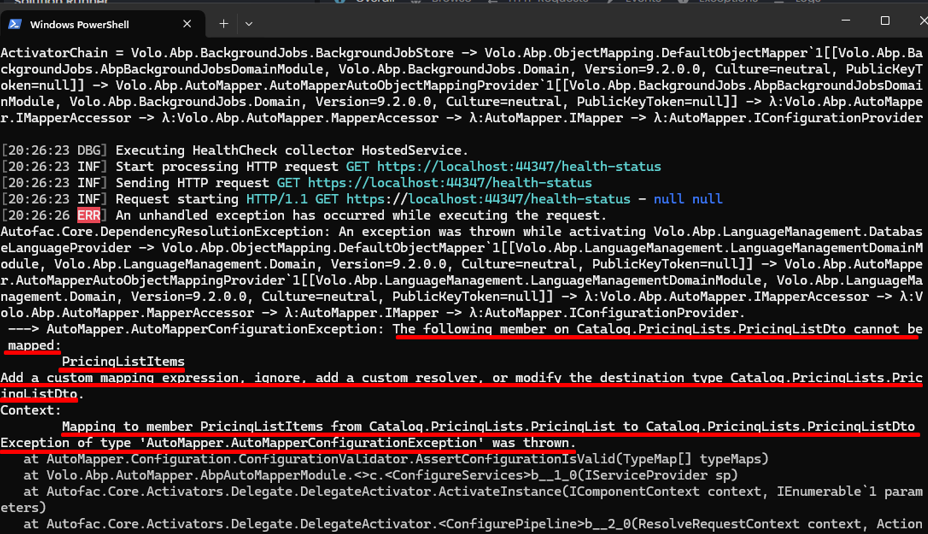
To investigate further, I stopped the service in ABP Studio and ran it manually from the terminal to check the logs (see attached screenshot for details).

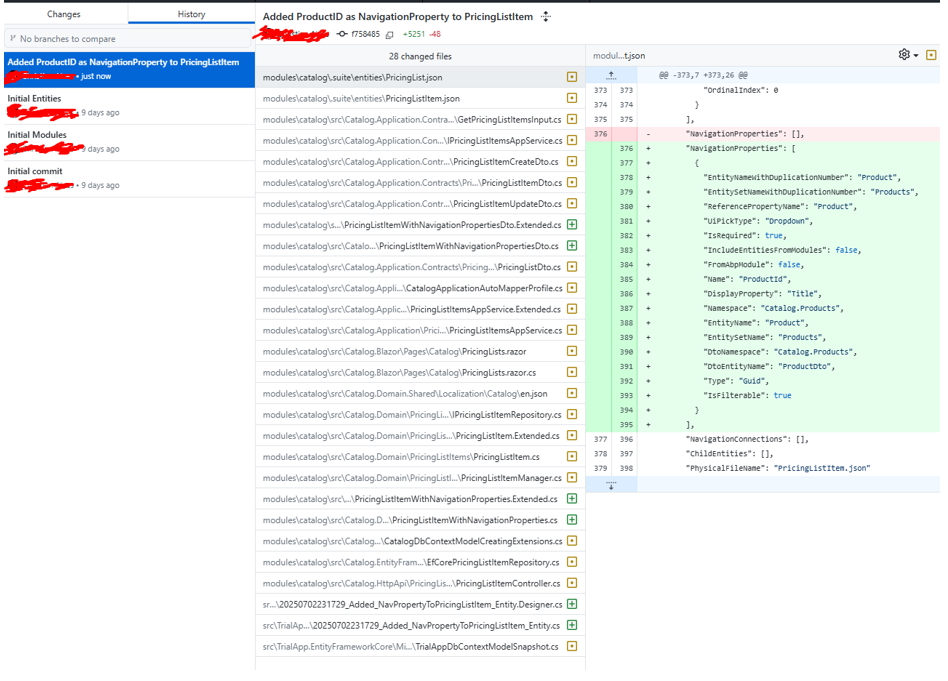
Summary of modified files:
Could you please help me identify why introducing the Navigation Property causes the service to hang?
Thank you very much for your support!
Hi. Thank you! Just to remind, the solution was generated by ABP Tools, without any manual coding. I belive there is something missing on ABP Suite Templates.
Hi Muhammed Ali,
I just sent an invite to your github user. Thank you for your assistance.

Thanks for the tip. There might have been some inconsistencies in the previous database indexes, so I deleted the test DB to allow DBMigrator to generate a fresh one in the next steps.
Restarting the simulation, I created a brand-new solution and followed the same steps up to the creation of the Child entity—without adding the Product navigation property. This was to test the newly generated database and application.
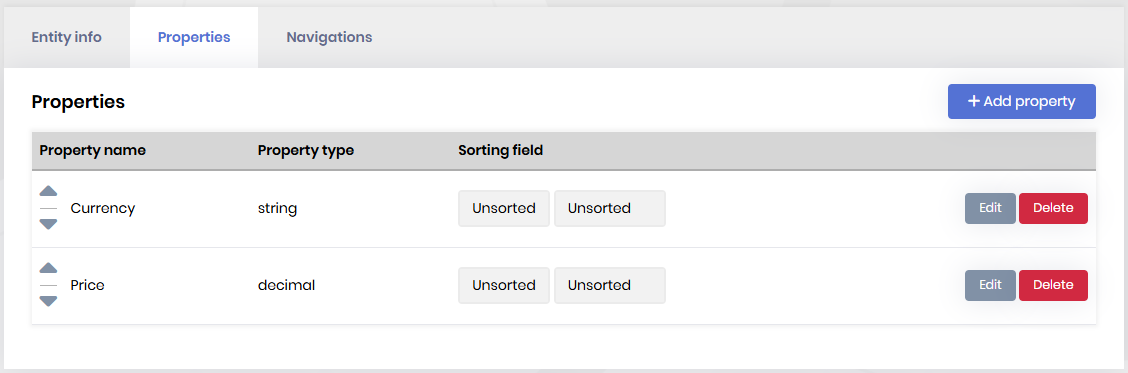
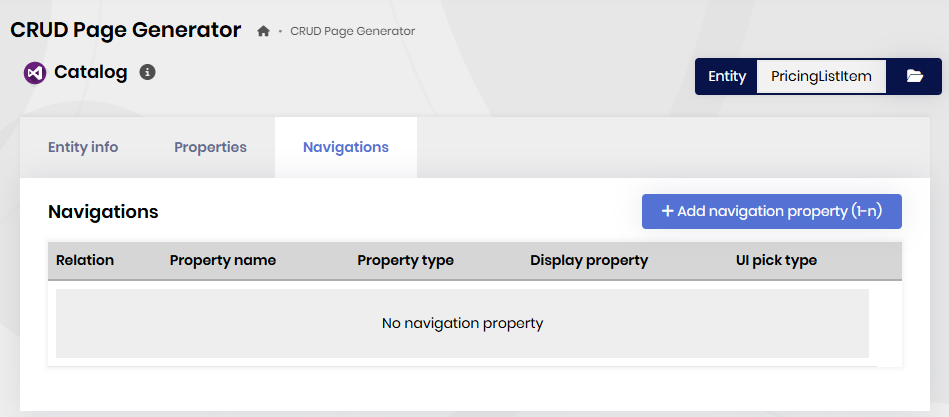
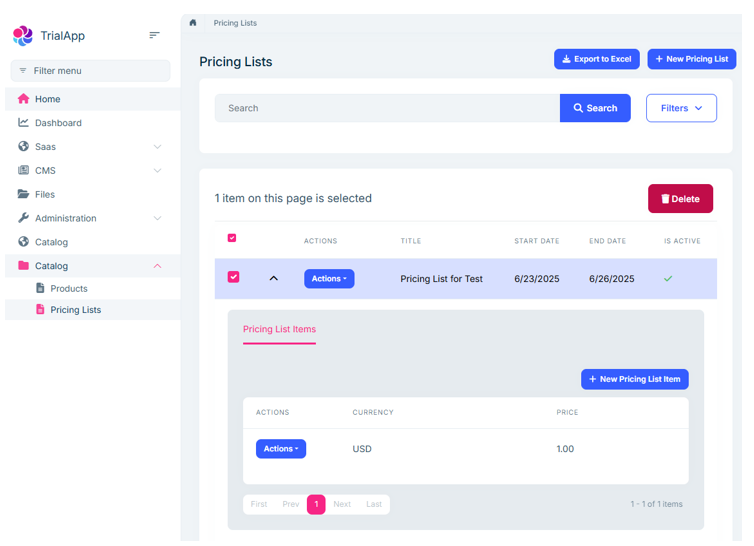
Everything worked fine: the application ran, and the CRUD operations generated by ABP Suite functioned correctly in the UI.
Next, I added a navigation property to the ProductListItem entity (referencing the Product entity as a foreign key) using ABP Suite, followed by generating a migration and running DBMigrator to update the database.
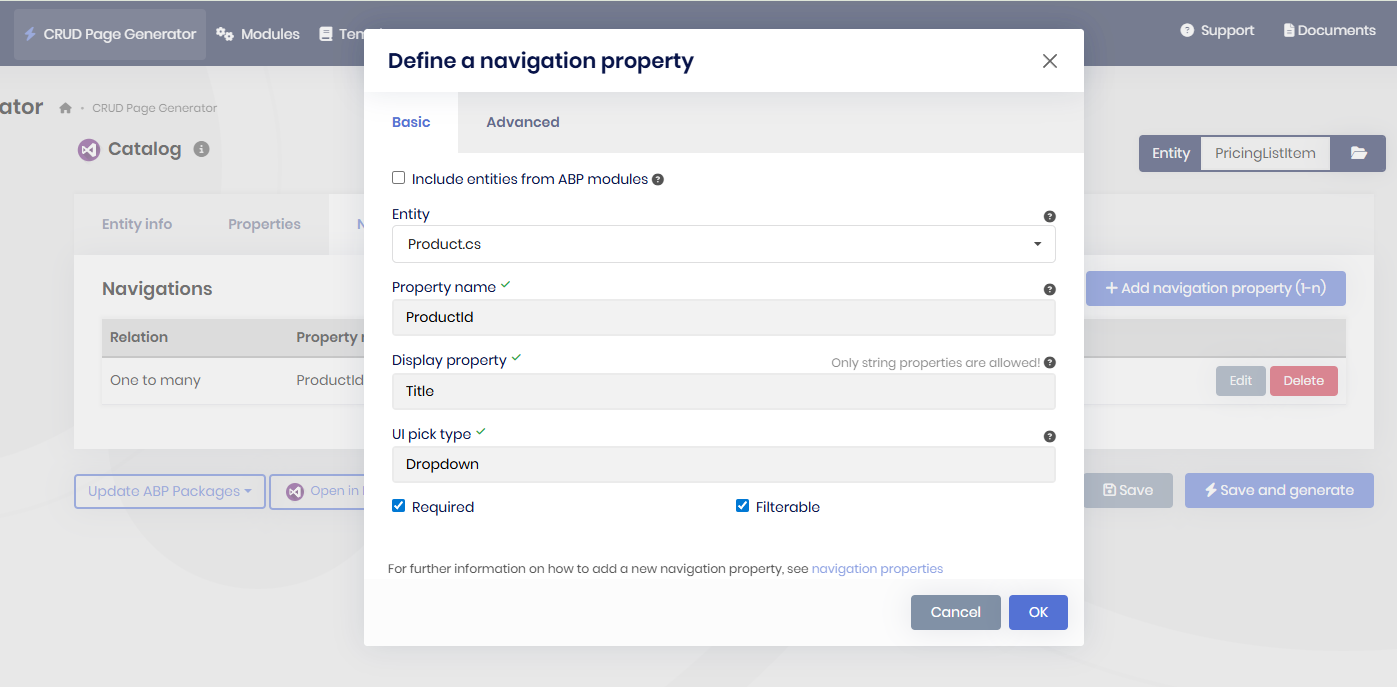
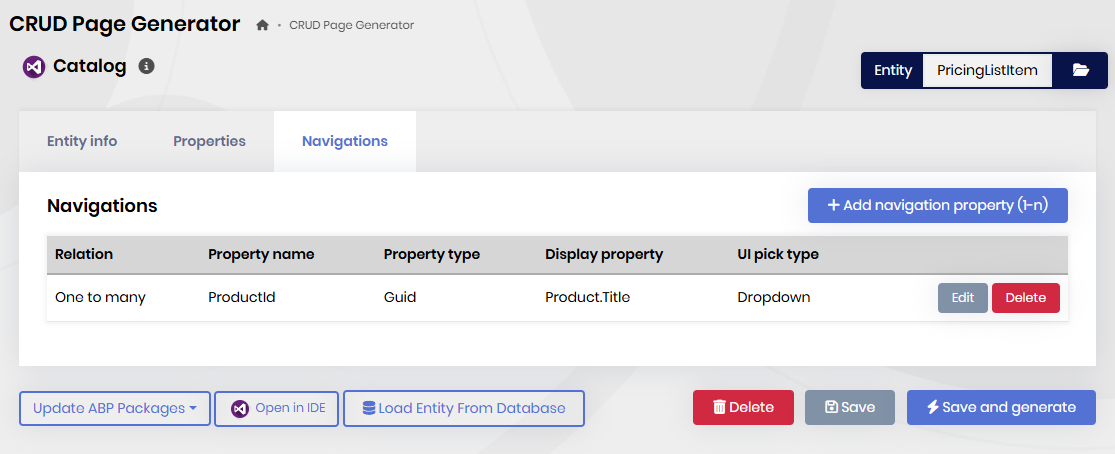


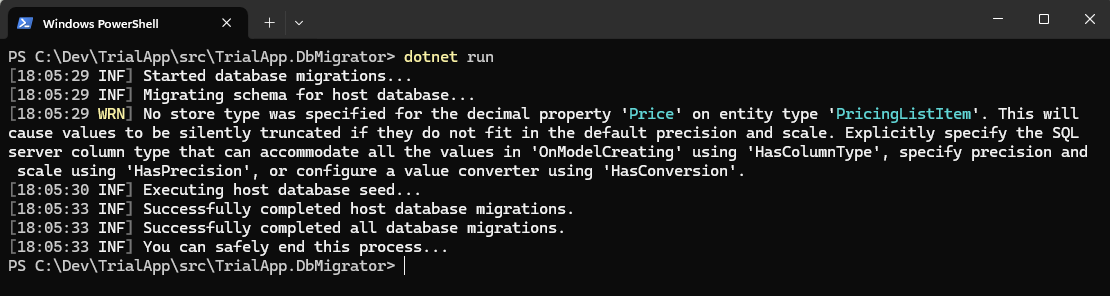 Up to this point, all steps completed successfully—migrations applied and DB updated.
However, when running the solution via HTTP.API.Host in ABP Studio, it began to hang (with the red triangle alert).
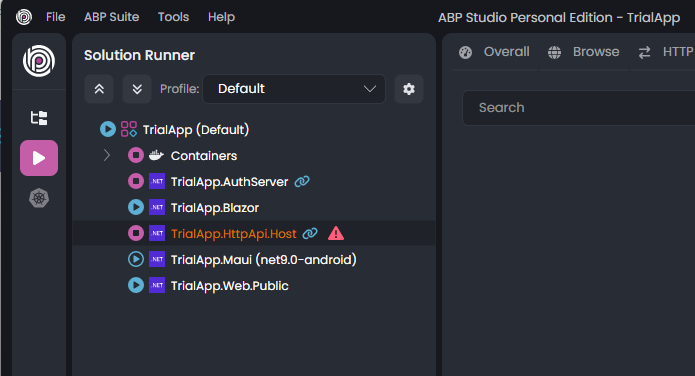
So I switched to Terminal for more detailed logs, where I noticed some inconsistencies in the object mappers—possibly caused by a faulty template generated by ABP Suite 9.2.0.
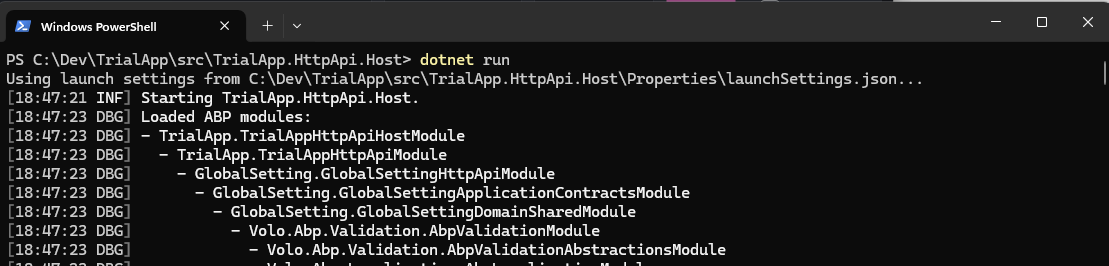
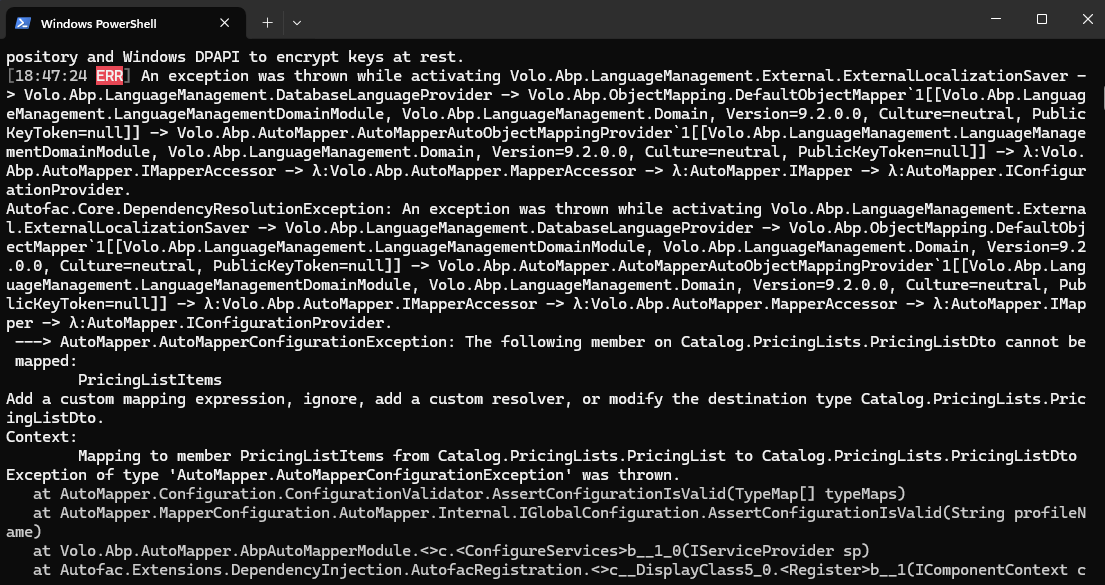
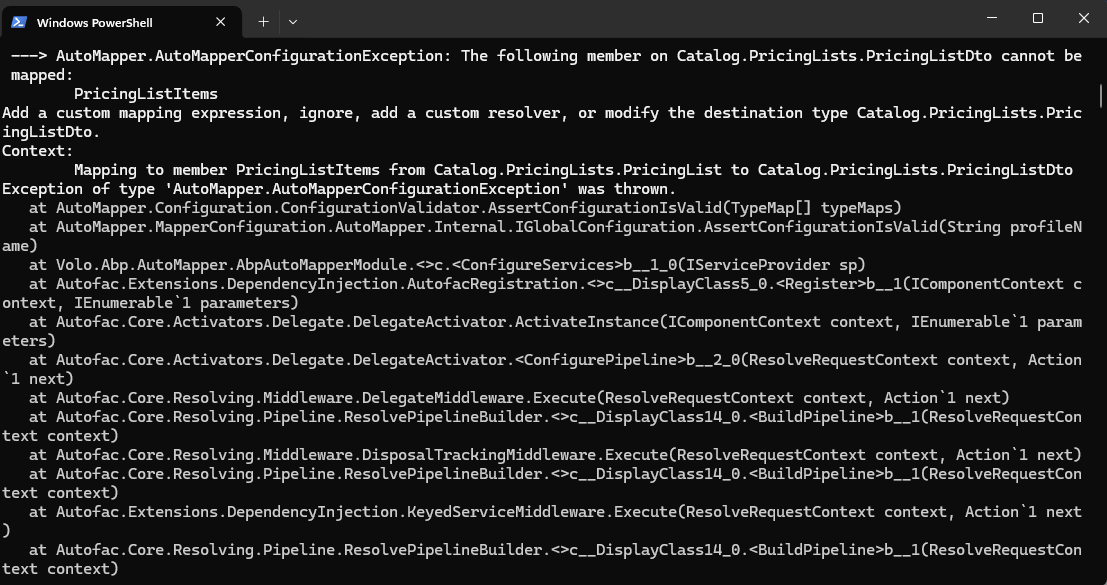
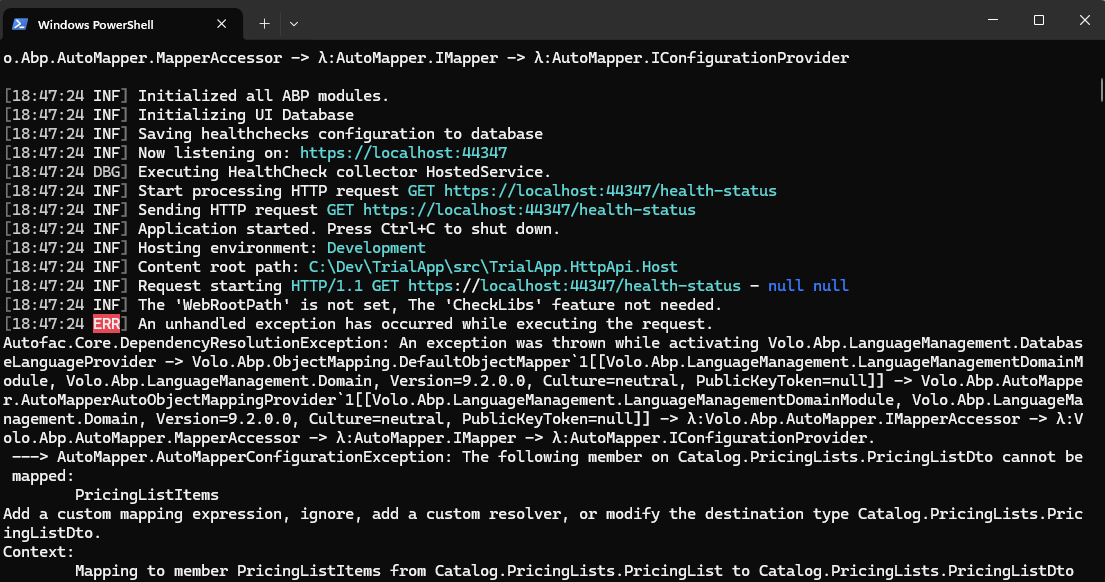
Here is what I think is useful, maybe, for you to see the generated code when I applied the NavProperty into the Child entity.

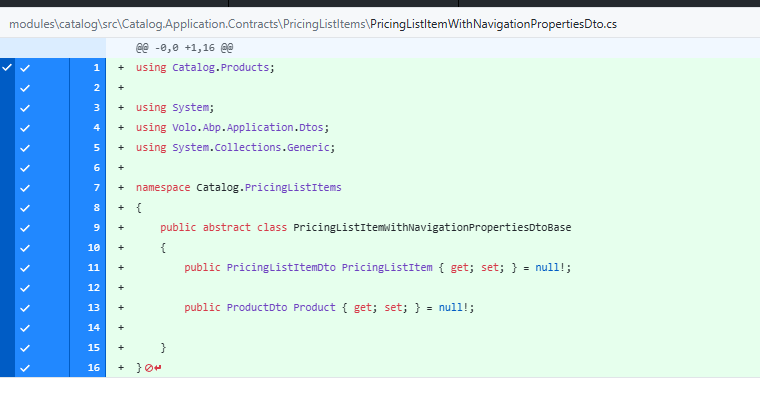
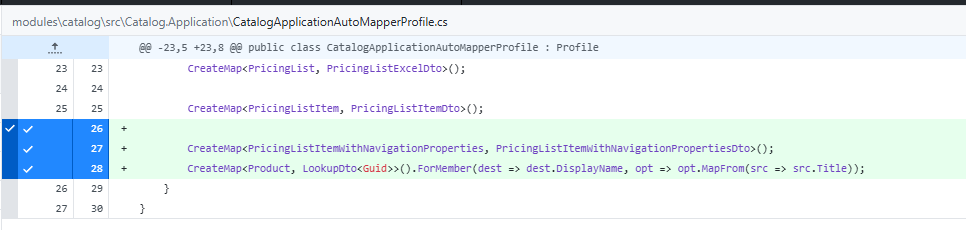
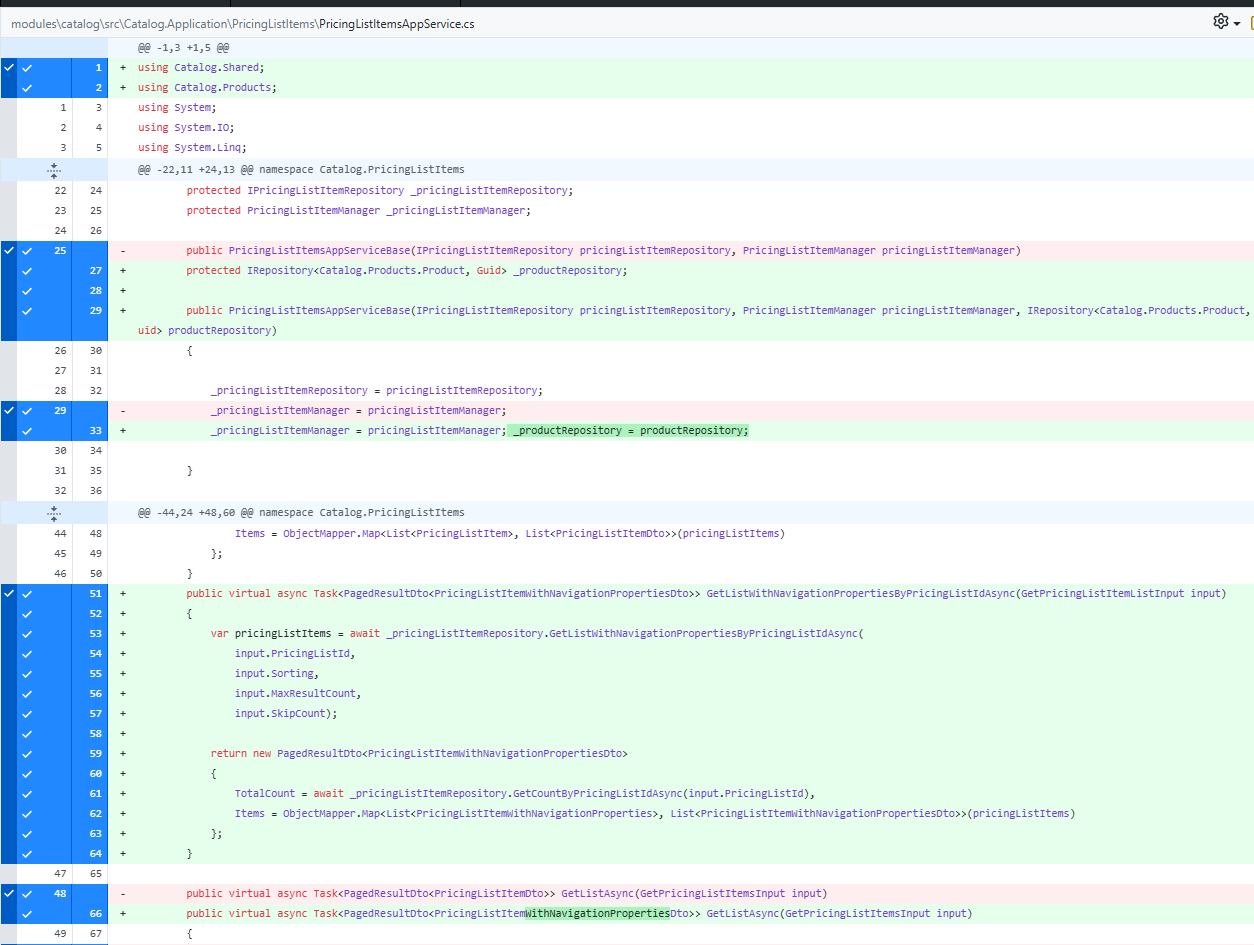

Here is the list of files changed after the creation of NavProperties.
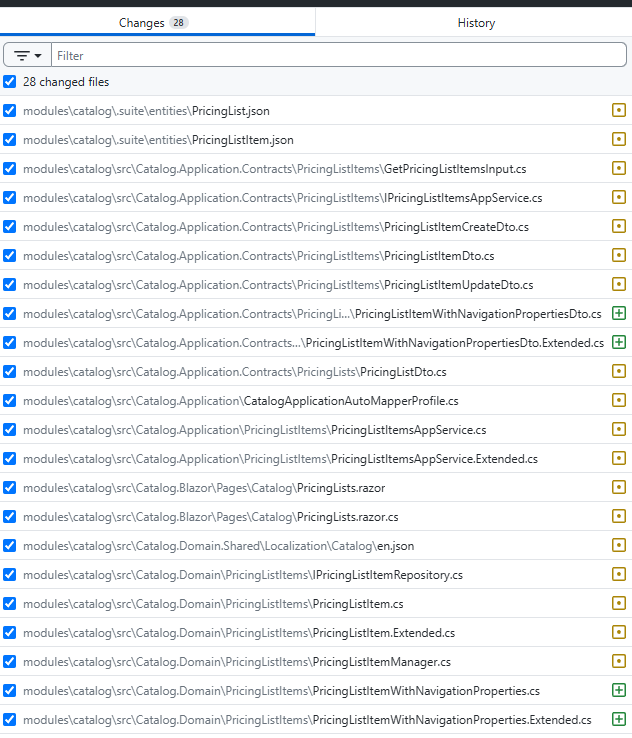
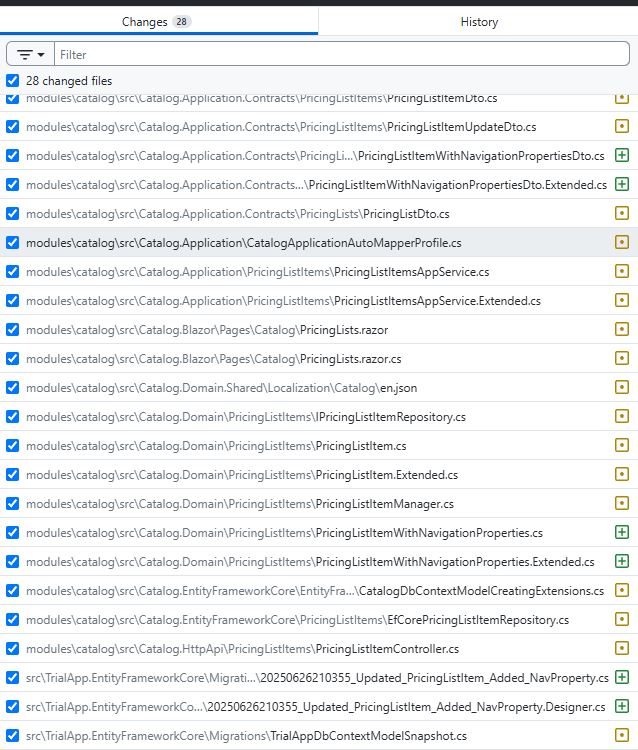
If you consider useful I can share with you the github containg a commit at the point where the NavProperty was added into the Child entity. It is a test solution created only for simulation, no sensitive information exists.
[m.aliozkaya] said: Hi @chrisalves,
I’ve created an issue regarding the module not being added as a menu item during the solution creation process. It should be resolved soon.
As for the problem related to the Suite, I wasn’t able to reproduce it. In my case, adding
Productas a navigation property to thePricingListItemchild entity worked successfully. Could you please check your database?(reinstall maybe solve) It seems there might be a conflict. If you’re able to reproduce the error in a new solution, please share the solution with us.
Hi ! Thanks for your return. Please let me know with version of ABP Suite did you use for the simulation about the MasterChild entity issue. Maybe it is related to the ABP Suite version. Can you plese let me know your ABP Suite Version?
Template: app
Created ABP Studio Version: 1.0.1
Current ABP Studio Version: 1.0.1
Tiered: Yes
Multi-Tenancy: Yes
UI Framework: blazor-server
Theme: leptonx
Theme Style: system
Theme Menu Placement: side
Run Install Libs: Yes
Database Provider: ef
Database Management System: sqlserver
Separate Tenant Schema: Yes
Create Initial Migration: Yes
Run Db Migrator: Yes
Mobile Framework: maui
Public Website: Yes
Social Login: Yes
Include Tests: Yes
Kubernetes Configuration: No
Distributed Event Bus: rabbitmq
Use Local References: No
Optional Modules:
Selected Languages: English, English (United Kingdom), 简体中文, Español, العربية, हिन्दी, Português (Brasil), Français, Русский, Deutsch (Deuthschland), Türkçe, Italiano, Čeština, Magyar, Română (România), Svenska, Suomi, Slovenčina, Íslenska, 繁體中文
Default Language: English
Create Command: abp new TrialApp -t app --tiered --ui-framework blazor-server --mobile maui --database-provider ef --database-management-system sqlserver --theme leptonx --separate-tenant-schema --public-website --without-cms-kit --dont-run-bundling -chat -file-management
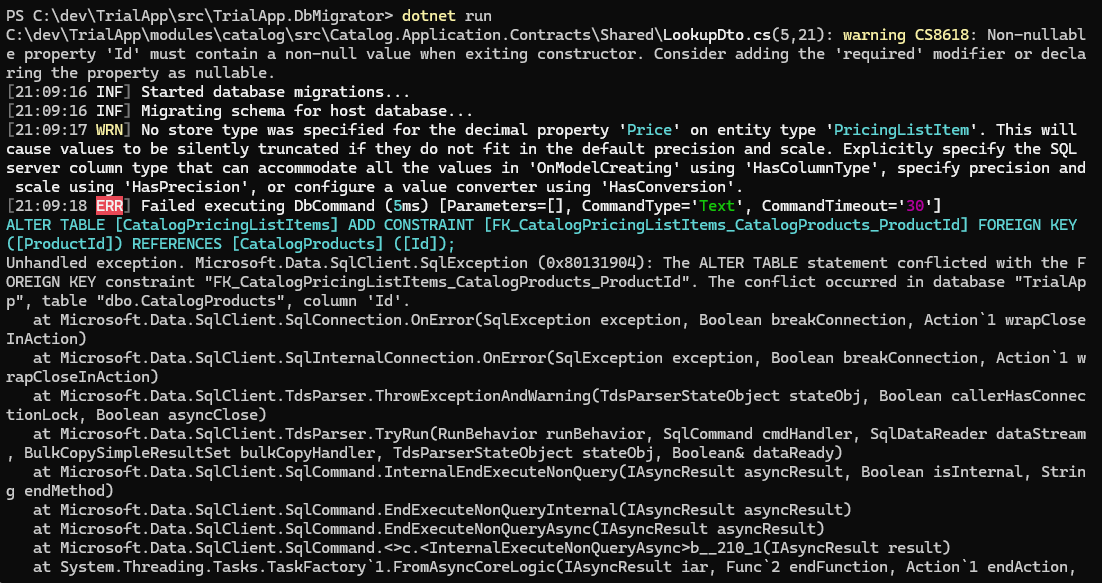
Exception message and full stack trace:
Steps to reproduce the issue:
I have created a pretty new solution using ABP Studio 1.0.1, as settings described above, after that I created a module also on ABP Studio as the regular procedures, and then 3 new entities using ABP Suite 9.2.0 to simulate the error. I believe there is a BUG on ABP Suite because all the code was generated using ABP Tools like Studio or Suite.
Some screen shots to easly understand the simulation scenario.
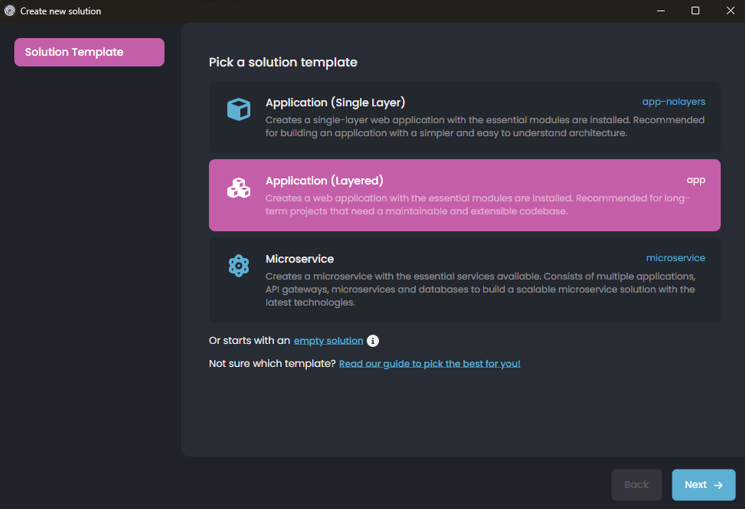
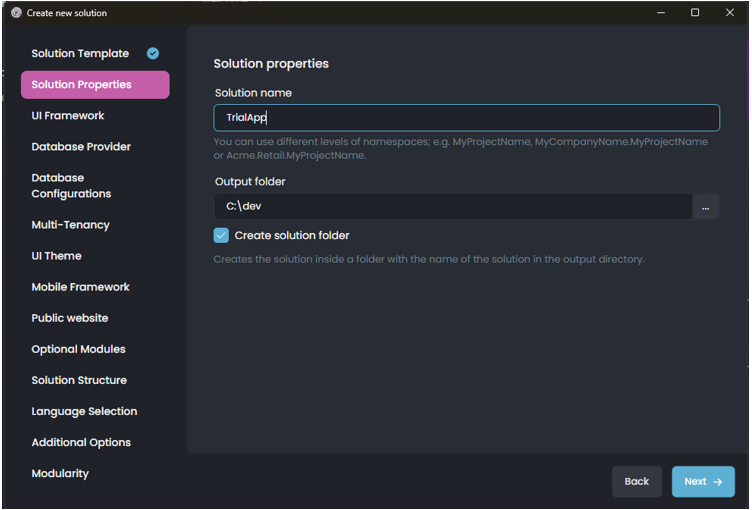
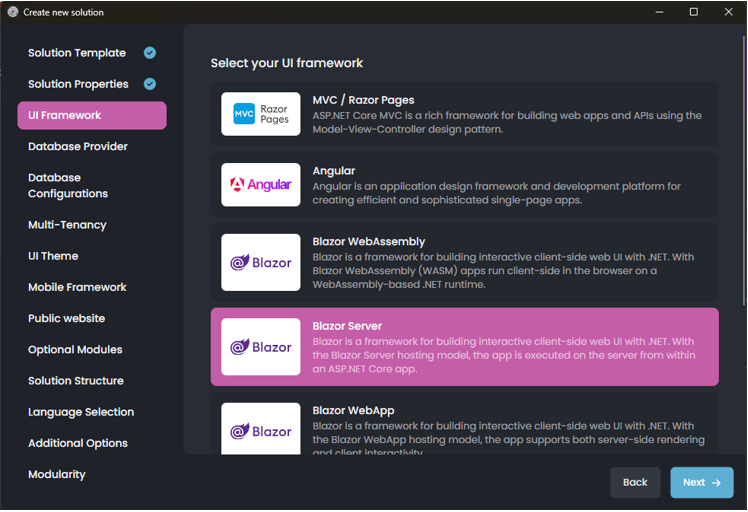
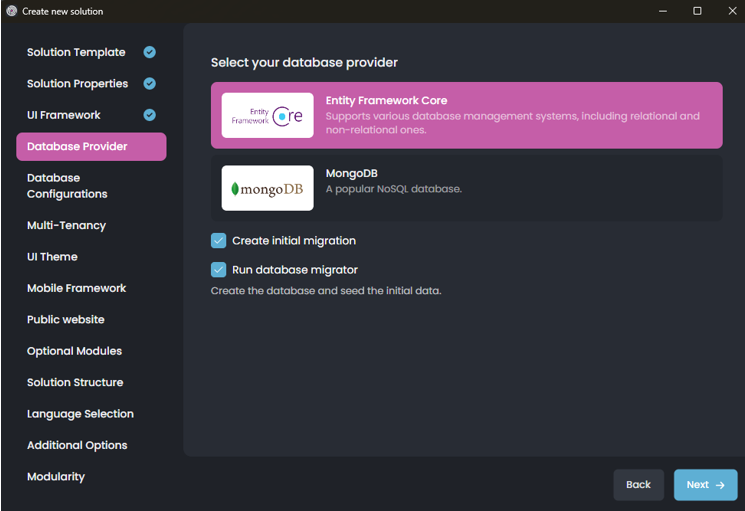
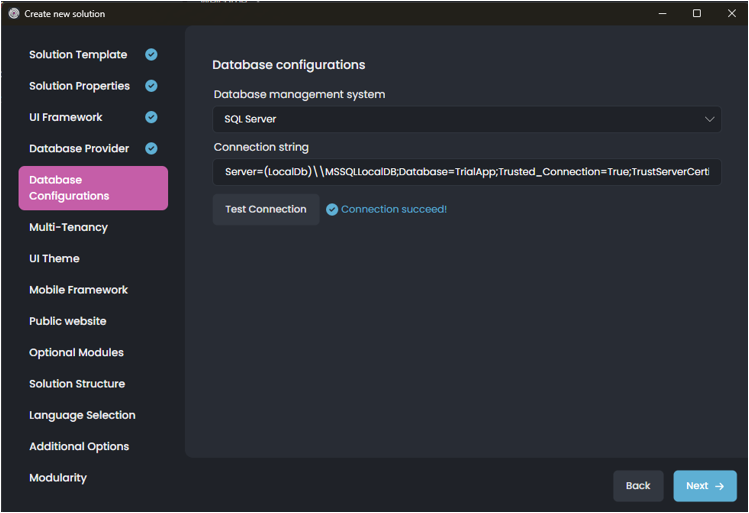
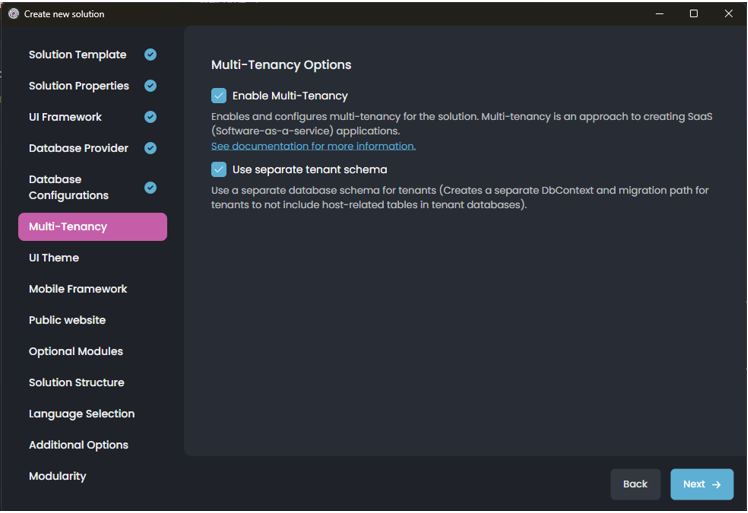
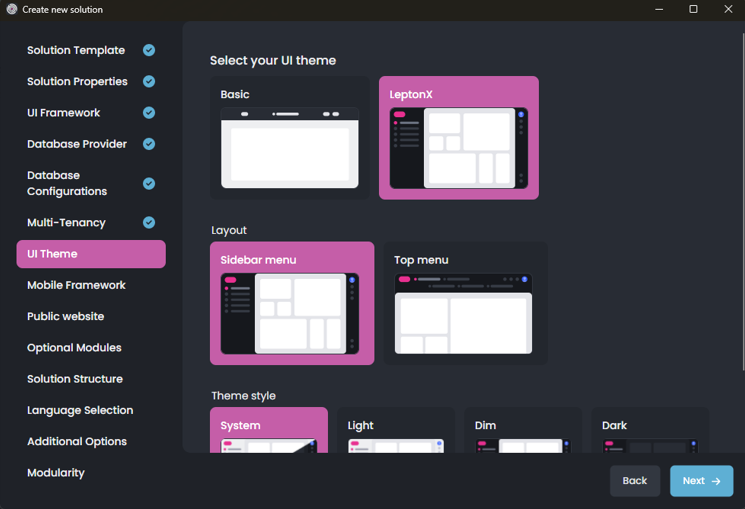
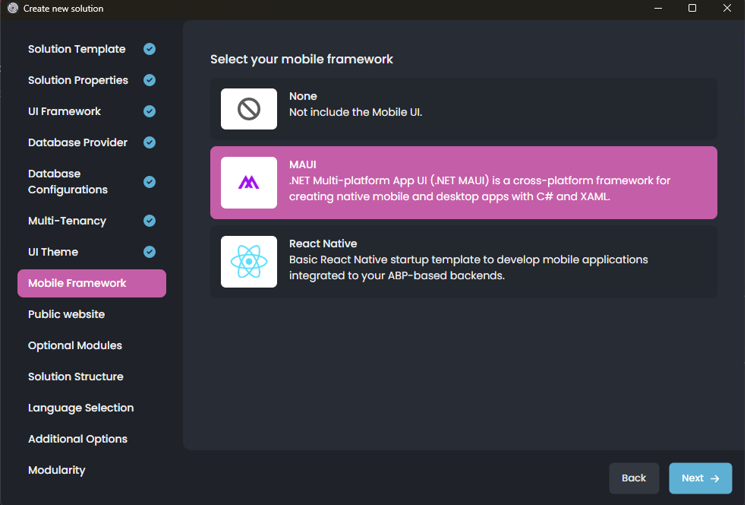
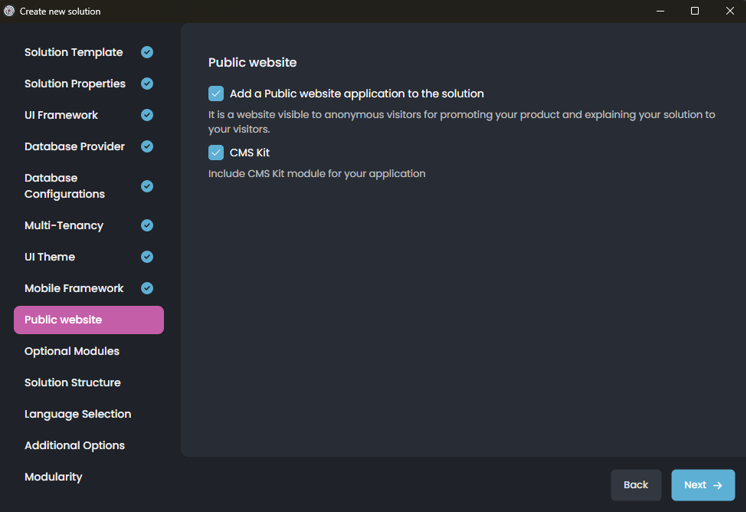
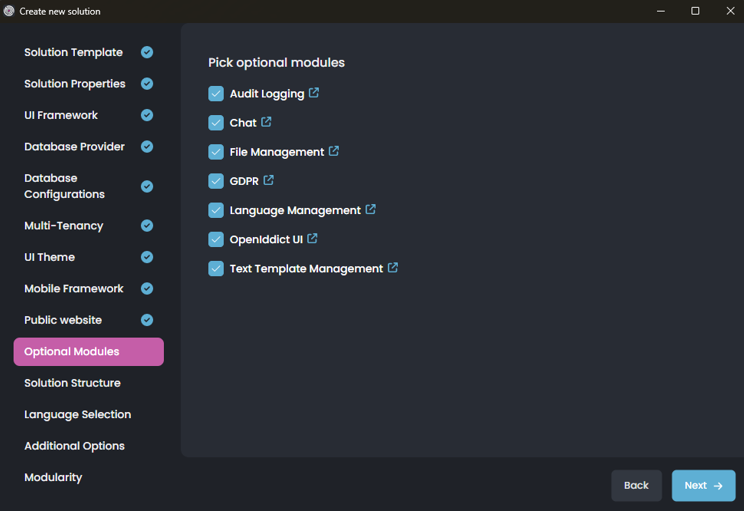
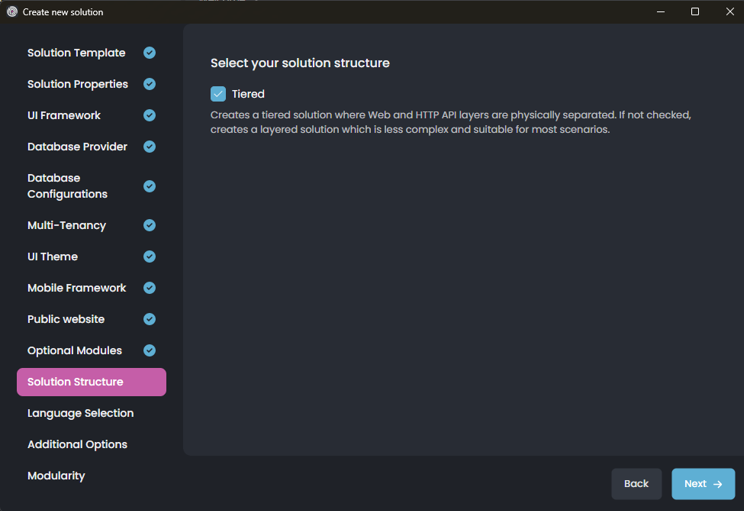
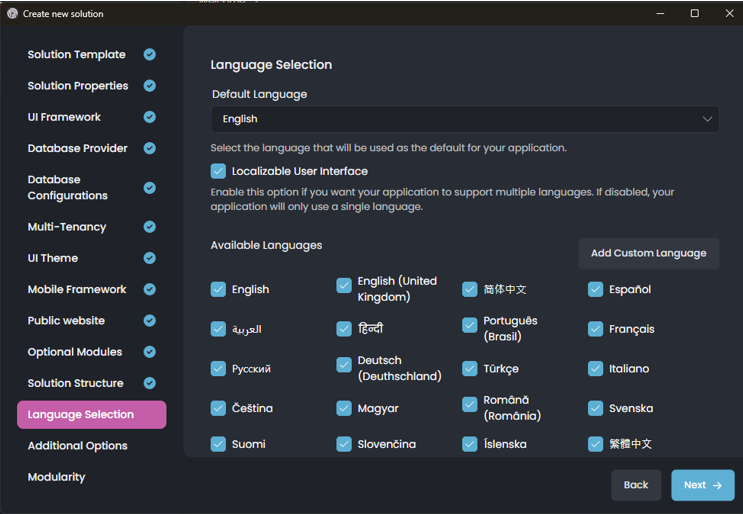
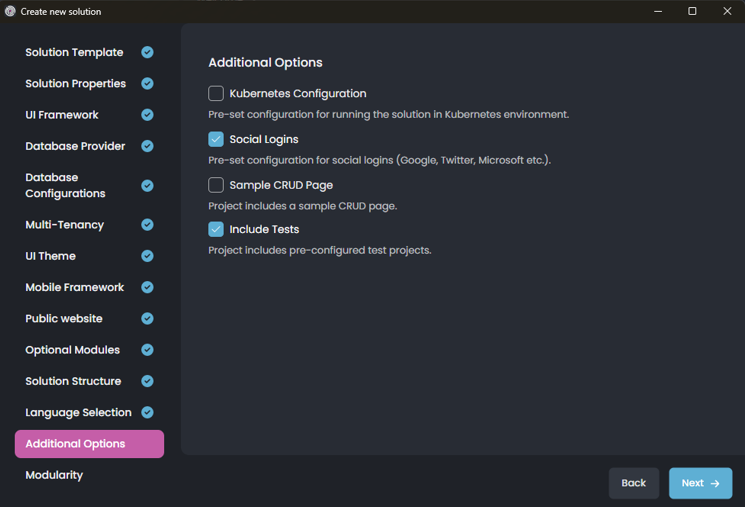
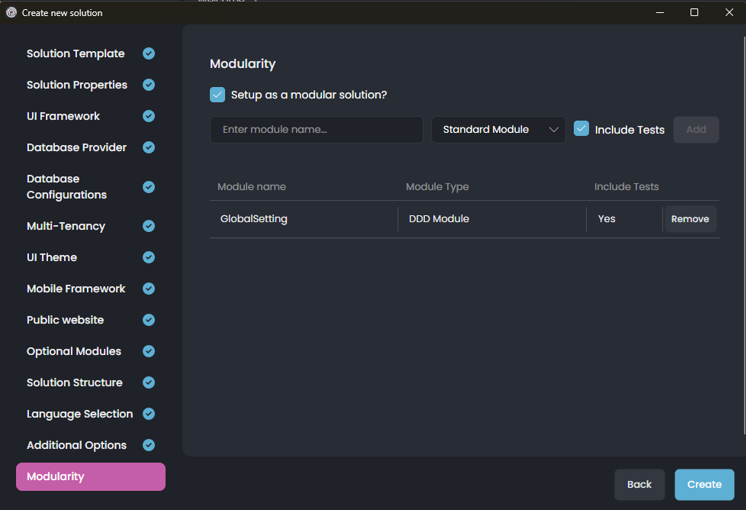
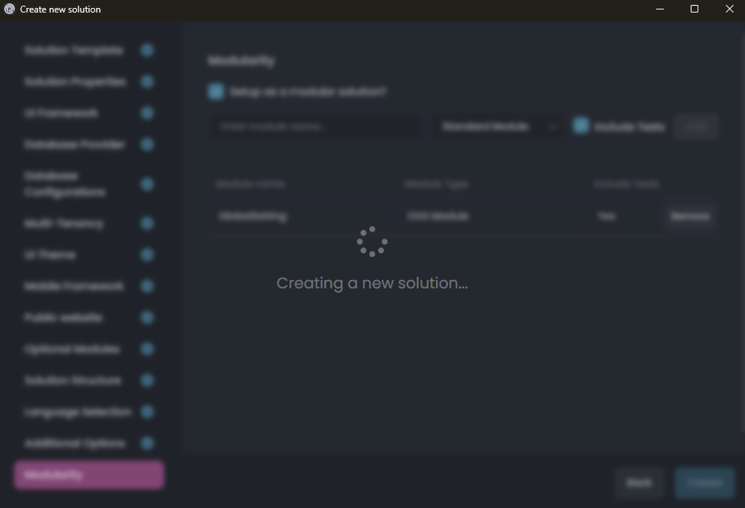
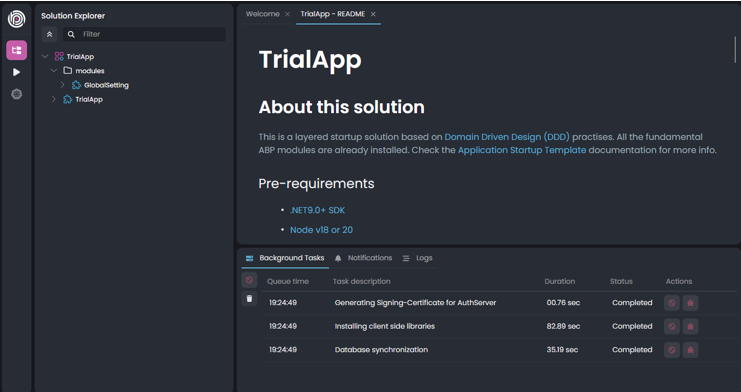
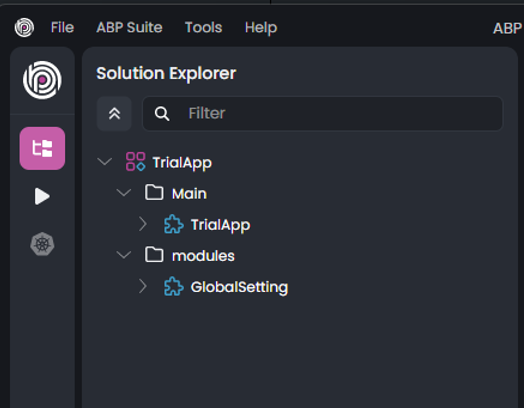
Added Main folder for Main application
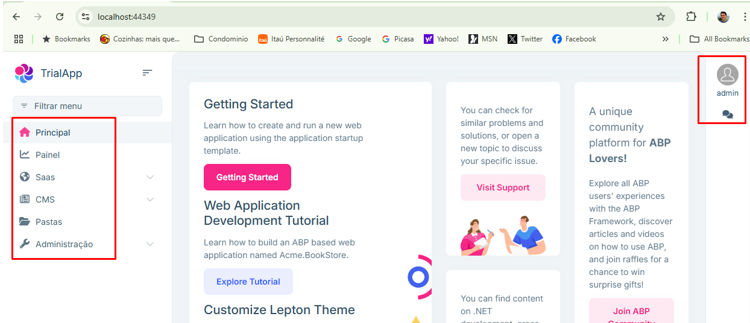
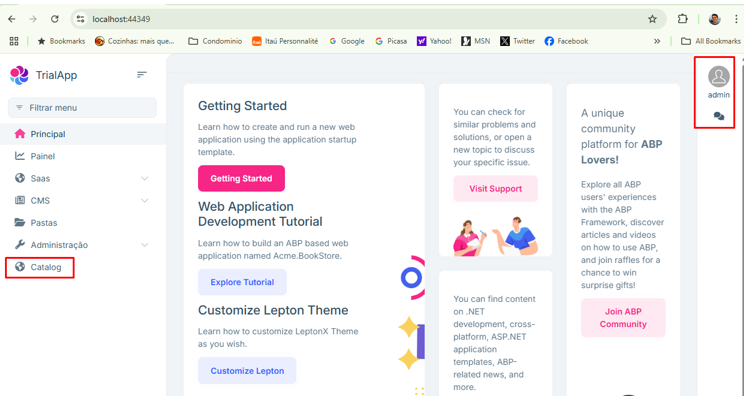
The initial version of the application is running well BUT the recently "Global Setting" module created at the begining with ABP Studio is not being presented in the Left Menu. Certainly this is a BUG.
Manually adding a New Module named Catalog
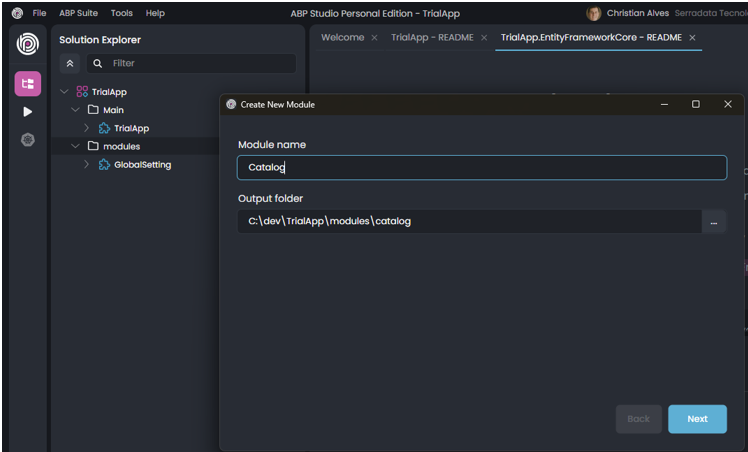
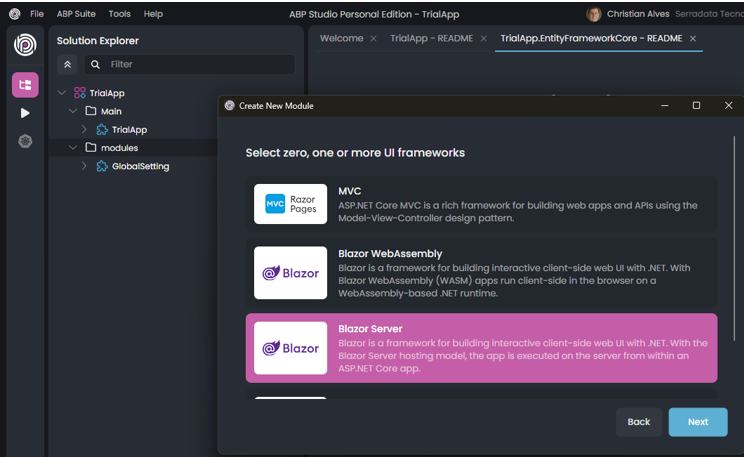
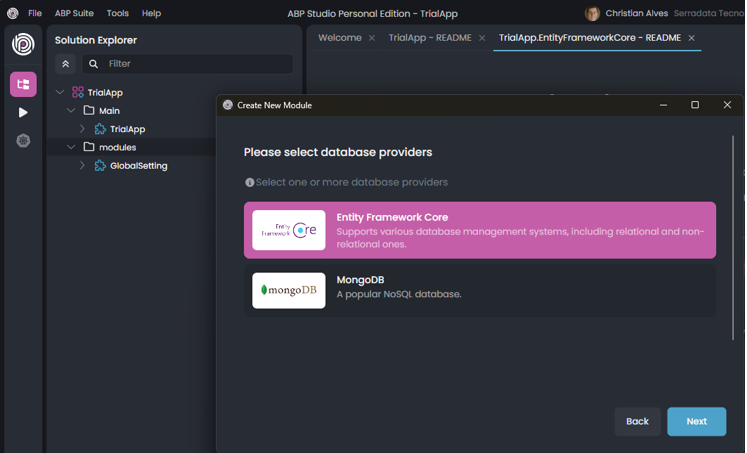
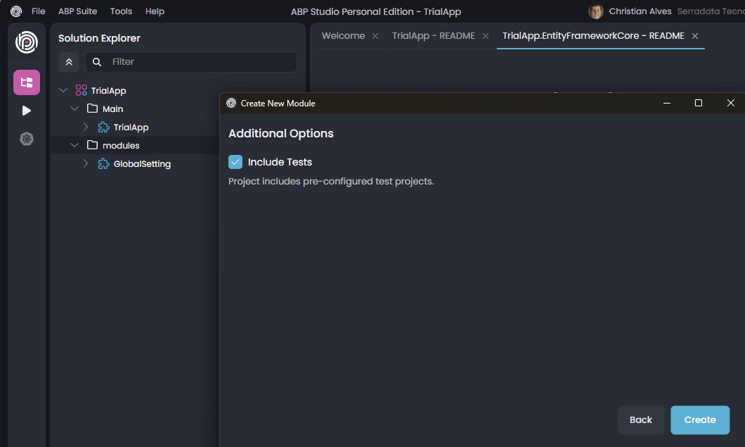
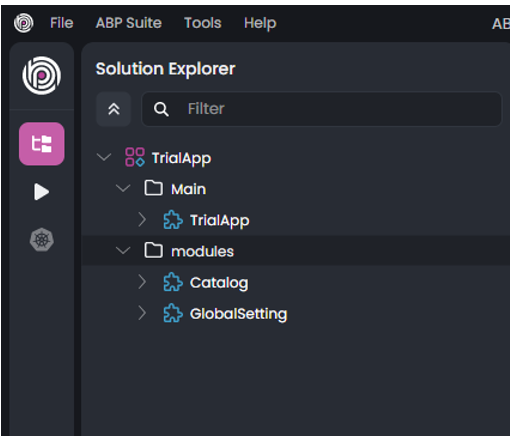
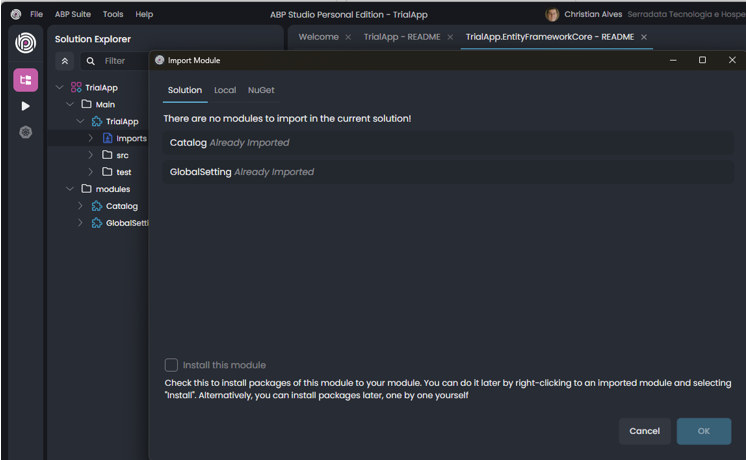
Both Module were imported and instaled into the Main Module, step by step each one as the regular procedure.
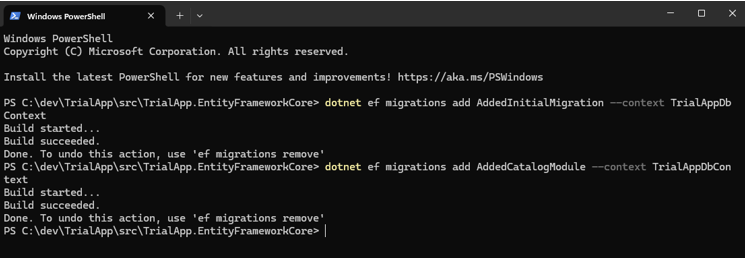
Initial Migrations applied
Unexpected Warning were presented against the ABP Studio Template automatic Generated Code (Certainly a Template BUG exists in ABP Studio New Solution feature.)
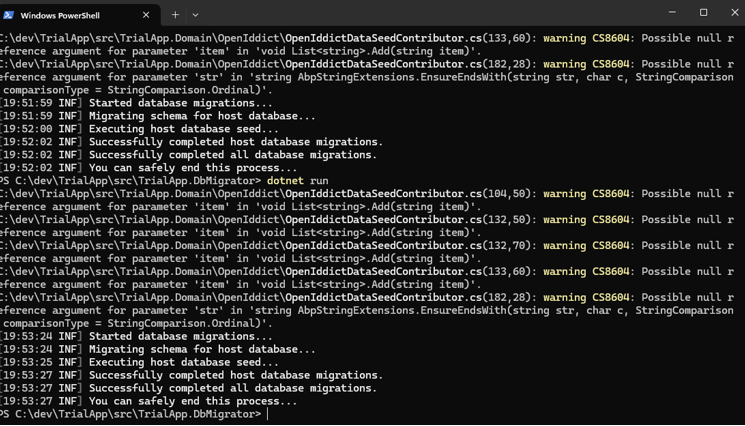
BUT the application was able to run without errors, and the New Module Catalog created manually using ABP Studio New Module feature is being presented. The Module GlobalSetting created throught the New Solution process is not being presented again (Studio New Solution feature BUG probably)
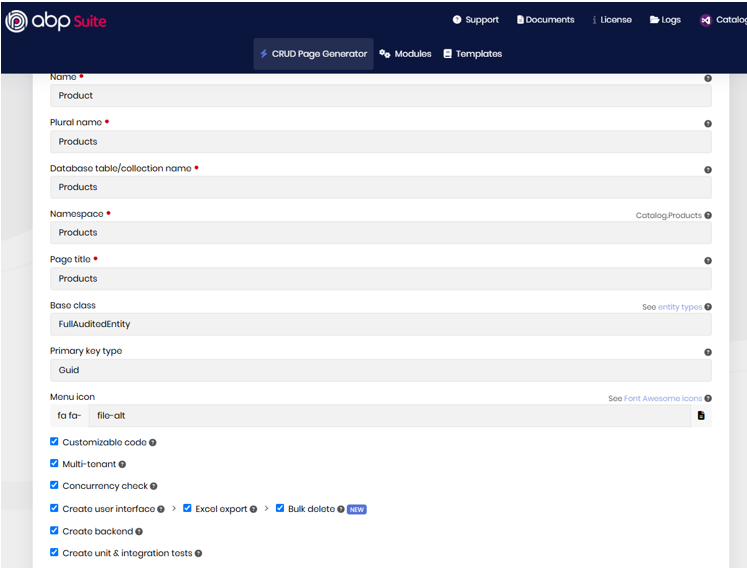
Product entity created using ABP Suite
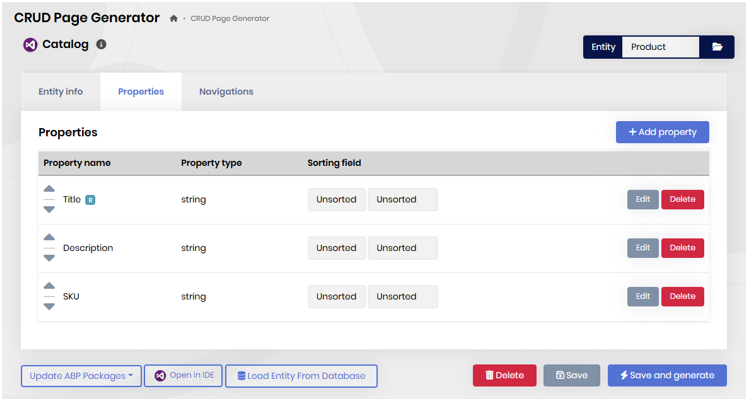
Creating Master-Child entity according the ABP Documentation https://abp.io/docs/latest/suite/creating-master-detail-relationship
The PricingList entity (Master Entity)
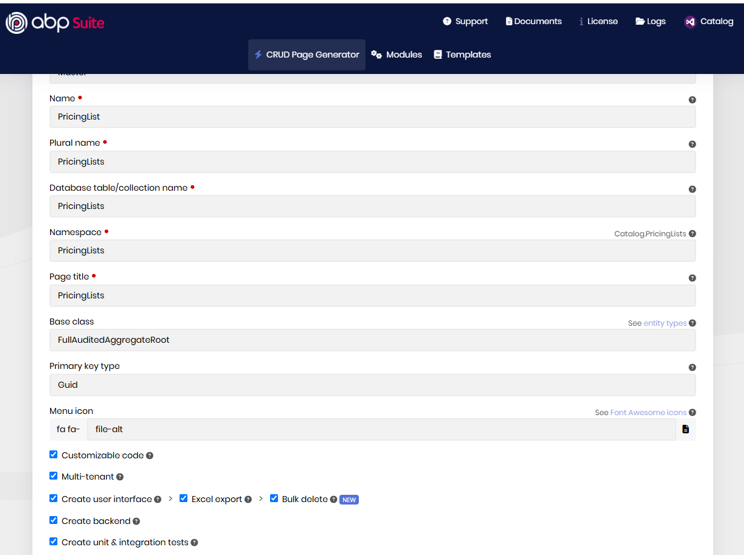
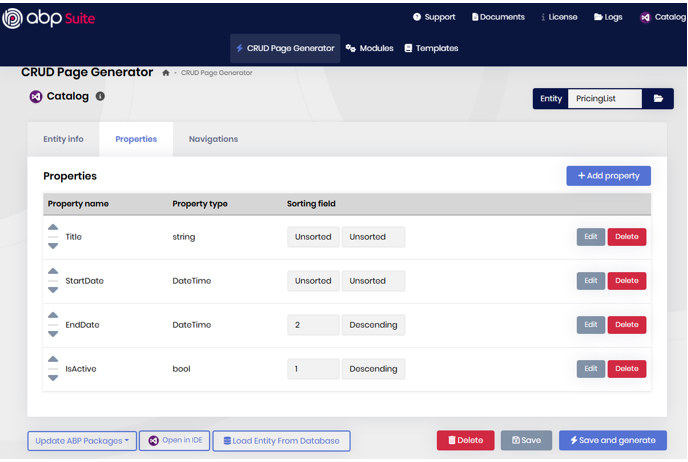
PricingListItem (the child entity)
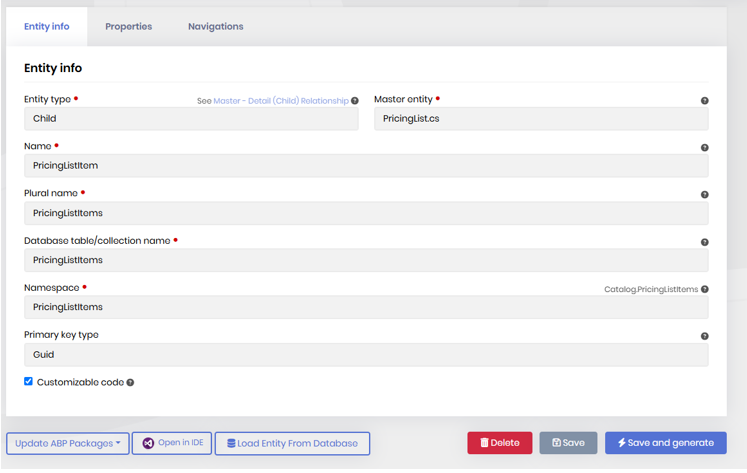
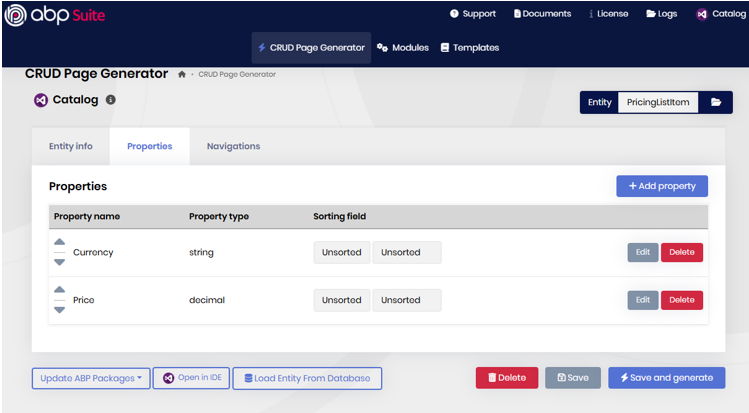
Up here, the application still building with success even the APB automated creating process (Studio and Suite) added inconsistencies detected by compiler generating Warnings (Potential BUG of the tools)
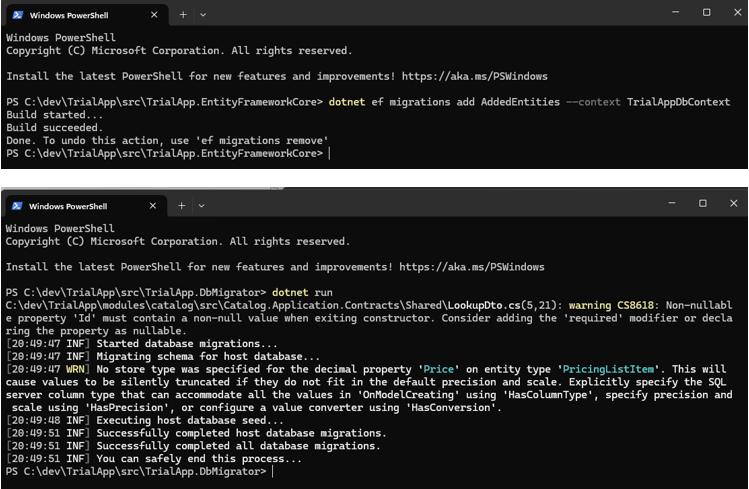
As you can see, the application still running well and you can see some entries created by the user (myself in the case)
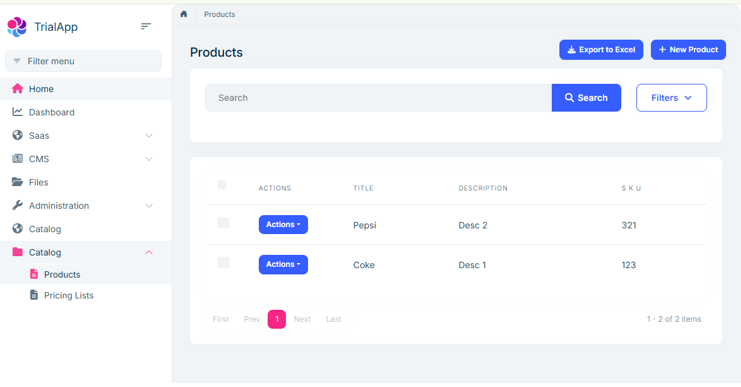
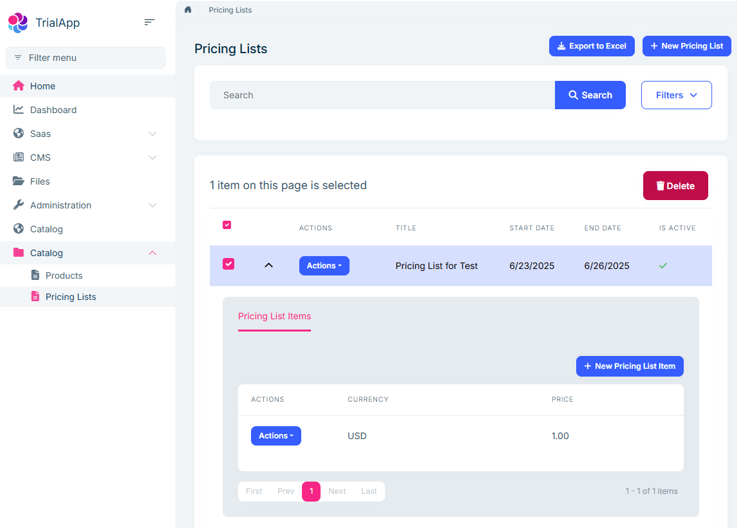
The issue occurs when creating a Navigation Property in the Child entity, the ProductId field from the Product entity.
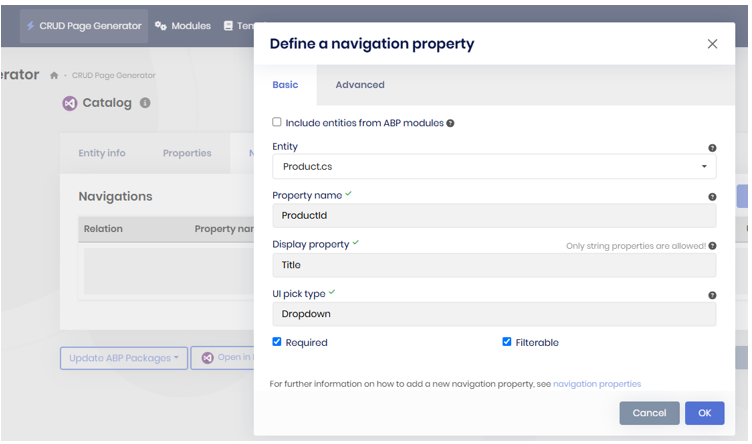
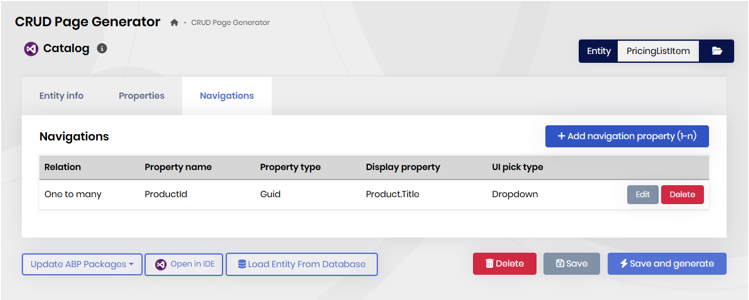
ABP Suite creates with success the NavProperty

Added the Migration

The DbMigrator breaks the execution UNEXPECTEDLY.
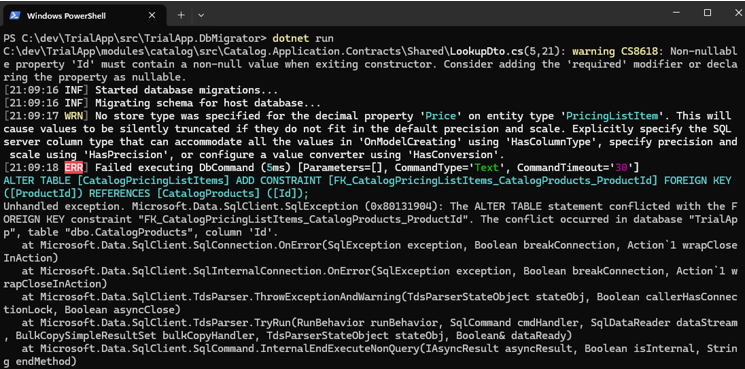
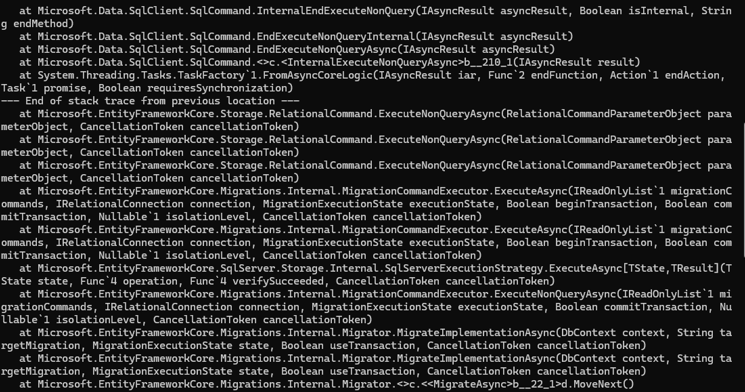
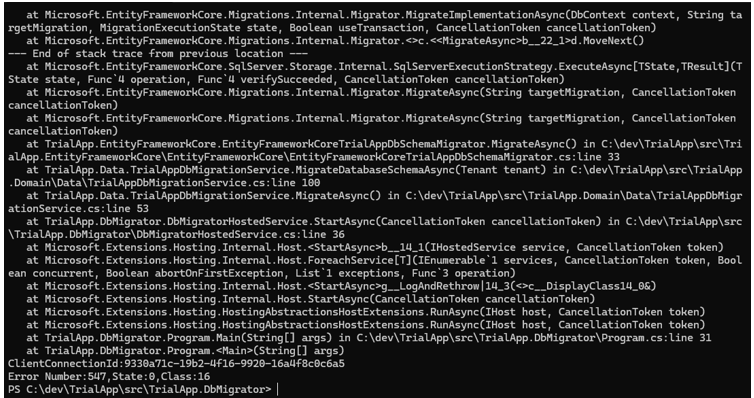
Also the error as Text presented below:
PS C:\dev\TrialApp\src\TrialApp.DbMigrator> dotnet run
C:\dev\TrialApp\modules\catalog\src\Catalog.Application.Contracts\Shared\LookupDto.cs(5,21): warning CS8618: Non-nullable property 'Id' must contain a non-null value when exiting constructor. Consider adding the 'required' modifier or declaring the property as nullable.
[21:09:16 INF] Started database migrations...
[21:09:16 INF] Migrating schema for host database...
[21:09:17 WRN] No store type was specified for the decimal property 'Price' on entity type 'PricingListItem'. This willcause values to be silently truncated if they do not fit in the default precision and scale. Explicitly specify the SQLserver column type that can accommodate all the values in 'OnModelCreating' using 'HasColumnType', specify precision and scale using 'HasPrecision', or configure a value converter using 'HasConversion'.
[21:09:18 ERR] Failed executing DbCommand (5ms) [Parameters=[], CommandType='Text', CommandTimeout='30']
ALTER TABLE [CatalogPricingListItems] ADD CONSTRAINT [FK_CatalogPricingListItems_CatalogProducts_ProductId] FOREIGN KEY([ProductId]) REFERENCES [CatalogProducts] ([Id]);
Unhandled exception. Microsoft.Data.SqlClient.SqlException (0x80131904): The ALTER TABLE statement conflicted with the FOREIGN KEY constraint "FK_CatalogPricingListItems_CatalogProducts_ProductId". The conflict occurred in database "TrialApp", table "dbo.CatalogProducts", column 'Id'.
at Microsoft.Data.SqlClient.SqlConnection.OnError(SqlException exception, Boolean breakConnection, Action1 wrapCloseInAction) at Microsoft.Data.SqlClient.SqlInternalConnection.OnError(SqlException exception, Boolean breakConnection, Action1 wrapCloseInAction)
at Microsoft.Data.SqlClient.TdsParser.ThrowExceptionAndWarning(TdsParserStateObject stateObj, Boolean callerHasConnectionLock, Boolean asyncClose)
at Microsoft.Data.SqlClient.TdsParser.TryRun(RunBehavior runBehavior, SqlCommand cmdHandler, SqlDataReader dataStream, BulkCopySimpleResultSet bulkCopyHandler, TdsParserStateObject stateObj, Boolean& dataReady)
at Microsoft.Data.SqlClient.SqlCommand.InternalEndExecuteNonQuery(IAsyncResult asyncResult, Boolean isInternal, String endMethod)
at Microsoft.Data.SqlClient.SqlCommand.EndExecuteNonQueryInternal(IAsyncResult asyncResult)
at Microsoft.Data.SqlClient.SqlCommand.EndExecuteNonQueryAsync(IAsyncResult asyncResult)
at Microsoft.Data.SqlClient.SqlCommand.<>c.b__210_1(IAsyncResult result)
at System.Threading.Tasks.TaskFactory1.FromAsyncCoreLogic(IAsyncResult iar, Func2 endFunction, Action1 endAction,Task1 promise, Boolean requiresSynchronization)
--- End of stack trace from previous location ---
at Microsoft.EntityFrameworkCore.Storage.RelationalCommand.ExecuteNonQueryAsync(RelationalCommandParameterObject parameterObject, CancellationToken cancellationToken)
at Microsoft.EntityFrameworkCore.Storage.RelationalCommand.ExecuteNonQueryAsync(RelationalCommandParameterObject parameterObject, CancellationToken cancellationToken)
at Microsoft.EntityFrameworkCore.Storage.RelationalCommand.ExecuteNonQueryAsync(RelationalCommandParameterObject parameterObject, CancellationToken cancellationToken)
at Microsoft.EntityFrameworkCore.Migrations.Internal.MigrationCommandExecutor.ExecuteAsync(IReadOnlyList1 migrationCommands, IRelationalConnection connection, MigrationExecutionState executionState, Boolean beginTransaction, Boolean commitTransaction, Nullable1 isolationLevel, CancellationToken cancellationToken)
at Microsoft.EntityFrameworkCore.Migrations.Internal.MigrationCommandExecutor.ExecuteAsync(IReadOnlyList1 migrationCommands, IRelationalConnection connection, MigrationExecutionState executionState, Boolean beginTransaction, Boolean commitTransaction, Nullable1 isolationLevel, CancellationToken cancellationToken)
at Microsoft.EntityFrameworkCore.SqlServer.Storage.Internal.SqlServerExecutionStrategy.ExecuteAsync[TState,TResult](TState state, Func4 operation, Func4 verifySucceeded, CancellationToken cancellationToken)
at Microsoft.EntityFrameworkCore.Migrations.Internal.MigrationCommandExecutor.ExecuteNonQueryAsync(IReadOnlyList1 migrationCommands, IRelationalConnection connection, MigrationExecutionState executionState, Boolean commitTransaction, Nullable1 isolationLevel, CancellationToken cancellationToken)
at Microsoft.EntityFrameworkCore.Migrations.Internal.Migrator.MigrateImplementationAsync(DbContext context, String targetMigration, MigrationExecutionState state, Boolean useTransaction, CancellationToken cancellationToken)
at Microsoft.EntityFrameworkCore.Migrations.Internal.Migrator.MigrateImplementationAsync(DbContext context, String targetMigration, MigrationExecutionState state, Boolean useTransaction, CancellationToken cancellationToken)
at Microsoft.EntityFrameworkCore.Migrations.Internal.Migrator.<>c.<b__22_1>d.MoveNext()
--- End of stack trace from previous location ---
at Microsoft.EntityFrameworkCore.SqlServer.Storage.Internal.SqlServerExecutionStrategy.ExecuteAsync[TState,TResult](TState state, Func4 operation, Func4 verifySucceeded, CancellationToken cancellationToken)
at Microsoft.EntityFrameworkCore.Migrations.Internal.Migrator.MigrateAsync(String targetMigration, CancellationTokencancellationToken)
at Microsoft.EntityFrameworkCore.Migrations.Internal.Migrator.MigrateAsync(String targetMigration, CancellationTokencancellationToken)
at TrialApp.EntityFrameworkCore.EntityFrameworkCoreTrialAppDbSchemaMigrator.MigrateAsync() in C:\dev\TrialApp\src\TrialApp.EntityFrameworkCore\EntityFrameworkCore\EntityFrameworkCoreTrialAppDbSchemaMigrator.cs:line 33
at TrialApp.Data.TrialAppDbMigrationService.MigrateDatabaseSchemaAsync(Tenant tenant) in C:\dev\TrialApp\src\TrialApp.Domain\Data\TrialAppDbMigrationService.cs:line 100
at TrialApp.Data.TrialAppDbMigrationService.MigrateAsync() in C:\dev\TrialApp\src\TrialApp.Domain\Data\TrialAppDbMigrationService.cs:line 53
at TrialApp.DbMigrator.DbMigratorHostedService.StartAsync(CancellationToken cancellationToken) in C:\dev\TrialApp\src\TrialApp.DbMigrator\DbMigratorHostedService.cs:line 36
at Microsoft.Extensions.Hosting.Internal.Host.b__14_1(IHostedService service, CancellationToken token)
at Microsoft.Extensions.Hosting.Internal.Host.ForeachService[T](IEnumerable1 services, CancellationToken token, Boolean concurrent, Boolean abortOnFirstException, List1 exceptions, Func`3 operation)
at Microsoft.Extensions.Hosting.Internal.Host.g__LogAndRethrow|14_3(<>c__DisplayClass14_0&)
at Microsoft.Extensions.Hosting.Internal.Host.StartAsync(CancellationToken cancellationToken)
at Microsoft.Extensions.Hosting.HostingAbstractionsHostExtensions.RunAsync(IHost host, CancellationToken token)
at Microsoft.Extensions.Hosting.HostingAbstractionsHostExtensions.RunAsync(IHost host, CancellationToken token)
at TrialApp.DbMigrator.Program.Main(String[] args) in C:\dev\TrialApp\src\TrialApp.DbMigrator\Program.cs:line 31
at TrialApp.DbMigrator.Program.(String[] args)
ClientConnectionId:9330a71c-19b2-4f16-9920-16a4f8c0c6a5
Error Number:547,State:0,Class:16
PS C:\dev\TrialApp\src\TrialApp.DbMigrator>
I'm completely blocked to move forward with a new software without this master-child entity relationship having a Navigation Property 1-N on the Child Entity.
Thank you, Engincan!! Have a great day!
Check the docs before asking a question: https://abp.io/docs/latest Check the samples to see the basic tasks: https://abp.io/docs/latest/samples The exact solution to your question may have been answered before, and please first use the search on the homepage.
Provide us with the following info:
🧐 Hint: If you are using the ABP Studio, you can see all the information about your solution from the configuration window, which opens when you right-click on the solution and click on the Solution Configuration button.
Issue Summary: After upgrading ABP Suite from version 9.1.0 to 9.1.2 using the "abp suite update" command as outlined in the official installation guide (ABP Suite Installation Guide - https://abp.io/docs/latest/suite/how-to-install), the application fails to launch and terminates unexpectedly. Steps Taken:
Error Details presented in the images below.

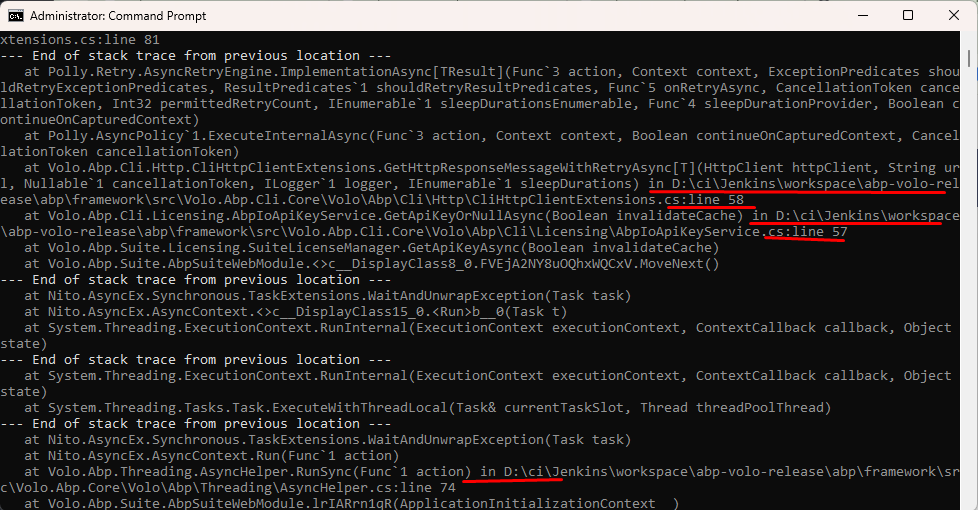
After found this root cause, I downgraded the ABP Suite to version 9.1.0 using ABP Studio and ABP Suite was lauched without error.
Additional Observations:
Request for Assistance:
Please, after this solution refund 1 credit on my support tickets availabity.









