Hi Folks,
I know that the file aspsetting.json can be customized for each environment and the connection string for each environment is already set as the picture below shows:
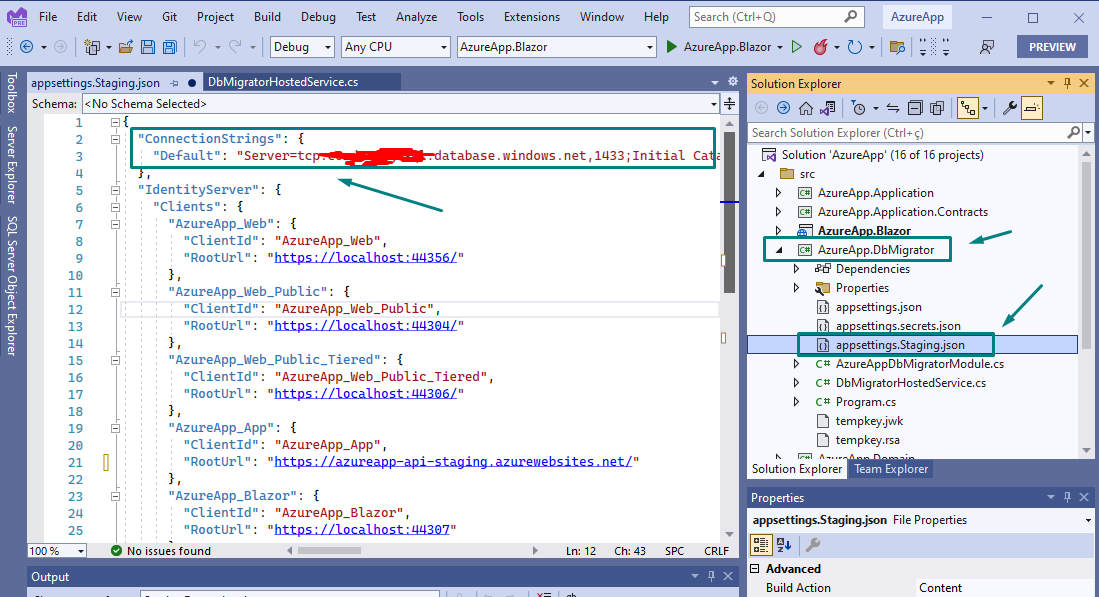
Similar aspsettings.json file can be prepared to development, production or any other environment. This is not the problem.
The question is: how to make make the WebApi implemented by "{appname}.HttpApi.Host" to understand that there is a migration pending and apply the migration to the Database once the new release is launched in the remote server? Is it possible to refer explain how to implement it? Or is there another strategy recommended by ABP.IO to deploy the application to multiples environments?
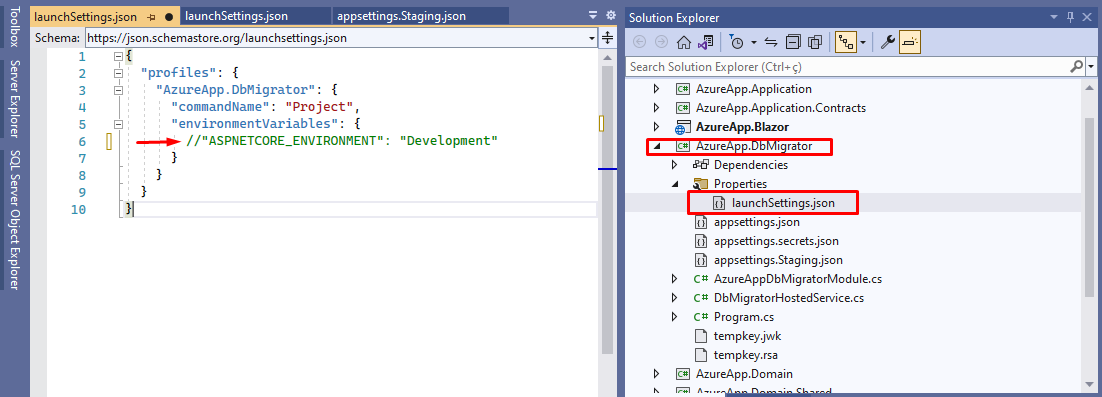
Hi Folks, Thanks for the reminder about the app type. Additional to the parameter, I needed to comment out the environment variable existing in the file "launchSettings.json" under DbMigrator "properties" because every time I did run the DbMigrator project, the "launchSettings.json" environment variable overrides the Operating System variable. So, it is good to comment out the environment variable if anyone is running in their local PCs.
Many thanks for all your help! I really appreciate it! 😊😊😊
Hi Folks,
I'm returning here with the same topic, after some tests made without expected results, the application is not being redirected as expected driven by the aspsettings.{ENVIRONMENT}.json
Considering the environment in Azure is more dificult to diagnose, I spend much time trying to solve, even rising a ticket with MS Technical support. After some researches on the web, I found an article in ABP.IO community that seems to be useful but probably was written for an old version of ABP Framework. The main idea is to present a way to integrate ABP.IO projects into Azure Webapp. Here is the article https://github.com/bartvanhoey/AbpIoAzureDevopsRepo
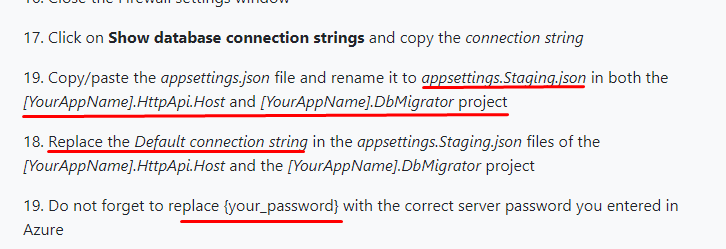
I found in the article a suggestion to run the application locally in the PC but pointing the Database to the SQL server hosted in Azure (remote database). Following the suggestion to set locally the json file and set the envonment correctly (please see the picture below) as cutted off from the article in the part 3 (https://abpioazuredevopsblazor.azurewebsites.net/part3)
I skipped the section 20 of the article because if applying the recommened changes the code runs and get error. I believe it is because the recently ABP.IO release is not accepting the old code related to "BuildConfiguration()" because the actual release (5.2.1) has the template for Blazor WASM with a different implementation as shown below:
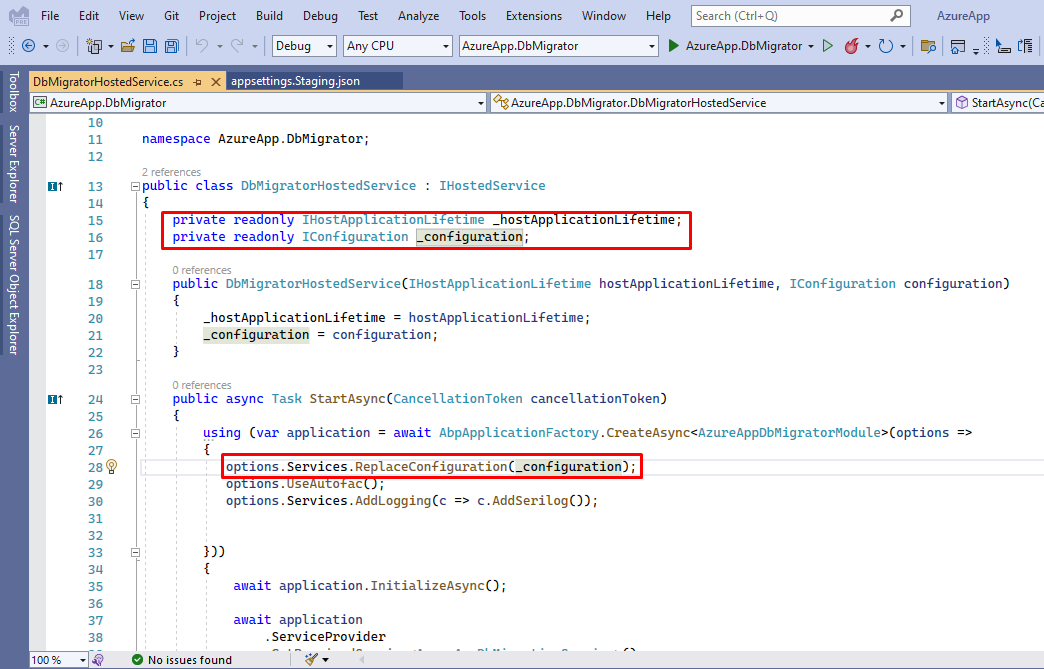 (Default implementation when using Blazor WASM template)
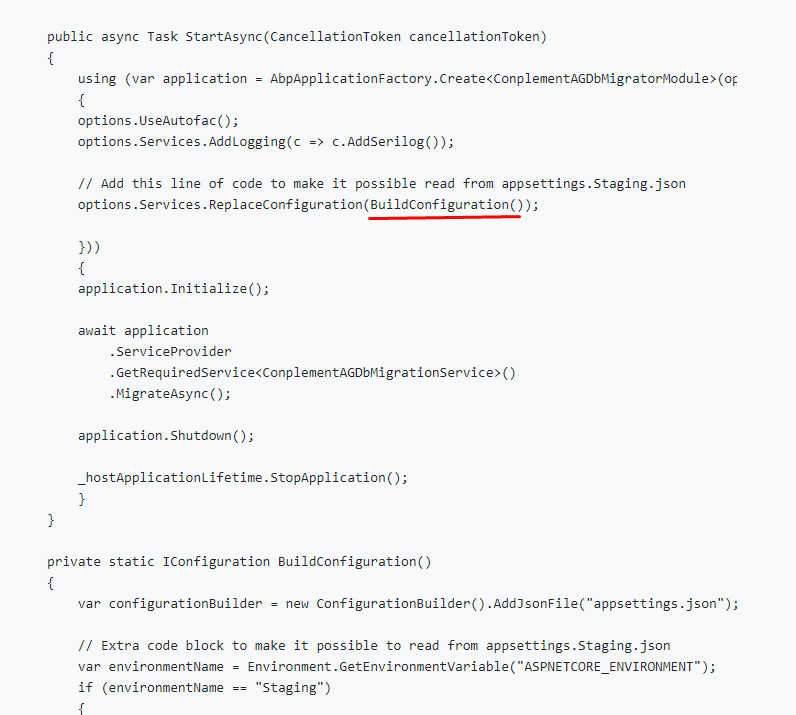 (Changes recommended by the article in the section 20)
To test the environment settings, I followed the recomendations below
<br>
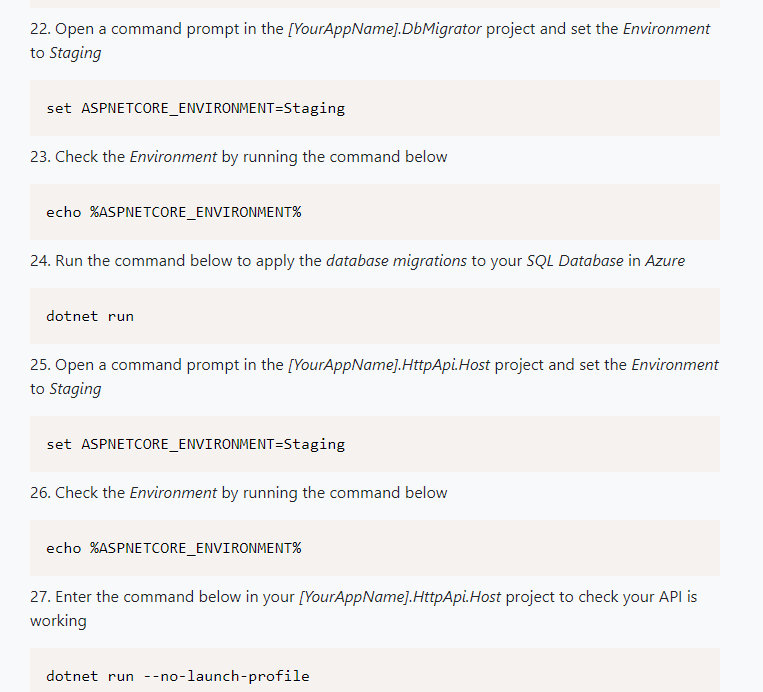
The picture below reproduces that I´m trying to setup the Staging environment.
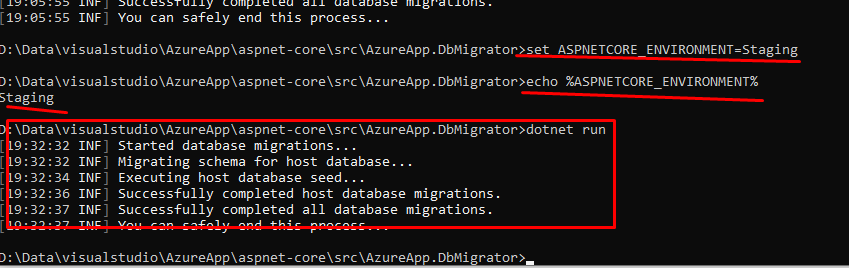
The Seed process is always creating ans seeding data in my PC local database, not into the remote hosted by Azure. To ensure this symptom, I deleted the local database many times and ran again, always observing the local database being created again and again.
When I run the {ApplicationName}.HttpApi.Host with Enviroment set as "Development" then it runs perfectly, but when I set the Environment to "Staging" the API runs with error, and loops indefinitely getting errors. My guess is that the Json file is being considered by the {ApplicationName}.HttpApi.Host but it does not find the initial Seed of the database.
Please can anyone help with complementary procedures to allow the first step related to the database connection for a different environment than the default Development?
Many thanks!
Christian
<br>
Hi! I really appreciate your help! I found the file in the wwwroot folder of the Blazor Project as seen below and now I will work to provide multiples environments according to the MS article suggested.
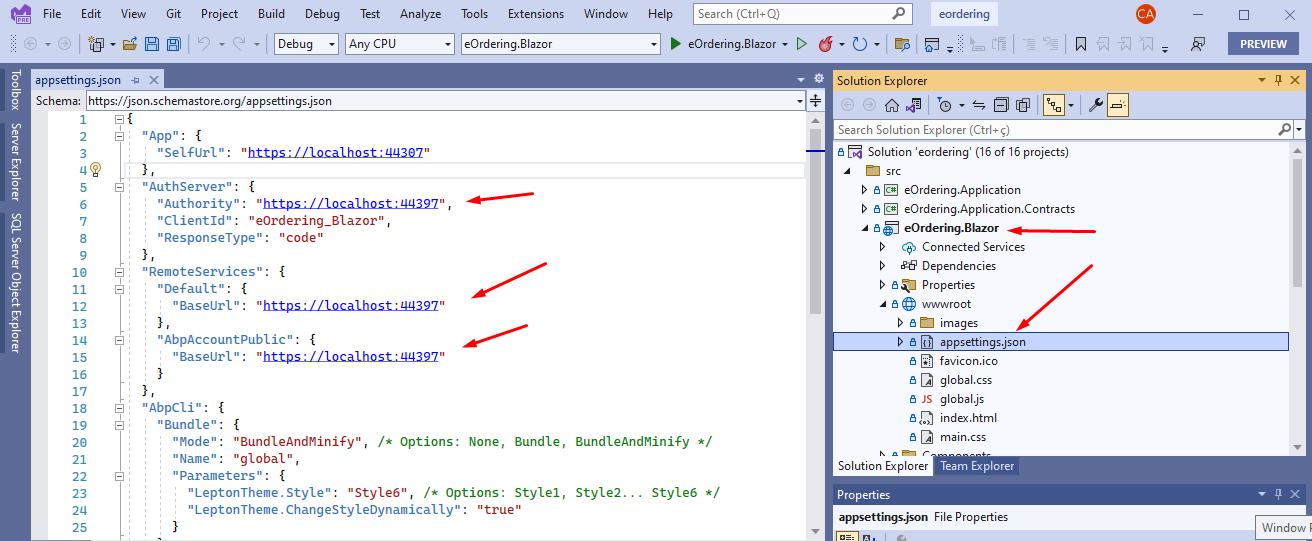
I do appreciate your help!
According to the article you suggested, I will create the variables in Azure Static App that hosts the Blazor Application.
Many thanks!
Using Google Chrome, it always replace http for https. If I open in Microsoft Edge, it runs OK. But in Chrome, the URL always is being replaced by https .
Additionally, I tried to launch without https, only http, and I got the same message in the browser.









