Hello!
We're having a couple of issues regarding user management that we would like some help with:
Issue 1: Shared Accounts Leave Tenant
We recently migrated from ABP 10.1 to ABP 10.3 and enabled Shared Accounts. In our setup we use separate databases for each tenant so as part of the migration we created a record in the host's AbpUsers table for each user in every tenant AbpUsers table. After the migration, login and switch tenant works without issues but we're having an issue with the "Leave Tenant" option on pre-migration tenants. Whenever a user clicks "leave tenant" the tenant's AbpUsers table correctly updates Leaved = 1 but it doesn't update the host's AbpUsers table so when the user logs in they still see the tenant they left. This is not a problem if we create a new tenant, just the tenants we had before the migration are having this issue.
Issue 2: Deleting a User Account
We wanted to delete an existing user from the system but we couldn't find a "delete" action in Administration > Identity management > Users, see screenshot below: . Are we missing something?
Thank you!
Hello!
We're migrating from ABP 10.1 to ABP 10.3 because we want to use the new User Shared Accounts feature. We were able to complete the migration successfully but we have two issues we would like some help with:
After successful login we tried the "switch tenant" option but it fails with error 405. Here's a screenshot:  . No errors in the logs, just this:
[17:56:06 INF] Request starting HTTP/2 POST https://localhost:44337/Account/SwitchTenantLogin - application/x-www-form-urlencoded 105
[17:56:06 DBG] Starting resolving tenant...
[17:56:06 DBG] Trying to resolve tenant through 'CurrentUser'...
[17:56:06 DBG] Tenant resolved by 'CurrentUser' as 'Host'.
[17:56:06 DBG] No tenant resolved.
[17:56:06 DBG] Get dynamic claims cache for user: 49de4b5d-8fd0-c336-518d-3a213b12d893
[17:56:06 INF] Executing endpoint '405 HTTP Method Not Supported'
[17:56:06 INF] Executed endpoint '405 HTTP Method Not Supported'
[17:56:06 INF] Request finished HTTP/2 POST https://localhost:44337/Account/SwitchTenantLogin - 405 0 null 4.3153ms
. No errors in the logs, just this:
[17:56:06 INF] Request starting HTTP/2 POST https://localhost:44337/Account/SwitchTenantLogin - application/x-www-form-urlencoded 105
[17:56:06 DBG] Starting resolving tenant...
[17:56:06 DBG] Trying to resolve tenant through 'CurrentUser'...
[17:56:06 DBG] Tenant resolved by 'CurrentUser' as 'Host'.
[17:56:06 DBG] No tenant resolved.
[17:56:06 DBG] Get dynamic claims cache for user: 49de4b5d-8fd0-c336-518d-3a213b12d893
[17:56:06 INF] Executing endpoint '405 HTTP Method Not Supported'
[17:56:06 INF] Executed endpoint '405 HTTP Method Not Supported'
[17:56:06 INF] Request finished HTTP/2 POST https://localhost:44337/Account/SwitchTenantLogin - 405 0 null 4.3153ms
In the previous version we had a list of pre-defined users that were seeded to every tenant using IDataSeedContributor so when ever we created a tenant it will have some default users ready to use. This process now fails because users have to be globally unique, do you have any recommendation on how to achieve the same thing with this new version? I know we can invite the users to the tenant but that's a manual process and it requires that the user accepts the invitation in their email. We want the creation of these default users to be automatic.
Thank you in advance for your help!
Check the docs before asking a question: https://abp.io/docs/latest Check the samples to see the basic tasks: https://abp.io/docs/latest/samples The exact solution to your question may have been answered before, and please first use the search on the homepage.
Provide us with the following info:
🧐 Hint: If you are using the ABP Studio, you can see all the information about your solution from the configuration window, which opens when you right-click on the solution and click on the Solution Configuration button.
Hello!
We're looking to customize how tenant impersonation works in our ABP tiered solution. From the SaaS > Tenants option we have the ability to impersonate a tenant using the option: "Login with this tenant", however the default user that's displayed for the impersonation is the "admin" user from the tenant :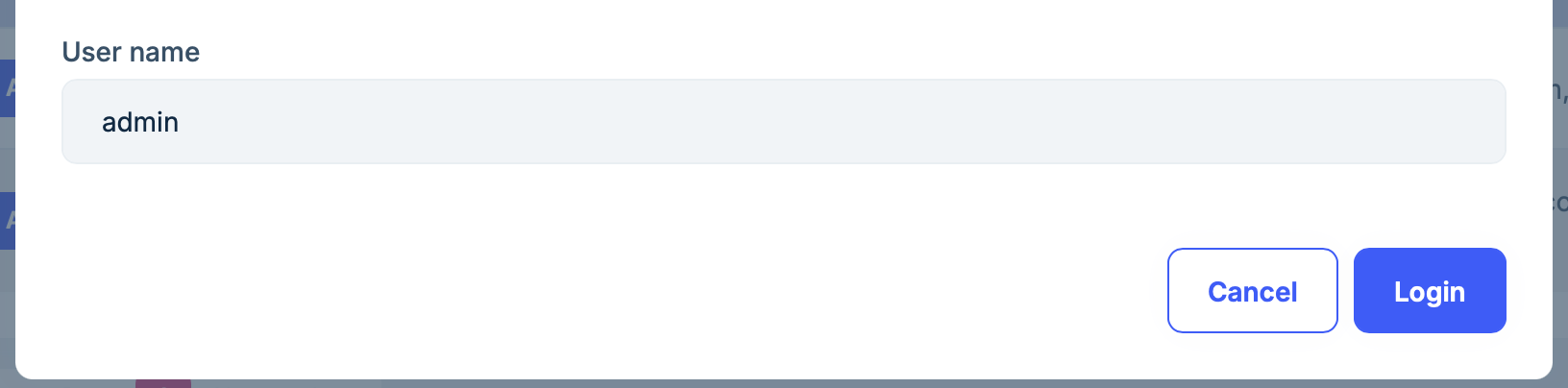 Is it possible to modify this behavior? we would like the default user for impersonation to change depending on the user that logged into the host. For example, if the user that logged into the host is not an admin we don't want to allow them to impersonate the admin of the tenant.
We created our ABP solution using ABP 9 a year ago, we changed the favicon following these instructions: https://abp.io/support/questions/5025/How-to-change-the-favicon-and-title-in-the-profile-settings-page and it worked great but now we have updated to ABP 10 and is ignoring our favicon. After the migration it is using LeptonX icon instead. I already tried clearing cookies, in incognito, using chrome and firefox. Our favicon.svg and favicon.ico are definitely available at wwwroot in both AuthServer and Blazor projects but it's not using them.
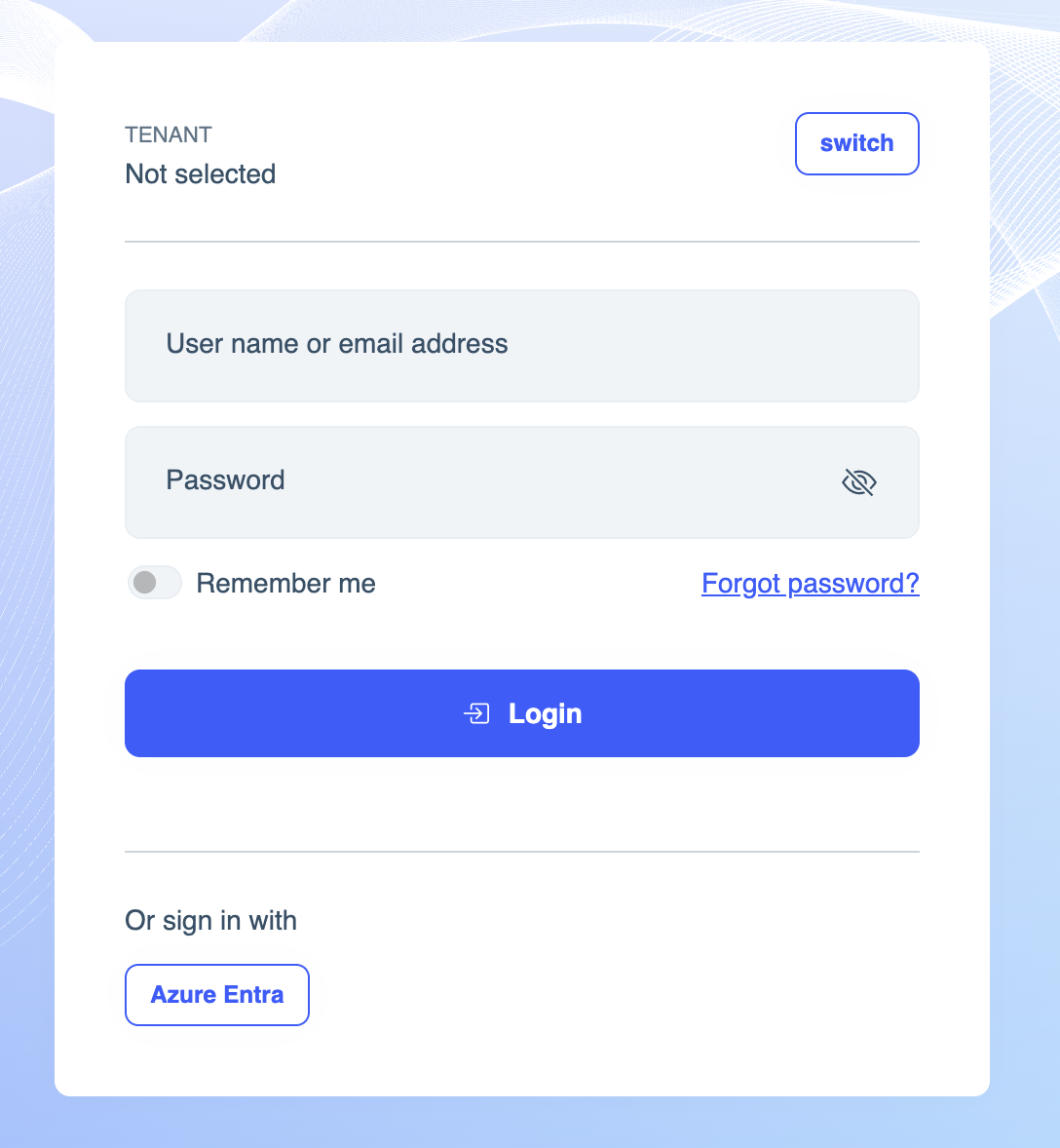
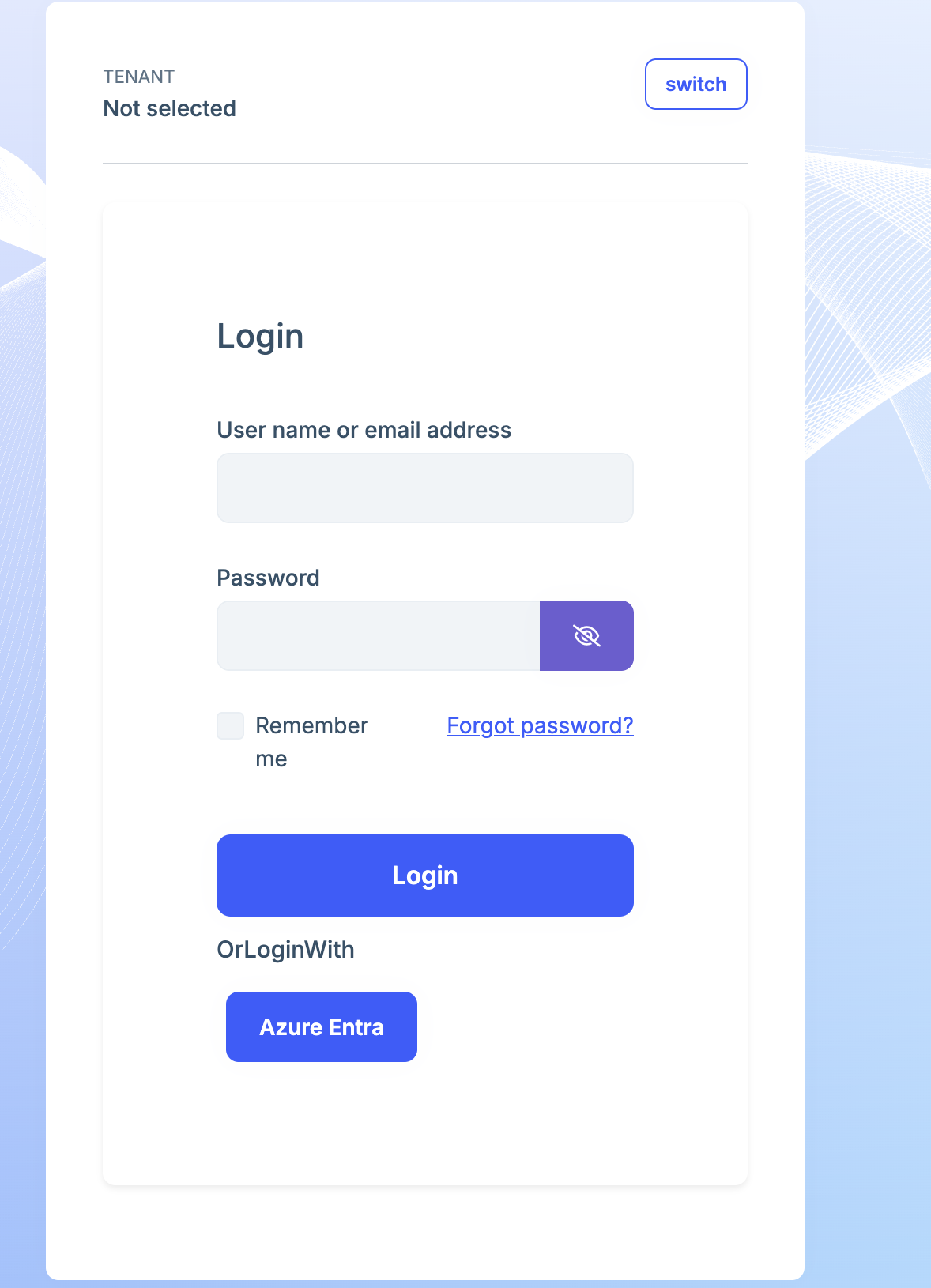
Hello! I am trying to customize the login page for our application, I read the docs and I have created the file /Pages/Account/Login.cshtml in the Auth server application and copy/pasted the cshtml from here: https://github.com/abpframework/abp/blob/dev/modules/account/src/Volo.Abp.Account.Web/Pages/Account/Login.cshtml. This works correctly but it looks very different from the version that ships with account pro module. Is there a way to get the up-to-date cshtml for the login page? We only want to customize the external login section and leave everything else the same. I am attaching some images to showcase the differences. We're using volo.abp.account.pro.public.web 9.0.2 nuget package.
Original
After copy/pasting the cshtml
An unhandled exception occurred while processing the request. ArgumentNullException: Value cannot be null. (Parameter 'ClientId')
System.ArgumentNullException.Throw(string paramName) System.ArgumentNullException.ThrowIfNull(object argument, string paramName) System.ArgumentException.ThrowNullOrEmptyException(string argument, string paramName) System.ArgumentException.ThrowIfNullOrEmpty(string argument, string paramName) Microsoft.AspNetCore.Authentication.OpenIdConnect.OpenIdConnectOptions.Validate() Microsoft.AspNetCore.Authentication.RemoteAuthenticationOptions.Validate(string scheme) Microsoft.AspNetCore.Authentication.AuthenticationBuilder+<>c__DisplayClass4_0<TOptions, THandler>.<AddSchemeHelper>b__1(TOptions o) Microsoft.Extensions.Options.ValidateOptions<TOptions>.Validate(string name, TOptions options) Microsoft.Extensions.Options.OptionsFactory<TOptions>.Create(string name) Microsoft.Extensions.Options.OptionsMonitor<TOptions>+<>c.<Get>b__10_0(string name, IOptionsFactory<TOptions> factory) Microsoft.Extensions.Options.OptionsCache<TOptions>+<>c__DisplayClass3_1<TArg>.<GetOrAdd>b__2() System.Lazy<T>.ViaFactory(LazyThreadSafetyMode mode) System.Lazy<T>.ExecutionAndPublication(LazyHelper executionAndPublication, bool useDefaultConstructor) System.Lazy<T>.CreateValue() Microsoft.Extensions.Options.OptionsCache<TOptions>.GetOrAdd<TArg>(string name, Func<string, TArg, TOptions> createOptions, TArg factoryArgument) Microsoft.Extensions.Options.OptionsMonitor<TOptions>.Get(string name) Microsoft.AspNetCore.Authentication.AuthenticationHandler<TOptions>.InitializeAsync(AuthenticationScheme scheme, HttpContext context) Microsoft.AspNetCore.Authentication.AuthenticationHandlerProvider.GetHandlerAsync(HttpContext context, string authenticationScheme) Microsoft.AspNetCore.Authentication.AuthenticationMiddleware.Invoke(HttpContext context) Volo.Abp.AspNetCore.Security.AbpSecurityHeadersMiddleware.InvokeAsync(HttpContext context, RequestDelegate next) Microsoft.AspNetCore.Builder.UseMiddlewareExtensions+InterfaceMiddlewareBinder+<>c__DisplayClass2_0+<<CreateMiddleware>b__0>d.MoveNext() Volo.Abp.Studio.Client.AspNetCore.AbpStudioMiddleware.InvokeAsync(HttpContext context, RequestDelegate next) Volo.Abp.Studio.Client.AspNetCore.AbpStudioMiddleware.InvokeAsync(HttpContext context, RequestDelegate next) Microsoft.AspNetCore.Builder.UseMiddlewareExtensions+InterfaceMiddlewareBinder+<>c__DisplayClass2_0+<<CreateMiddleware>b__0>d.MoveNext() Volo.Abp.AspNetCore.Tracing.AbpCorrelationIdMiddleware.InvokeAsync(HttpContext context, RequestDelegate next) Microsoft.AspNetCore.Builder.UseMiddlewareExtensions+InterfaceMiddlewareBinder+<>c__DisplayClass2_0+<<CreateMiddleware>b__0>d.MoveNext() Microsoft.AspNetCore.Localization.RequestLocalizationMiddleware.Invoke(HttpContext context) Microsoft.AspNetCore.RequestLocalization.AbpRequestLocalizationMiddleware.InvokeAsync(HttpContext context, RequestDelegate next) Microsoft.AspNetCore.Builder.UseMiddlewareExtensions+InterfaceMiddlewareBinder+<>c__DisplayClass2_0+<<CreateMiddleware>b__0>d.MoveNext() Microsoft.AspNetCore.Diagnostics.DeveloperExceptionPageMiddlewareImpl.Invoke(HttpContext context)
context.Services.AddDynamicExternalLoginProviderOptions<OpenIdConnectOptions>( "AzureOpenId", options => { options.WithProperty(x => x.Authority); options.WithProperty(x => x.ClientId); options.WithProperty(x => x.ClientSecret, isSecret: true); options.WithProperty(x => x.CallbackPath); });
    context.Services.AddAuthentication()
        .AddOpenIdConnect("AzureOpenId", "Azure AD OpenId", options =>
        {
            options.ResponseType = OpenIdConnectResponseType.CodeIdToken;
            options.RequireHttpsMetadata = false;
            options.SaveTokens = true;
            options.GetClaimsFromUserInfoEndpoint = true;
            options.Scope.Add("email");

            options.ClaimActions.MapJsonKey(ClaimTypes.NameIdentifier, "sub");
        });
Hello!
Need some help customizing the footer of the Auth Server blazor application, it currently displays "2025© Lepton Theme by Volosoft" and some links. Where can we change this? the docs say we should be inheriting from Footer and overriding it using dependency injection but that only works for the Blazor Server app it is not working on the Auth Server App.

Thanks.
UI Type: Blazor Server
Database System: EF Core (SQL Server)
Tiered (for MVC) or Auth Server Separated (for Angular): yes
Exception message and full stack trace:
Unhandled exception in circuit 'npp8ExY4dQ4kCuEQK_iQNFtpCzJGvMqS03updQRtp2g'.
System.ObjectDisposedException: IFeatureCollection has been disposed.
Object name: 'Collection'.
at Microsoft.AspNetCore.Http.Features.FeatureReferences1.ThrowContextDisposed() at Microsoft.AspNetCore.Http.Features.FeatureReferences1.Fetch[TFeature](TFeature& cached, Func2 factory) at Volo.Abp.AspNetCore.Mvc.Client.MvcCachedApplicationConfigurationClient.GetAsync() at Volo.Abp.AspNetCore.Mvc.Client.RemotePermissionChecker.IsGrantedAsync(String name) at Volo.Abp.AspNetCore.Mvc.Client.RemotePermissionChecker.IsGrantedAsync(ClaimsPrincipal claimsPrincipal, String name) at Volo.Abp.Authorization.PermissionRequirementHandler.HandleRequirementAsync(AuthorizationHandlerContext context, PermissionRequirement requirement) at Microsoft.AspNetCore.Authorization.AuthorizationHandler1.HandleAsync(AuthorizationHandlerContext context)
at Microsoft.AspNetCore.Authorization.DefaultAuthorizationService.AuthorizeAsync(ClaimsPrincipal user, Object resource, IEnumerable`1 requirements)
at Microsoft.AspNetCore.Components.Authorization.AuthorizeViewCore.IsAuthorizedAsync(ClaimsPrincipal user)
at Microsoft.AspNetCore.Components.Authorization.AuthorizeViewCore.OnParametersSetAsync()
at Microsoft.AspNetCore.Components.ComponentBase.CallStateHasChangedOnAsyncCompletion(Task task)
at Microsoft.AspNetCore.Components.RenderTree.Renderer.GetErrorHandledTask(Task taskToHandle, ComponentState owningComponentState)
Steps to reproduce the issue:
In my case I'm trying to store a string representing an XML Schema Definition but any string with that many characters crashes the app.
Check the docs before asking a question: https://abp.io/docs/latest
Check the samples to see the basic tasks: https://abp.io/docs/latest/samples
The exact solution to your question may have been answered before, and please first use the search on the homepage.
Provide us with the following info:
🧐 Hint: If you are using the ABP Studio, you can see all the information about your solution from the configuration window, which opens when you right-click on the solution and click on the Solution Configuration button.
The option "login with this tenant" only works if the tenant database is the same as host but doesn't work if the tenant has it's own database.









