[maliming] said: hi
This is a bug introduced in ABP v10.x —
IFaqGroupPublicAppServicewas added toFaqViewComponent's constructor but the corresponding HTTP controller and client proxy were never added. A fix has been submitted to the ABP team.
Temporary workaround:
Step 1 — Add this controller to your HttpApi or API Host project:
[RequiresFeature(CmsKitProFeatures.FaqEnable)]
[RequiresGlobalFeature(typeof(FaqFeature))]
[RemoteService(Name = CmsKitProCommonRemoteServiceConsts.RemoteServiceName)]
[Area(CmsKitProCommonRemoteServiceConsts.ModuleName)]
[Route("api/cms-kit-public/faq-group")]
public class FaqGroupPublicController : CmsKitProCommonController, IFaqGroupPublicAppService
{
protected IFaqGroupPublicAppService FaqGroupPublicAppService { get; }
public FaqGroupPublicController(IFaqGroupPublicAppService faqGroupPublicAppService)
{
FaqGroupPublicAppService = faqGroupPublicAppService;
}
[HttpGet]
[Route("by-name")]
public Task<FaqGroupDto> GetGroupByNameAsync(string name)
=> FaqGroupPublicAppService.GetGroupByNameAsync(name);
}
Step 2 — If your application is tiered, also add this to your Web project:
[Dependency(ReplaceServices = true)]
[ExposeServices(typeof(IFaqGroupPublicAppService), typeof(FaqGroupPublicClientProxy))]
public partial class FaqGroupPublicClientProxy : ClientProxyBase
{
public virtual async Task<FaqGroupDto> GetGroupByNameAsync(string name)
{
return await RequestAsync<FaqGroupDto>(nameof(GetGroupByNameAsync), new ClientProxyRequestTypeValue
{
{ typeof(string), name }
});
}
}
If your application is not tiered (single host), Step 1 alone is sufficient.
You can remove these files once the official fix is released.
Thanks.
[Dependency(ReplaceServices = true)]
[ExposeServices(typeof(IFaqGroupPublicAppService), typeof(FaqGroupPublicClientProxy))]
public partial class FaqGroupPublicClientProxy : ClientProxyBase<IFaqGroupPublicAppService>, IFaqGroupPublicAppService
{
public virtual async Task<FaqGroupDto> GetGroupByNameAsync(string name)
{
return await RequestAsync<FaqGroupDto>(nameof(GetGroupByNameAsync), new ClientProxyRequestTypeValue
{
{ typeof(string), name }
});
}
}
i add this in my web.public project but when i run project it throw exception
Volo.Abp.AbpException
HResult=0x80131500
Message=The API description of the Volo.CmsKit.Public.Faqs.IFaqGroupPublicAppService.GetGroupByNameAsync method was not found!
Source=Volo.Abp.Http.Client
StackTrace:
at Volo.Abp.Http.Client.ClientProxying.ClientProxyBase1.BuildHttpProxyClientProxyContext(String methodName, ClientProxyRequestTypeValue arguments) at Volo.Abp.Http.Client.ClientProxying.ClientProxyBase1.<RequestAsync>d__37`1.MoveNext()
at Millennial.Web.Public.FaqGroupPublicClientProxy.
[AI-Bot] said:
In ABP 10.x the FAQ widget parameters are
groupNameandsectionName. Your dynamic widget usage is passingsectionName, but the docs example shows a mismatch (name = "Development"). This typically results in the widget endpoint failing and the UI showing “This part of content couldn’t be loaded.” after the upgrade.Fix your widget invocation by using
sectionName(notsectionName="Faq"with an old/incorrect parameter name mapping likename), and ensure the values match an existing FAQ Group + Section in CMS Kit:If you use the Dynamic Widget tag helper:
[Widget Type="Faq" groupName="Client" sectionName="Faq"]If you render it directly (recommended to verify quickly):
@await Component.InvokeAsync(
      typeof(FaqViewComponent),
      new
      {
          groupName = "Client",
          sectionName = "Faq"
      }
  )
After changing it, restart the app and hard refresh the page. The widget content is loaded via an internal widget endpoint; if that endpoint throws due to parameter mismatch, you’ll only see the generic “couldn’t be loaded” message on the UI.
If it still fails after this change, the issue is no longer the parameters; it will be a server-side exception inside the widget endpoint. In that case, check the server logs for the request that serves the widget content (it will show the real exception).
- https://abp.io/docs/latest/modules/cms-kit-pro/faq
- https://abp.io/docs/latest/framework/ui/mvc-razor-pages/widgets
This response was generated by AI. If it didn’t solve your problem, feel free to post a new answer — our support team will jump in to help you soon.
@await Component.InvokeAsync( typeof(FaqViewComponent), new { groupName = "Client", sectionName = "Faq" } ) when i use like this i throw this exception DependencyResolutionException: None of the constructors found on type 'Volo.CmsKit.Pro.Web.Pages.Public.Shared.Components.Faqs.FaqViewComponent' can be invoked with the available services and parameters: Cannot resolve parameter 'Volo.CmsKit.Public.Faqs.IFaqGroupPublicAppService faqGroupPublicAppService' of constructor 'Void .ctor(Volo.CmsKit.Public.Faqs.IFaqSectionPublicAppService, Volo.CmsKit.Public.Faqs.IFaqGroupPublicAppService)'
i update my Project Abp version form 9.3.2 to 10.1.0 after updating i have issue with Faq Widget it cant render and show this error 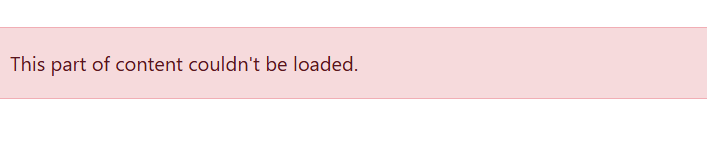 and every this fine its work before updating version
[Widget Type="Faq" groupName="Client" sectionName="Faq" ]
i add widget like this and my groupName is Client and section Name is Faq
and every this fine its work before updating version
[Widget Type="Faq" groupName="Client" sectionName="Faq" ]
i add widget like this and my groupName is Client and section Name is Faq
[maliming] said: hi
I tested this url and it works
https://auth.redacted.com/.well-known/openid-configuration
https://auth.redacted.com/account/login
Please can you redact all identifiable information in your replies? like this: https://auth.redacted.com/account/login
Issues resolved, the ClientId in appsettings spelling incorrect although in database was correct.
I tried the above and now we are getting Error 400 Can you check on your end? I have shared logs at https://drive.google.com/file/d/1Fw2rPtOpRtjZGOyjyj4Yvi-uscfJ1e0x/view?usp=drive_link
https://drive.google.com/file/d/1Fw2rPtOpRtjZGOyjyj4Yvi-uscfJ1e0x/view?usp=drive_link
Can we have this looked at today? Error 500 still is the issue, login form Public App or Admin App it cant redirect us to auth server and it find login page on Public app url or Admin app
js file is not the issue as we have been able to rule that out. Can you share correct values for CORS: in AuthServer appsettings.json file for azure.
the main issue is when i click login form Public App or Admin App it cant redirect us to auth server and it find login page on Public app url or Admin app url so i cant understand this issue and local is working fine.









