Yes that fixed it, but now when I click on New Question button in the following page:
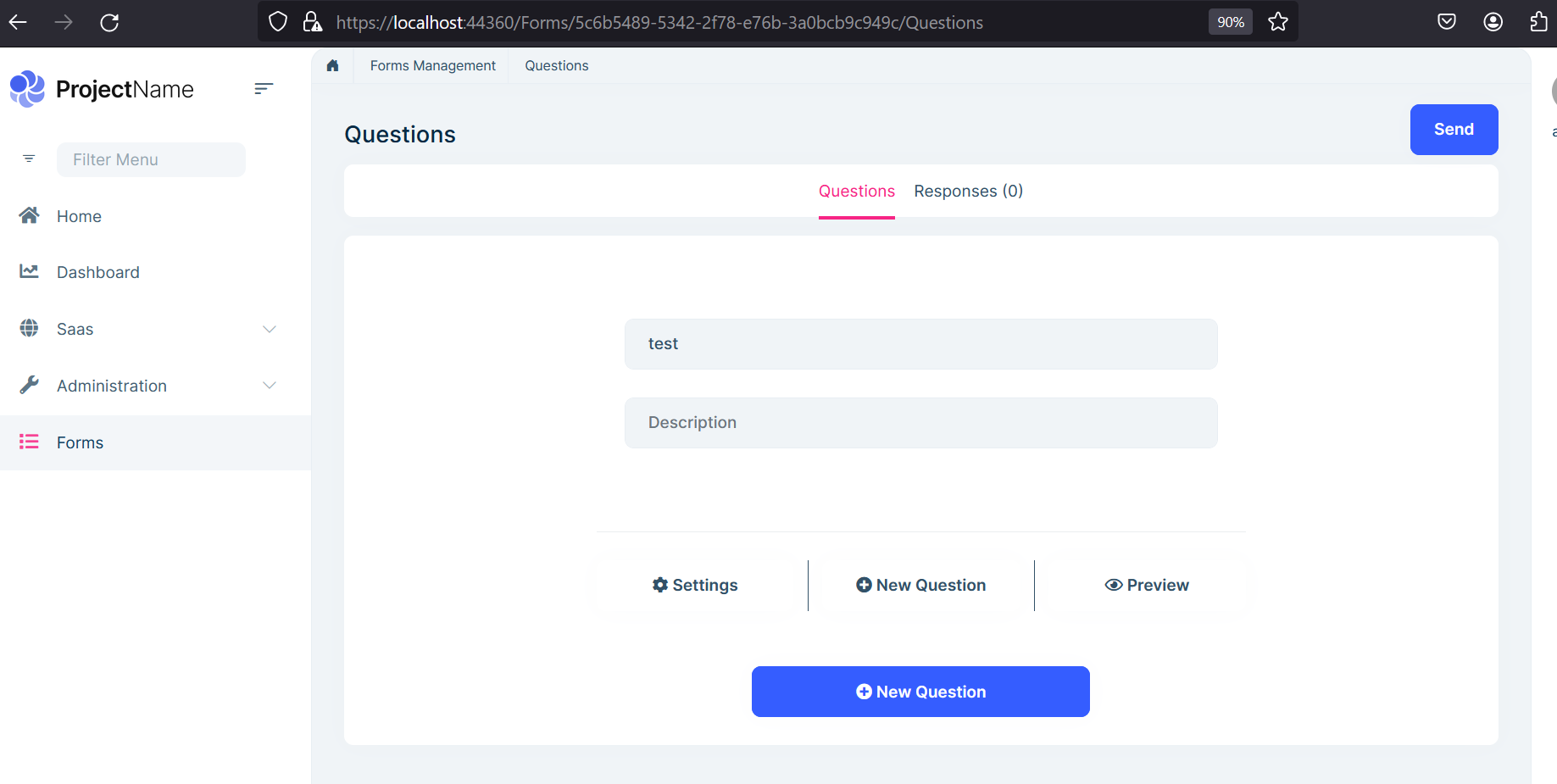
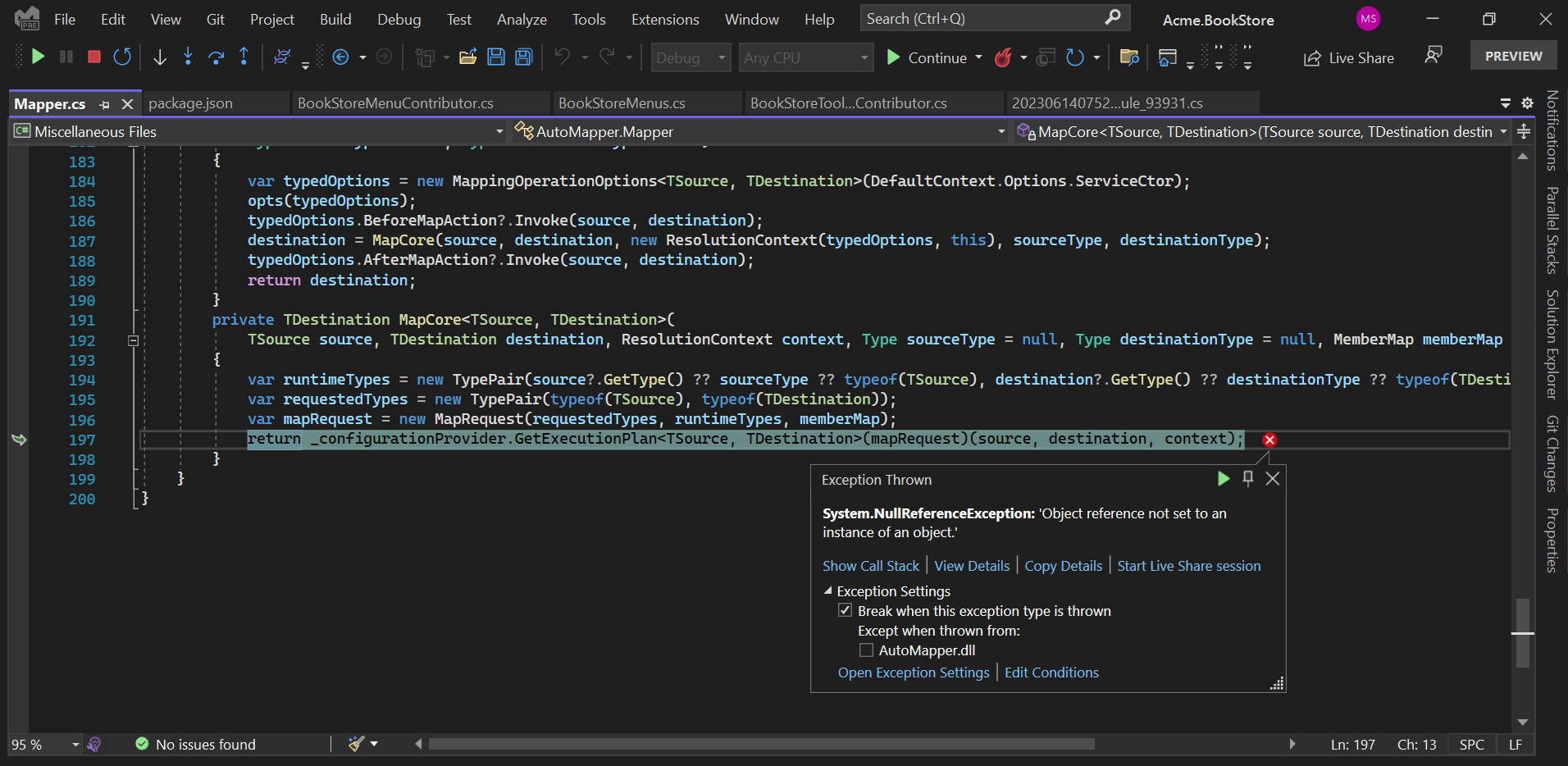
I got the following exception:
Could you share your package.json file of the host project?
Kind regards Nico
The following is my package.json file:
{ "version": "1.0.0", "name": "my-app", "private": true, "dependencies": { "@volo/abp.aspnetcore.mvc.ui.theme.leptonx": "~1.0.2", "@volo/saas": "^6.0.2", "@volo/audit-logging": "^6.0.2", "@volo/identity": "^6.0.2", "@volo/account": "^6.0.2", "@volo/language-management": "^6.0.2" } }
Hey there,
did you add vue.js manually to the script bundle?
Kind regards Nico
No I did not
Hi, I Installed Forms module successfully, and it appears in UI and everything is fine but whenever I try to create a new form I got the following error: AbpException: Could not find the bundle file '/libs/vue/vue.min.js' for the bundle '3FA91BEFA067027D8B85AB6C0DF5DCE9'!
As in the following screenshot:
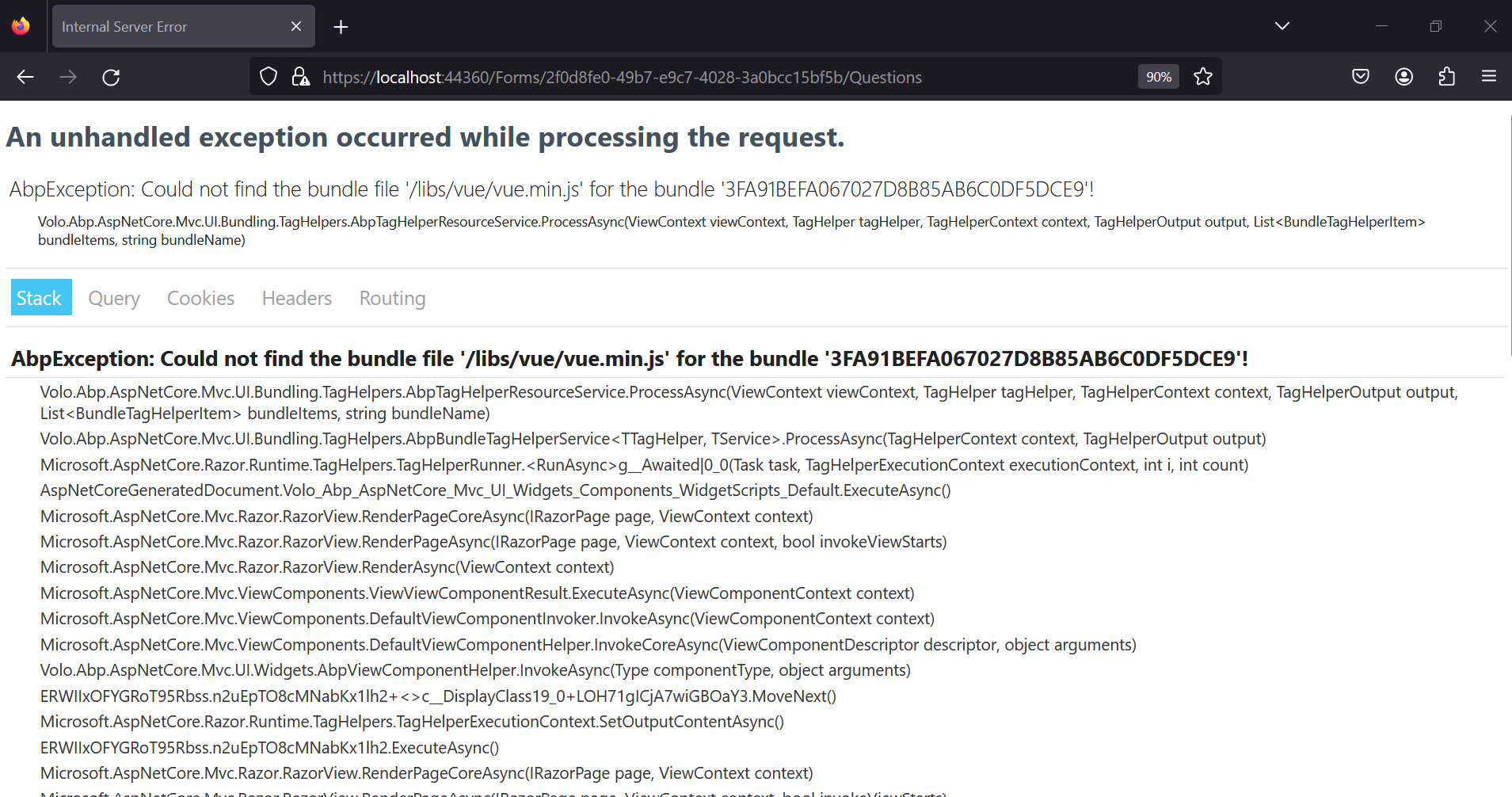
I run the abp install-libs command but still have the same error.
Can you help please.
Hi
You are using the wrong package name
Should be:
I installed then one by one successfully but now when I try try to run the project it does not run, here is the log file
2023-05-04 12:31:50.581 +03:00 [INF] Starting web host. 2023-05-04 12:32:09.688 +03:00 [FTL] Host terminated unexpectedly! System.IO.FileNotFoundException: Could not load file or assembly 'Volo.Abp.SettingManagement.Domain, Version=6.0.2.0, Culture=neutral, PublicKeyToken=null'. The system cannot find the file specified. File name: 'Volo.Abp.SettingManagement.Domain, Version=6.0.2.0, Culture=neutral, PublicKeyToken=null' at System.Reflection.CustomAttribute._CreateCaObject(RuntimeModule pModule, RuntimeType type, IRuntimeMethodInfo pCtor, Byte** ppBlob, Byte* pEndBlob, Int32* pcNamedArgs) at System.Reflection.CustomAttribute.CreateCaObject(RuntimeModule module, RuntimeType type, IRuntimeMethodInfo ctor, IntPtr& blob, IntPtr blobEnd, Int32& namedArgs) at System.Reflection.CustomAttribute.AddCustomAttributes(ListBuilder1& attributes, RuntimeModule decoratedModule, Int32 decoratedMetadataToken, RuntimeType attributeFilterType, Boolean mustBeInheritable, ListBuilder1 derivedAttributes) at System.Reflection.CustomAttribute.GetCustomAttributes(RuntimeType type, RuntimeType caType, Boolean inherit) at System.RuntimeType.GetCustomAttributes(Type attributeType, Boolean inherit) at System.Attribute.GetCustomAttributes(MemberInfo element, Boolean inherit) at Volo.Abp.Modularity.AbpModuleHelper.FindDependedModuleTypes(Type moduleType) at Volo.Abp.Modularity.AbpModuleHelper.AddModuleAndDependenciesRecursively(List1 moduleTypes, Type moduleType, ILogger logger, Int32 depth)
at Volo.Abp.Modularity.AbpModuleHelper.AddModuleAndDependenciesRecursively(List1 moduleTypes, Type moduleType, ILogger logger, Int32 depth) at Volo.Abp.Modularity.AbpModuleHelper.AddModuleAndDependenciesRecursively(List1 moduleTypes, Type moduleType, ILogger logger, Int32 depth)
at Volo.Abp.Modularity.AbpModuleHelper.FindAllModuleTypes(Type startupModuleType, ILogger logger)
at Volo.Abp.Modularity.ModuleLoader.FillModules(List1 modules, IServiceCollection services, Type startupModuleType, PlugInSourceList plugInSources) at Volo.Abp.Modularity.ModuleLoader.GetDescriptors(IServiceCollection services, Type startupModuleType, PlugInSourceList plugInSources) at Volo.Abp.Modularity.ModuleLoader.LoadModules(IServiceCollection services, Type startupModuleType, PlugInSourceList plugInSources) at Volo.Abp.AbpApplicationBase..ctor(Type startupModuleType, IServiceCollection services, Action1 optionsAction)
at Volo.Abp.AbpApplicationFactory.CreateAsync[TStartupModule](IServiceCollection services, Action1 optionsAction) at Microsoft.Extensions.DependencyInjection.ServiceCollectionApplicationExtensions.AddApplicationAsync[TStartupModule](IServiceCollection services, Action1 optionsAction)
at Microsoft.Extensions.DependencyInjection.WebApplicationBuilderExtensions.AddApplicationAsync[TStartupModule](WebApplicationBuilder builder, Action1 optionsAction) at MainApp.Web.Program.Main(String[] args) in C:\Users\mohda\Documents\NourSoft\Project\PlatformGitHub\frontendPlatform\FrontEnd\DocsysFrontend\src\MainApp.Web\Program.cs:line 39*
From the log file it seems there is something happened to the Volo.Abp.SettingManagement.Domain after I installed the language management, what is the relation between them?
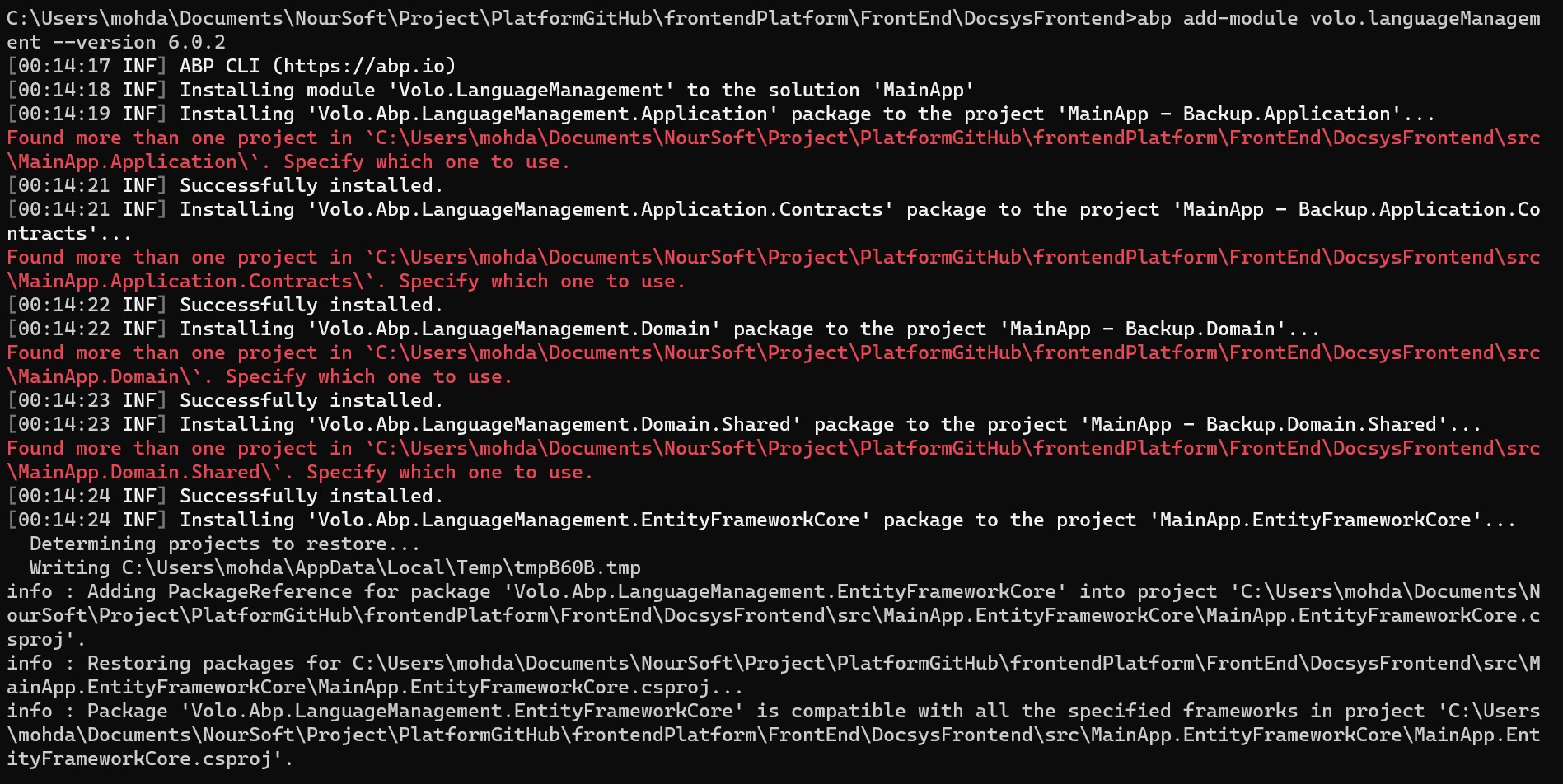
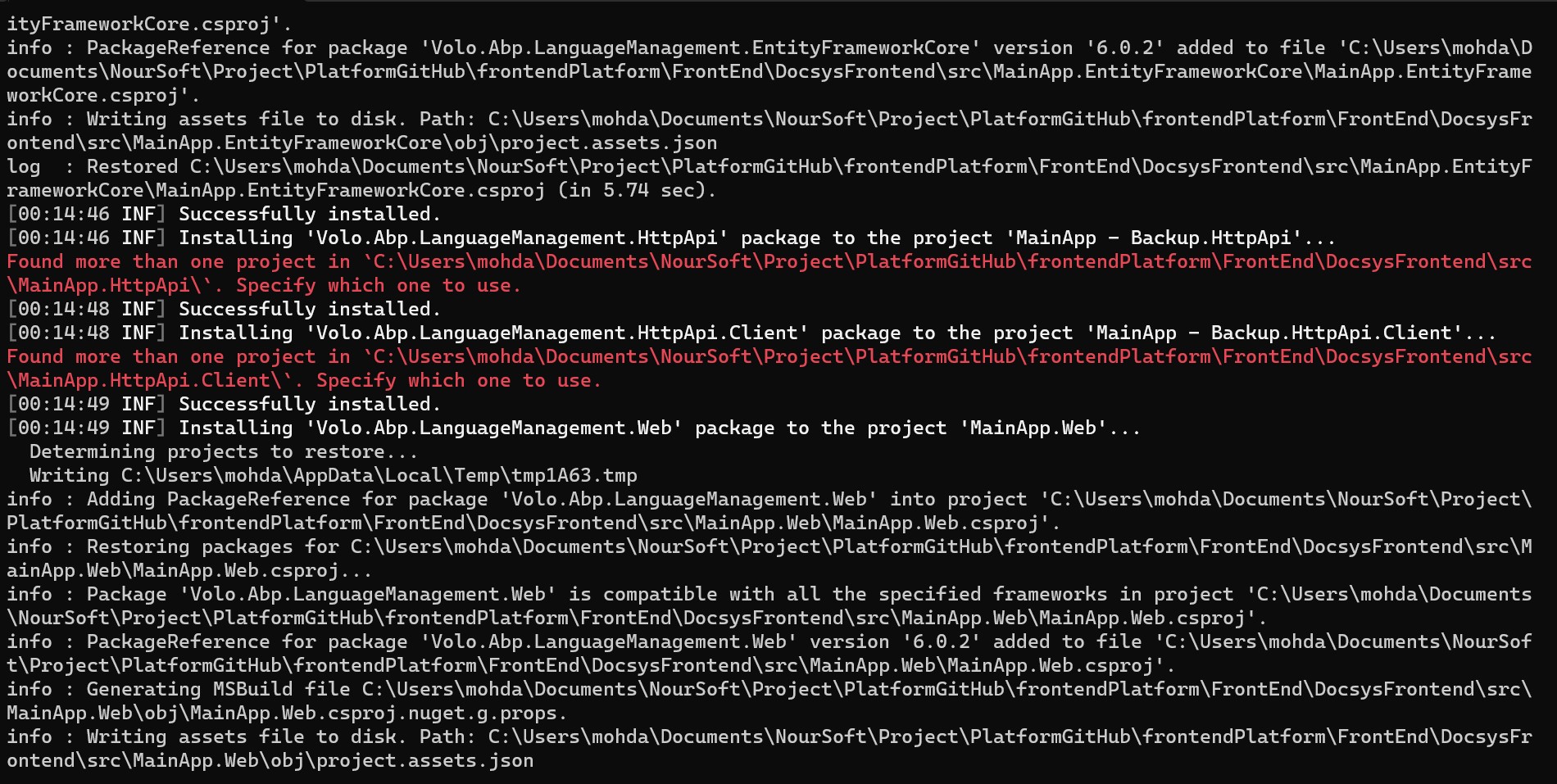
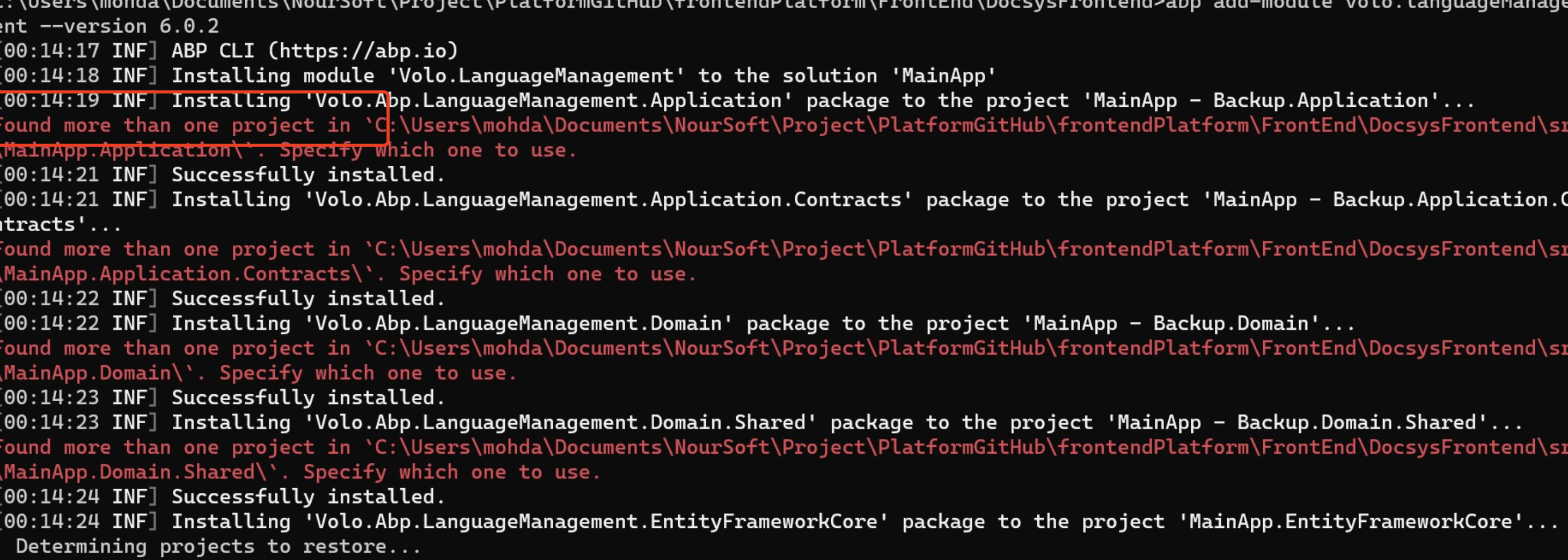
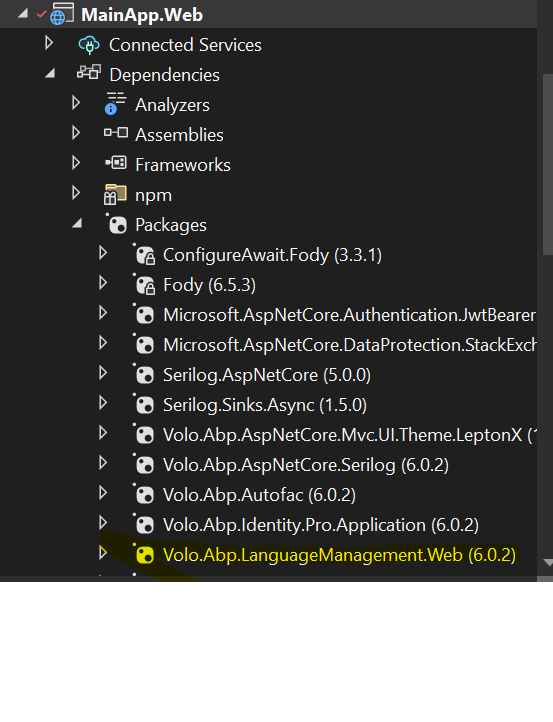
The weird thing is that the module's installer installed the language Management package successfully in MainApp.Web project but not in MainApp.Domain.Shared project as you can see below:
Hi,
It seems a problem, we will check it.
You can try to use the ABP CLI to install the package:
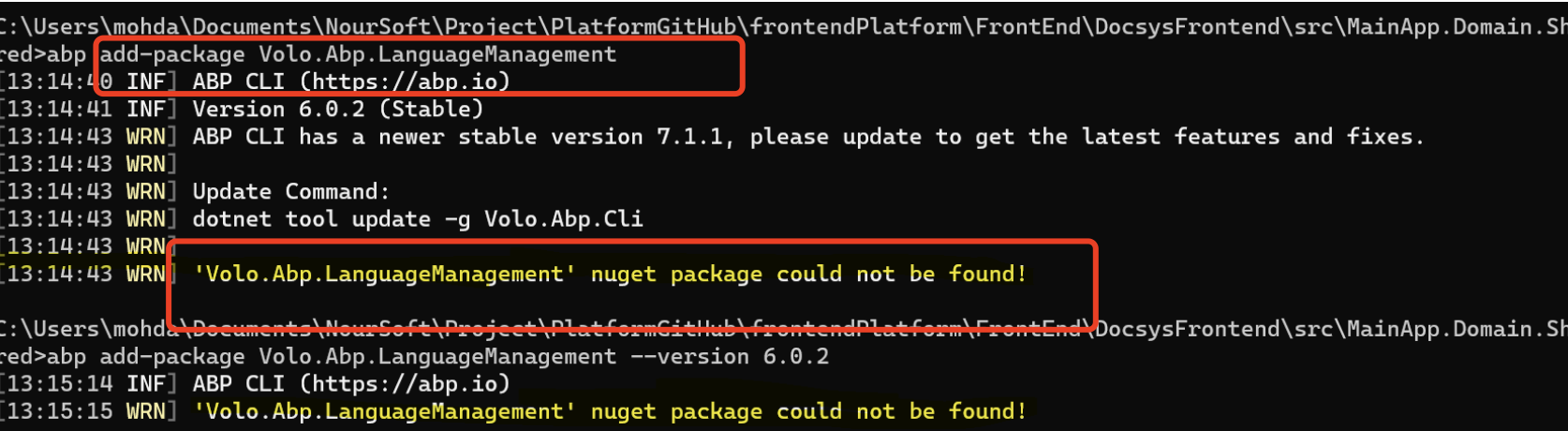
abp add-package Volo.Abp.LanguageManagement.Web
Same thing
H,
You can see the error message.
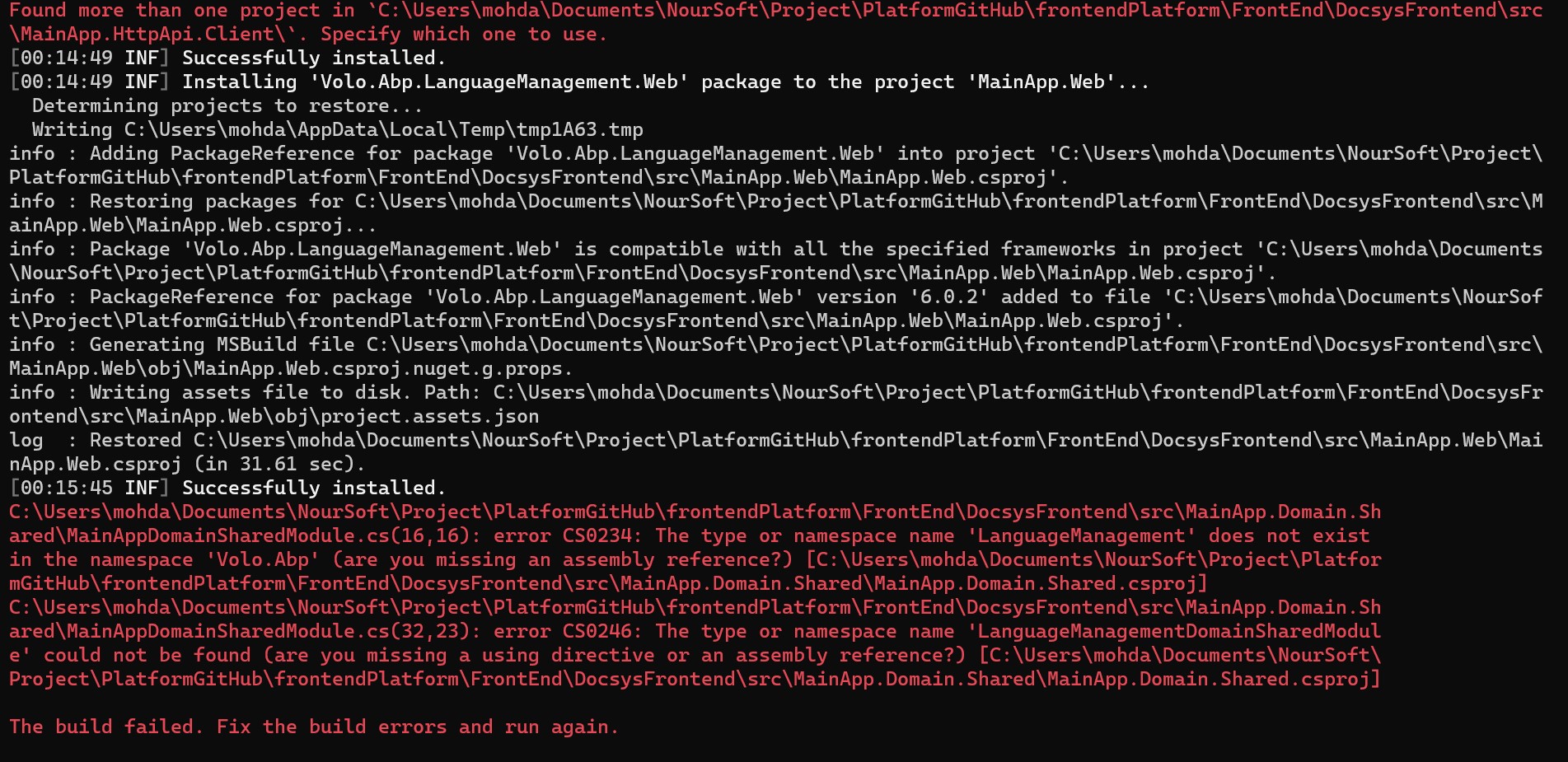
Found more then one project
So, the ABP CLI can't automatically install the configuration for you, you need to install the module manually.
1
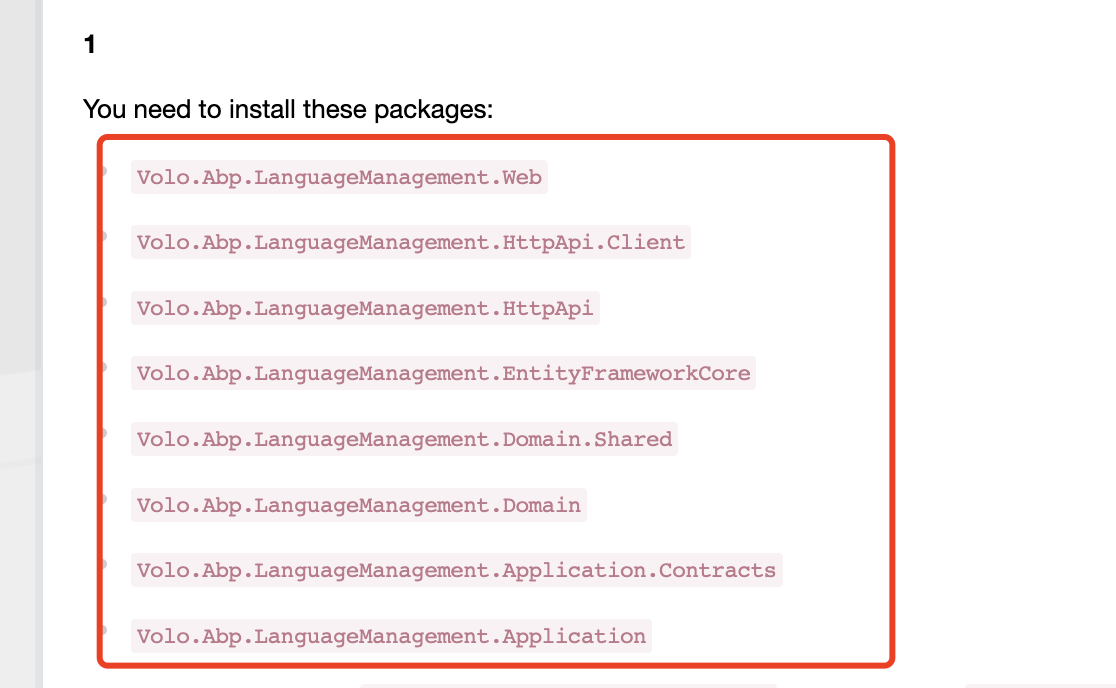
You need to install these packages:
Volo.Abp.LanguageManagement.WebVolo.Abp.LanguageManagement.HttpApi.ClientVolo.Abp.LanguageManagement.HttpApiVolo.Abp.LanguageManagement.EntityFrameworkCoreVolo.Abp.LanguageManagement.Domain.SharedVolo.Abp.LanguageManagement.DomainVolo.Abp.LanguageManagement.Application.ContractsVolo.Abp.LanguageManagement.ApplicationFor example, install the
Volo.Abp.LanguageManagement.Webpackage to theMainApp.Weband add thetypeof(LanguageManagementWebModule)to theMainAppWebModulemodule dependencies... etcMaybe you need to add a namespace using, you can do it through the prompt of the IDE
2
Add
builder.ConfigureLanguageManagement();to theOnModelCreatingmethod of theDbContextclass.Maybe you need to add a namespace using, you can do it through the prompt of the IDE
3
Run the
dotnet ef migrations add AddLanguageManagementcommand in the.EntityFrameworkCoreproject directory to add the migration file.4
Add
"@volo/language-management": "~6.0.2"to thepackage.jsonfile.And run the
abp install-libscommand in the.Webproject directory to restore the NPM packages.5
The last step is to run the
.DbMigratorcommand to apply the migration file.
The installer already added the required code that you mentioned but the problem is that the these dlls
Volo.Abp.LanguageManagement.Web
Volo.Abp.LanguageManagement.HttpApi.Client
Volo.Abp.LanguageManagement.HttpApi
Volo.Abp.LanguageManagement.EntityFrameworkCore
Volo.Abp.LanguageManagement.Domain.Shared
Volo.Abp.LanguageManagement.Domain
Volo.Abp.LanguageManagement.Application.Contracts
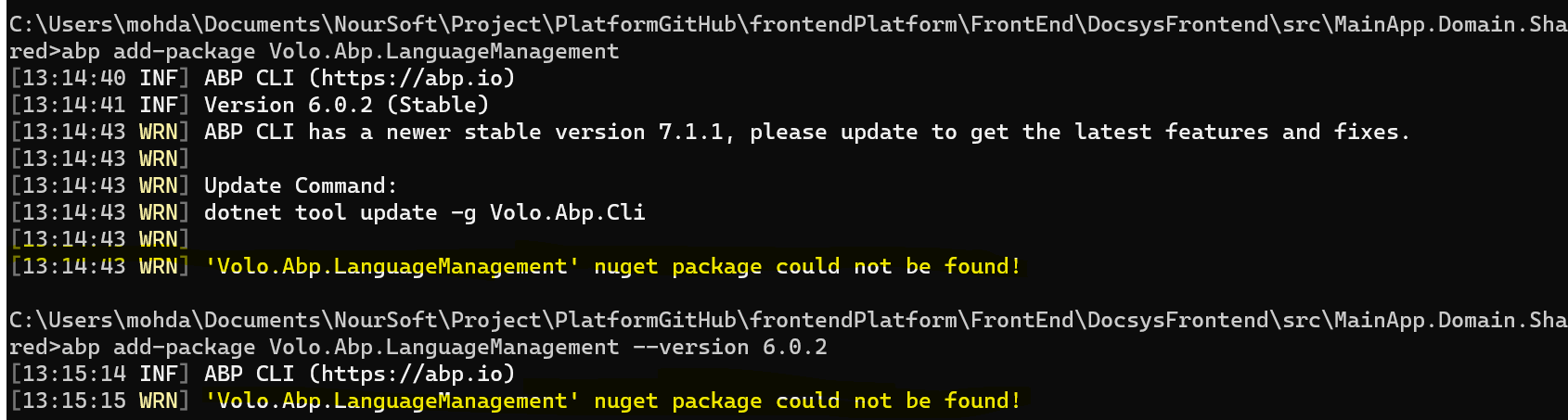
are not found in Volo Nuget as you can see in the screen shot below :
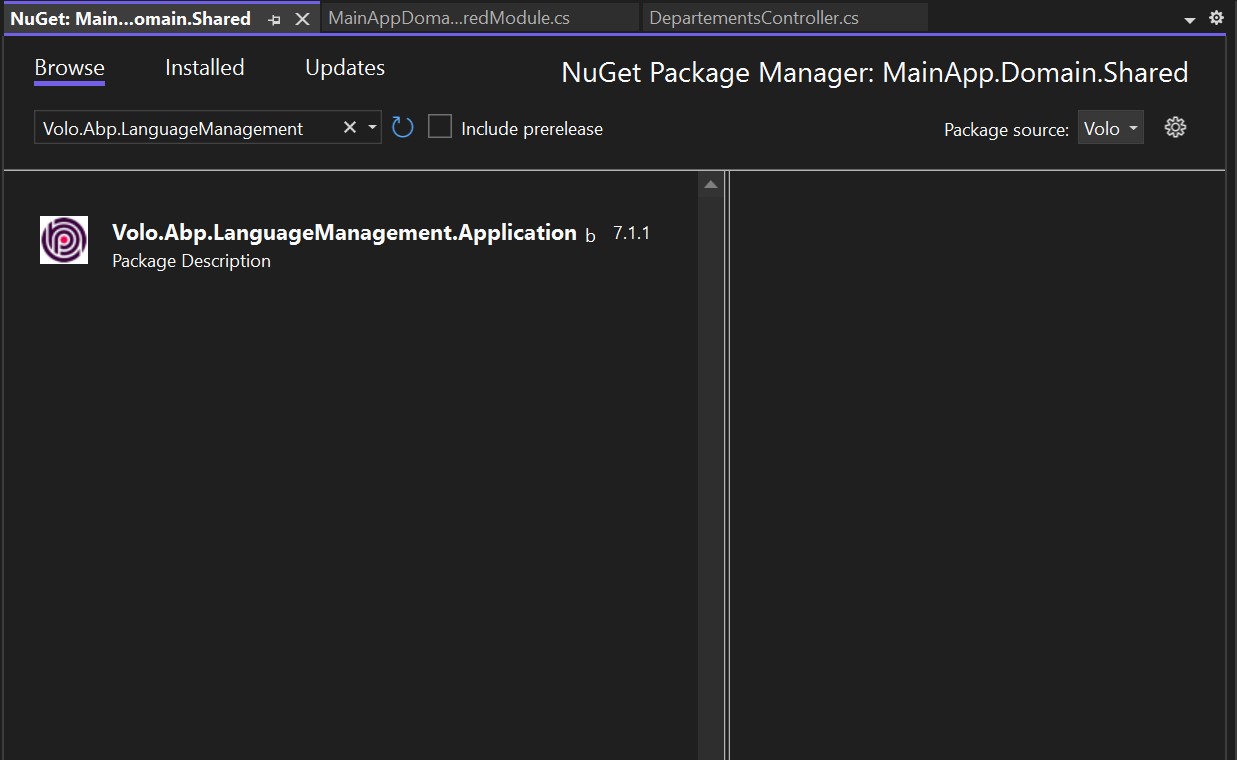
As you can see the only one found is Volo.Abp.LanguageManagement.Application
Hi,
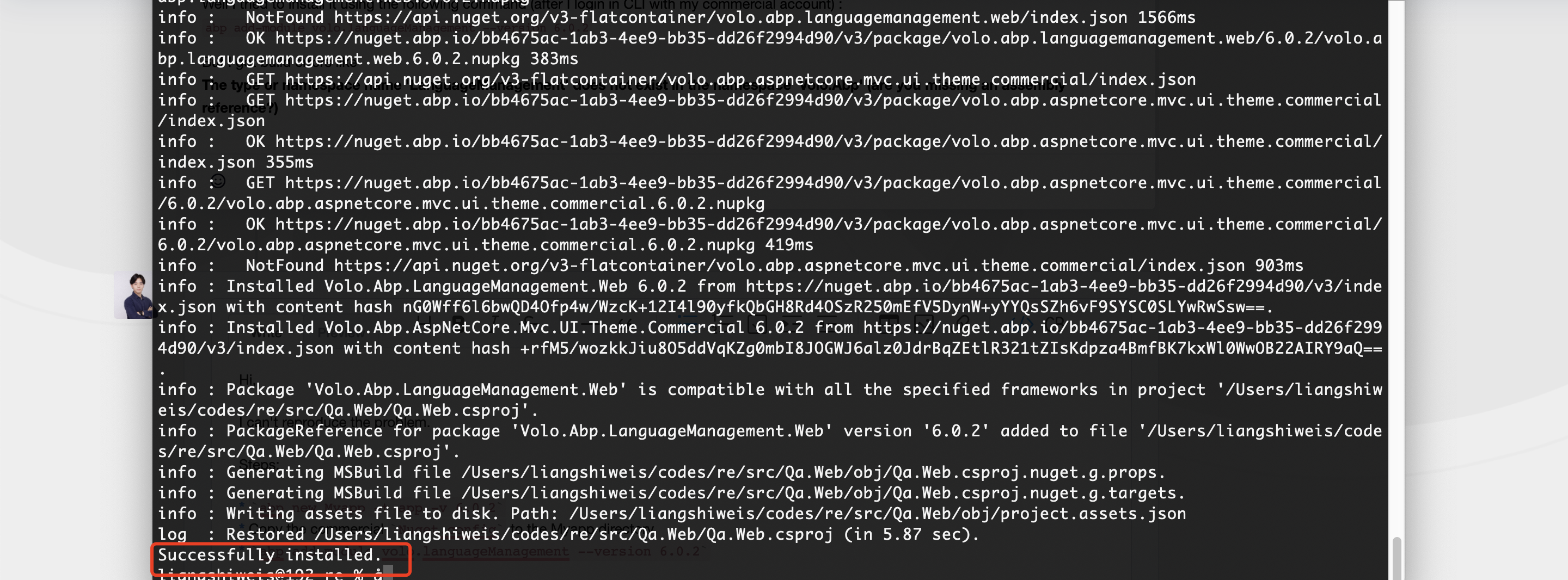
I can't reproduce the problem.
Steps:
abp new Myapp -t app -v 6.0.2- Copy the commercial
Nuget.Configfile to the Myapp directoryabp add-module volo.languageManagement --version 6.0.2
You can run create a new app-pro project to get the commercial
Nuget.Configfileabp new Myapp -t app-proBut I got build errors likeCan you share the full error logs?