hi
AddVirtualJson("/Localization/Test")
See https://abp.io/community/articles/understanding-the-embedded-files-in-abp-framework-nsrp8aa9#gsc.tab=0
hi
Configure<AbpVirtualFileSystemOptions>(options =>
{
    // "YourRootNameSpace" is the root namespace of your project. It can be empty if your root namespace is empty.
    options.FileSets.AddEmbedded<AbpLocalizationSingleLayerModule>();
});

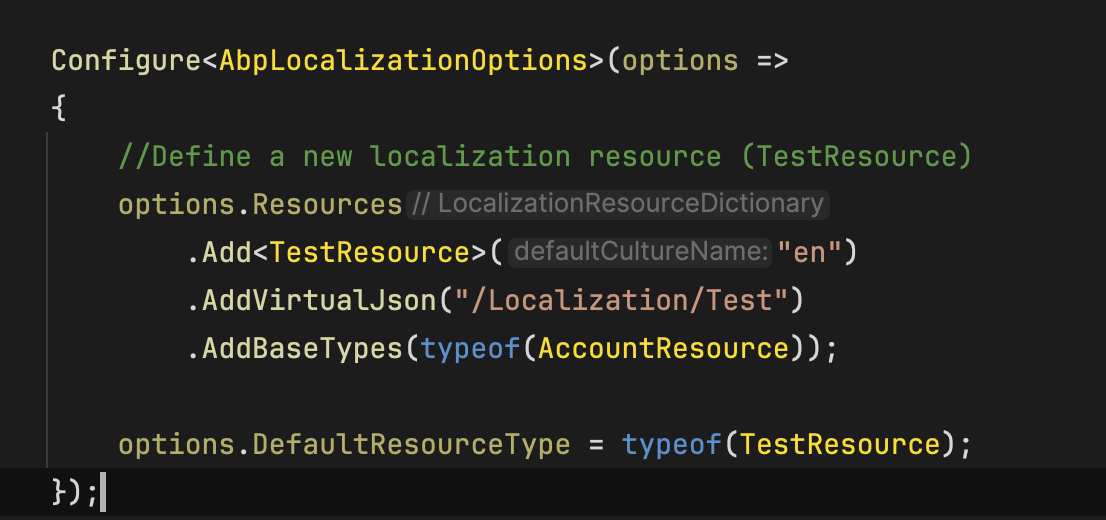
Configure<AbpLocalizationOptions>(options =>
{
    //Define a new localization resource (TestResource)
    options.Resources
        .Add<TestResource>("en")
        .AddVirtualJson("/Localization/Test")
        .AddBaseTypes(typeof(AccountResource));

    options.DefaultResourceType = typeof(TestResource);
});

<PackageReference Include="Microsoft.Extensions.FileProviders.Embedded" Version="9.0.0" />
hi
Can you test your code in a new app template project?
then you can share the app project code.
liming.ma@volosoft.com
Thanks.
使用 requiresNew: true 确保创建一个新的工作单元.
注意: 一个DbContext是不支持多线程的
ok, you can clear the data from the AbpLanguages table.
Then, remove languages from all projects.
PostConfigure<AbpLocalizationOptions>(options =>
{
    options.Languages.Remove..
});
hi
You can also disable the languages fromthe Language Management module

https://abp.io/docs/latest/modules/language-management#languages
hi
Try to remove the languages from AbpLocalizationOptions
PostConfigure<AbpLocalizationOptions>(options =>
{
    options.Languages.Remove..
});




