hi
RC 2 has some problems. We will fix them in RC 3.
And Angular UI will support it in the next versions.
Thanks.
hi
If EF Core DbContext supports Microsoft Entra ID authentication with a Service Principal , then abp will support it.
Thanks.
hi
This issue has been identified and fixed. It was caused by a scheme name mismatch introduced during the Swashbuckle v10.0 upgrade in ABP 10.1.
The AddAbpSwaggerGenWithOidc method defines the security scheme as "oidc", but the security requirement incorrectly references "oauth2". This mismatch causes Swagger UI to fail to attach the Bearer token to API requests after authorization.
Fix PR: https://github.com/abpframework/abp/pull/25071
Workaround until the patch is released:
Override the security requirement in your AddAbpSwaggerGenWithOidc setup action:
context.Services.AddAbpSwaggerGenWithOidc(
    configuration["AuthServer:Authority"]!,
    scopes: new[] { "YourProjectName" },
    setupAction: options =>
    {
        options.SwaggerGeneratorOptions.SecurityRequirements.Clear();
        options.AddSecurityRequirement(document => new OpenApiSecurityRequirement()
        {
            [new OpenApiSecuritySchemeReference("oidc", document)] = []
        });
    });
Thanks.
hi
I will check it.
Thanks.
hi
ABP will use MultiTenantConnectionStringResolver to get the connection string for the current tenant when a new EF Core DbContext is created.
https://github.com/abpframework/abp/blob/dev/framework/src/Volo.Abp.MultiTenancy/Volo/Abp/MultiTenancy/MultiTenantConnectionStringResolver.cs#L12 https://github.com/abpframework/abp/blob/dev/framework/src/Volo.Abp.Data/Volo/Abp/Data/DefaultConnectionStringResolver.cs
So overriding the IConnectionStringResolver is the correct way.
connect to Azure SQL using Microsoft Entra ID authentication with a Service Principal (Client ID + Client Secret or Certificate).
Can you share some demo code for using it with DbContext? I will share the solution.
Thanks
hi
Thanks, we will fix this in the next RC version. Your ticket has been refunded.
hi
You can override the Login page class to set it to false
    public override async Task<IActionResult> OnPostAsync(string action)
    {
        LoginInput.RememberMe = false; // force disable
        return await base.OnPostAsync(action);
    }
If you are using the
AbpAccountPublicWebOpenIddictModule, the base class isOpenIddictSupportedLoginModelinstead ofLoginModel. And you should change theExposeServicesattribute to[ExposeServices(typeof (MyLoginModel), typeof(OpenIddictSupportedLoginModel), typeof(LoginModel))]
Thanks.
hi
You can add the below style to the global CSS file
#loginForm .form-check:has(#LoginInput_RememberMe) {
    visibility: hidden;
}
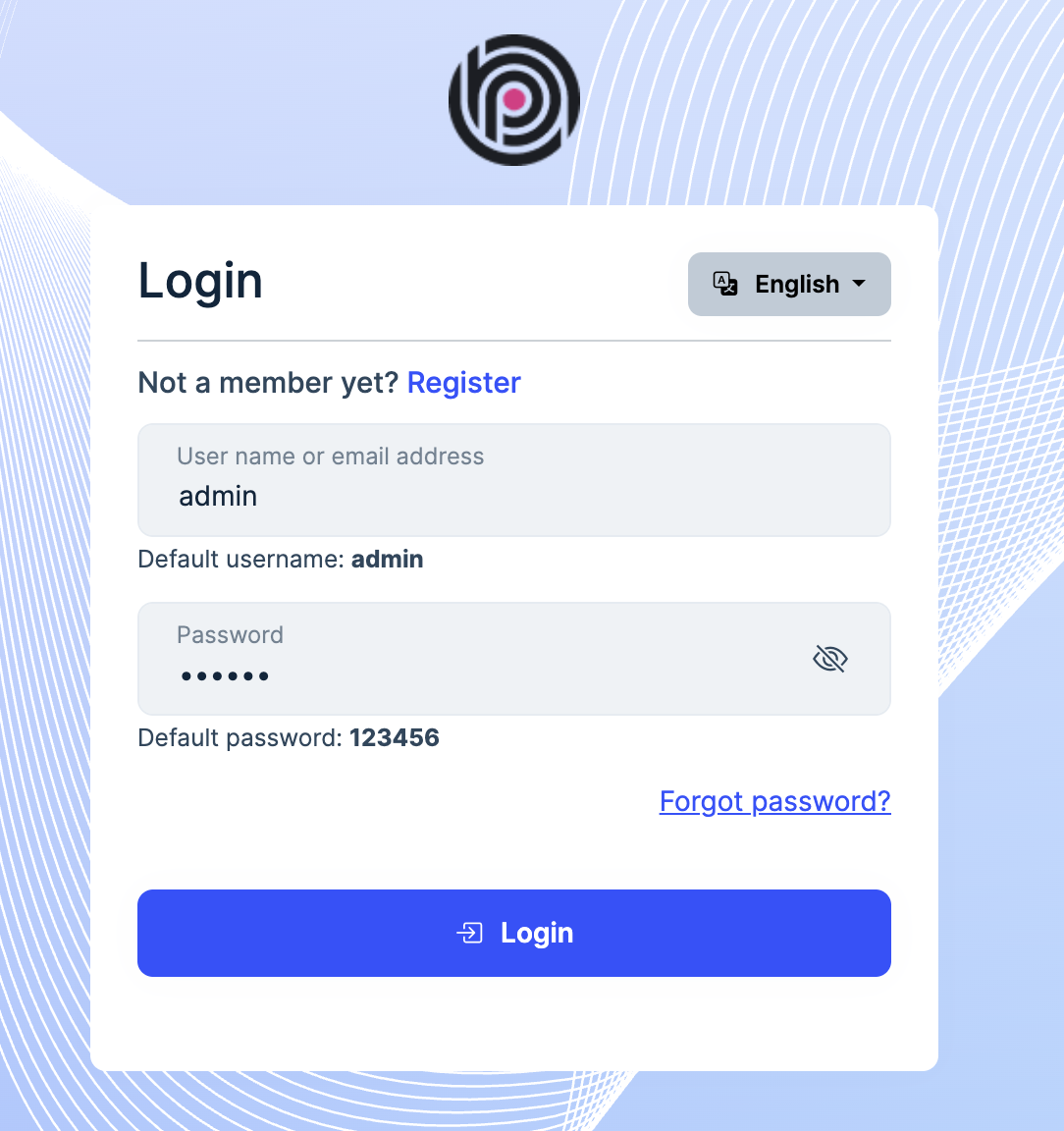
If you want to disable it:
#loginForm .form-check:has(#LoginInput_RememberMe) {
    pointer-events: none;
    opacity: 0.5;
}
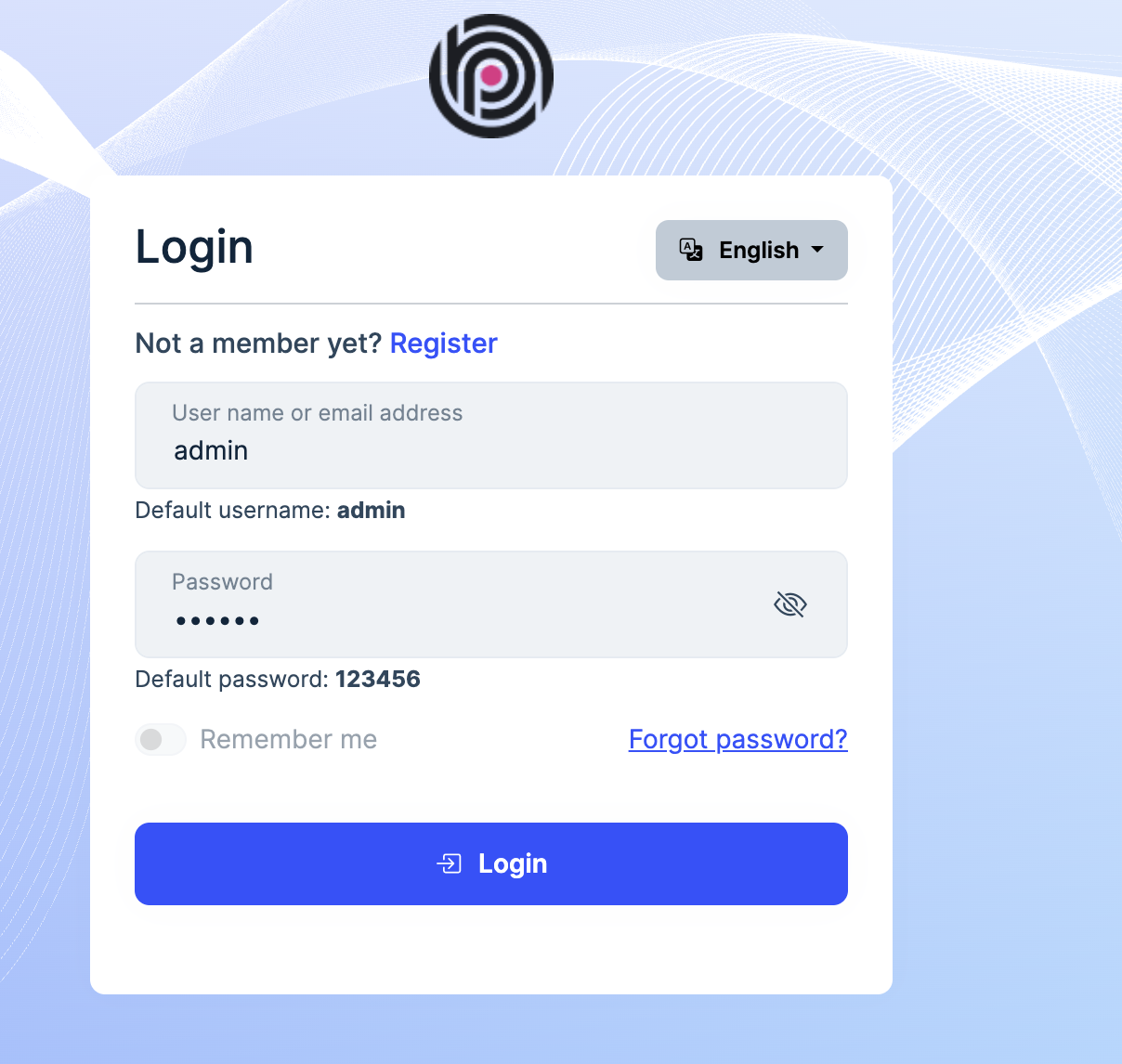
Thanks.
hi
Does your current user have the AbpIdentity.UserLookup permission?
PermissionRequirement: AbpIdentity.UserLookup"
Thanks.
hi
I will check and fix the error page in the next patch version as well.
Thanks.




