Hello,
Could you try adding this setting to the host application? It should be working fine in this way.
You can let us know if you need further assistance. Thank you for your cooperation.
Hello,
The expected behavior here is actually met.
 These links are configured inside the provider function as you mentioned above.
 provideGdprConfig(
      withCookieConsentOptions({
        cookiePolicyUrl: 'https://google.com',
        privacyPolicyUrl: 'https://google.com',
      }),
    ),
Hello,
I can suggest you to hide the tab programmatically inside your app.component.ts
//app.component.ts
ngOnInit() {
    // Hide idle session timeout tab specifically
    const hideIdleTab = () => {
      const tabs = document.querySelectorAll('.nav-link');
      tabs.forEach(tab => {
        if (tab.textContent?.toLowerCase().includes('idle session timeout')) {
          tab.closest('.nav-item')?.remove();
        }
      });
    };

    hideIdleTab();
    // Watch for dynamic content
    new MutationObserver(hideIdleTab).observe(document.body, { childList: true, subtree: true });
  }
You can let us know if you need further assistance. Thank you for your cooperation.
Hello, Thank you for providing detailed information and related updates regarding your problem. I have simply replaced the Toolbar component just to demonstrate the issue on my side. However, I was unable to produce it.
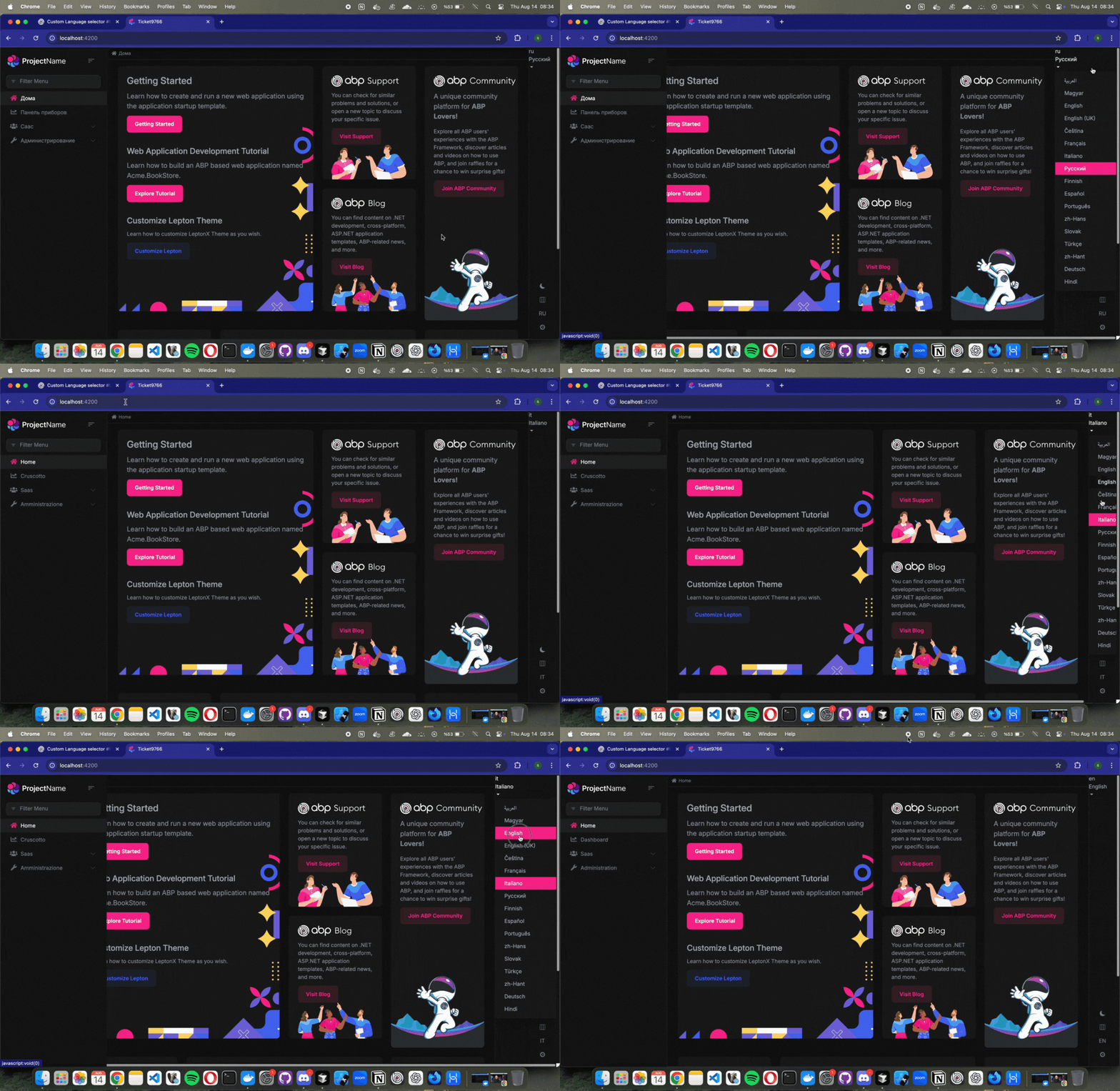
May I ask how exactly you have used the component on your side? Thank you for your cooperation.
We have been enhancing our React Native template to provide an even better development experience. As part of this effort, we are incorporating the latest React Native and Expo updates to elevate the workflow. Stay tuned for the next upcoming releases.
Hello,
We suggest you to use angular version ~19.0.0, or ~19.1.0 for this version of ABP if you do not have a special occasion.
Thank you for the response. We will be looking into this problem and propose a solution as soon as possible. You can check the releases for this https://github.com/abpframework/abp/releases
Also, is there an updated guide on how to customize lepton-x from the source, or a better way to do it? The build has a lot of warnings, but it produces an output.
If you need to get the source code for your project, you can use this command under your angular directory
abp add-package @volosoft/abp.ng.theme.lepton-x --with-source-code
Thank you for your cooperation.
Hello again,
Thank you for the update. I am happy to hear if this has solved your problem. Is there anything I could assist you further on this matter?
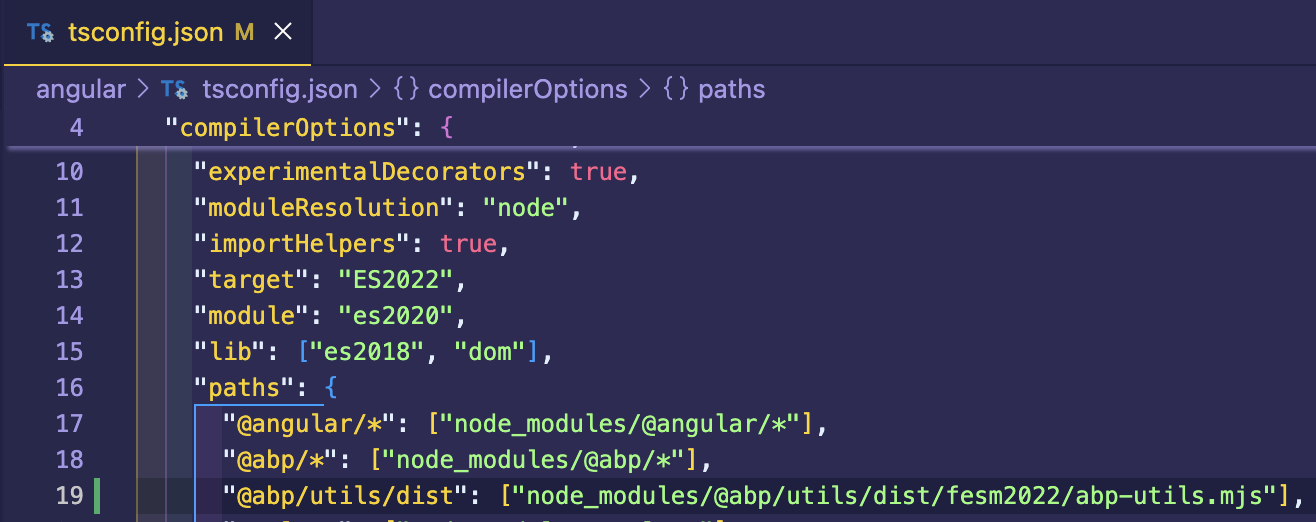
Hello, this problem has been fixed with the first patch version for 9.3.0
You can eliminate the problem by modifying the tsconfig.json under your main angular app until this solution is released:
"@abp/utils/dist": ["node_modules/@abp/utils/dist/fesm2022/abp-utils.mjs"],
Hello again,
Thank you for providing extra details about your problem. We will be looking into this issue for the next patch release. Until we publish a solution, could you try this approach to eliminate the error temporarily?
// app.component.ts
export class AppComponent implements OnInit {
  private userMenu = inject(UserMenuService);
  private configState = inject(ConfigStateService);

  protected session = inject(SessionStateService);
  protected windowService = inject(AbpWindowService);
  protected readonly localStorageService = inject(AbpLocalStorageService);

  ngOnInit(): void {
    const tenant = this.session.getTenant().id || null;

    this.configState.getOne$('currentUser').subscribe(currentUser => {
      if (currentUser?.isAuthenticated) {
        // One-time reload when user is authenticated and has tenant
        if (tenant && !this.localStorageService.getItem('reloadForTenant')) {
          this.localStorageService.setItem('reloadForTenant', 'true');
          this.windowService.reloadPage();
        }

        [
          eUserMenuItems.LinkedAccounts,
          eUserMenuItems.AuthorityDelegation,
          eUserMenuItems.ExternalLogins,
          eUserMenuItems.SecurityLogs,
          eUserMenuItems.Sessions,
        ].forEach(item => this.userMenu.removeItem(item));
      } else {
        this.localStorageService.removeItem('reloadForTenant');
      }
    });
  }
}
Thank you for your cooperation.









