Hello,
Thank you for providing detailed steps on the issue. Based on your description, I attempted to replicate the problem but was unable to reproduce it in my environment. Here is the configuration I used for testing:
const oAuthConfig = {
  ...
  impersonation: {
    tenantImpersonation: true,
    userImpersonation: true,
  },
};
Could you please confirm that this configuration has been applied in your environment as well? Additionally, are there any custom configurations in your routing that impose extra permission checks?
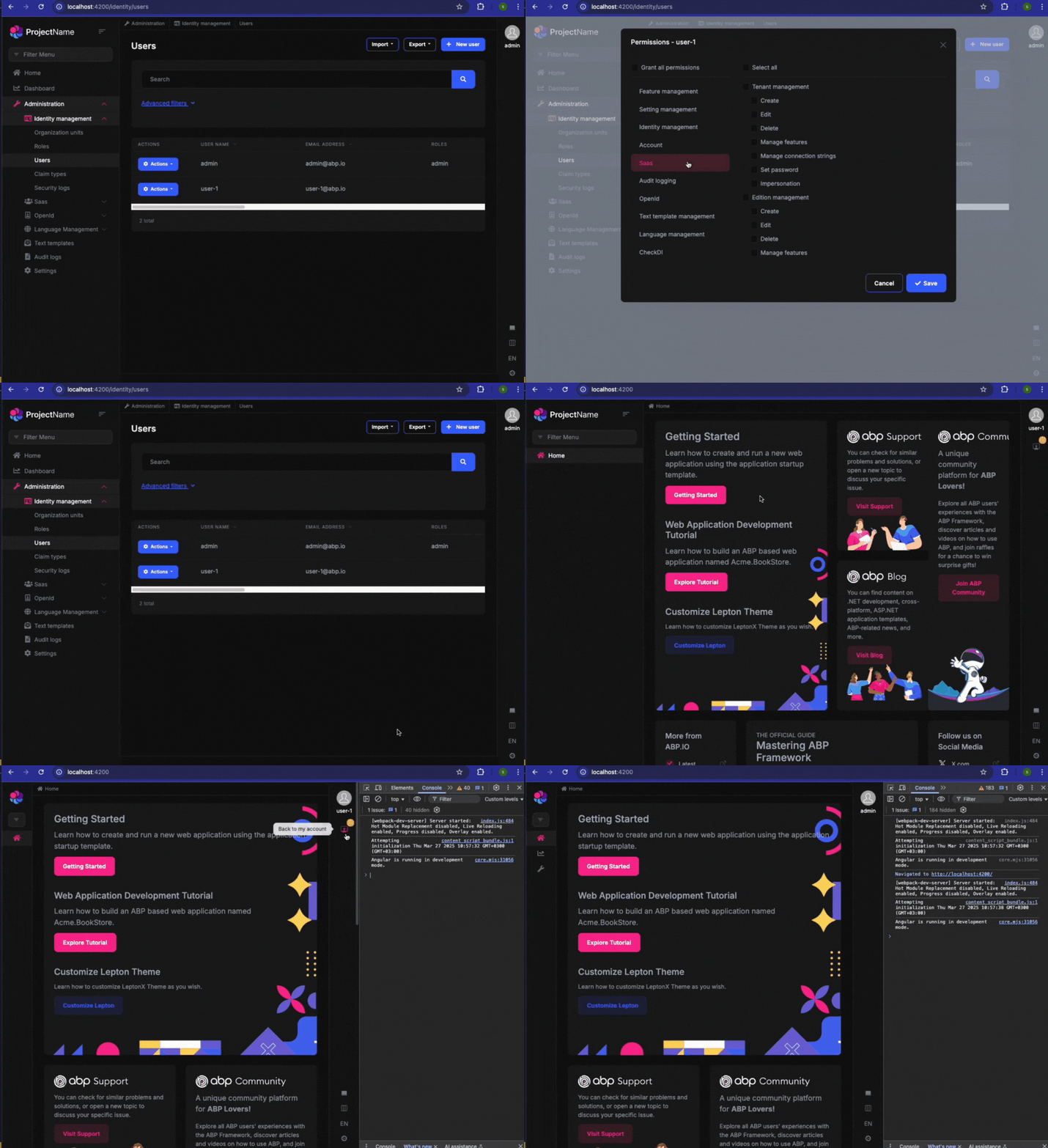
After using the temporary solution, there is no error output.
It's great to hear that the temporary solution has resolved the initial issue.
But I found this issue
Regarding the multiple log outputs in isImpersonatorVisible(), this behavior is expected. The function is likely being called multiple times because it is used in the component's template, which triggers change detection cycles. Angular re-evaluates the function whenever a change occurs in the component, ensuring that the UI reflects the latest state.
Hello @smansuri,
Thank you for your patience. I apologize for the delayed response. The task has now been successfully completed and will be included in the upcoming studio release. We appreciate your cooperation and will keep you informed of any further updates.
The issue you raised regarding the ability to modify the icons displayed in the mobile navbar has been addressed and will be included in the next release. You can track the updates here: ABP Releases.
Additionally, we acknowledge your suggestions for further customization options, such as controlling the visibility of languages, appearance settings, and theme behavior. These enhancements have been noted for future development to improve flexibility and user experience.
As requested, we have processed a refund for this ticket.
My question is: How can I update the ABP CLI to version 9.1 the right way? To try again.
You can use abp cli update command to update your cli. You can also check documentation for more options: https://abp.io/docs/latest/cli#cli
If you want to update your solution, you can check this part of the documentation: https://abp.io/docs/latest/cli#update
Can you share more details on that please?
Thank you for confirming your version details.
As mentioned earlier, ABP 9.0 is compatible with Angular 18. If you wish to leverage the features of Angular 19, you will need to upgrade your project to ABP 9.1.
In summary:
ABP 9.0 supports Angular 18
ABP 9.1 supports Angular 19
Please let me know if you need any further clarification. I appreciate your cooperation.
I noticed that you are using ABP version 9.0. Could you please confirm whether you are using Angular version 18 with this release?
We have the same error with an existing application using the lepton theme. Also, are there any plans to remove the lepton theme so we need to migrate to lepton-x, or is it still OK to use it?
Hello, the Lepton theme remains valid for use, and there are currently no plans to discontinue its support.
Thank you for your reply.
Could you please tell me if there is a temporary fix for this error?
Or, if you can specify the release date for the fix, we can arrange the upgrade plan accordingly.
You can track the latest patch releases for a fix at the following link: ABP Patch Releases.
In the meantime, I recommend overriding the function that is causing the issue as a temporary solution.
To do this, create a CustomImpersonationService that extends ImpersonationService:
import { Injectable } from '@angular/core';
import { ImpersonationService } from '@volo/abp.commercial.ng.ui/config';

@Injectable({
  providedIn: 'root'
})
export class CustomImpersonationService extends ImpersonationService {

  constructor() {
    super();
  }

  override isImpersonatorVisible(): boolean {
    const {
      currentUser: { impersonatorUserId: userId } = {}
    } = this.configState.getAll();
    return !!userId;
  }
}
Once created, add it to the providers array in app.module.ts.
{ provide: ImpersonationService, useClass: CustomImpersonationService },
Let me know if you need further assistance.









