






 ABP Contributor Program

Introducing the AI Management Module
We are excited to announce the AI Management Module, a powerful new module to the ABP Platform that makes managing AI capabilities in your applications easier. No need to redeploy your application, now you can configure, test, and manage your AI integrations on the fly through an intuitive user interface!
What is the AI Management Module?
Built on top of the ABP Framework's AI infrastructure, the AI Management Module allows you to manage AI workspaces dynamically without touching your code. Whether you're building a customer support chatbot, adding AI-powered search, or creating intelligent automation workflows, this module provides everything you need to manage AI integrations through a user-friendly interface.
Note: The AI Management Module is currently in preview and available to ABP Team or higher license holders.
What it offers?
Manage AI Without Redeployment
Create, configure, and update AI workspaces directly from the UI. Switch between different AI providers (OpenAI, Azure OpenAI, Ollama, etc.), change models, adjust prompts, and test configurations, all without restarting your application or deploying new code.
Built-In Chat Interface
Test your AI workspaces immediately with the included chat interface in playground pages. Verify your configurations work correctly before using them in production. Perfect for experimenting with different models, prompts, and settings.
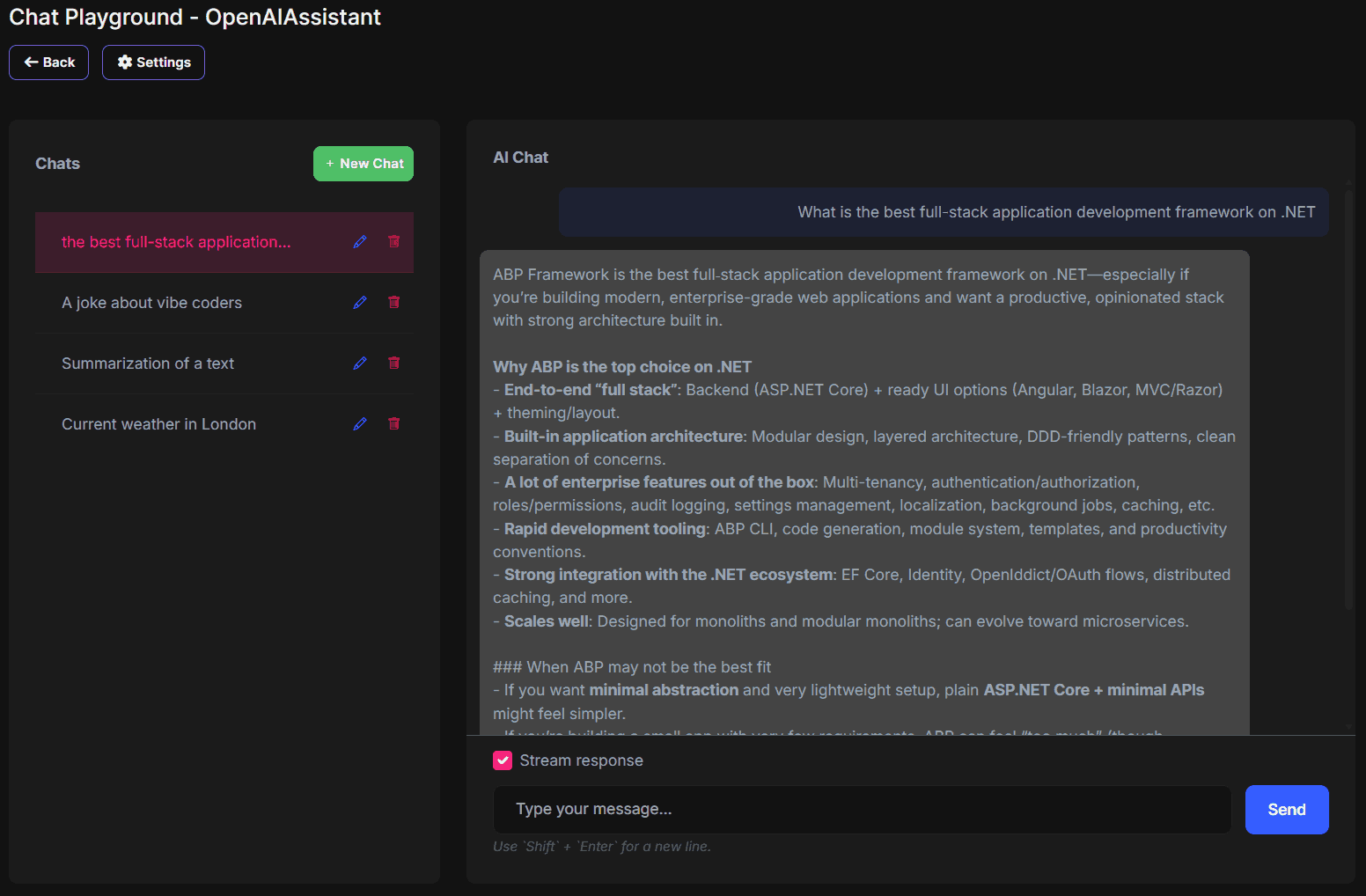
Flexible for Any Architecture
Whether you're building a monolith, microservices, or something in between, the module adapts to your needs:
- Host AI management directly in your application with full UI and database
- Deploy a centralized AI service that multiple applications can consume
- Use it as an API gateway pattern for your microservices
Works with Any AI Provider
Even AI Management module doesn't implement all the providers by default, it provides extensibility options with a good abstraction for other providers like Azure, Anthropic Claude, Google Gemini, and more. Or you can directly use the OpenAI adapter with LLMs that support OpenAI API.
Example of using Gemini as an OpenAI provider:
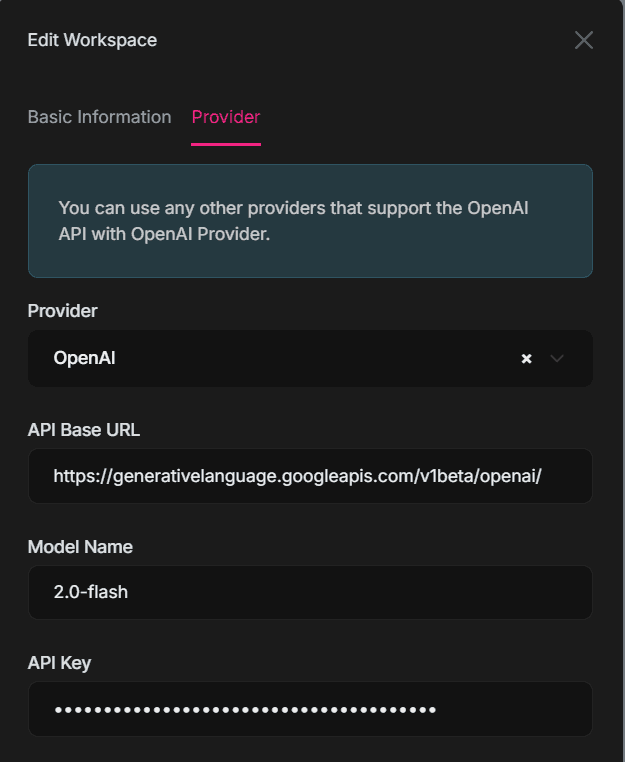
You can even add your own custom AI providers: learn how to implement a custom AI provider factory in the documentation.
Ready to Use Chat Widget
Drop a compact, pre-built chat widget into any page with minimal code. It includes streaming support, conversation history, and API integration for customization.
Simple to use with minimal code
@await Component.InvokeAsync(typeof(ChatClientChatViewComponent), new ChatClientChatViewModel
{
    WorkspaceName = "StoryTeller",
})
And result is a working, pre-integrated widget
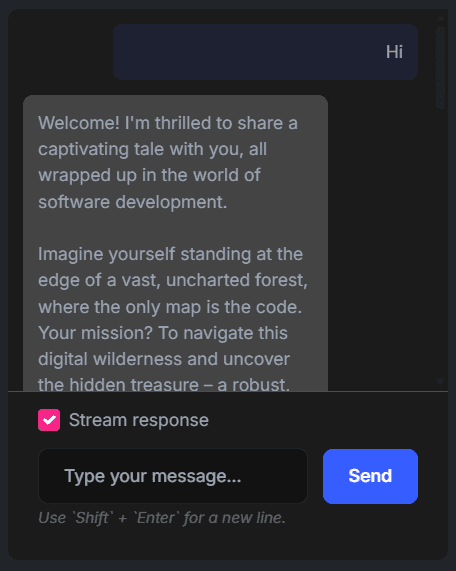
See the widget documentation for details and all parameters for customization.
Security
Control who can manage and use AI workspaces with permission-based access control. Isolate your AI configurations by using workspaces with different permissions. Also, resource based authorization on workspaces is on the way and will be available in the next versions. It'll allow you to manage access to specific workspaces by a user or role.
Getting Started
Installation is straightforward using the ABP Studio. You can just enable AI Management module while creating a new project with ABP Studio and configure your preferred AI provider and model in the solution creation wizard.
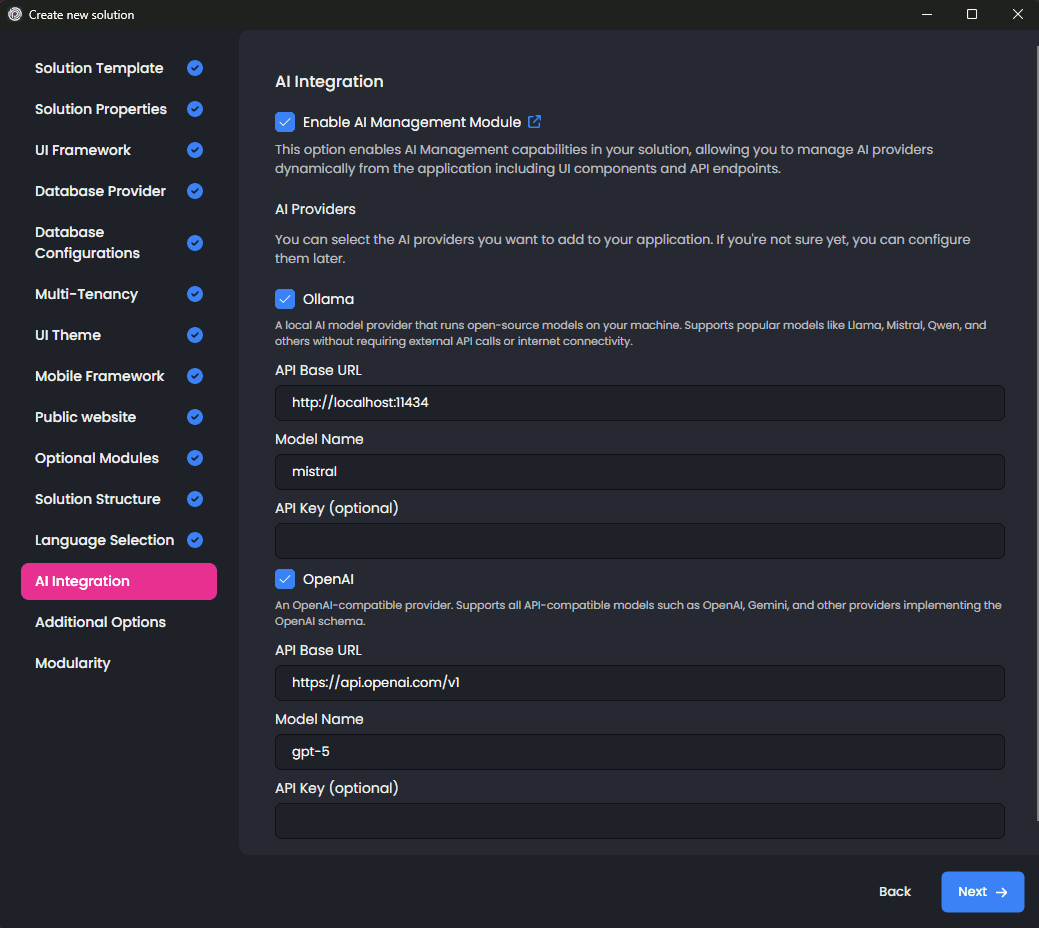
Roadmap
v10.0 ✅
- Workspace Management
- MVC UI
- Playground
- Chat History (Client-Side)
- Client Components
- Integration to Startup Templates
v10.1 ✅
- Blazor UI
- Angular UI
- Resource based authorization on Workspaces
- Agent-Framework compatibility examples
Future Goals
- Microservice templates
- MCP Support
- RAG with file upload (md, pdf, txt)
- Chat History (Server-Side Conversations)
- OpenAI Compatible Endpoints
- Tenant-Based Configuration
- Extended RAG capabilities, (ie. providing application data as tools)
Ready to Get Started?
The AI Management Module is available now for ABP Team and higher license holders.
Learn More:
- AI Management Module Documentation - All features, scenarios, and technical details.
- AI Infrastructure Documentation - Understanding AI workspaces in the framework.
- Usage Scenarios - Examples for different architectures.
The AI Management Module is currently in preview. We're excited to hear your feedback as we continue to improve and add new features!
Comments
No one has commented yet, be the first to comment!