






 ABP Contributor Program

ABP x Vue: Introducing Lsw.Abp.VueUI
Lsw.Abp.VueUI is a complete, community-developed Vue 3 frontend for ABP Framework. It follows ABP's modular architecture, bringing framework services, module UIs, extension points, and themes together for building applications with Vue.
Authentication, permissions, multi-tenancy, localization, and module development provide a development experience consistent with ABP's Angular UI. The implementation uses Vue's Composition API, Vue Router, and single-file components, so you can build on familiar ABP conventions with the Vue tools you already use.
What's included
Built-in modules cover accounts, users, roles, permissions, tenants, features, and settings. They provide the administration pages you expect in an ABP application, so you can focus on your own business features.
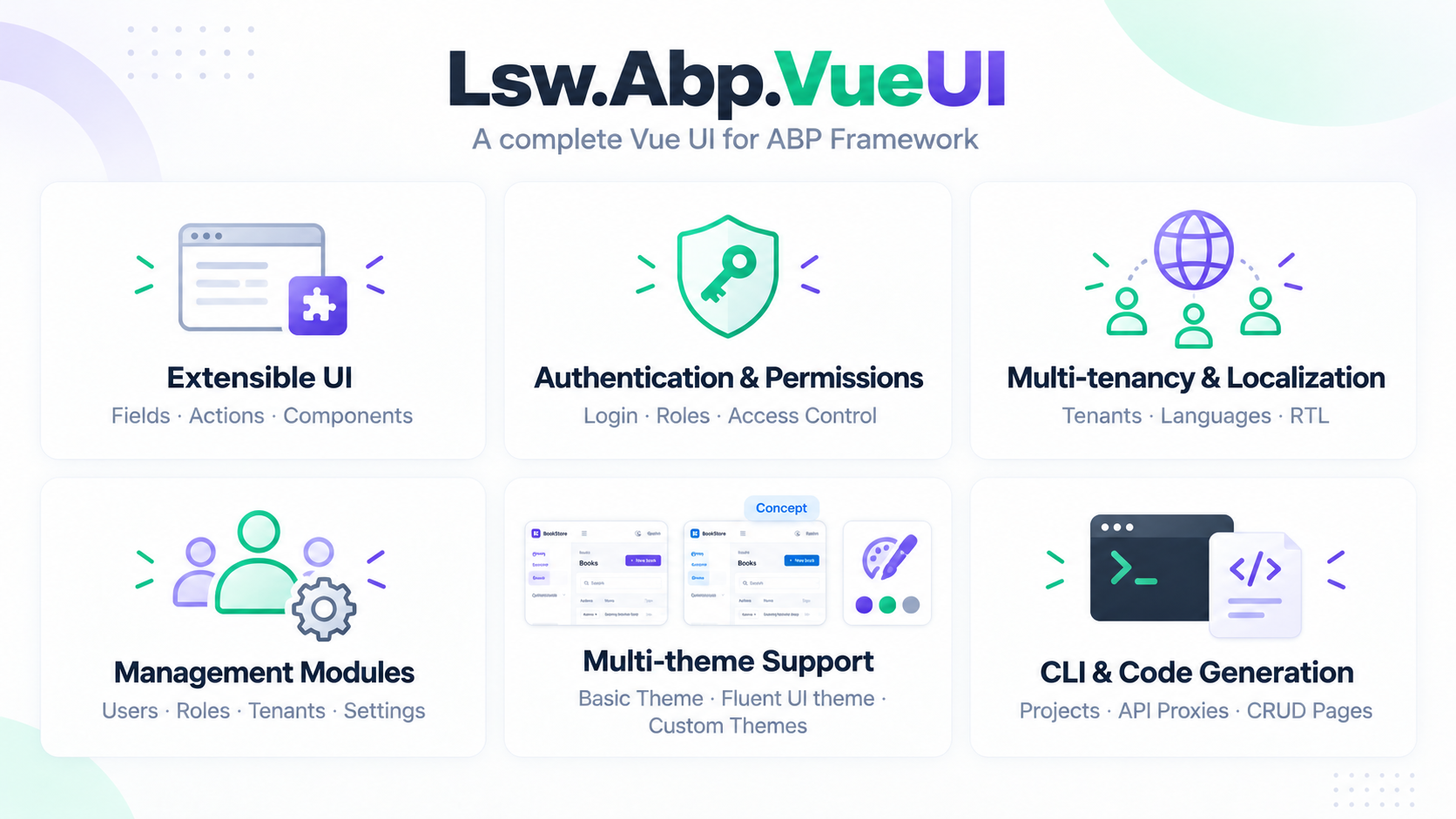
Module pages are extensible. You can add table columns, form fields, row actions, and toolbar buttons through your application's configuration. For example, adding a custom action to the user list does not require editing the module package.
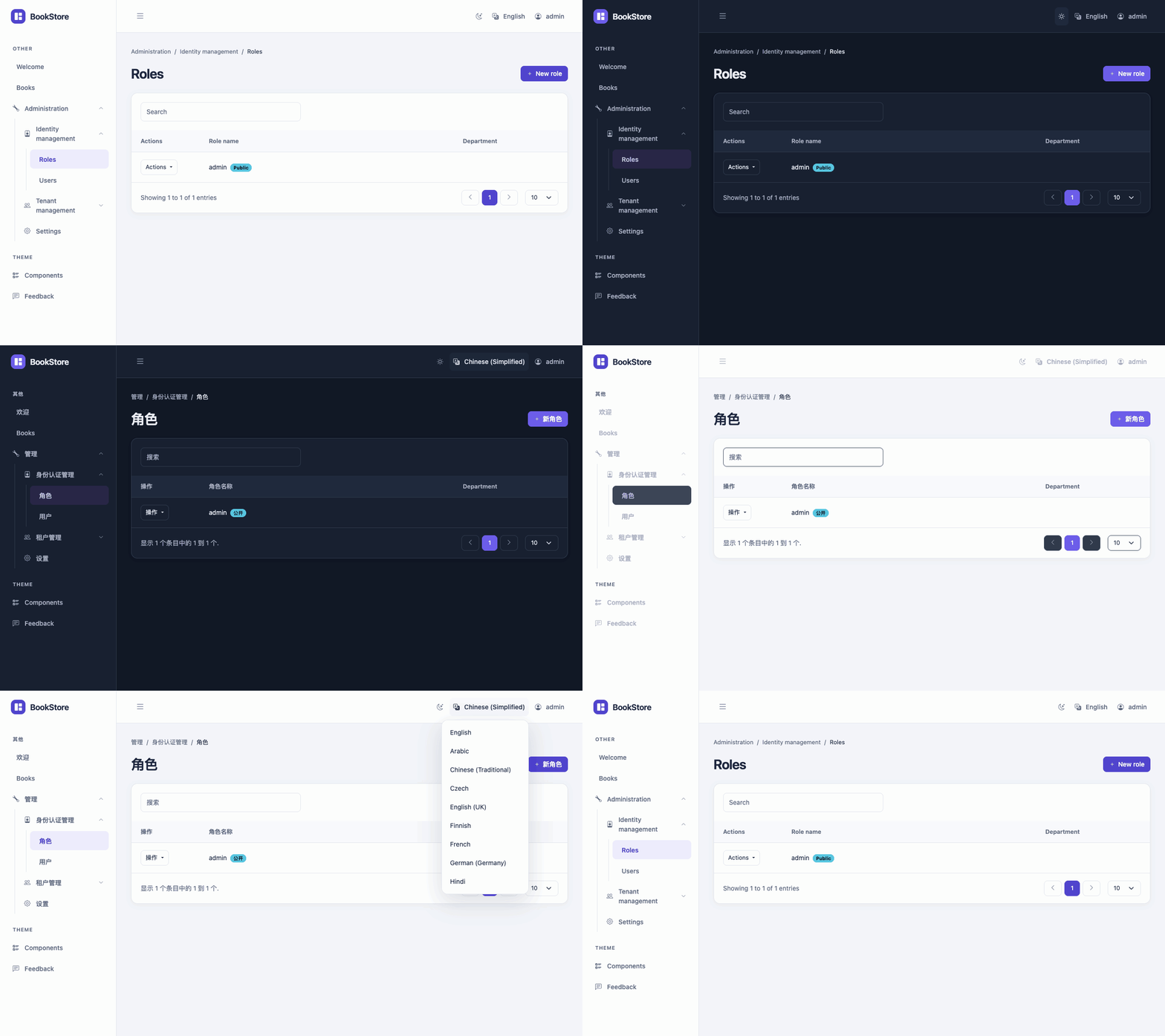
The UI is designed to support multiple themes. Basic Theme includes light, dark, and system modes. You can build custom themes or replace individual controls without rewriting the module pages.
Here is the BookStore playground switching between light and dark modes, then changing language:
Getting started
The abpv CLI can create a new ABP application with a Vue frontend or add Vue to an existing solution. With the ABP CLI installed, this example creates a MongoDB application with the Books sample:
npm install -g @lsw-abpvue/cli
abpv new Acme.BookStore -d mongodb --sample-crud
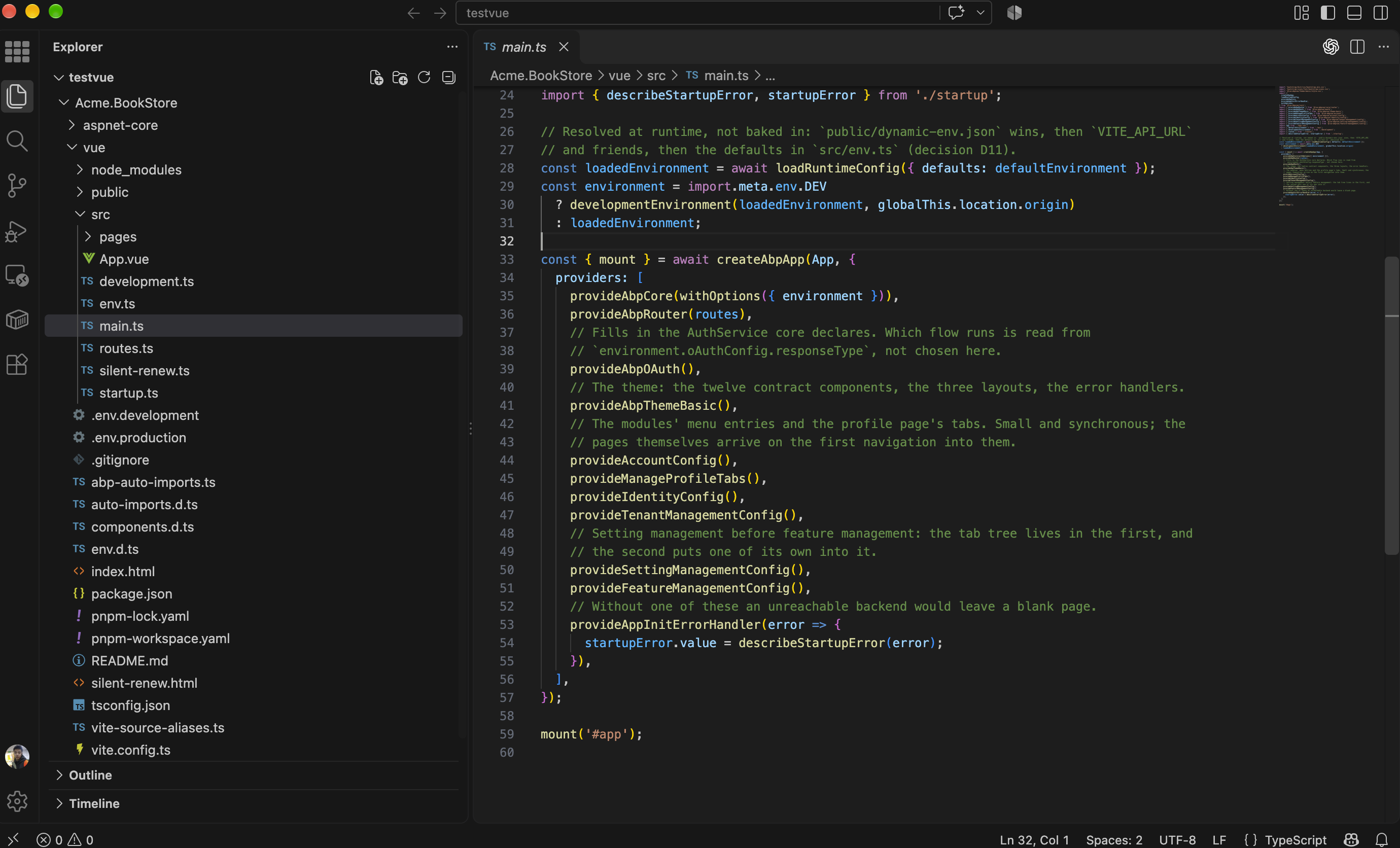
The solution contains the ABP backend in aspnet-core/ and the Vue frontend in vue/.
Building a CRUD page
With the backend running, generate typed API proxies and scaffold a Vue page from the frontend directory:
abpv proxy add --module app
abpv generate Book
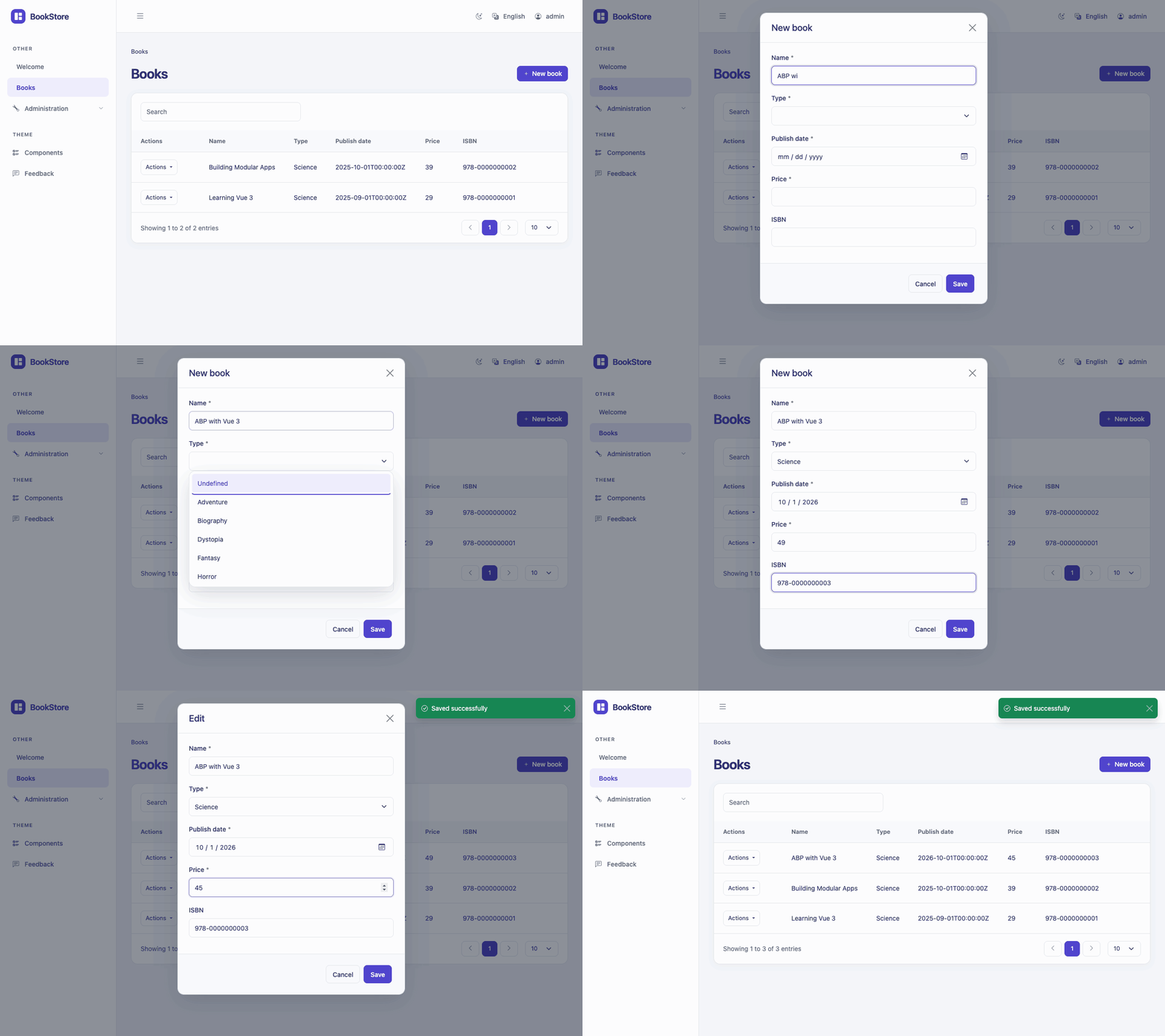
The generated page includes a table, create and edit forms, CRUD methods, and route and menu entries. It is an ordinary Vue single-file component in your application: you can change the columns, adjust the forms, and add your business logic.
This recording shows creating a book and editing its price in the BookStore playground:
Documentation
Lsw.Abp.VueUI is open source under the MIT license. For setup instructions, module guides, and customization examples:


Comments
GF 2 weeks ago
Oh, great! It's awesome.