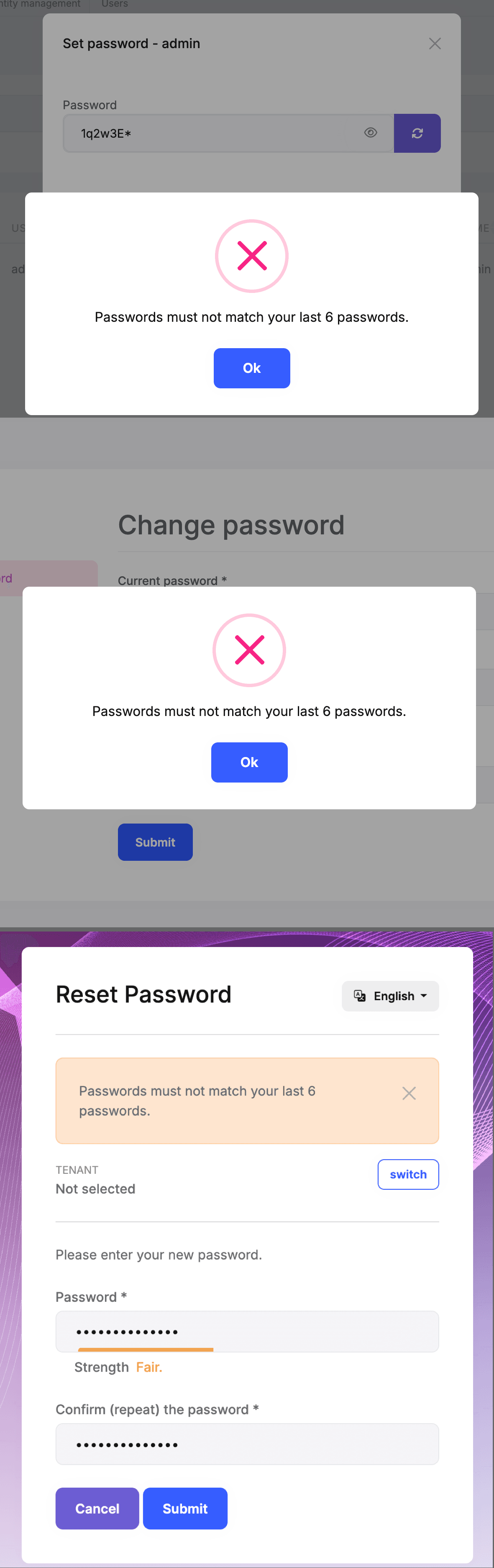
Password History
Introduction
You must have an ABP Team or a higher license to use this module & its features.
The Identity PRO module has a built-in password history function that allows you to enforce password reuse policies for users within your application. It keeps track of users’ previously used passwords and checks this history whenever a user attempts to change their password. This prevents users from setting a password that they have already used in the past, ensuring that each new password is unique and not a repetition of an older one.
Password History Settings
You need to enable the password history and configure related settings:
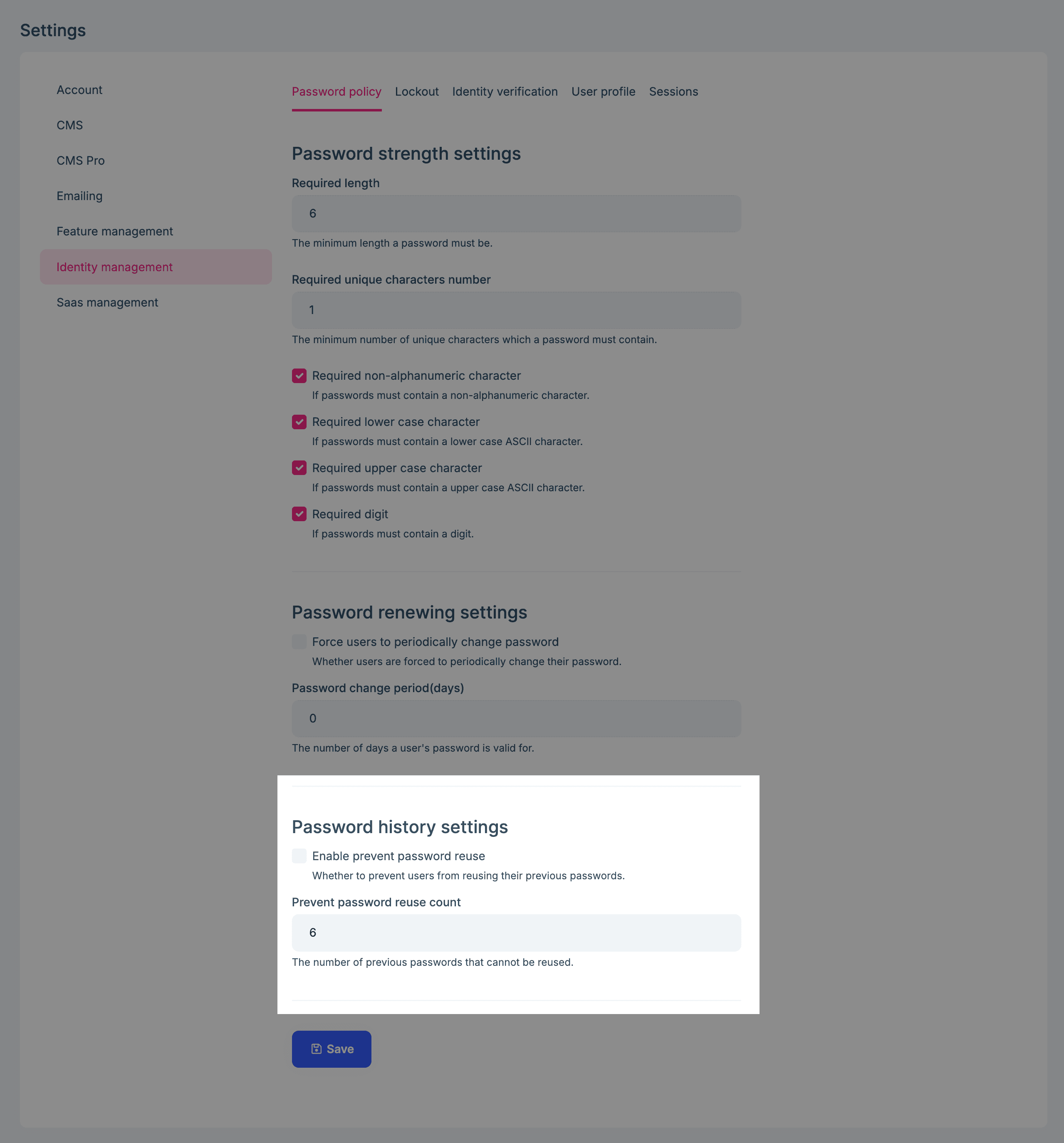
- Enable prevent password reuse: Whether to prevent users from reusing their previous passwords.
- Password change period: The number of previous passwords that cannot be reused.
When you enable the password history, users and administrators will not be able to reuse their previous passwords when changing/resetting their passwords.