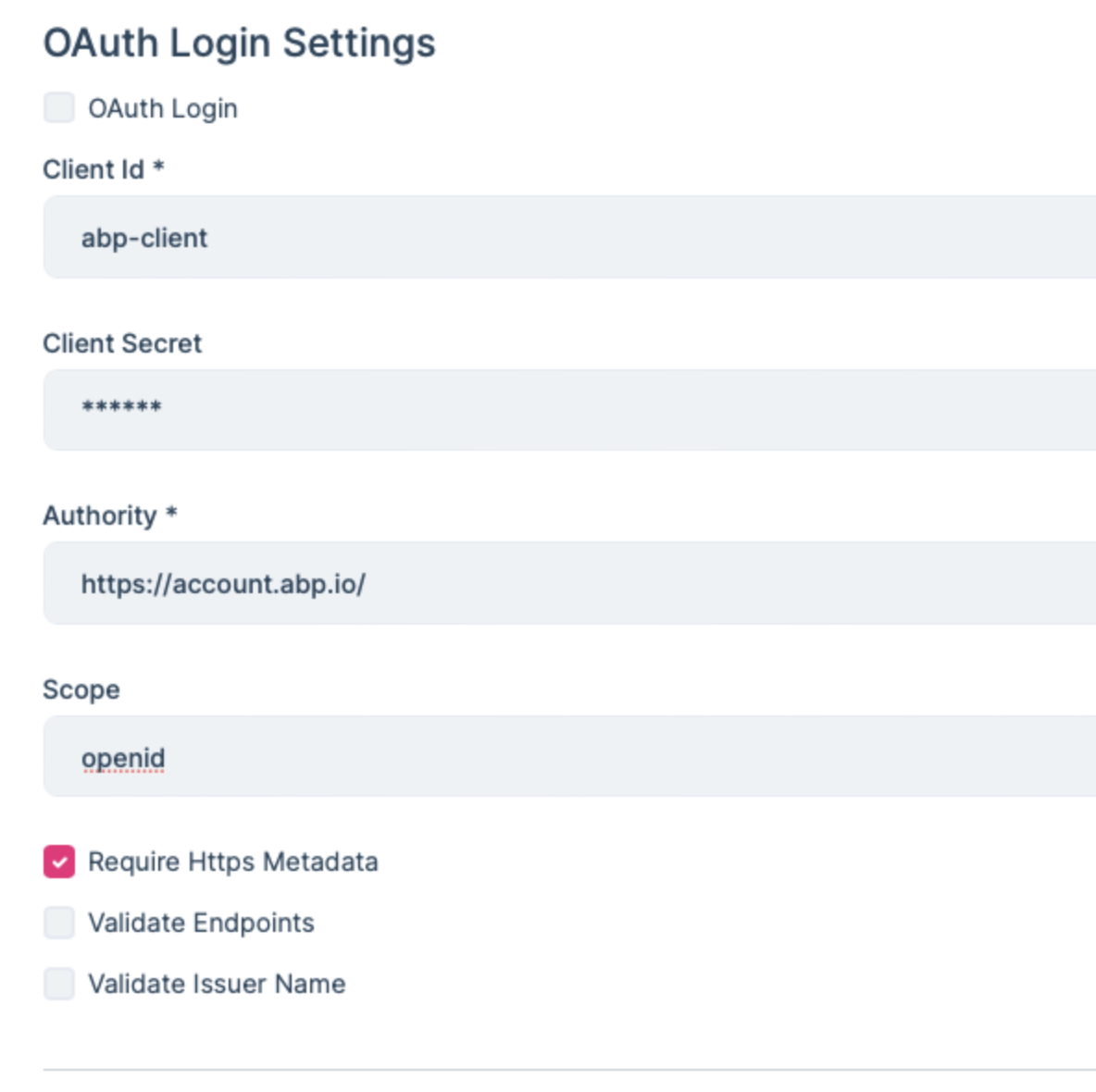
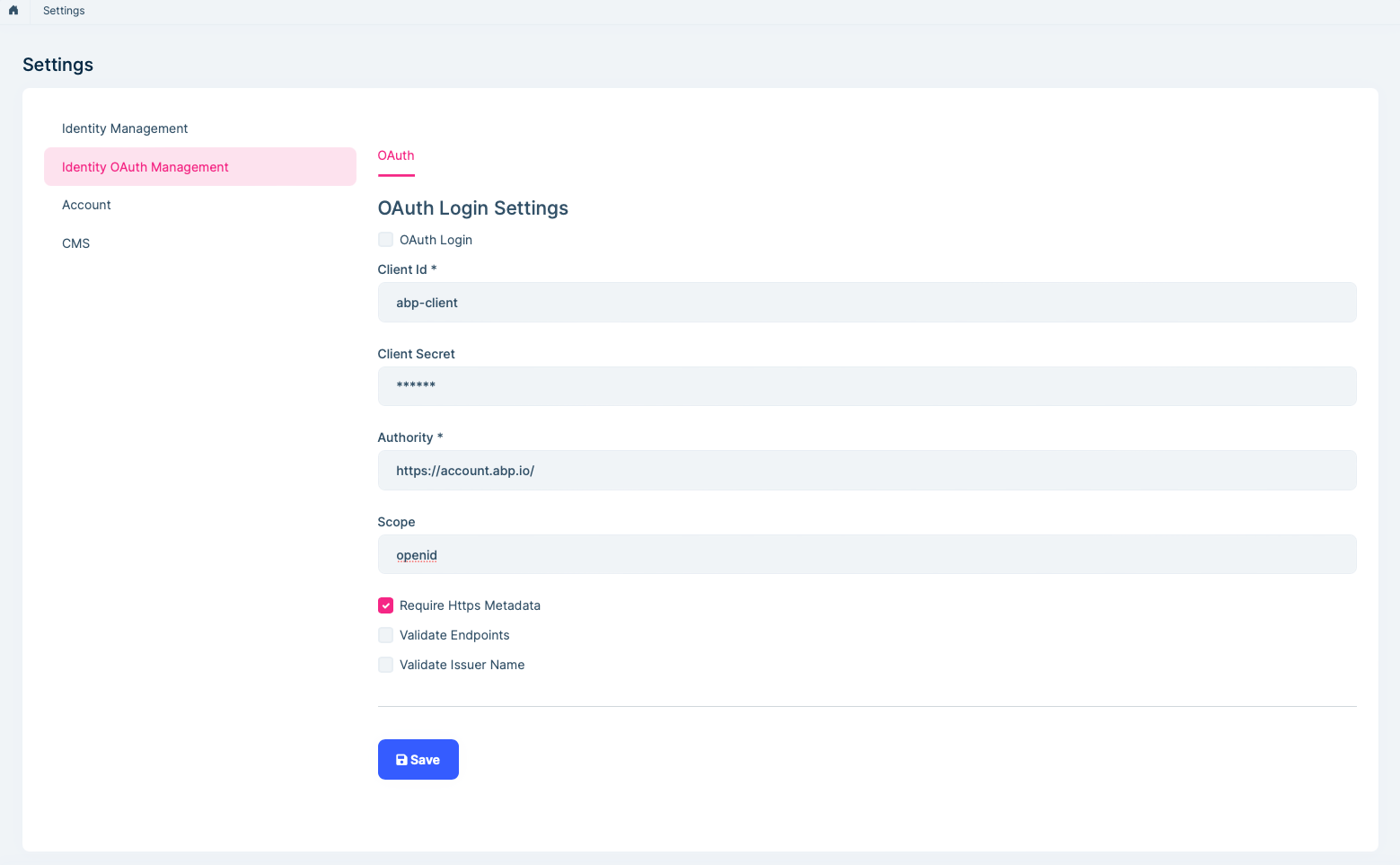
Hi maliming ,
I am able to login in dev environment. but not for production.I am getting below error in the auth logs
2026-02-02 21:19:52.389 -06:00 [INF] Executing handler method Volo.Abp.Account.Public.Web.Pages.Account.LoginModel.OnPostAsync - ModelState is "Valid" 2026-02-02 21:19:52.419 -06:00 [WRN] Ldap login feature is not enabled! 2026-02-02 21:19:52.421 -06:00 [WRN] OAuth login feature is not enabled! 2026-02-02 21:19:52.553 -06:00 [INF] Executed handler method OnPostAsync, returned result Microsoft.AspNetCore.Mvc.RazorPages.PageResult.
Thanks
[maliming] said: hi
"error_description":"AADSTS50076: Due to a configuration change made by your administrator, or because you moved to a new location, you must use multi-factor authentication to access '00000003-0000-0000-c000-000000000000'. Trace ID: 63406391-cbd1-4701-8f7c-b6af61c93f00 Correlation ID: 0ee99e11-e50b-49c5-906d-c19462111edf Timestamp: 2026-01-30 05:49:48Z",
because you moved to a new location
Perhaps your IP address has changed?
I mean your local computer and remote server.
Thanks.
Hi
Yes, the IP address is different for both environments. Could you please help us understand how to handle this case, or advise if any manual configuration is required?
thanks
[maliming] said: hi
Perhaps your
OAuth Login Settingsdiffer between the local and production environments.
Thanks
Hi
No, I have used same configuration on both.
Thanks
[maliming] said: hi
The error is returned by Azure AD. Your Azure AD tenant is currently configured to require Multi-Factor Authentication (MFA) or Conditional Access for Microsoft Graph. Because of this, the OAuth2 password (ROPC) flow is blocked by Azure AD and cannot be used.
This behavior is controlled only by Azure AD. Your Azure AD administrator would need to review the tenant’s security settings (such as Conditional Access or MFA policies) to determine whether the password flow is permitted in your environment.
Thanks.
Hi
However, it’s working fine in the local environment. How should this case be handled in the OAuth login settings?
Thanks
[maliming] said: hi
Thanks. Let's check it one by one.
Hi
I am getting below error in the log
2026-01-29 23:28:35.361 -06:00 [ERR] Get access token error: {"error":"invalid_request","error_description":"AADSTS900144: The request body must contain the following parameter: 'resource'. Trace ID: bd09e2e7-dd33-4dad-8301-cc1e06f31b00 Correlation ID: 1f7c9c95-06e4-41db-aaa8-74dc015e4631 Timestamp: 2026-01-30 05:28:35Z","error_codes":[900144],"timestamp":"2026-01-30 05:28:35Z","trace_id":"bd09e2e7-dd33-4dad-8301-cc1e06f31b00","correlation_id":"1f7c9c95-06e4-41db-aaa8-74dc015e4631","error_uri":"https://login.microsoftonline.com/error?code=900144"} Volo.Abp.AbpException: Get access token error: {"error":"invalid_request","error_description":"AADSTS900144: The request body must contain the following parameter: 'resource'. Trace ID: bd09e2e7-dd33-4dad-8301-cc1e06f31b00 Correlation ID: 1f7c9c95-06e4-41db-aaa8-74dc015e4631 Timestamp: 2026-01-30 05:28:35Z","error_codes":[900144],"timestamp":"2026-01-30 05:28:35Z","trace_id":"bd09e2e7-dd33-4dad-8301-cc1e06f31b00","correlation_id":"1f7c9c95-06e4-41db-aaa8-74dc015e4631","error_uri":"https://login.microsoftonline.com/error?code=900144"} at Volo.Abp.Identity.ExternalLoginProviders.OAuth.OAuthExternalLoginManager.GetAccessTokenAsync(String userName, String password) at Volo.Abp.Identity.ExternalLoginProviders.OAuth.OAuthExternalLoginManager.AuthenticateAsync(String userName, String password)
New error in the Logs
2026-01-29 23:49:48.925 -06:00 [ERR] Get access token error: {"error":"invalid_grant","error_description":"AADSTS50076: Due to a configuration change made by your administrator, or because you moved to a new location, you must use multi-factor authentication to access '00000003-0000-0000-c000-000000000000'. Trace ID: 63406391-cbd1-4701-8f7c-b6af61c93f00 Correlation ID: 0ee99e11-e50b-49c5-906d-c19462111edf Timestamp: 2026-01-30 05:49:48Z","error_codes":[50076],"timestamp":"2026-01-30 05:49:48Z","trace_id":"63406391-cbd1-4701-8f7c-b6af61c93f00","correlation_id":"0ee99e11-e50b-49c5-906d-c19462111edf","error_uri":"https://login.microsoftonline.com/error?code=50076","suberror":"basic_action"} Volo.Abp.AbpException: Get access token error: {"error":"invalid_grant","error_description":"AADSTS50076: Due to a configuration change made by your administrator, or because you moved to a new location, you must use multi-factor authentication to access '00000003-0000-0000-c000-000000000000'. Trace ID: 63406391-cbd1-4701-8f7c-b6af61c93f00 Correlation ID: 0ee99e11-e50b-49c5-906d-c19462111edf Timestamp: 2026-01-30 05:49:48Z","error_codes":[50076],"timestamp":"2026-01-30 05:49:48Z","trace_id":"63406391-cbd1-4701-8f7c-b6af61c93f00","correlation_id":"0ee99e11-e50b-49c5-906d-c19462111edf","error_uri":"https://login.microsoftonline.com/error?code=50076","suberror":"basic_action"} at Volo.Abp.Identity.ExternalLoginProviders.OAuth.OAuthExternalLoginManager.GetAccessTokenAsync(String userName, String password) at Volo.Abp.Identity.ExternalLoginProviders.OAuth.OAuthExternalLoginManager.AuthenticateAsync(String userName, String password)
[maliming] said: hi
Is the external login problem solved?
Thanks.
Hi
No, I have enabled the logs and will share them with you.
Thanks
[maliming] said: hi
External login doesn't need the redirect URL
Hi
I am using Azure AD, so I mean setting the redirect URI in the App Registration in Azure.
Thank you
[maliming] said: hi
There are no extra steps in the production environment for the external login feature.
Can you share the debug logs?
https://abp.io/support/questions/8622/How-to-enable-Debug-logs-for-troubleshoot-problems
liming.ma@volosoft.com
Thanks
Hi
Which redirect URI should be configured in the Azure App Registration—auth(AuthServer) or API (Host)?
Thanks
[maliming] said: hi
, the current setup requires creating an external user with a username and password before allowing external login.
You don't need to create a user with a password manually.
If your username and password pass the check in OAuth check. Abp will handle it.
check the external user login logic here:
https://github.com/abpframework/abp/blob/rel-10.1/modules/identity/src/Volo.Abp.Identity.AspNetCore/Volo/Abp/Identity/AspNetCore/AbpSignInManager.cs#L54-L81
Thanks.
Thank you. I am able to log in successfully on my local environment, but I am facing issues on the production environment. Could you please help check if there are any missing or additional configurations required for production?
Hello,
Please check similar issue https://support.abp.io/QA/Questions/6728/NotificationsBell-Icon-component-ShowNotifications-button-is-not-working if it helps you
Thanks
Hi anjali,
This link for Blazor I have used angular. Can you please provide any angular documentation?
Thanks