Thanks, i'll close this topic..
Thanks for the detailed explanation. I can understand the reasoning from ABP’s perspective, especially the goal of keeping the Admin Console separately upgradeable.
However, from a developer’s perspective—particularly for a junior developer starting a new project—the generated solution now seems to contain three separate UI surfaces:
Although I understand that we can generate code against the backend, I would expect a newly generated project to feel clean, consistent, and ready to use. At the moment, it is not immediately clear which application should be used for what or where development should begin.
Having the login and registration flow hosted separately is understandable. The Admin Console as a third distinct UI, however, makes the overall solution feel somewhat fragmented.
Is there a roadmap for bringing these experiences closer together or otherwise simplifying it?
Thanks for the clarification. If I understand correctly, the takeaway is that if you want to significantly customize the look and feel, you'll end up rebuilding quite a few of the built-in pages yourself.
That also applies to the Account/Profile pages, since they are part of the Admin Console. In practice, this means you would need to recreate those pages in each application as well if you want a consistent branded experience.
Is that a correct understanding? And is the ABP team considering improvements in this area, so that applications can achieve a custom look and feel without having to reimplement so much of the existing functionality?
AS in ....
Are there any plans to make the React Account module more similar to the classic UI approach? In the classic UI, the Account module UI (login, registration, password reset, etc.) can be downloaded as part of the ABP modules and customized within the application. It would be great if React offered a similar option, allowing developers to use and customize those pages without having to recreate them from scratch while still benefiting from the built-in ABP Account functionality.
Could you please verify the AI's answer? I'd also like to understand the roadmap. Specifically, is this something that's currently on the roadmap, or not?
AI did not answer the question.
An answer would be appreciated.
AI agent answer is not relevant for us :)
hello,
autosave was the issue.
Am closing it now.

Alex, this might help?:
https://github.com/face-it/Hangfire.Tags
Thanks for the answer.
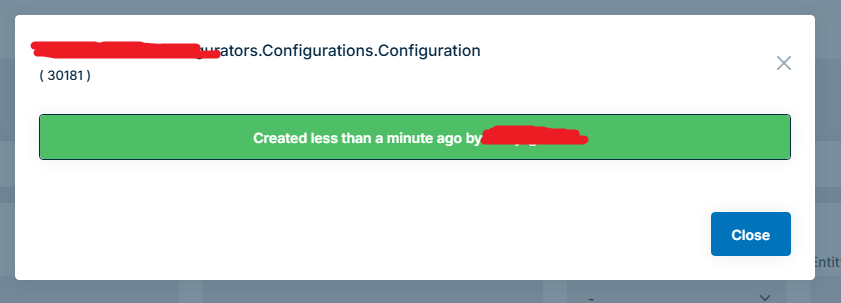
Nope, this does not help. Actually: how only the create (before the background job fires), the update is not visible in the audit log.
using (currentPrincipalAccessor.Change(newPrincipal))
{
    using (var uow = unitOfWorkManager.Begin(requiresNew: true))
    {
        using (var auditingScope = auditingManager.BeginScope())
        {
            configuration = await configurationRepository.GetAsync(Convert.ToInt64(args.ProjectInfo?.ConfigurationId));
            var advicefileTask = UploadFileAsync(new RemoteStreamContent(new MemoryStream(pdfAdviceResponseTask.Result), adviceFileName));
            var billOfMaterialsFileTask = UploadFileAsync(new RemoteStreamContent(new MemoryStream(pdfBillOfMaterialsResponseTask.Result), BillOfMaterialsFileName));
            var anchoringZonesFileTask = UploadFileAsync(new RemoteStreamContent(new MemoryStream(Encoding.UTF8.GetBytes(anchoringZonesSVGTask.Result)), L["DownloadAnchoringDrawing:Filename", args.Configurator.RoofLayoutInformation.TypeOfRoof.Value.ToString()]));
            var zonesFileTask = UploadFileAsync(new RemoteStreamContent(new MemoryStream(Encoding.UTF8.GetBytes(zonesSVGTask.Result)), L["DownloadZoneDrawing:Filename", args.Configurator.RoofLayoutInformation.TypeOfRoof.Value.ToString()]));
            Task.WaitAll(advicefileTask, billOfMaterialsFileTask, anchoringZonesFileTask, zonesFileTask);

            args.Context?.WriteLine($"Started configuring files to database...'");
            configuration.AdvicePDFId = advicefileTask.Result.Id;
            configuration.BillOfMaterialsPDFId = billOfMaterialsFileTask.Result.Id; // TODO: aanpassen naar billofmaterials
            configuration.AnchoringDrawingId = anchoringZonesFileTask.Result.Id;
            configuration.ZoneDrawingId = zonesFileTask.Result.Id;

            await configurationRepository.UpdateAsync(configuration);

            await auditingScope.SaveAsync();
            await uow.CompleteAsync();
        }
    }
}