I understand the problem... In my case, it's mainly about the modal control, which doesn't work. If at least that would work, I would be happy. I could live with the rest of the error messages. But without the modal control, of course the whole admin area doesn't work.
I think the Blazorise controls are the main problem. Can you address the need there as well?
There is already an issue there: https://github.com/Megabit/Blazorise/issues/5460
But which part of the code contains inline CSS? The one from ABP? The one from Blazorise? Because I have fixed everything in my code.
Have you been able to reproduce it with the ABP Suite template? What alternatives do I have if the customer insists on a secure CSP?
Sure... but it's the same as in the code above ;-)
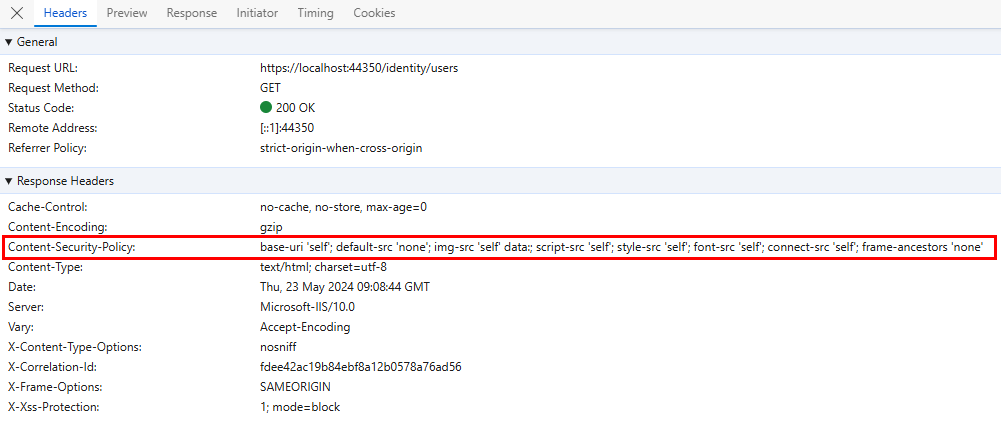
private void ConfigureSecurityHeaders()
{
    Configure<AbpSecurityHeadersOptions>(options =>
    {
        options.UseContentSecurityPolicyHeader = true;
        options.ContentSecurityPolicyValue = "base-uri 'self'; default-src 'none'; img-src 'self' data:; script-src 'self'; style-src 'self'; font-src 'self'; connect-src 'self'; frame-ancestors 'none'";
    });
}
Call it under ConfigureServices:
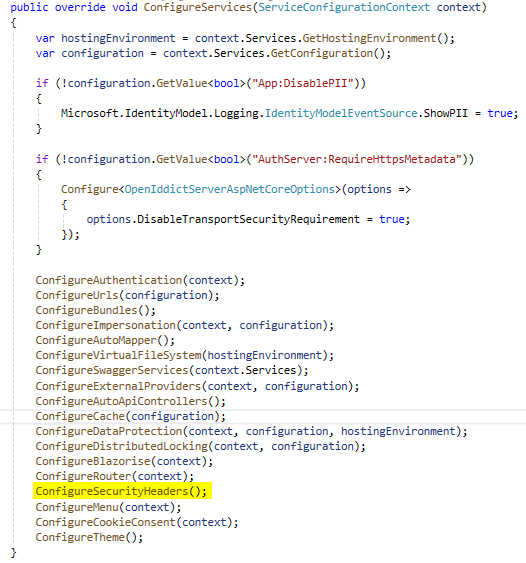
If necessary, the order in OnApplicationInitialization must be changed so that app.UseAbpSecurityHeaders() is called after app.UseRouting() (see https://github.com/abpframework/abp/issues/19653)
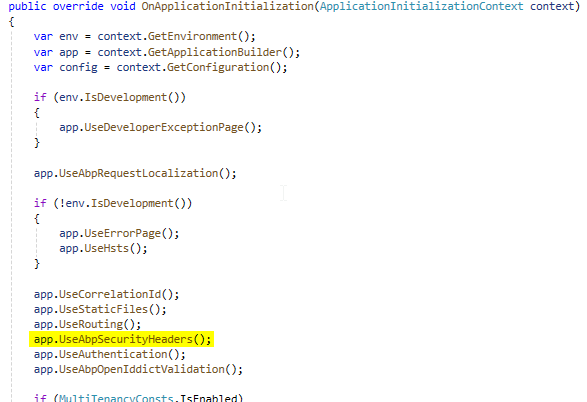
Testing... Open the console in the browser and open a modal dialog, for example.
Thanks for the hint and the link.
I have now implemented this as follows:
AppService method:
[AuthorizeWithOrCondition(MyProjectPermissions.TargetSystems.UserWrite, MyProjectPermissions.TargetSystems.AgentWrite)]
public virtual async Task CreateAsync(TargetSystemCreateDto input)
{
   ...
}
AuthorizeAttribute:
    public class AuthorizeWithOrConditionAttribute : AuthorizeAttribute,  IAuthorizationRequirementData
    {
        public string[] PermissionNames { get; }

        public AuthorizeWithOrConditionAttribute(params string[] permissionNames)
        {
            PermissionNames = permissionNames;
        }

        public IEnumerable<IAuthorizationRequirement> GetRequirements()
        {
            yield return new PermissionsRequirement(PermissionNames, requiresAll: false);
        }
    }
I would like the resources (localized strings) to have better names (keys). Or that they could be customized.
The problem is as follows: You often have the same property names in different entities. For example Name, Description, Remark, IsActive, ... But now you might want to call the "Name" property "Customer name" in the customer views and translate Name as "Company name" in the company views. This currently requires a lot of manual adjustments (or you have to be extremely careful when regenerating and make manual adjustments again).
I have adapted the templates accordingly so that this is generated according to the following scheme:
@L["Entity:%%entity-name%%:%%property-name%%"]"
This makes future updates of the templates very time-consuming for me ( this is why I asked for a better update option). Because there are about 28 templates that I had to modify. But a structured resource file was more important to me.
Possible solution: ...would be if you could also specify the resource key to be used for a property in the suite. As a default, you could use %%property-name%% as in the past, which would also ensure backwards compatibility. But you would have the option of overwriting this.
I have also given all common resources (generated by the suite) the prefix "Common" (e.g. @L["Common:Update"]). This allows me to sort the resource file and see immediately which strings have been generated and belong together. These strings are defined in Frontend.Blazor.Page.Partials.Localizations.txt.
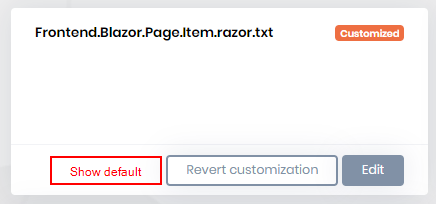
Because the templates are not yet perfect and sometimes contain errors, I had to customize them. When a new version is released, it is relatively time-consuming to find out whether I can switch back to the original template, whether I have to continue using my modified template or whether I should even perform a merge.
Several possible solutions come to mind:
The test classes are not generated correctly by the suite. Especially in the repository tests, the GetListAsync() methods are also called with the parameters that no longer appear in the method because "Filterable" has been deactivated.
I also have problems with a child entity that has navigation properties. The generated test classes of the navigation property entities require a DataSeedContributor of the child entity, but this class was not generated.
When I generate an entity several times in the ABP Suite, certain usings are added to the (extended) manager class each time (MyProject.Domain\Customers\CustomerManager.Extended.cs).
I believe these are the entities that contain enums and navigation properties (the namespace is added, regardless of whether it already exists).
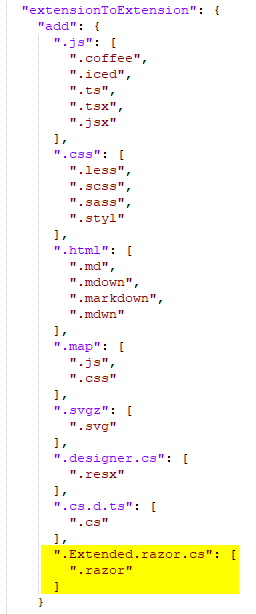
For a clean look of the extended classes in Blazor, an addition would have to be made in the .filenesting.json file (this is overwritten every time I generate something with ABP Suite...).
Add the following to the extensionToExtension section:
".Extended.razor.cs": [
    ".razor"
  ]