hi @Riley,
Our goal is to make the modules customizable with extension points and updatable without touching your business code. The balance between two are critical. Therefore any structural change on the razor page needs to be done within the module source-code. For example if you want to move an existing div into another one, you need the code. (I don't count making this via JavaScript).
But some cosmetic changes can be done via CSS. In the link I sent you, explains how to add your custom CSS to the login page. So you can overwrite the existing styles (with CSS !important attribute).
For your specific example;
By doing the below, you add your custom CSS.
@section styles{
    <abp-style src="/Pages/Account/login.css" />
}
But if you need radical changes, you need the source code. By the way this is the latest login.cshtml (v4.1.0)
Also see this document. It explains UI Customization https://docs.abp.io/en/abp/latest/UI/AspNetCore/Customization-User-Interface
For the Angular part @Mehmet can answer it.
there's a 500 errror which means this request is handled and couldn't be executed nicely. there must be the log for it.
if you have no time to wait for v4.2, you can download the source-code and customize according to your requirements. when we release v4.2 you can go return back to the original package and customize it in the recommended way.
There's a sample project show how to run Stored Procedures in ABP Framework.
I assigned @yekalkan to the issue. as far as I know, this has been fixed in the latest versions
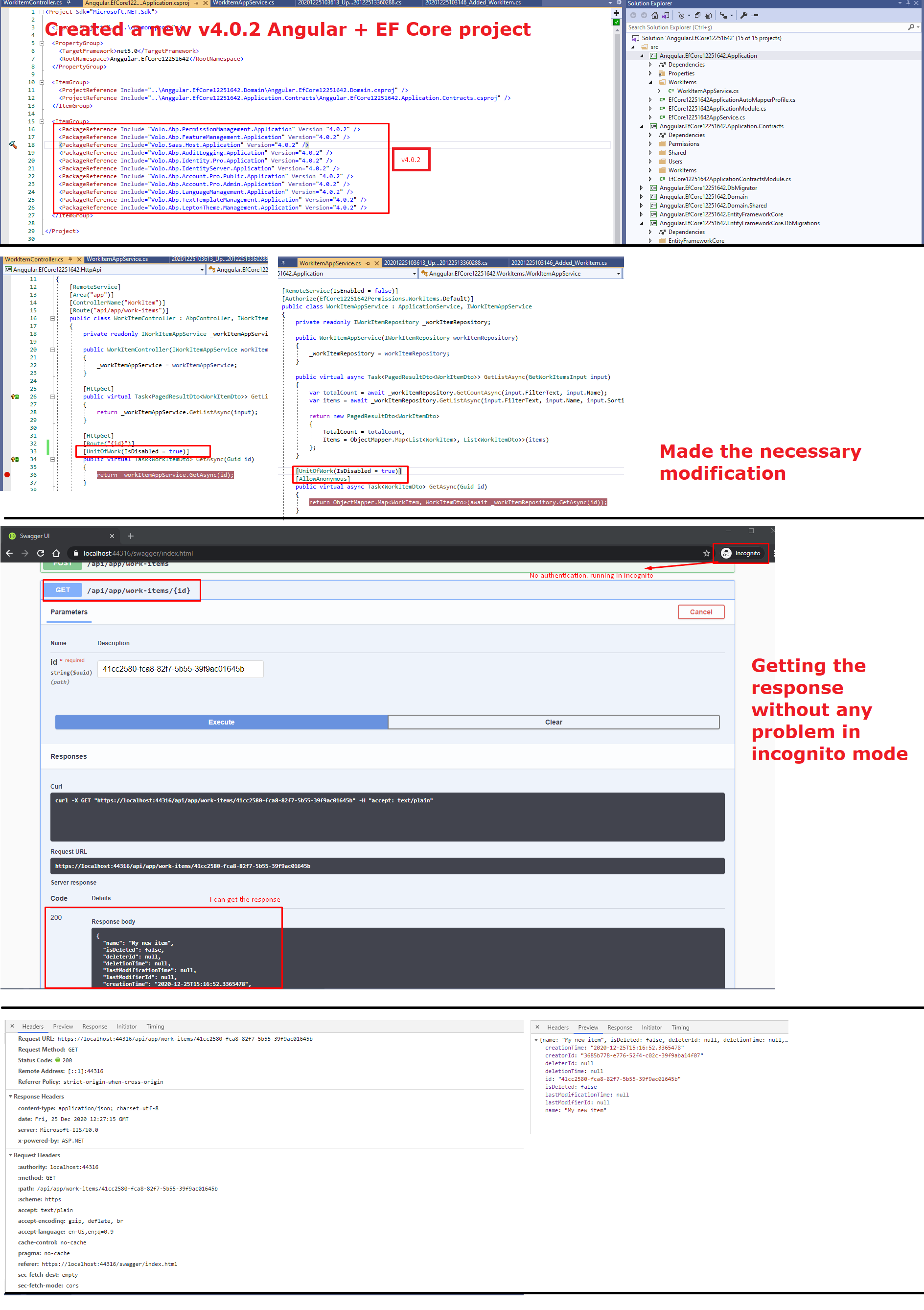
@jackmcelhinney sorry but I couldn't reproduce your problem. see my step by step test
@nhontran we couldn't reproduce it. is it possible to share a repro project with us send the link to info@abp.io with the question number.
now you have enough credits :)
is your ABP CLI and Suite 4.0.2?
Hi guys,
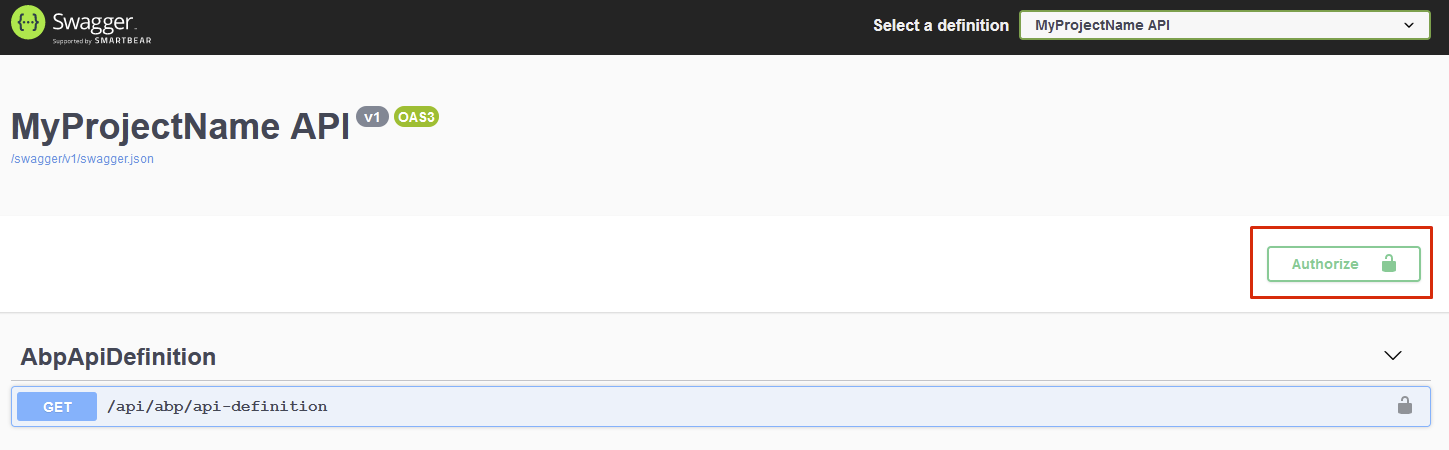
I see the Authorize button in the Host project's Swagger UI.
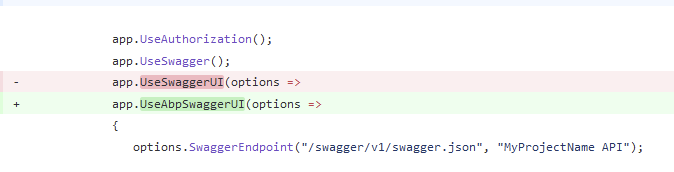
For your existing project you need to replace Swashbuckle package with Abp Swashbuckle.

Then use UseAbpSwaggerUI instead of ~~UseSwaggerUI~~ in your HttpApiHostModule.cs