There are several themes in an ABP project. I assume you are using the PRO version. In this version LeptonX is being used. First of all, download the source-code of LeptonX. You can use ABP Studio or CLI to download the source-code. Here's ABP CLI command to download the LeptonX complete source-code:
abp get-source Volo.Abp.LeptonXTheme
These are available ABP theme package names: Volo.Abp.LeptonTheme Volo.Abp.LeptonXTheme Volo.Abp.LeptonXLiteTheme
All the layouts are stored in the following folder of LeptonX project source-code:
lepton\aspnet-core\volo\src\Volo.Abp.AspNetCore.Mvc.UI.Theme.LeptonX\Themes\LeptonX\Layouts

You can copy a layout and paste it into your web project. The important part is the directory hierarchy must be the same to override the corresponding layout. For example if you want to override the default (master) page layout, you can find it in the lepton\aspnet-core\volo\src\Volo.Abp.AspNetCore.Mvc.UI.Theme.LeptonX\Themes\LeptonX\Layouts\Application\ folder. If you are using the navigation (main) menu on the left side, then your layout is SideMenuLayout.cshtml; if you are using the navigation (main) menu on the top, then you must copy the TopMenuLayout.cshtml file into your project. As long as the directory is the same, the original LeptonX layouts will be overridden! There is no need to set *.cshtml files as embedded resources! In the following picture, you can see which layout file affects which part:

You can also create your own layout completely different than the original theme and put it in any folder in your web project. To override your own custom page with your own layout, you need to add the following code to your razor page so that it'll use your custom layout, not the default LeptonX layout.
@{
    Layout = "/Themes/LeptonX/Layouts/MyCustomLayout.cshtml";
}

this topic is only for feature requests. we don't iterate a conversation here to keep this list clean and neat. could you please ask your request via email or within another question.
I'm reopening the issue. Let me know the recent status of this problem.
happy coding ;)
closing the ticket. if the problem still persists, you can reopen.
but that's not directly related to ABP. it's a certificate that your hosting uses. you can create a console app and create everytime it expires
is it still an active issue?
try generating a new certificate, this topic has been discussed at https://abp.io/support/questions/8266/Generating-CRUD-using-abp-suite-for-module#answer-3a163c11-d8c4-b919-6178-9901f37c352e
when we install abp framework with the command dotnet tool install -g Volo.Abp.Cli we get error
Tool 'volo.abp.cli' failed to update due to the following: The settings file in the tool's NuGet package is invalid: Settings file 'DotnetToolSettings.xml' was not found in the package. Tool 'volo.abp.cli' failed to install. Contact the tool author for assistance.
To enable file system logging on IIS, you need to grant write permission to the application folder.
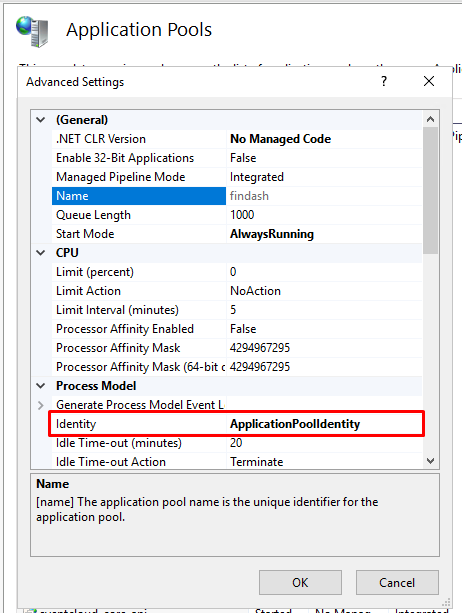
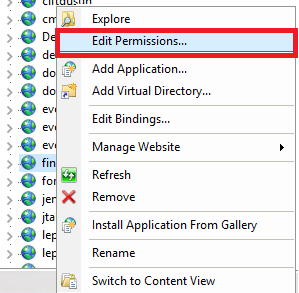
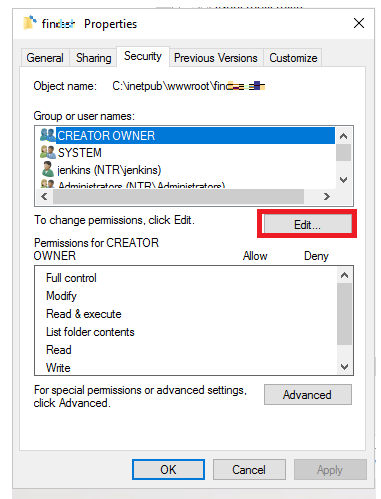
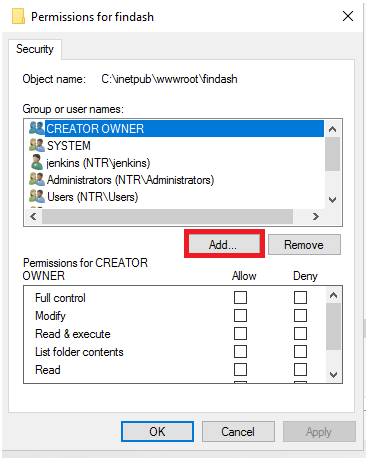
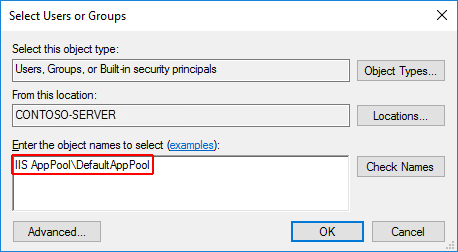
Alternatively, you can run the following command:
ICACLS C:\inetpub\wwwroot\mywebapp /grant "IIS AppPool\DefaultAppPool":F
Note: After applying this change, you need to restart the IIS application pool.









