So, what i can understand is the direct user can create only under Host. if the shared should work means always ceate user using invite link only other wise it will break the flow is it correct?
or form Host also the user should invite ?
if user A invites from Tenant A first time and the user A accepts the invitation then system will create 2 records one for HOST and one per Tenant is it correct ? the in HOST which role it will assign ?
[AI-Bot] said:
- With
TenantUserSharingStrategy.Shared, it is expected to see multiple rows inAbpUsersfor the same person (Host + each tenant). ABP keeps these rows synchronized automatically (it’s not a “single physical row shared by all tenants”). This design is required especially for scenarios like database-per-tenant, where a single shared row is not possible.- The record that should be treated as the primary (global) identity is the Host user (
TenantId = NULL). Security settings like 2FA are handled at the Host side, so 2FA works consistently even though there are replicated tenant rows.To enable and use Shared User Accounts correctly (and get the syncing behavior), do all of the following:
- Enable the strategy in your module (typically in
*.Domainor*.HttpApi.Hostmodule where you configure multi-tenancy):using Volo.Abp.MultiTenancy; Configure<AbpMultiTenancyOptions>(options => { options.IsEnabled = true; options.UserSharingStrategy = TenantUserSharingStrategy.Shared; });
Use the shared-user workflow to add a user to another tenant:
- Don’t “create the same user again” inside each tenant.
- Instead, from a tenant admin UI, invite the existing user to the tenant (Shared strategy is built around invitations/tenant membership).
- After acceptance, ABP creates/maintains the tenant-side replicated row and keeps it synced.
Update user profile data from the Host user account (TenantId=NULL)
- Since Host is the global identity, changes made there are what gets synchronized.
- If you edit user data in a tenant-specific context and it’s not syncing, you’re likely updating the tenant replica in a way that bypasses the shared-user synchronization flow.
If you migrated an existing database (created users before switching), clean up duplicates created the “isolated way”
- If the same email/username was created as separate users per tenant before enabling Shared, you must resolve/merge those accounts; otherwise you’ll keep seeing “independent” users that won’t magically unify.
More details and the intended behavior/workflow are described here:
- https://abp.io/docs/10.6/modules/account/shared-user-accounts
- https://abp.io/community/articles/mf3bkg79
- https://abp.io/docs/latest/framework/architecture/multi-tenancy
This response was generated by AI. If it didn’t solve your problem, feel free to post a new answer — our support team will jump in to help you soon.
Means always the user should create under Host first? but as user after login and switch to Tenant user may update the information from MyAccount page of that tenant? how it will sync to all records?
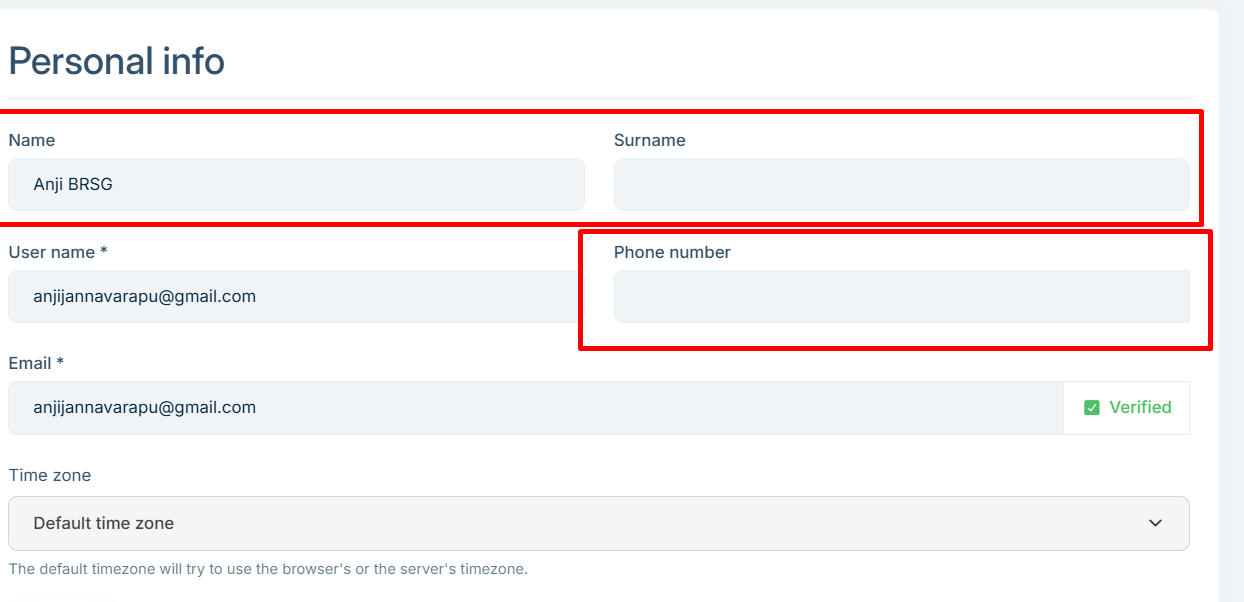
and from My account page can add/update phone number then if different numbers from each tenant to which number the code will send ?
Hi,
We created new application with --template app-pro --v 10.6.1. and enabled the options.UserSharingStrategy = TenantUserSharingStrategy.Shared;
but still user accounts are creating for each tenant in users table. and if i update the name or surname, Phone etc from one tenant it's not updating for all.
if each record have different record how 2FZ will work? is we are missing anything?

can you help to how we can enable this TenantUserSharingStrategy.Shared;