






Hi,
We created new application with --template app-pro --v 10.6.1. and enabled the options.UserSharingStrategy = TenantUserSharingStrategy.Shared;
but still user accounts are creating for each tenant in users table. and if i update the name or surname, Phone etc from one tenant it's not updating for all.
if each record have different record how 2FZ will work? is we are missing anything?

can you help to how we can enable this TenantUserSharingStrategy.Shared;
25 Answer(s)
-
0
- With
TenantUserSharingStrategy.Shared, it is expected to see multiple rows inAbpUsersfor the same person (Host + each tenant). ABP keeps these rows synchronized automatically (it’s not a “single physical row shared by all tenants”). This design is required especially for scenarios like database-per-tenant, where a single shared row is not possible. - The record that should be treated as the primary (global) identity is the Host user (
TenantId = NULL). Security settings like 2FA are handled at the Host side, so 2FA works consistently even though there are replicated tenant rows.
To enable and use Shared User Accounts correctly (and get the syncing behavior), do all of the following:
- Enable the strategy in your module (typically in
*.Domainor*.HttpApi.Hostmodule where you configure multi-tenancy):
using Volo.Abp.MultiTenancy;

Configure<AbpMultiTenancyOptions>(options =>
{
    options.IsEnabled = true;
    options.UserSharingStrategy = TenantUserSharingStrategy.Shared;
});
Use the shared-user workflow to add a user to another tenant:
- Don’t “create the same user again” inside each tenant.
- Instead, from a tenant admin UI, invite the existing user to the tenant (Shared strategy is built around invitations/tenant membership).
- After acceptance, ABP creates/maintains the tenant-side replicated row and keeps it synced.
Update user profile data from the Host user account (TenantId=NULL)
- Since Host is the global identity, changes made there are what gets synchronized.
- If you edit user data in a tenant-specific context and it’s not syncing, you’re likely updating the tenant replica in a way that bypasses the shared-user synchronization flow.
If you migrated an existing database (created users before switching), clean up duplicates created the “isolated way”
- If the same email/username was created as separate users per tenant before enabling Shared, you must resolve/merge those accounts; otherwise you’ll keep seeing “independent” users that won’t magically unify.
More details and the intended behavior/workflow are described here:
- https://abp.io/docs/10.6/modules/account/shared-user-accounts
- https://abp.io/community/articles/mf3bkg79
- https://abp.io/docs/latest/framework/architecture/multi-tenancy
This response was generated by AI. If it didn’t solve your problem, feel free to post a new answer — our support team will jump in to help you soon.
Markdown supported.Copy, paste, or drag & drop images and files (max 100 MB per file, 100 MB total per post) - With
-
0
[AI-Bot] said:
- With
TenantUserSharingStrategy.Shared, it is expected to see multiple rows inAbpUsersfor the same person (Host + each tenant). ABP keeps these rows synchronized automatically (it’s not a “single physical row shared by all tenants”). This design is required especially for scenarios like database-per-tenant, where a single shared row is not possible. - The record that should be treated as the primary (global) identity is the Host user (
TenantId = NULL). Security settings like 2FA are handled at the Host side, so 2FA works consistently even though there are replicated tenant rows.
To enable and use Shared User Accounts correctly (and get the syncing behavior), do all of the following:
- Enable the strategy in your module (typically in
*.Domainor*.HttpApi.Hostmodule where you configure multi-tenancy):
using Volo.Abp.MultiTenancy;

Configure<AbpMultiTenancyOptions>(options =>
{
    options.IsEnabled = true;
    options.UserSharingStrategy = TenantUserSharingStrategy.Shared;
});
Use the shared-user workflow to add a user to another tenant:
- Don’t “create the same user again” inside each tenant.
- Instead, from a tenant admin UI, invite the existing user to the tenant (Shared strategy is built around invitations/tenant membership).
- After acceptance, ABP creates/maintains the tenant-side replicated row and keeps it synced.
Update user profile data from the Host user account (TenantId=NULL)
- Since Host is the global identity, changes made there are what gets synchronized.
- If you edit user data in a tenant-specific context and it’s not syncing, you’re likely updating the tenant replica in a way that bypasses the shared-user synchronization flow.
If you migrated an existing database (created users before switching), clean up duplicates created the “isolated way”
- If the same email/username was created as separate users per tenant before enabling Shared, you must resolve/merge those accounts; otherwise you’ll keep seeing “independent” users that won’t magically unify.
More details and the intended behavior/workflow are described here:
- https://abp.io/docs/10.6/modules/account/shared-user-accounts
- https://abp.io/community/articles/mf3bkg79
- https://abp.io/docs/latest/framework/architecture/multi-tenancy
This response was generated by AI. If it didn’t solve your problem, feel free to post a new answer — our support team will jump in to help you soon.
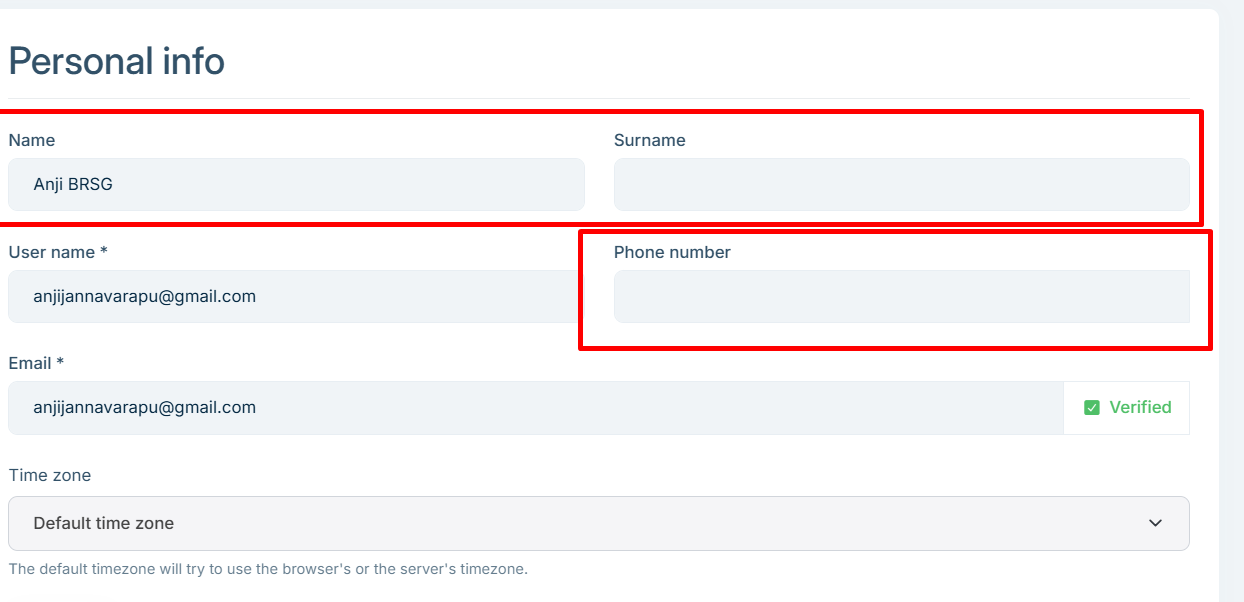
Means always the user should create under Host first? but as user after login and switch to Tenant user may update the information from MyAccount page of that tenant? how it will sync to all records?
and from My account page can add/update phone number then if different numbers from each tenant to which number the code will send ?
 Markdown supported.Copy, paste, or drag & drop images and files (max 100 MB per file, 100 MB total per post)
 - With
-
0
No, users do not have to be created under Host first.
- In Shared User Accounts, the identity is global and ABP may create/keep a host-side record as the “main” identity record even if the user first arrives via an invitation + registration flow.
- The intended way is: create tenant → invite user (email) → user accepts (registers if needed) → user becomes member of that tenant.
About My Account updates and syncing:
- In Shared mode, ABP’s model is “one global identity + per-tenant working context”.
- Security-related settings (including 2FA) are handled at the Host level (global identity).
- Practically, you should treat “profile/security” data as global, not tenant-specific. If you allow users to edit
Name/Surname/Phoneinside a tenant UI, it should still end up updating the global identity (host) and then replicate/sync. - If you observe that updating from a tenant’s MyAccount page changes only that tenant row and does not propagate, that typically means you’re not actually using the shared-user invitation/membership flow (or you have pre-existing duplicated isolated users from before switching). In that case, ABP considers them different users, so there is nothing to sync.
About phone number and 2FA code destination:
- Because 2FA is managed at Host level, there should be one effective phone number / 2FA setup for the user (global identity).
- If you end up with “different phone numbers per tenant row”, you’re in an inconsistent state for Shared Accounts; ABP’s design expectation is that security data is global, so the code should be sent using the global (host) identity’s configured provider/phone.
- So the correct answer to “if different numbers exist, which one receives the code?” is: it should be the host/global one. If your database shows different values, that indicates those rows are not being treated as a single shared identity (or they were created as separate users previously).
What you should do to get the correct behavior end-to-end:
- Keep
TenantUserSharingStrategy.Sharedenabled (you already did). - Stop creating “same email/username” users separately inside each tenant.
- Use Invite User to bring the same person into multiple tenants.
- If you already have duplicated “isolated” users (same email created separately per tenant before Shared), you must clean/merge them; they won’t auto-sync because they were never the same shared identity in the first place.
- Keep
Links (validated):
- https://abp.io/docs/10.6/modules/account/shared-user-accounts
- https://abp.io/docs/latest/modules/account/shared-user-accounts
- https://abp.io/community/articles/mf3bkg79
- https://abp.io/docs/latest/framework/architecture/multi-tenancy
- https://abp.io/docs/latest/modules/identity/two-factor-authentication
This response was generated by AI. If it didn’t solve your problem, feel free to post a new answer — our support team will jump in to help you soon.
Markdown supported.Copy, paste, or drag & drop images and files (max 100 MB per file, 100 MB total per post) -
0
So, what i can understand is the direct user can create only under Host. if the shared should work means always ceate user using invite link only other wise it will break the flow is it correct?
or form Host also the user should invite ?
if user A invites from Tenant A first time and the user A accepts the invitation then system will create 2 records one for HOST and one per Tenant is it correct ? the in HOST which role it will assign ?
Markdown supported.Copy, paste, or drag & drop images and files (max 100 MB per file, 100 MB total per post) -
0
Yes: with
TenantUserSharingStrategy.Shared, the intended way to associate a user with a tenant is the invitation flow (invite → accept). If you “create the same user again” inside each tenant like in isolated mode, you end up with separate identities and you will “break” the shared-account model (no global identity to synchronize).It’s not that a user must be created under Host manually. In Shared mode, the system is designed so that users are global, and tenants are workspaces a user joins. The normal onboarding is:
- Create tenant
- Invite a user to that tenant (you can pre-assign tenant roles in the invite)
- User accepts (if user doesn’t exist yet, they register during acceptance)
When a user is invited from Tenant A for the first time and they don’t already have an account, after they accept/register ABP will (conceptually) create:
- a global/host-side identity record (the “main” identity; security like 2FA is managed at host level)
- and a tenant association/replica for Tenant A
So seeing more than one row is expected in Shared mode.
What role is assigned in Host?
- None by default. Roles are per tenant, and the invitation UI lets the inviter pre-assign tenant roles so the user has permissions in that tenant immediately.
- The user is not automatically a “host admin” or given host roles just because they joined a tenant.
Validated references:
- https://abp.io/docs/10.6/modules/account/shared-user-accounts
- https://abp.io/community/articles/mf3bkg79
This response was generated by AI. If it didn’t solve your problem, feel free to post a new answer — our support team will jump in to help you soon.
Markdown supported.Copy, paste, or drag & drop images and files (max 100 MB per file, 100 MB total per post) -
0
i invited the user anjijannavarapu@gmail.com from Tenant first time but the account created under HOST. is am missing anything
and if i create User B in HOST first then form Tenant A if invite same user B it will sync as shared users ?
Markdown supported.Copy, paste, or drag & drop images and files (max 100 MB per file, 100 MB total per post) -
0
If you invited
anjijannavarapu@gmail.comfrom a tenant and after accepting the invitation you see the account created under HOST (TenantId = NULL), that is expected in Shared User Accounts.- In Shared mode, login/identity is global and handled on the Host side, so ABP keeps a host-side identity record (this is also where global security settings like 2FA live).
- Then the user is associated with the inviting tenant (so they can access that tenant, get tenant roles, etc.).
Yes: if you create User B in HOST first, then from Tenant A you invite the same User B (same email), it will work as shared user accounts:
- the user keeps one global identity,
- and gains membership/access in Tenant A via the invitation acceptance,
- then they can switch tenants (if they belong to multiple tenants).
You are not “missing anything” just because it appears in HOST. That’s the design.
Validated references:
- https://abp.io/docs/10.6/modules/account/shared-user-accounts
- https://abp.io/community/articles/mf3bkg79
This response was generated by AI. If it didn’t solve your problem, feel free to post a new answer — our support team will jump in to help you soon.
Markdown supported.Copy, paste, or drag & drop images and files (max 100 MB per file, 100 MB total per post) -
0
No somthing worng, just know i invited user from Tenant A, i recvied email it asked for register and accept i did it.
but user created only under Tenant not created under hots as global record
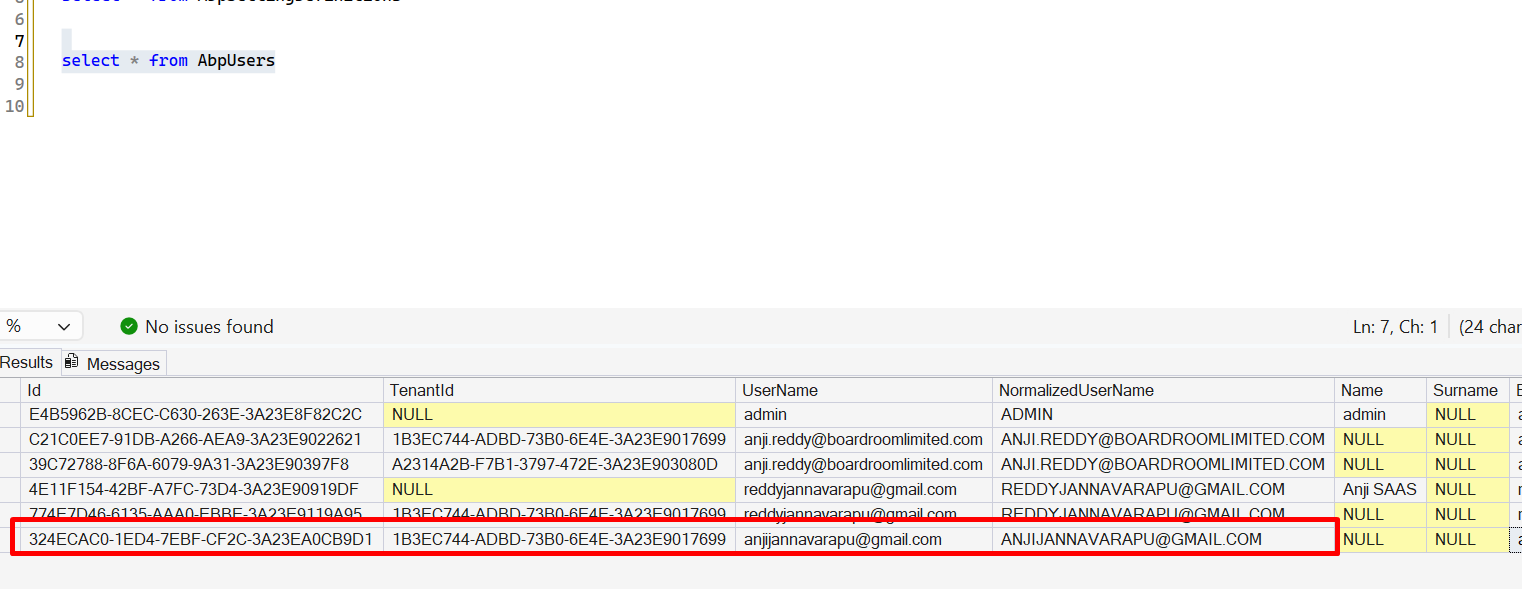
see the screenshots
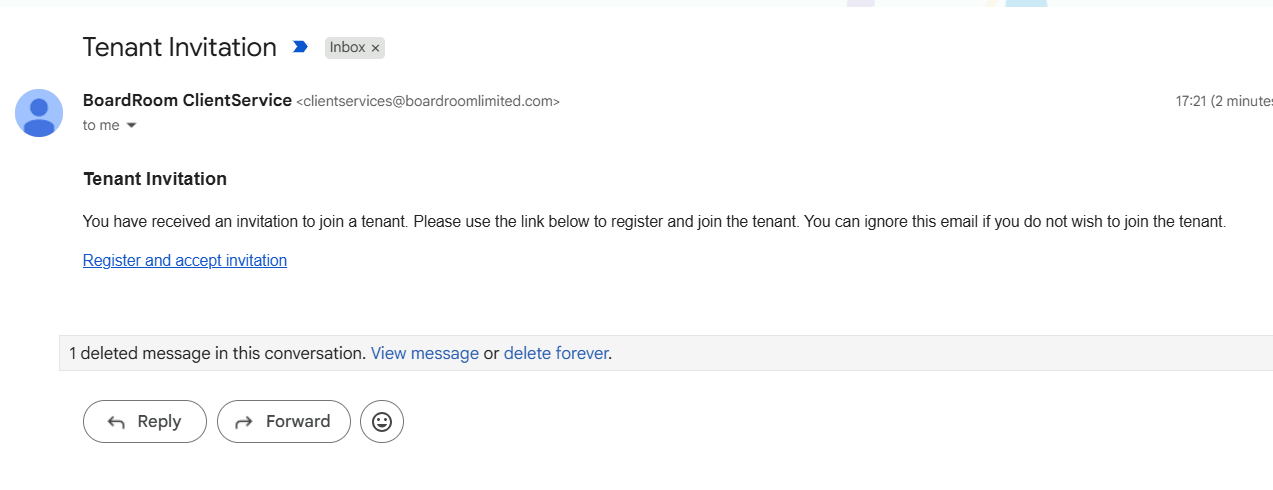
how it work then as shared ?
Markdown supported.Copy, paste, or drag & drop images and files (max 100 MB per file, 100 MB total per post) -
0
- What you’re seeing (only a tenant row, no
TenantId = NULLrow for that email) can happen depending on where you are checking and how you registered:- In Shared User Accounts, a user can be in a “pending”/no-tenant-membership state and is not a Host user by default when registering normally.
- ABP explicitly states: “When a user registers a new account, the user is not a member of any tenant by default (and is not a Host user).” Then
AbpIdentityPendingTenantUserOptions.Strategydecides what happens next. This is part of the Shared User Accounts design.
So, the correct interpretation is:
Shared mode does not mean “every user must have a Host(tenantId=NULL) record immediately after registration.”
- A newly registered user is not automatically a Host user.
- The system decides what to do with new users via
AbpIdentityPendingTenantUserOptions.Strategy(CreateTenant / Redirect / Inform).
How does it work as “shared” then?
- “Shared” means one global identity that can join multiple tenants and switch between them.
- The primary mechanism is still: invite → accept → user becomes member of that tenant, and then ABP can show tenant selection/switching when the user belongs to multiple tenants.
Why you might not see the Host row
- If you are using a separate database for the host vs tenant, then the host’s
AbpUsersis in the host DB, and tenantAbpUsersis in the tenant DB. If you runselect * from AbpUsersonly on the tenant DB, you will never see the host record. - Even in a single shared DB, the “not a Host user by default” rule means you shouldn’t assume there must always be a
TenantId=NULLrow right after registration.
- If you are using a separate database for the host vs tenant, then the host’s
What you should do to validate shared behavior (deterministic check)
- Invite the same email to Tenant A and Tenant B (using the invite UI).
- After the user accepts both, the user should be able to switch tenants (tenant selection on login or tenant switcher in UI). That’s the functional proof that Shared mode is working.
Links (validated):
- https://abp.io/docs/10.6/modules/account/shared-user-accounts
- https://abp.io/docs/latest/modules/account/shared-user-accounts
- https://abp.io/community/articles/mf3bkg79
This response was generated by AI. If it didn’t solve your problem, feel free to post a new answer — our support team will jump in to help you soon.
Markdown supported.Copy, paste, or drag & drop images and files (max 100 MB per file, 100 MB total per post) - What you’re seeing (only a tenant row, no
-
0
am using same shared database for all HOST and Tenant.
i invited same user form other Tenant B
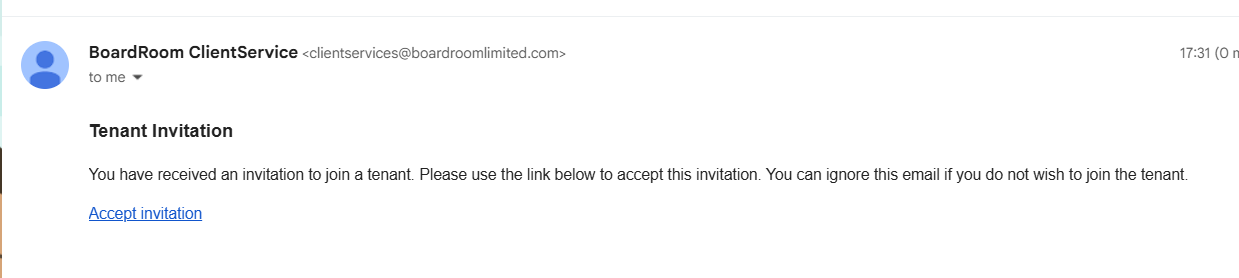
and i accepted and trying to login it showing the Switch
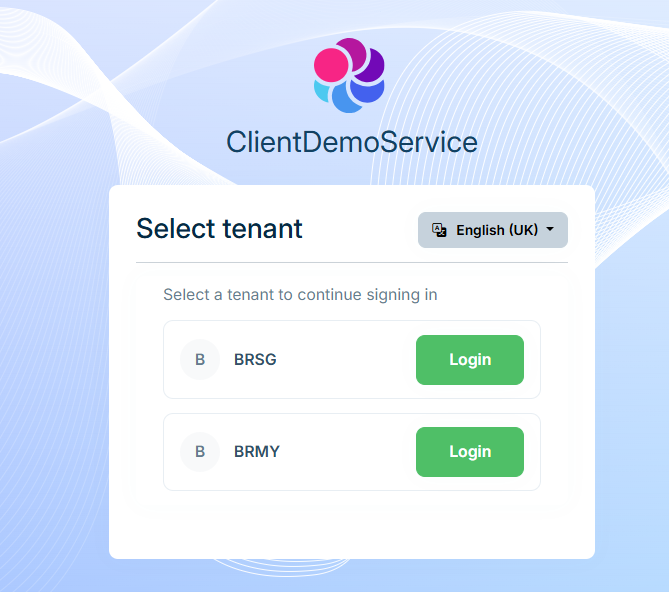
now from one of Tenant using my account page i updated the name, it synced for both records
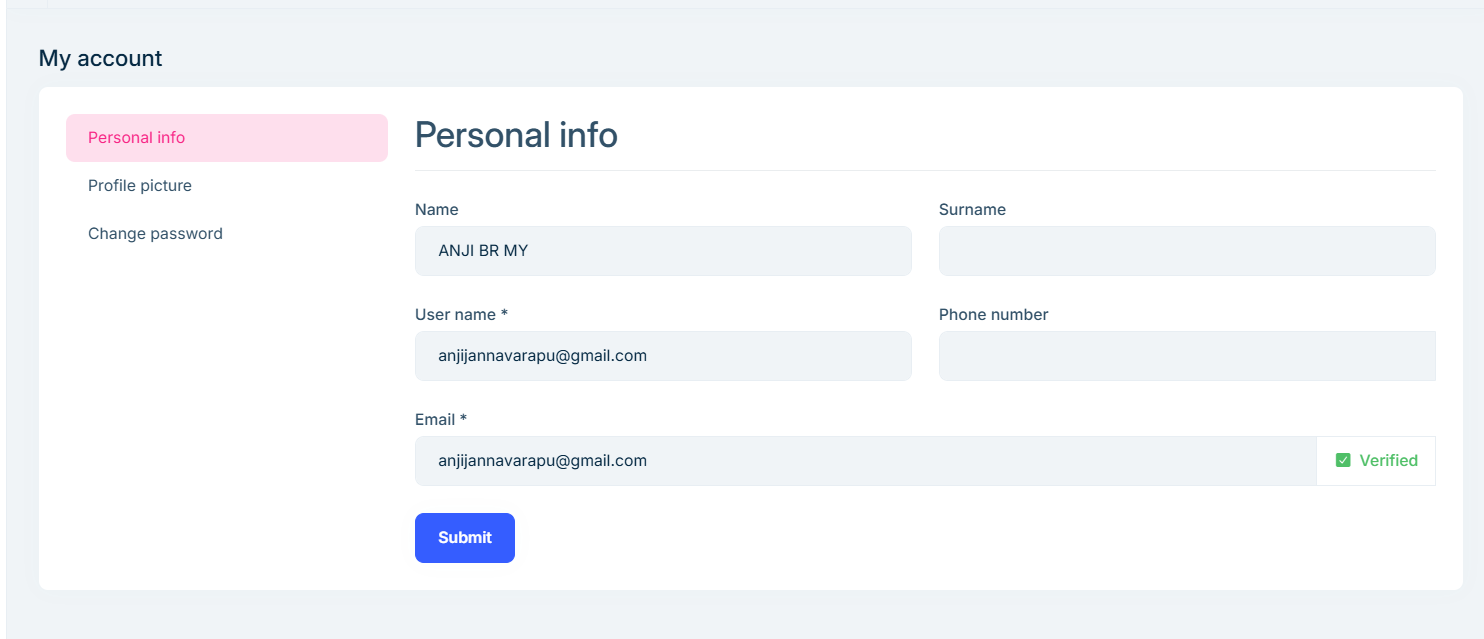
and i update Phone number same not synced
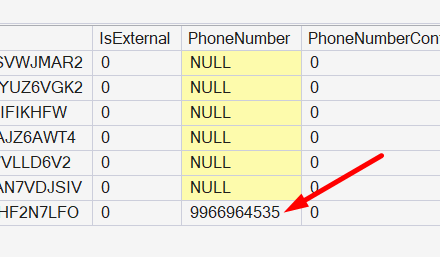
then how it will share the information? and now how can i enable 2FA for these users
Markdown supported.Copy, paste, or drag & drop images and files (max 100 MB per file, 100 MB total per post) -
0
- In Shared User Accounts, ABP treats security-related settings as Host-managed (global identity). That includes 2FA-related behavior. This is explicitly stated in the shared user accounts article: security-related settings are managed at the Host level.
- What you’re observing (Name syncing but Phone not syncing) means: some profile fields are synchronized across tenant user records, but Phone is not being synchronized by the shared-user sync mechanism in your scenario/version/flow. So you should not rely on tenant-to-tenant replication of
PhoneNumberinAbpUsersfor 2FA.
How information is “shared” then?
- The “sharing” is primarily about one login identity across multiple tenants + tenant selection/switching + global uniqueness (email/username).
- Some profile fields (like
Name) can be propagated, but don’t assume every column inAbpUsersis replicated.
What this implies for phone number (and SMS 2FA)
- You should treat PhoneNumber as a global security attribute.
- If you need a single phone number for 2FA, enforce that users manage phone number in the global/host identity context (or customize My Account so that phone updates are written to the global record and then optionally copied).
How to enable 2FA for these users
Ensure your app is configured to use ABP Identity 2FA features (providers etc.). ABP’s official 2FA guidance is here (covers enabling and configuration):
- https://abp.io/docs/latest/modules/identity/two-factor-authentication
Make sure users configure 2FA from the account UI (typically “My Account” / security settings). In Shared strategy, since 2FA is Host-managed, you should ensure the 2FA setup flow is executed against the global identity.
If you specifically want SMS 2FA:
- You must ensure the global phone number is set/verified for the user (and that your SMS sender is configured).
- Given your observation that phone isn’t syncing, the safest approach is:
- store/update phone only once globally (not per-tenant),
- or customize the profile update endpoint/UI so that changing phone in any tenant updates the global identity’s phone number.
Sources (validated)
- https://abp.io/community/articles/mf3bkg79 (states security-related settings are managed at Host level in Shared User Accounts)
- https://abp.io/docs/10.6/modules/account/shared-user-accounts
- https://abp.io/docs/latest/modules/identity/two-factor-authentication
This response was generated by AI. If it didn’t solve your problem, feel free to post a new answer — our support team will jump in to help you soon.
Markdown supported.Copy, paste, or drag & drop images and files (max 100 MB per file, 100 MB total per post) -
0
but how we cna control it, since users can update phone number from My Account Page?
not only phone number the name, surname also nut synced.
and to maintain at global level the user account not created under HOST ? how to maintain then
Markdown supported.Copy, paste, or drag & drop images and files (max 100 MB per file, 100 MB total per post) -
0
- In Shared User Accounts, ABP’s guarantee is mainly:
- One login identity can belong to multiple tenants (tenant selection / switching)
- Global uniqueness for username/email
- Security-related settings (including 2FA) are managed at the Host level (global identity)
It does not mean every profile column in
AbpUserswill always be synced across tenant rows.1) How can you “control it” if users can edit Phone/Name/Surname from My Account?
You have two choices:
A. Enforce “global profile” behavior (recommended for Shared accounts)
- Treat fields like PhoneNumber / Name / Surname as global identity data.
- Customize/replace the My Account “Personal info” update endpoint so it updates the global identity record (host-managed identity) rather than letting each tenant row diverge.
In ABP, this is typically done by replacing the profile application service that My Account uses (the endpoint behind that page) and redirecting writes to the “global” user record (or ensuring ABP’s shared-user manager is used for the update).
B. Disable those fields in tenant UI
- If you don’t want to implement global-write logic, hide/disable the editable phone/name/surname inputs on tenant-side My Account and only allow editing from a single place (a “global profile” page you control).
2) Why are Phone/Name/Surname not synced consistently?
Based on your test, some fields synced once (name) but phone didn’t. ABP documentation confirms the critical part: security-related settings are host-managed, but it does not promise that every
AbpUsersfield (likePhoneNumber) is always replicated tenant-to-tenant.So you should design as:
- 2FA phone number = global
- If you let tenants edit phone independently, you’ll get conflicts.
3) “Global level” if there is no Host user row?
ABP Shared User Accounts introduces a “pending / global” concept: a user may exist without being a “Host user” in the sense you expect (this is explained in the shared accounts article: newly registered users are not necessarily a Host user or member of any tenant by default). So instead of relying on “there must be a
TenantId=NULLrow”, rely on ABP’s Shared Accounts flow and the fact that 2FA/security is evaluated at the host-managed identity side.Practically, for your application you should:
- ensure the user sets up 2FA from the shared identity flow,
- and ensure the phone number used for 2FA is set in the place ABP expects (host-managed/global identity context).
4) How to enable 2FA for these users
Use ABP’s Identity 2FA feature (providers/config etc.) and enable it via the account/identity UI/flow as documented here:
- https://abp.io/docs/latest/modules/identity/two-factor-authentication
References
- https://abp.io/docs/10.6/modules/account/shared-user-accounts
- https://abp.io/community/articles/mf3bkg79
- https://abp.io/docs/latest/modules/identity/two-factor-authentication
This response was generated by AI. If it didn’t solve your problem, feel free to post a new answer — our support team will jump in to help you soon.
Markdown supported.Copy, paste, or drag & drop images and files (max 100 MB per file, 100 MB total per post) - In Shared User Accounts, ABP’s guarantee is mainly:
-
0
In your initial answer you told that the HOST will create. but now you are asking to customize.
how it will really work? and never synced the data
Markdown supported.Copy, paste, or drag & drop images and files (max 100 MB per file, 100 MB total per post) -
0
Hi,
Nothing is missing in your configuration, and you don't need any customization. Here is how Shared user accounts work in 10.6.
A shared account has one row for each tenant it has joined, plus a host row (
TenantId = NULL) if the user is also a host user. It is still one account: the same username, email and password work everywhere, and the user selects the tenant at login.Only the username, email and password are synchronized between these rows. Name, surname, phone number and the other profile fields are kept per tenant by design, so a user can have a different profile in each tenant. When a user joins a tenant, the new row starts with an empty name and surname, that's why you see
NULLthere.The host row is the global record of the account. A user who was only invited to tenants has no host row. To keep a user at the global level, create the user on the host first and then invite them to the tenants. For a user who is already in tenants, open the Users page while you are signed in to the host and use "Invite user" with the same email. The user only needs to accept the invitation, there is no new registration.
About 2FA:
2FA is handled on the host side and uses the host row. The 2FA check runs once during login, before the user selects a tenant, and the code is sent to the email or the verified phone number of the host row. A phone number changed on the My account page inside a tenant only changes that tenant's profile, it isn't used for 2FA. To change the phone number used for 2FA, the user selects Host at login, then updates and verifies it on the My account page. We'll look into keeping the phone number in sync between these rows.
When the user has a host row:
- The user can enable 2FA on the My account page after selecting Host at login.
- The host admin can enable 2FA for the user on the host Users page.
- The host 2FA settings, for example forcing 2FA, apply to this user.
Tenant admins can't enable or disable 2FA for a user, and the host 2FA settings don't apply to users who have no host row.
About your other questions:
- Both the host admin and tenant admins can create new users directly. A user created in a tenant belongs only to that tenant.
- To add an existing account to another tenant, use "Invite user" in that tenant. Creating the same user again fails, because the username and email are unique across the host and all tenants.
- When a new user accepts an invitation from Tenant A, the account is created in Tenant A only, with the roles you selected in the invite dialog. No host row is created.
- If you create user B on the host first and then invite the same email from Tenant A, user B only needs to accept the invitation. After that, user B can sign in and choose Host or Tenant A.
You can find more details here: https://abp.io/docs/10.6/modules/account/shared-user-accounts
Thanks
Markdown supported.Copy, paste, or drag & drop images and files (max 100 MB per file, 100 MB total per post) -
0
Hi maliming,
so for now, it is best to create a user first in HOST without any role to maintain global record then Invite from Tenants to maintain the global record other wise system can not handle the global settings like 2FA.
or else even first invite form Tenant and should create same account from HOST to maintain the global record, but system will not allow to create with same email id as already there in Tenant then have invite user to create global record for HOST.
is my understanding correct ?
when we can except the updated solution for syncing all data to maintain really shared user ?
Markdown supported.Copy, paste, or drag & drop images and files (max 100 MB per file, 100 MB total per post) -
0
Hi,
Yes, both points are correct.
- If you create the user on the host first (no roles needed) and then invite them from the tenants, the account has a host row, so 2FA and the host 2FA settings work for it.
- If the user was invited from a tenant first, creating the same email on the host fails because the email is already taken. Use "Invite user" on the host Users page instead, the user only needs to accept it.
About syncing: only the username, email and password are synchronized. Keeping the name and surname per tenant is by design, so we don't plan to sync all fields. We'll look into the phone number and the 2FA handling for accounts without a host row. I can't give you a date yet, we'll update this ticket when there is news.
Thanks
Markdown supported.Copy, paste, or drag & drop images and files (max 100 MB per file, 100 MB total per post) -
0
Hi,
for my all existing Tenant users instated of sending the Invitations to add in HOST, can i create direct user records for HOST in database?
it will work from there as shred right ?
Thanks
Markdown supported.Copy, paste, or drag & drop images and files (max 100 MB per file, 100 MB total per post) -
0
Hi,
Technically it works. A host row with the same username, email and password hash as the tenant rows is treated as the same shared account. The user shows up on the host Users page, can select Host at login, the host 2FA settings apply to them, and password changes stay in sync.
But we don't recommend inserting the rows in the database directly. Use invitations instead, then the application creates the host row for you with the right values.
If you still decide to do it, make sure you back up your data first. Copy the username, email (including the normalized columns) and password hash from the tenant row, set
TenantIdtoNULL, and give the new row its ownId,SecurityStampandConcurrencyStamp.The new host rows have no phone number. Users can add and verify it on the My account page after selecting Host at login.
Thanks
Markdown supported.Copy, paste, or drag & drop images and files (max 100 MB per file, 100 MB total per post) -
0
Hi,
only tedious is that to work with shared model, every user almost have to choose while login either HOST and Tenant, even user don't have any access at HOST side.
is this ideal? but with out creating HOST record we can not deal with 2FA settings.
is this correct?
Markdown supported.Copy, paste, or drag & drop images and files (max 100 MB per file, 100 MB total per post) -
0
Hi,
Yes, that's correct for the current version. A host record makes the user a host member, so Host shows up in the tenant list at login. Without a host record, the host 2FA settings don't apply to that user.
We know this isn't ideal, and we're looking into improving it.
Thanks
Markdown supported.Copy, paste, or drag & drop images and files (max 100 MB per file, 100 MB total per post) -
0
Hi maliming,
final conformation,
Aser A created in HOST. and Invited from Tenant A, Tenant B and Tenant C. User A have all 4 places access with different roles permissions by Tenant.
since Tenant Admin have an option to set password for User A, if Tenant B changes the password for User A is it will update in all other Tenants and HOST to sync the password ?
can you confirm?
Markdown supported.Copy, paste, or drag & drop images and files (max 100 MB per file, 100 MB total per post) -
0
Hi,
No, it isn't synced. When a tenant admin sets the password on the Users page, only that tenant's record changes. The host record and the other tenants keep the old password.
Since the user signs in with the host record, the new password won't work at login, and the old one still does. The same happens when a host admin sets the password: only the host record changes.
The only way that syncs today is when the user changes the password on the My account page. That updates the host record and all tenant records. I need to correct my earlier answer here: "password changes stay in sync" is only true for this case.
We'll improve the scenarios you ran into as soon as possible.
Thanks
Markdown supported.Copy, paste, or drag & drop images and files (max 100 MB per file, 100 MB total per post) -
0
Hi,
Noted. but for user My Account page can be open all the 4 places, HOST and Tenants.
so in any where he changes the password from My Account page it will update in all 4 places right ?
if he is in Tenant C and them go to My account and changed the password then it will synced to all places. is my understanding correct? no issue next time login since first time login it always checking in HOST record.
but still Name and surname will not sync even from MY account page.
Markdown supported.Copy, paste, or drag & drop images and files (max 100 MB per file, 100 MB total per post) -
0
Hi,
If the user changes the password on the My account page, on the host or in any tenant, the new password is synced to all four records. So changing it in Tenant C also updates the host, Tenant A and Tenant B. Your account has a host record, so the next login checks the password against it and the new password works.
The "current password" on that page is checked against the record you are signed in to. In Tenant C, it's the Tenant C password. If a tenant admin set a different password there before, enter that one. After the change, all four records have the same password again.
Name, surname and phone number aren't synced, even from My account. They're kept separately for the host and each tenant. Only the username, email and password are shared.
Thanks
Markdown supported.Copy, paste, or drag & drop images and files (max 100 MB per file, 100 MB total per post)



