Activities of "berkansasmaz"

Yes, this is normal, adding the TenantId column. If you want to activate MultiTenancy after creating the project. You can follow the steps below:

  1. Navigate to MultiTenancyConsts.cs and enable it easily:
public static class MultiTenancyConsts
{
    // Set this to 'true' 👇
    public const bool IsEnabled = true;
}
  1. Add new migration
  2. Run DBMigrator

Interesting, actually you shouldn't get such an error, but could you try as follows? If not, can you send me the code of TappLoginModel?

[Dependency(ReplaceServices = true)]
[ExposeServices(typeof(LoginModel))]
[DisableAuditing]
public class TappLoginModel : LoginModel, ITransientDependency
{
    //...
}

Interesting situation, thank you for the information. I will try with Suite soon.

Hi,

You can check our documentation on how to deploy an AuthServer. See: https://abp.io/docs/latest/deployment/configuring-openiddict

Hi,

You can replace the DefaultExceptionToErrorInfoConverter with yours.

https://github.com/abpframework/abp/blob/dev/framework/src/Volo.Abp.ExceptionHandling/Volo/Abp/AspNetCore/ExceptionHandling/DefaultExceptionToErrorInfoConverter.cs#L22

[ExposeServicest(typeof(IExceptionToErrorInfoConverter))]
public class MyExceptionToErrorInfoCoverter : IExceptionToErrorInfoConverter, ITransientDependency
{
  ....
}

See more: https://abp.io/support/questions/5214/Replace-ABPException-with-my-CustomException

Yes, I think you can. Can you check the article here?

By the way, Blazor Web Assembly already has a loading screen. However, since Blazor Web App works server side at first, we did not add it to it because of its nature, there is no need anyway. However, if you want to add it, you can also create a Blazor Wasm project and look there.

See more: https://abp.io/pro-releases/pr/14983

Hello,

I created a project from scratch in the configurations you specified in order to repeat the problem, but I could not repeat it, you can see the GIF below. If you want, you can create a project from scratch and try to reproduce the problem.


You can reproduce the problem both locally and in production environment on your existing solution, right?

I tried to reproduce the problem but I was not successful. To reproduce I used ICrudAppService and included 130 conditions in query.
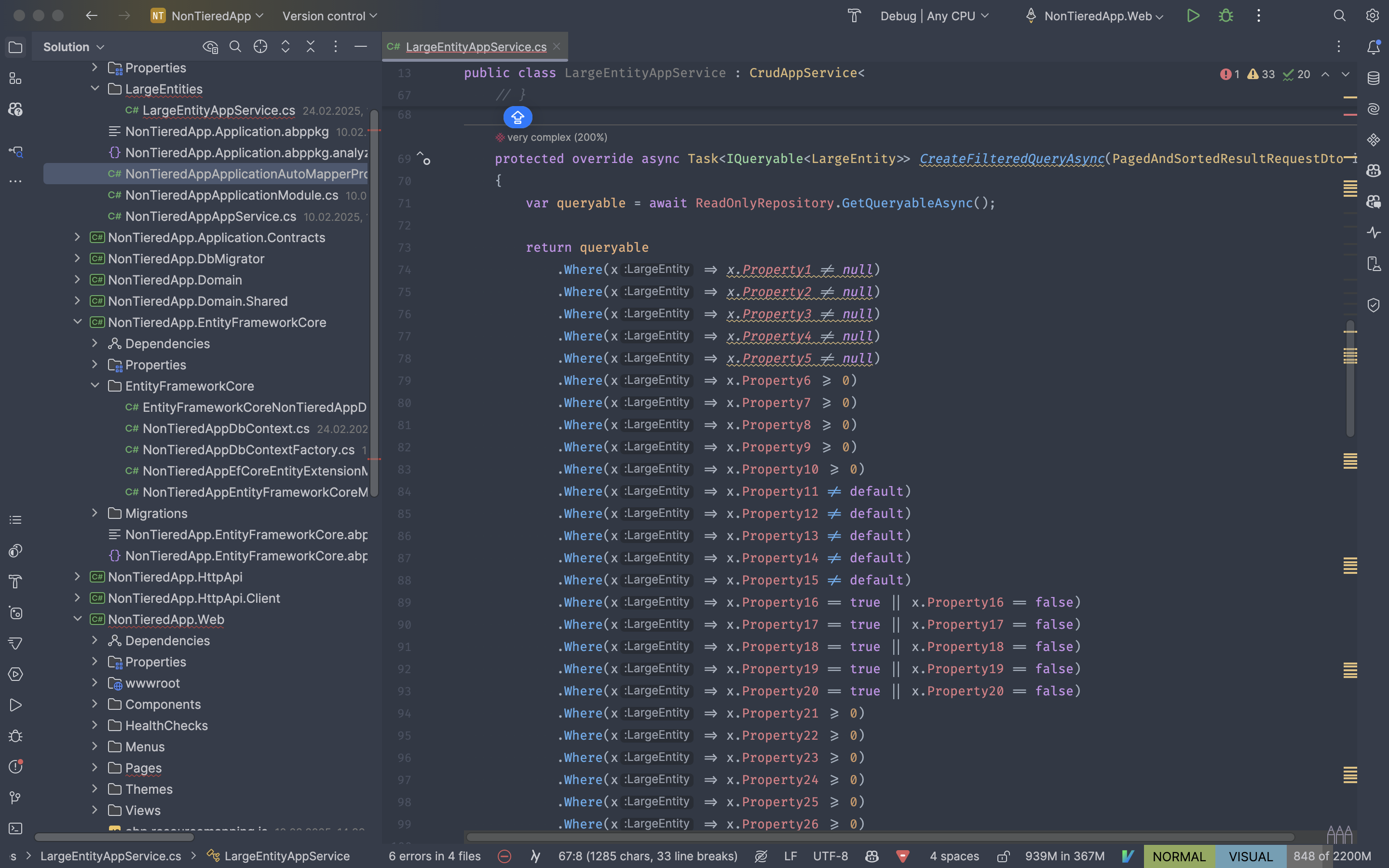

How do you execute this query? Do you have a custom repository method or do you use generic repository method?


Hi,

You can customize the Login page for this. I am leaving some sample code below just to give you an idea:

[Dependency(ReplaceServices = true)]
[ExposeServices(typeof(LoginModel))]
[DisableAuditing]
public class MyLoginModel : LoginModel
{

    public TappLoginModel(
        IAuthenticationSchemeProvider schemeProvider,
        IOptions<AbpAccountOptions> accountOptions,
        IAbpRecaptchaValidatorFactory recaptchaValidatorFactory,
        IAccountExternalProviderAppService accountExternalProviderAppService,
        ICurrentPrincipalAccessor currentPrincipalAccessor,
        IOptions<IdentityOptions> identityOptions,
        IOptionsSnapshot<reCAPTCHAOptions> reCaptchaOptions) : base(
        schemeProvider,
        accountOptions,
        recaptchaValidatorFactory,
        accountExternalProviderAppService,
        currentPrincipalAccessor,
        identityOptions,
        reCaptchaOptions)
    {

    }

    public override Task<IActionResult> OnGetAsync()
    {
        var tenantName = _currentTenant.Name; // Get the current tenant
        var allowedProvider = _configuration["ExternalAuthProviders:" + tenantName];

        if (string.IsNullOrEmpty(allowedProvider))
        {
            // Fallback or error handling for tenants without specific providers
            return await base.OnGetAsync();
        }
        
        // Redirect to the specific provider's login
        var redirectUrl = Url.Page("./Login", "ExternalLoginCallback", new { ReturnUrl, ReturnUrlHash });
        var properties = SignInManager.ConfigureExternalAuthenticationProperties(allowedProvider, redirectUrl);
        properties.Items["scheme"] = allowedProvider;

        return Challenge(properties, allowedProvider);
    }
}

You can think of the above code as psuedo code. We replaced the Login model and override OnGet and redirected it to the provider we want according to the tenant information. However, this code does not remove the relevant providers from the UI, for this you need to override Login.cshtml. How to do it is explained in the document here.

Since this is a code that is completely related to your business, we cannot write all the code, but I tried to explain how you can do it as much as I can to give you an idea. If you have a specific question while implementing, do not hesitate to ask.

After clicking the 'forgot my password' link, I followed the link sent to my email, but I still can't access the app. Is the information in the link correct? Additionally, I am using the application without a tenant in this scenario.

https://auth.testdomain:44342/Account/ResetPassword?userId=b37dfea8-0fe8-d474-5438-3a16e0eaf901&__tenant=&resetToken=CfDJ8KEnJQ%2B39CJPkEDBMKjXRrMB5zqmWi6%2Fy9Fgh%2FZAKzi2LM0nkqoa%2Fq7%2BDEtyzyJtayTrXzvI%2B5v8QnVwJtcrtLlx%2B378HpUf4xCLQ%2BE9uzWcd0DhbguaXkgNwEDZiJ6k6XToZucMGRE7%2BsHCvQIyJDIAJoH5Lqc0GbZkyoNB8MkVjhA0WCNUnqGm%2BtAPhvIZLAqRhcmO1ShlSR9BS0yErV3sYEjR7KBK0tGObQ4je9fC&returnUrl=%2fconnect%2fauthorize%3fresponse_type%3dcode%26client_id%3dPSSX_App_NMM_QA%26state%3dNHdBWHNtSUJRUUNhQ0FCTGtaSnR0eGJhZmxQSERwLnpTRnFqbEU0SS5iR3Rf%3b%25252Flogin%26redirect_uri%3dhttps%253A%252F%252Fsimpl.nmm-qa.testdomain%26scope%3dopenid%2520profile%2520roles%2520email%2520phone%2520PSSX%26code_challenge%3ddep8FZ1sqYWGaAq2QsdjMDbbEoEwdFfmt1q8Yh4uFv8%26code_challenge_method%3dS256%26nonce%3dNHdBWHNtSUJRUUNhQ0FCTGtaSnR0eGJhZmxQSERwLnpTRnFqbEU0SS5iR3Rf

Yes, the URL seems to be correct. Exactly what kind of problem are you having?

Showing 251 to 260 of 743 entries
Boost Your Development
ABP Live Training
Packages
See Trainings
Mastering ABP Framework Book
The Official Guide
Mastering
ABP Framework
Learn More
Mastering ABP Framework Book
Made with ❤️ on ABP v10.2.0-preview. Updated on February 17, 2026, 09:10
1
ABP Assistant
🔐 You need to be logged in to use the chatbot. Please log in first.