This just popped up (meaning "An internal error has occurred") but based on the error message it is probably not related to the translations itself but is rather a general 9.0.2 bug.
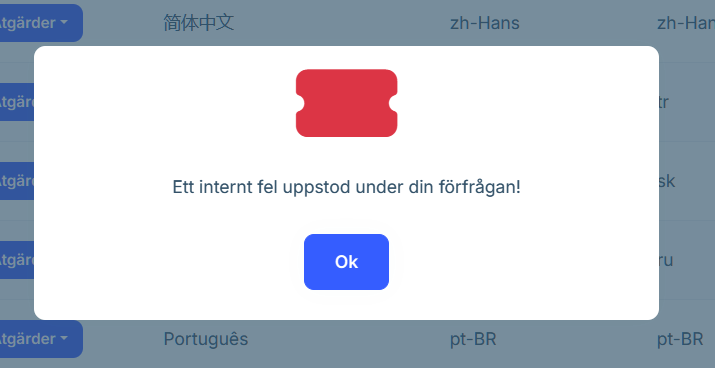
hook.js:608 crit: Microsoft.AspNetCore.Components.WebAssembly.Rendering.WebAssemblyRenderer[100] Unhandled exception rendering component: Method not found: string Blazorise.IClassProvider.TableRowHoverCursor() System.MissingMethodException: Method not found: string Blazorise.IClassProvider.TableRowHoverCursor() at System.Runtime.CompilerServices.AsyncMethodBuilderCore.Start[<HandleVirtualize>d__47](<HandleVirtualize>d__47& stateMachine) at Blazorise.DataGrid.DataGrid1[[Volo.Abp.LanguageManagement.Dto.LanguageDto, Volo.Abp.LanguageManagement.Application.Contracts, Version=9.0.2.0, Culture=neutral, PublicKeyToken=null]].HandleVirtualize()
at Blazorise.DataGrid.DataGrid1.<OnAfterRenderAsync>d__42[[Volo.Abp.LanguageManagement.Dto.LanguageDto, Volo.Abp.LanguageManagement.Application.Contracts, Version=9.0.2.0, Culture=neutral, PublicKeyToken=null]].MoveNext()
Edit:
Reported it here instead, could be due to us upgrading Blazorise at the same time https://abp.io/support/questions/8330/Bugs--Issues-v90x?CurrentPage=2#answer-3a16d259-d951-b052-1a80-5aa176a3ba90
Hi
What’s your project UI type?
Can you share a gif picture?
It seems that this might have been the result of us having to manually "force upgrade" to 9.0.2, have cleaned and rebuilt the sample now and currently we can not reproduce this problem. But lets keep the ticket open for now, I think we will have to wait to test this until ABP Studio actually supports 9.0.2 with the latest translations. Thanks.
Seems like this could have been the classic case of ABP Suite lagging behind with regards to CLI and ABP Suite despite claiming to be at the latest version. When we manually forced an upgrade to 9.0.2 it seems like the translations did kick in as they should, even though we have only looked at it briefly for now.
There are still some weirdness going on though, like the UI can't seem to decide what language it should be in and it seems to jump back and forth, in our case, English and Swedish, on page loads etc. I am guessing that is more a problem/bug not directly related to Swedish, but testing it out, there actually seem to be a language difference here. Selecting Finish (FI), it seem to stick to that, selecting Swedish (SV), it seems to jump back and forth for page (re)loads.
hi
When can we expect this to be available in an ABP release?
You can try to upgrade Studio to
0.9.16and create a project.
Hi,
We tried this using ABP Studio 0.9.16 which created a solution with ABP 9.0.1
First thing we noticed is that Swedish (sv) now seem to be the default language, at least it was the one preselected in the newly created solution. Not a problem for us but would imagine for others.
We also noticed that the UI is still a mix of English and Swedish
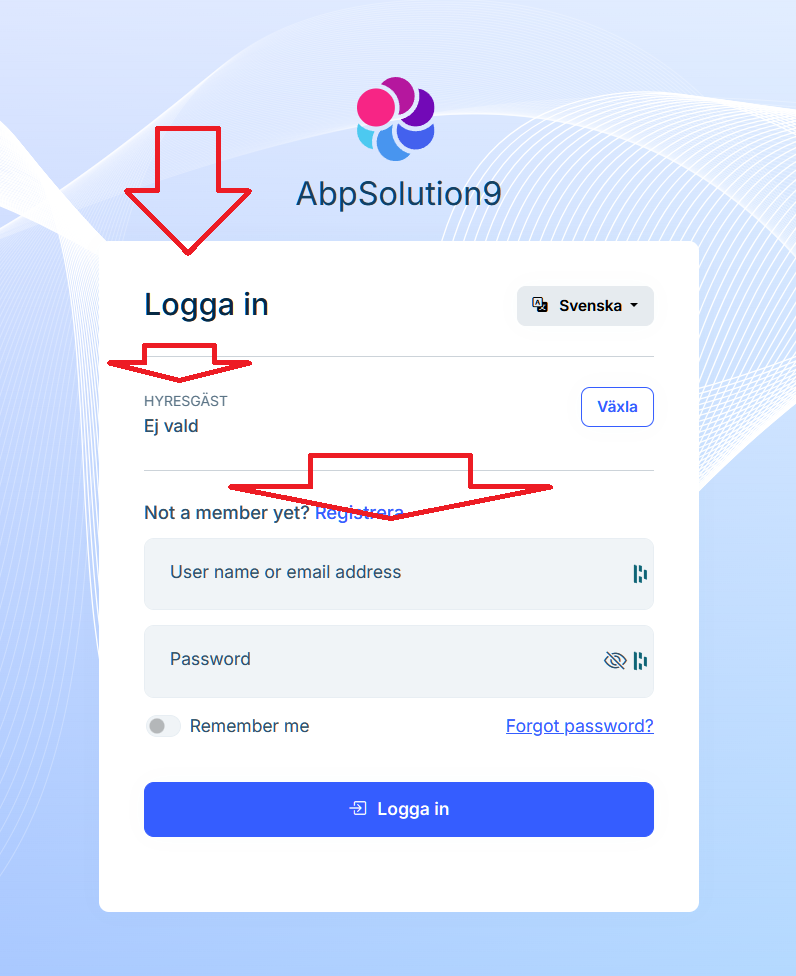
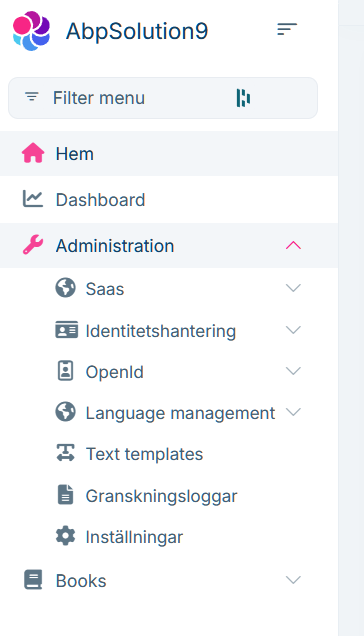
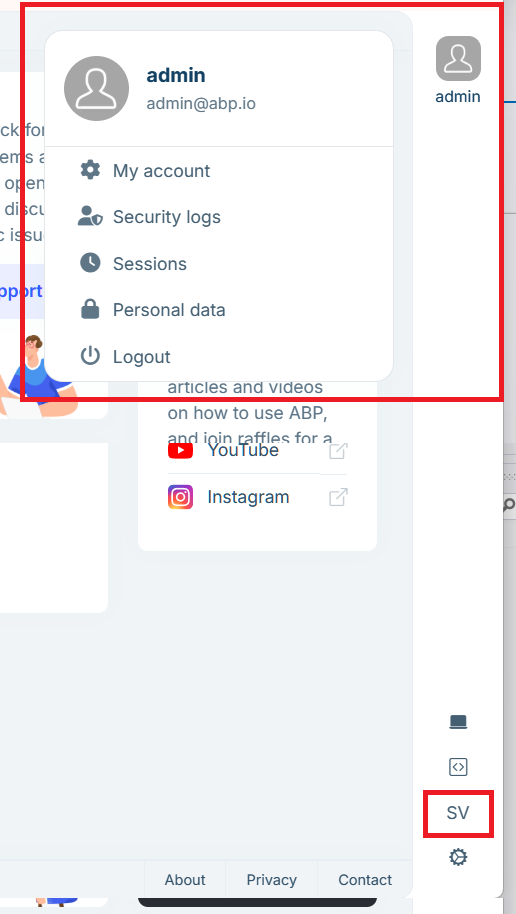
(Books is just because we selected the new option to generate a CRUD page)
Looking at the JSON file we sent you, we have things like
            {
                "LocalizationKey": "Password",
                "Reference": "Password",
                "Target": "Lösenord"
            },
Yet, at least in the screen shot above, it still shows up as "Password" instead of "Lösenord" even with Swedish selected.
All this of course assumes that the translated JSON actually made it into current release
Edit:
I believe there must be translations simply missing here as for example "Language management" seem to be translated as it should in your screen shots above, but not in mine in this message etc.
hi
Thanks, I will update the template project. 👍
Thanks.
When can we expect this to be available in an ABP release?
Is there a way we can apply the translations we made even before that to our local installation? Would imagine it might require access to the entire source code to do it (ie abp translate -a )?
sv.json file for Domain.Shared/Localization/AppName
{
  "Culture": "sv",
  "Texts": {
    "AppName": "MY_APP_NAME",
    "Menu:ContactUs": "Kontakta oss",
    "Menu:ArticleSample": "Artikelexempel",
    "Home": "Hem",
    "Date": "Datum",
    "Permission:Dashboard": "Dashboard",
    "Menu:Dashboard": "Dashboard",
    "Menu:HomePage": "Hemsida",
    "Dashboard": "Dashboard",
    "ExternalProvider:Google": "Google",
    "ExternalProvider:Google:ClientId": "Klient-ID",
    "ExternalProvider:Google:ClientSecret": "Klienthemlighet",
    "ExternalProvider:Microsoft": "Microsoft",
    "ExternalProvider:Microsoft:ClientId": "Klient-ID",
    "ExternalProvider:Microsoft:ClientSecret": "Klienthemlighet",
    "ExternalProvider:Twitter": "Twitter (X)",
    "ExternalProvider:Twitter:ConsumerKey": "Konsumentnyckel",
    "ExternalProvider:Twitter:ConsumerSecret": "Konsumenthemlighet",
    "NewsletterHeader": "Prenumerera på nyhetsbrevet!",
    "NewsletterInfo": "Få information om de senaste händelserna.",
    "NewsletterPreference_Default": "Standardnyhetsbrev",
    "NewsletterPrivacyAcceptMessage": "Jag accepterar <a href='/privacy-policy'>Sekretesspolicy</a>.",
    "Language": "Språk",
    "Search": "Söka",
    "LoadMore": "Ladda mer",
    "Settings": "Inställningar",
    "Theme": "Tema",
    "DeviceTheme": "Enhetstema",
    "Dark": "Mörk",
    "Light": "Ljus",
    "Unspecified": "System",
    "SeeAllUsers": "Se Alla användare",
    "TakePhoto": "Ta foto",
    "ChoosePhoto": "Välj Foto",
    "Menu:Home": "Hem",
    "LongWelcomeMessage": "Välkommen till ansökan. ",
    "Welcome": "Välkomna"
  }
}
Thanks!
I noticed the term "Dashboard" seem to be missing in the JSON (even in English), not an obvious translation for that in Swedish though (besides a direct translation that sounds really funny) so probably better to keep as it is.
If not already modified, there needs to be added Swedish to AbpLocalizationOptions also
options.Languages.Add(new LanguageInfo("sv", "sv", "Svenska"));
There is also the sv.json file for Domain.Shared/Localization which I will provide in a follow up message. Not sure how that works 100% since there is supposed to be the chosen appname for where we have put "MY_APP_NAME", that is probably automatic I would guess.
This entry seems incorrect in English also BTW, should probably be "provided a" rather than "provide" and the translation "Du har redan svarat" but there are probably quite a few of these if you start to nitpick, guess the most important is that the main UI is as correct as possible.
            {
                "LocalizationKey": "Forms:0001",
                "Reference": "You already provide response.",
                "Target": "Du ger redan svar."
            },
Thank you for providing more details on this. However, I am unable to produce the same problem with a project created by using this command
abp new MyTestApp -t app -u angular -csf. May I know whether you have made a related change or come across another problem and produced such problem?
Has passed quite some time since this topic was created, we will try to test this again with latest ABP version when we get a chance to. Not sure if things might have changed since then. Please lets keep this ticket open until then.
hi
You can share the
abp-translation.jsonwhen you add new translated texts.Thanks.
The bot will close the question regularly. You can reopen it at any time.
Hi,
Have sent you the translated file now with some additional questions.
With this being a commercial product and there are now things like DeepL available at a low cost, I think that ABP should take over the responsibility of providing translations for the mostly used/requested languages. This especially as the translation process is quite complicated due to not all source code being public (or available to all ABP Commercial customers) and the process itself has lots of potential pitfalls. Also, as I understand it, there is no way for us to test a translated JSON ourselves as that would most likely require access to all the source code to be able to "apply" it. Depending on which of the instructions you read on how to translate, there already seem to be built in support for DeepL in the ABP translation process, so it should be quite easy for ABP Team to do the translation even though you probably do not speak the language yourselves.
We used DeepL ourselves to do the translation, and then just checked the result afterwards as much as we could and made some small changes. While not perfect, I think it is probably good enough.
Thanks.
This issue is still not completed (although currently on hold on our side).









