Hi, I managed to make the login working by changing the code below:
context.Services.AddAuthentication()
                .AddOpenIdConnect("oidc", "Intranet OpenID Connect", options =>
                {
                    options.Authority = "https://localhost:44306/";
                    options.ClientId = "internetprovider";
                    options.ResponseType = OpenIdConnectResponseType.CodeIdToken;
                    options.ClientSecret = "secret";
                    options.RequireHttpsMetadata = false;
                    options.SaveTokens = true;
                    options.GetClaimsFromUserInfoEndpoint = true;
                    options.Scope.Add("email");
                })
the page had navigated to the Identity Server A login page, I logged in successfully, however, it keeps navigate back to the Identity Server B login page, it should redirect me to application page or registration page if user is new.
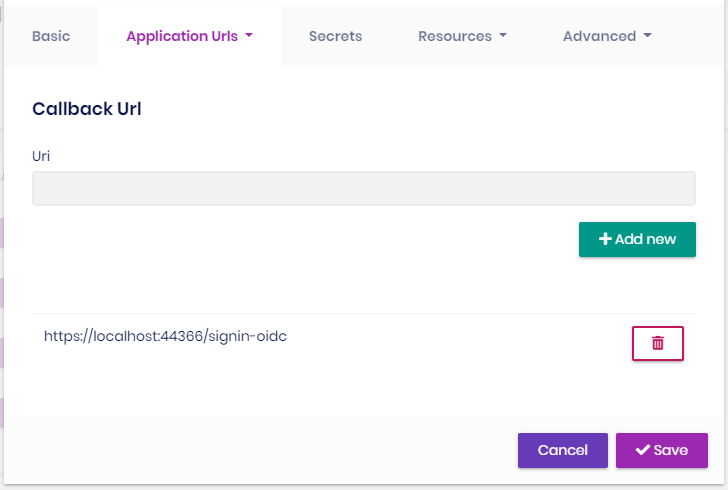
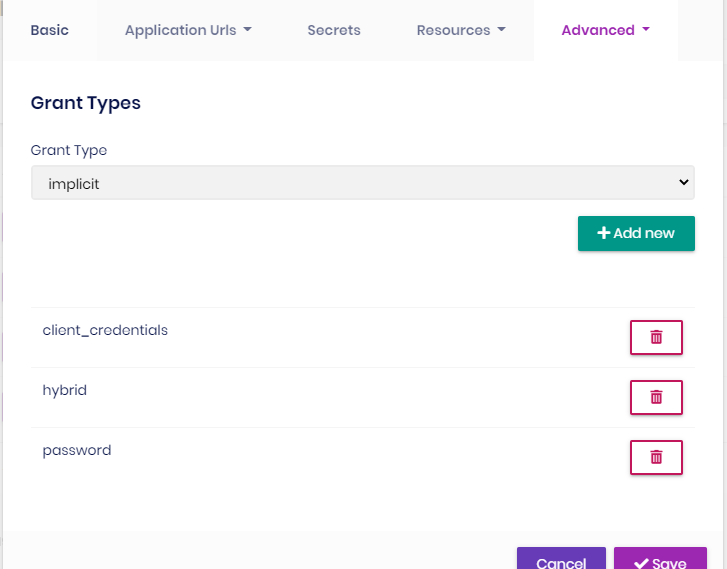
This is the client configuration in Identity Server A:
Callback:
Grant Types:
Any help is appreciated
Hi, I have 2 applications: application A and application B, both applications were created using abp suite with the options as below:
I want user from application A can login into application B, so I have created client id and client secret in Identity Server A and added Identity Server A as external authentication provider in Identity Server B:
context.Services.AddAuthentication()
                .AddOpenIdConnect("oidc", "Intranet OpenID Connect", options =>
                {
                    options.SignInScheme = IdentityServerConstants.ExternalCookieAuthenticationScheme;
                    options.SignOutScheme = IdentityServerConstants.SignoutScheme;

                    options.Authority = "https://localhost:44306/";
                    options.ClientId = "internetprovider";
                    options.ClientSecret = "R73vz3w4ttIAhETTO2xp/FW5b2m90nPw0aLvOvA50d4=";
                    options.ResponseType = "code";
                    options.TokenValidationParameters = new TokenValidationParameters
                    {
                        NameClaimType = "name",
                        RoleClaimType = "role"
                    };
                })
the login option is shown in Identity Server B login page:
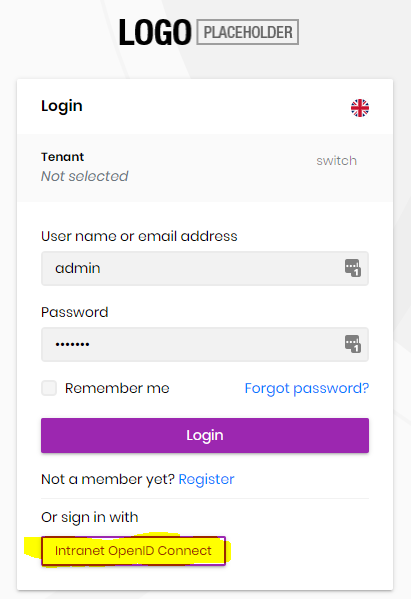
However, I got timeout error when trying to click the above button, this is the log content: https://drive.google.com/file/d/1VEQzShv4mI3tLc1ZbiAXi6OqOZuKNXY-/view?usp=sharing
Hi, I got this issue when generate CRUD with Augular UI and seperated Identity Server options:
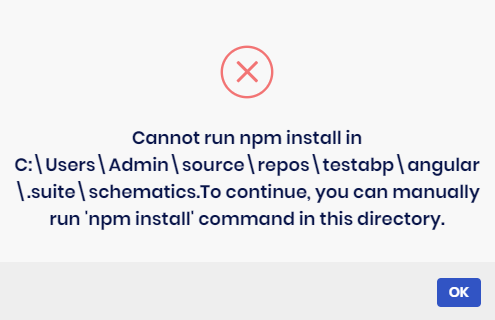
I had tried to manually run 'npm install' in that folder and generated again, it showed successfully but the Angular UI was not updated, I did try @Alper work around as well but no luck: https://support.abp.io/QA/Questions/626#answer-f02d209c-0bb8-e1bd-a4d6-39f940b19df6
Below is the log content:
2020-12-11 15:57:38.101 +08:00 [WRN] Cannot run npm install in C:\Users\Admin\source\repos\TestAbp\angular.suite\schematics.To continue, you can manually run 'npm install' command in this directory. Volo.Abp.UserFriendlyException: Cannot run npm install in C:\Users\Admin\source\repos\TestAbp\angular.suite\schematics.To continue, you can manually run 'npm install' command in this directory. at Volo.Abp.Suite.Areas.AbpSuite.CrudPageGenerator.Services.AngularSchematicsService.unfJM7yjv7(String ) at Volo.Abp.Suite.Areas.AbpSuite.CrudPageGenerator.Services.AngularSchematicsService.lnAJAtU9SV(String , Solution ) at Volo.Abp.Suite.Areas.AbpSuite.CrudPageGenerator.Services.AngularSchematicsService.SetupSchematicsAsync(Solution solution) at Volo.Abp.Suite.Areas.AbpSuite.CrudPageGenerator.Commands.AngularUiGenerateWithSchematicsCommand.ExecuteAsync(CrudPageCommandOptions options) at Volo.Abp.Suite.Areas.AbpSuite.CrudPageGenerator.CommandManager.ExecuteAllAsync(CrudPageCommandOptions options) at Volo.Abp.Suite.Areas.AbpSuite.CrudPageGenerator.Commands.CrudPageGenerator.GenerateAsync(EntityModel entity, Solution solution) at Volo.Abp.Suite.Controllers.CrudPageGeneratorController.SaveAndGenerateEntityAsync(Guid solutionId, EntityModel entity) at lambda_method1472(Closure , Object ) at Microsoft.AspNetCore.Mvc.Infrastructure.ActionMethodExecutor.TaskOfActionResultExecutor.Execute(IActionResultTypeMapper mapper, ObjectMethodExecutor executor, Object controller, Object[] arguments) at Microsoft.AspNetCore.Mvc.Infrastructure.ControllerActionInvoker.<InvokeActionMethodAsync>g__Awaited|12_0(ControllerActionInvoker invoker, ValueTask`1 actionResultValueTask) at Microsoft.AspNetCore.Mvc.Infrastructure.ControllerActionInvoker.









