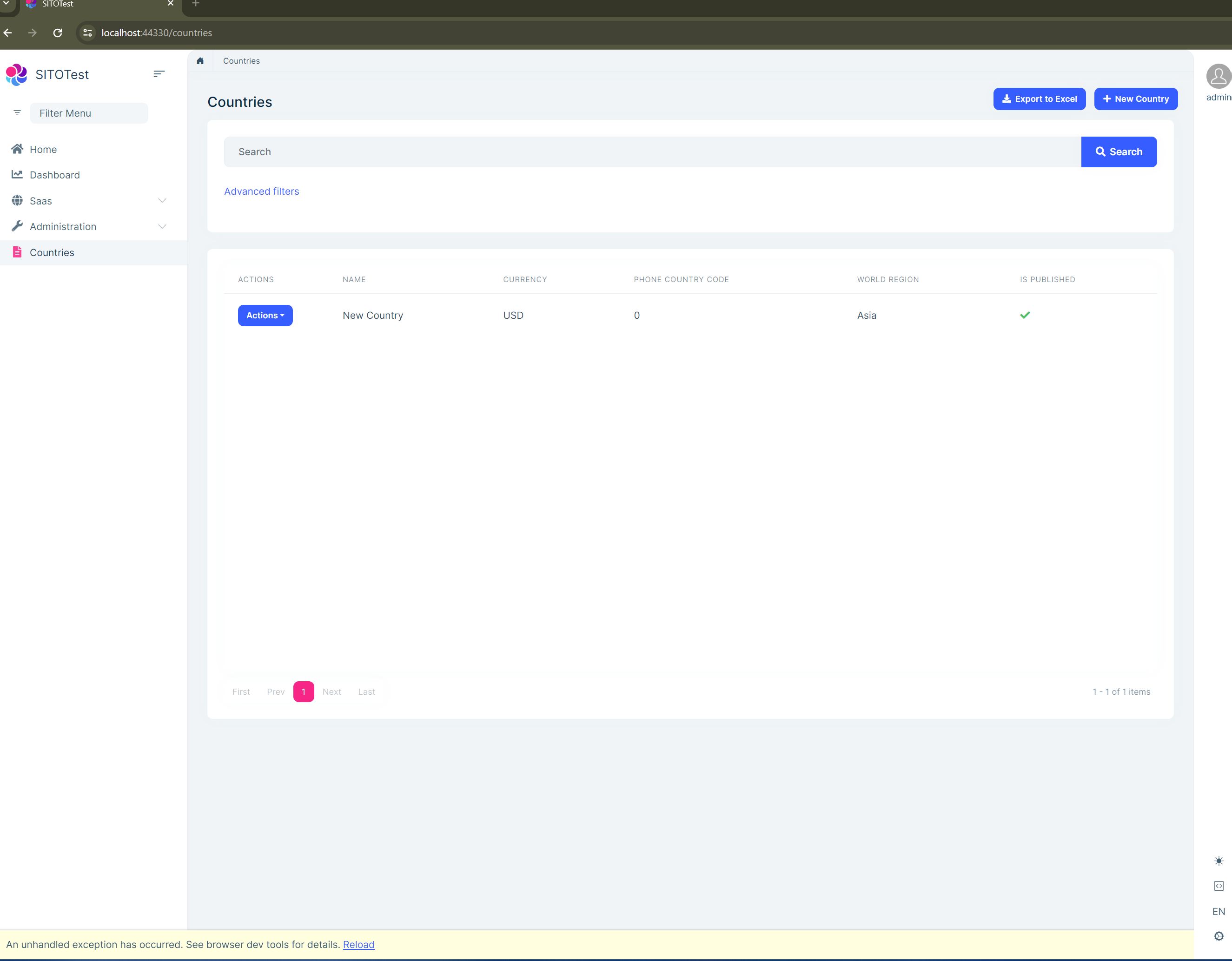
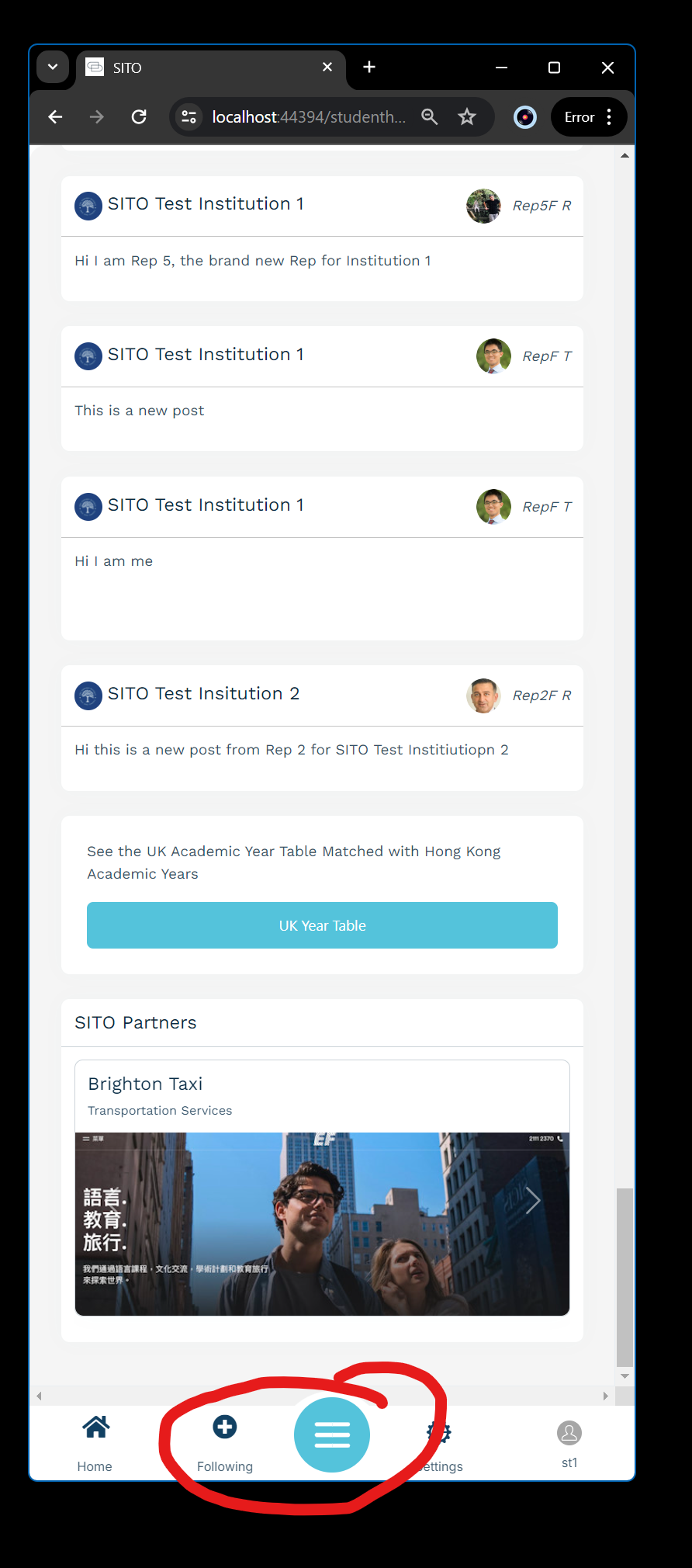
I would like to implement a SignalR polling notification counter in the mobile menu on Blazor LeptonX. Need to maybe poll every 5 seconds or so for messages, then display the number of unread messages dynamically to the user. I don't understand exactly where I would put the Signalr notification / polling code in the Mobile menu. Is this possible? In the screenshot below, where the Following icon is I will have an Inbox icon and I want to display any sent / unread messages to the user.
From the docs I don't understand where the polling code would go, can you help me understand how to implement this correctly?
Thanks,
Karim
I can't seem to find documentation on how to fully override and customize the mobile menu on LeptonX Blazor. I have overrides for everything else:
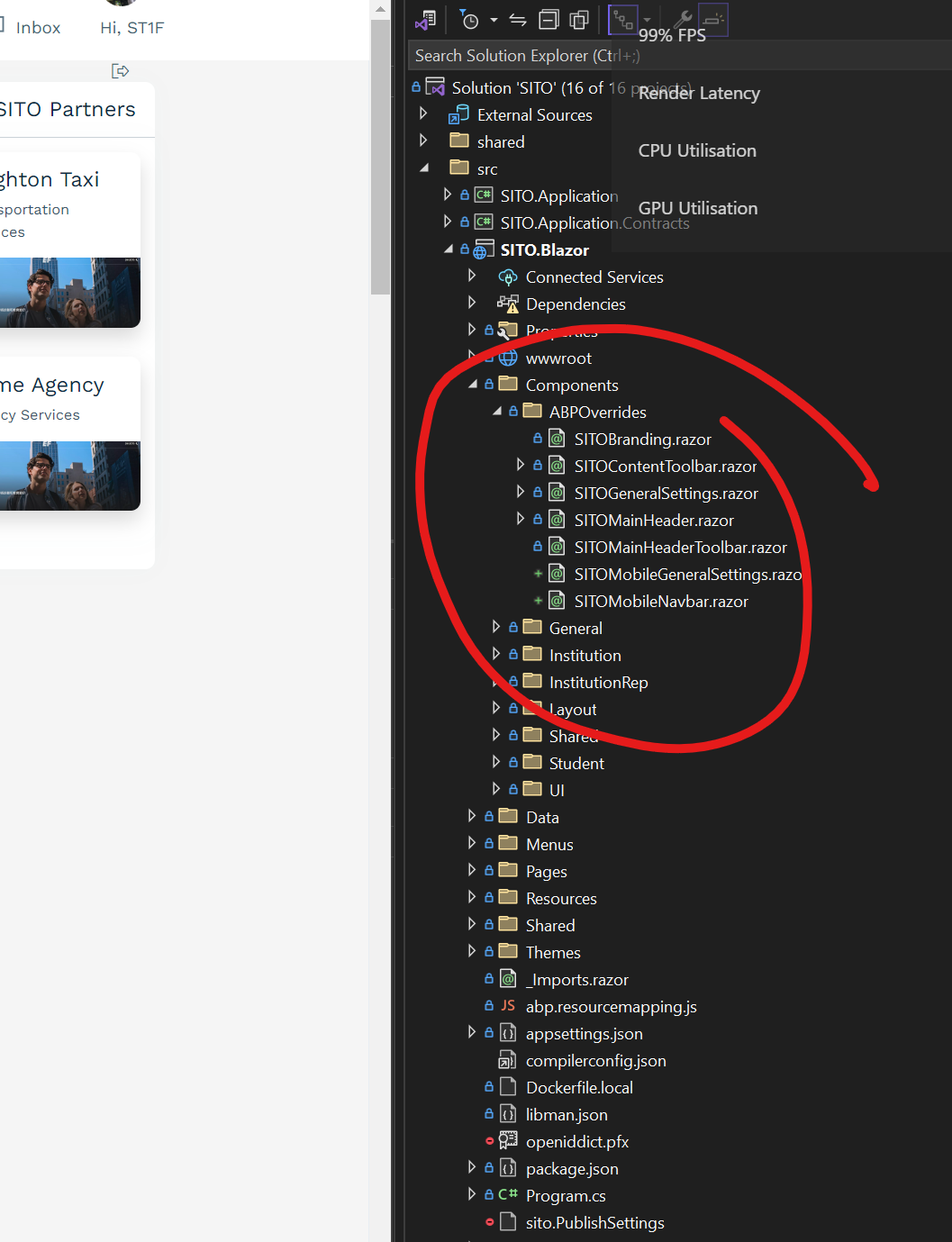
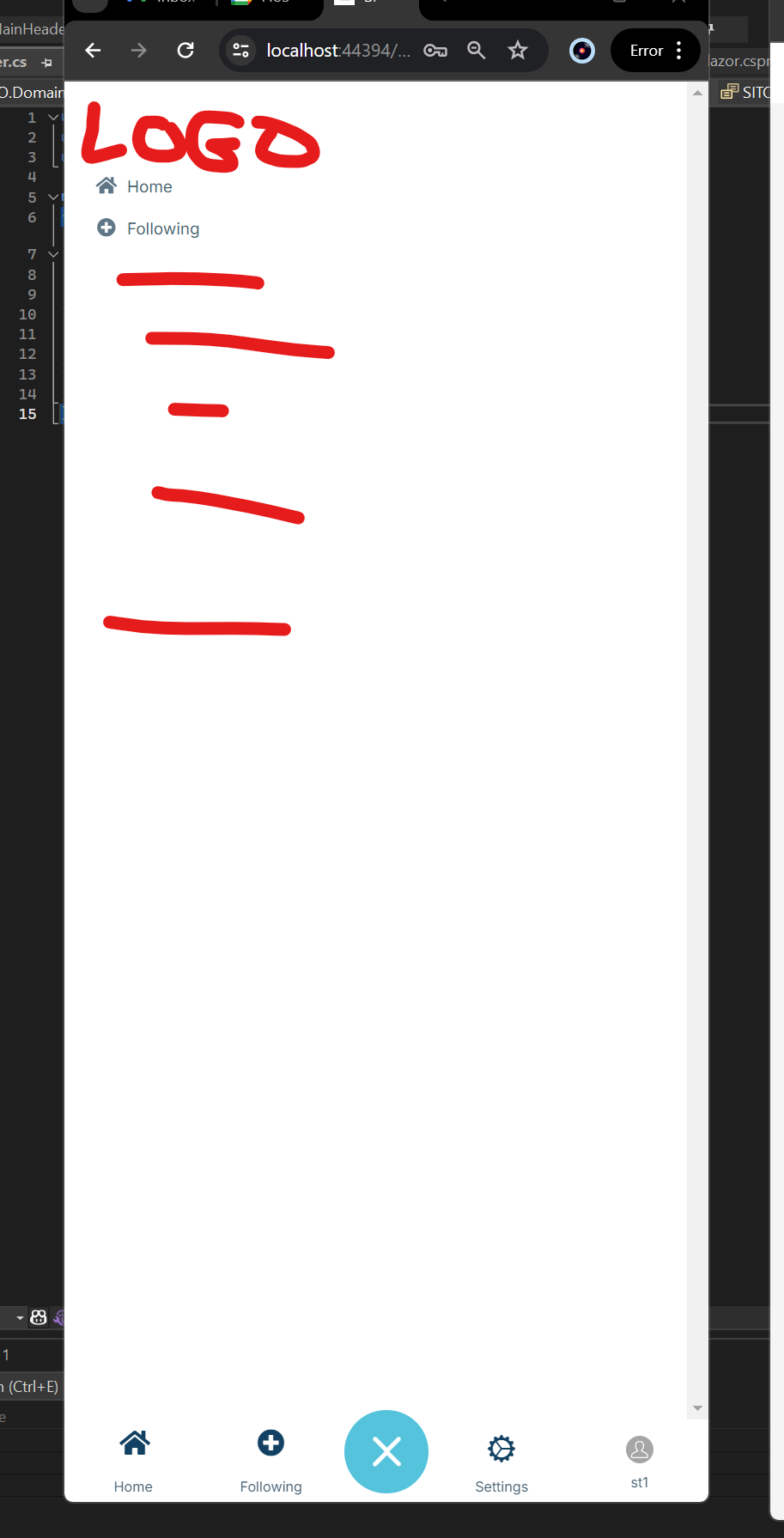
But I can't find documentation on how to override the Mobile Menu. What I would like to do is to add our Logo at the top, then style up the menu items as needed. As it is it looks like this ( with annotations for things I want to add ) :
And one last related thing, I have been trying to override the MobileNavbar, with this code provided from your documentation:
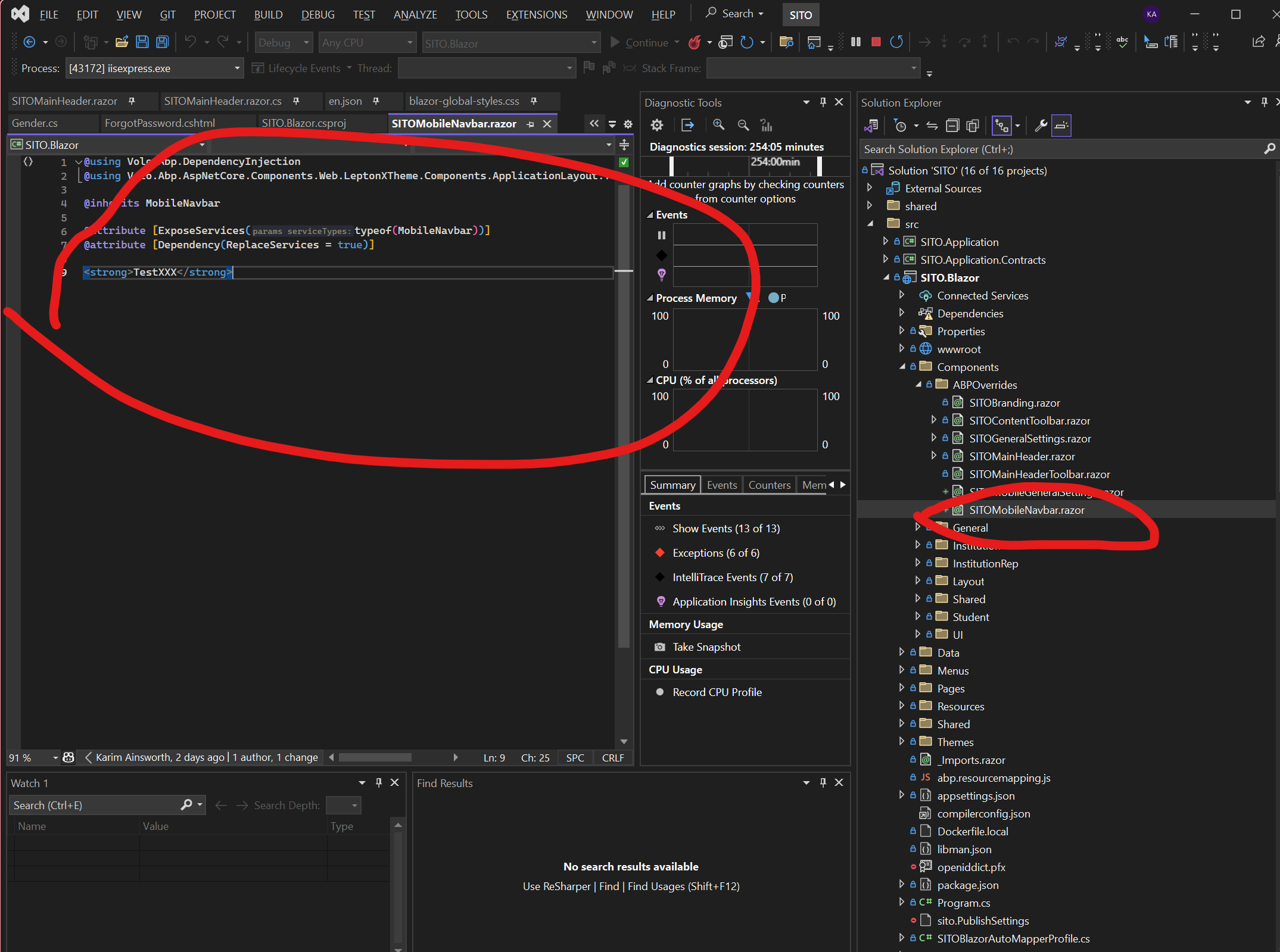
@using Volo.Abp.DependencyInjection @using Volo.Abp.AspNetCore.Components.Web.LeptonXTheme.Components.ApplicationLayout.TopMenu.Navigation
@inherits MobileNavbar
@attribute [ExposeServices(typeof(MobileNavbar))] @attribute [Dependency(ReplaceServices = true)]
<strong>TestXXX</strong>
But it doesn't seem to work. With this I would imagine I could implement the logo requirement stated above on the mobile menu, but this override doesn't work at all. Any idea what is going on with this?
Thanks for your help,
Karim
Ah yes, I was using the AccountResource instead of my SITOResource. I should have seen that! Thanks for pointing that out, ill close this now.
I have overridden the Login / Register pages as so:
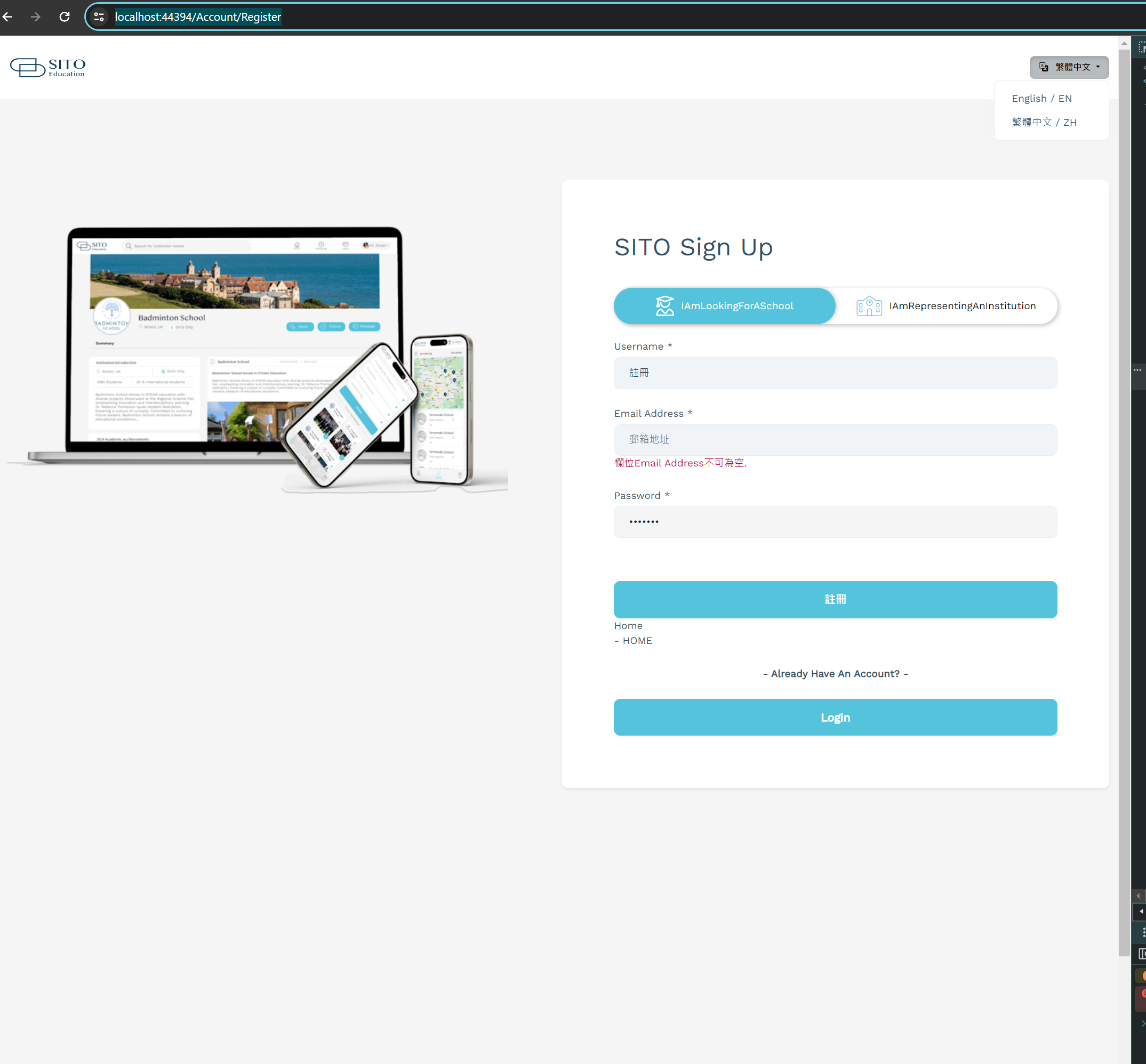
I need to provide Localized strings but any new strings I add in the Domain.Shared/Localisation en.json are not recognized here:
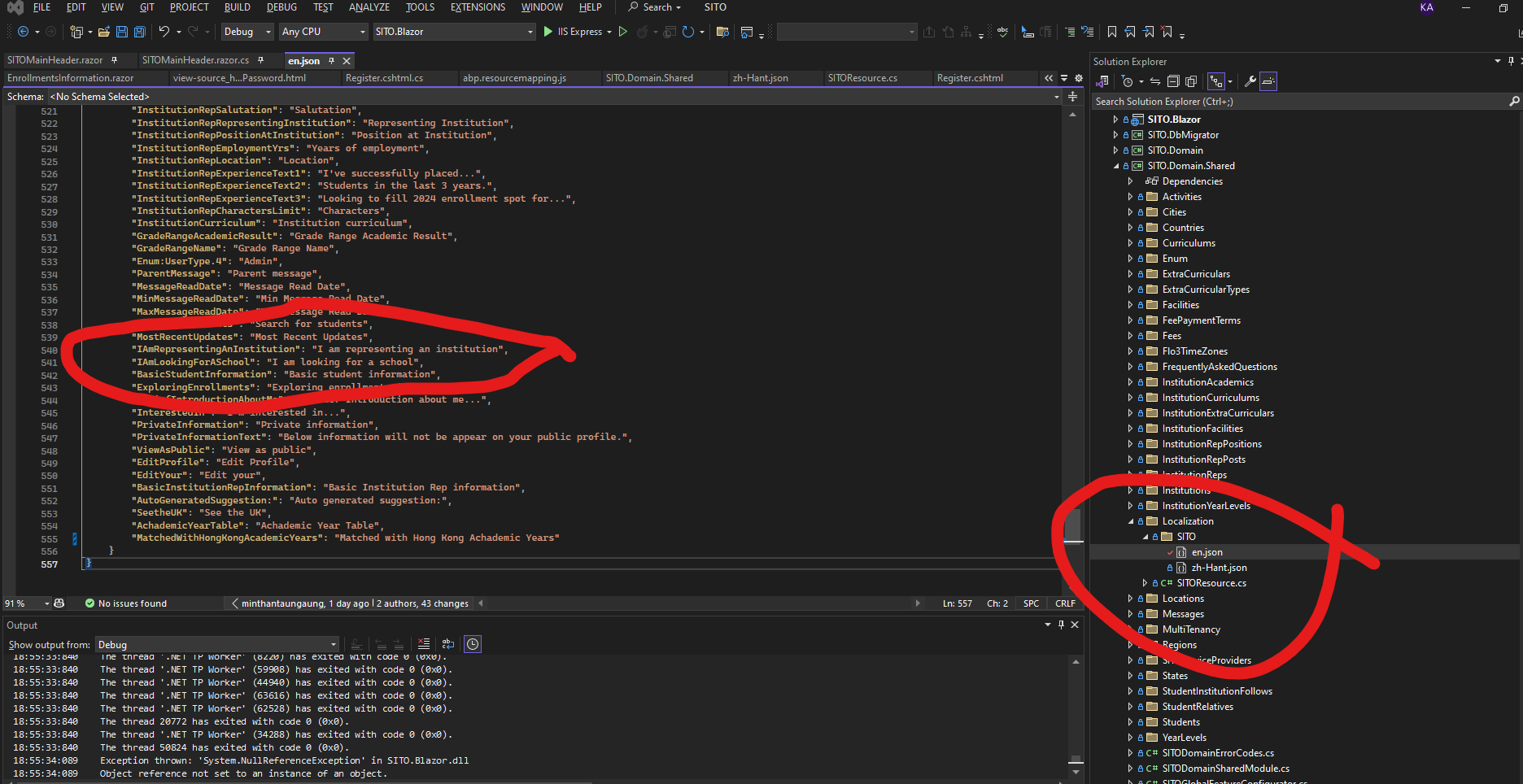
Do I need to provide a separate resource file for the account pages? It seems like I am missing something here, please let me know what I need to do to properly localize the overridden Account / Register pages.
Thanks,
Karim
I am trying to customize my Main Header and Toolbar, and I want to move the Main Menu into the Main Header. Also need a search box in the Main Header to the left of the menu. Here are some screenshots of where I am , and where I want to be:
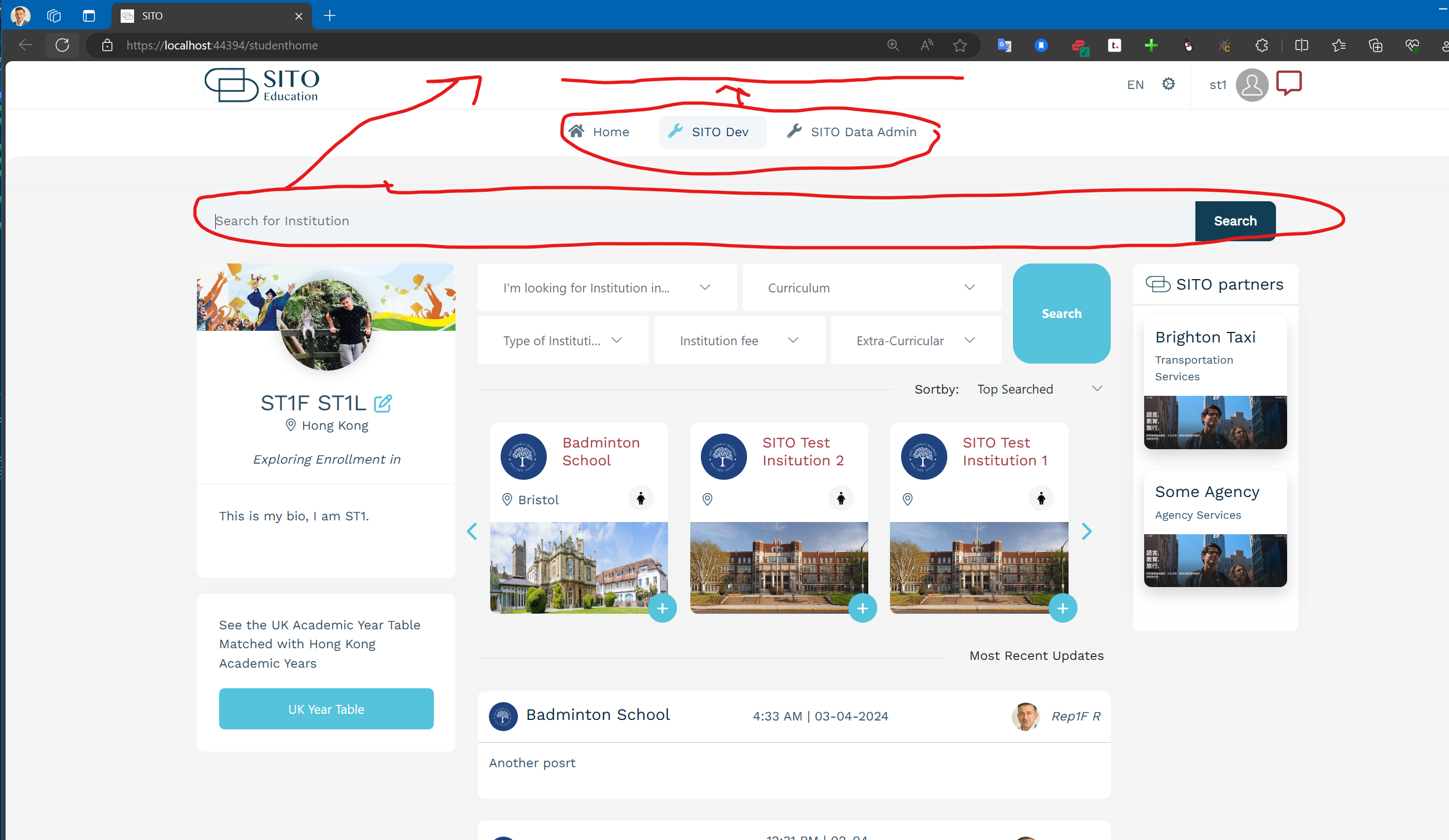
and this is how I would like the Main Header to look :
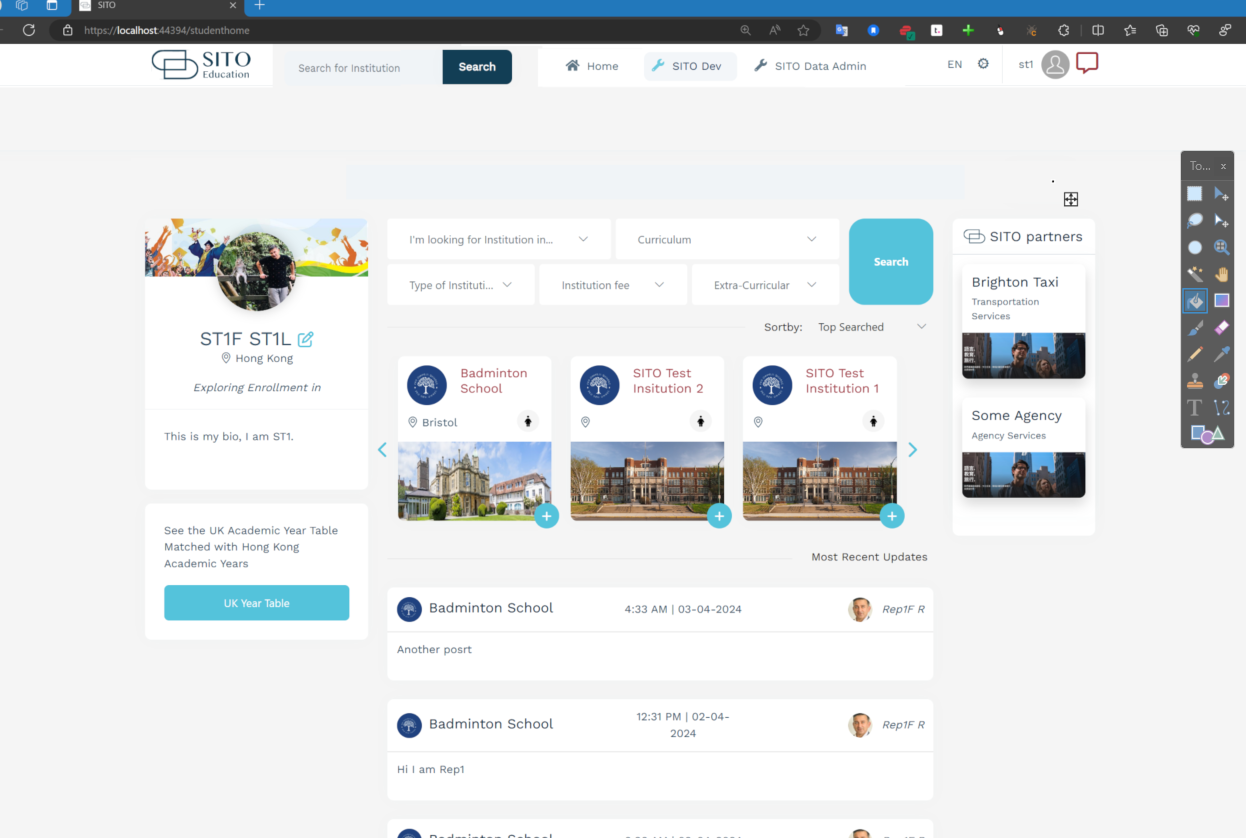
as it stands, I have overrided MainHeaderBranding, GeneralSettings, MainHeaderToolbar. But when I override MainHeader I just get a blank canvas and an exception. So I need the MainHeader to incorporate all my other overrides, and then allow me to add the Search Box and to move the Main Menu .
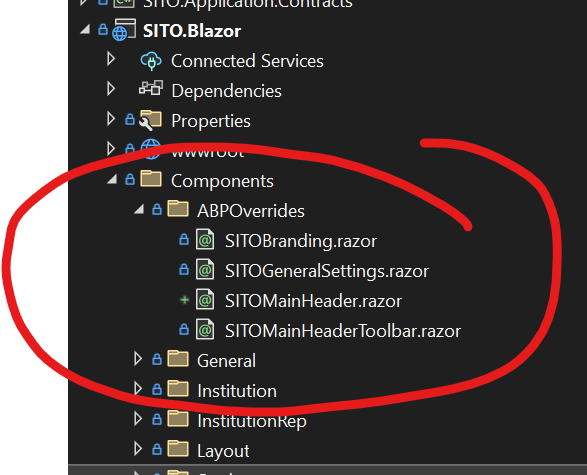
I have seen this question asked in a few different ways but no definite answer on how to customize this. Would really appreciate a clear step by step answer on how to accomplish this.
Thanks,
Karim
OK that will work for now, can you let me know how to track this so I know when it is fixed?
And since this is a bug can you refund my question credit?
Thanks,
Karim
ABP Framework version: v8.0.5
UI Type: Blazor Server
Database System: EF Core (SQL Server)
Tiered (for MVC) or Auth Server Separated (for Angular): no
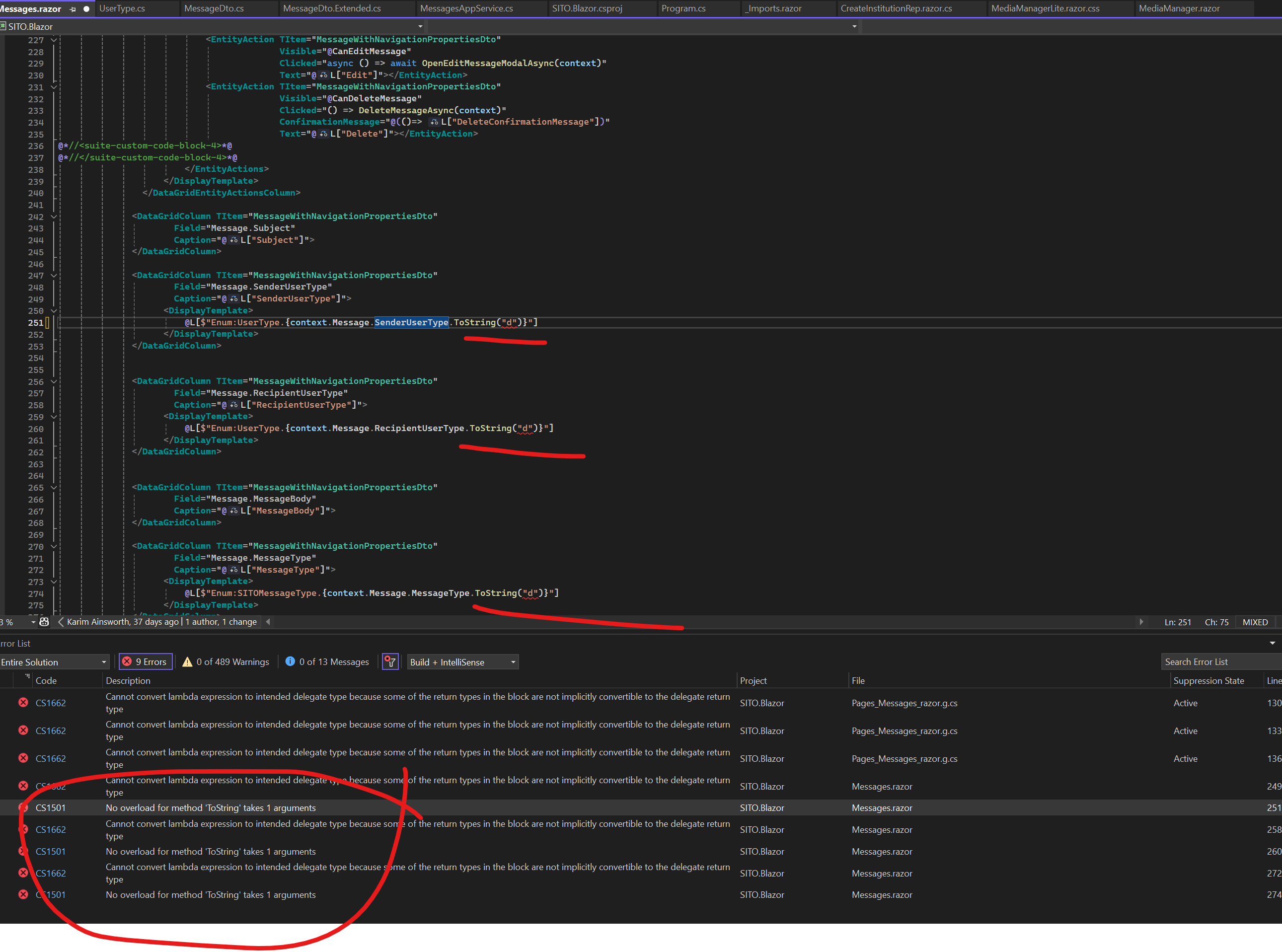
Exception message and full stack trace: No overload for method 'ToString' takes 1 arguments
Steps to reproduce the issue:
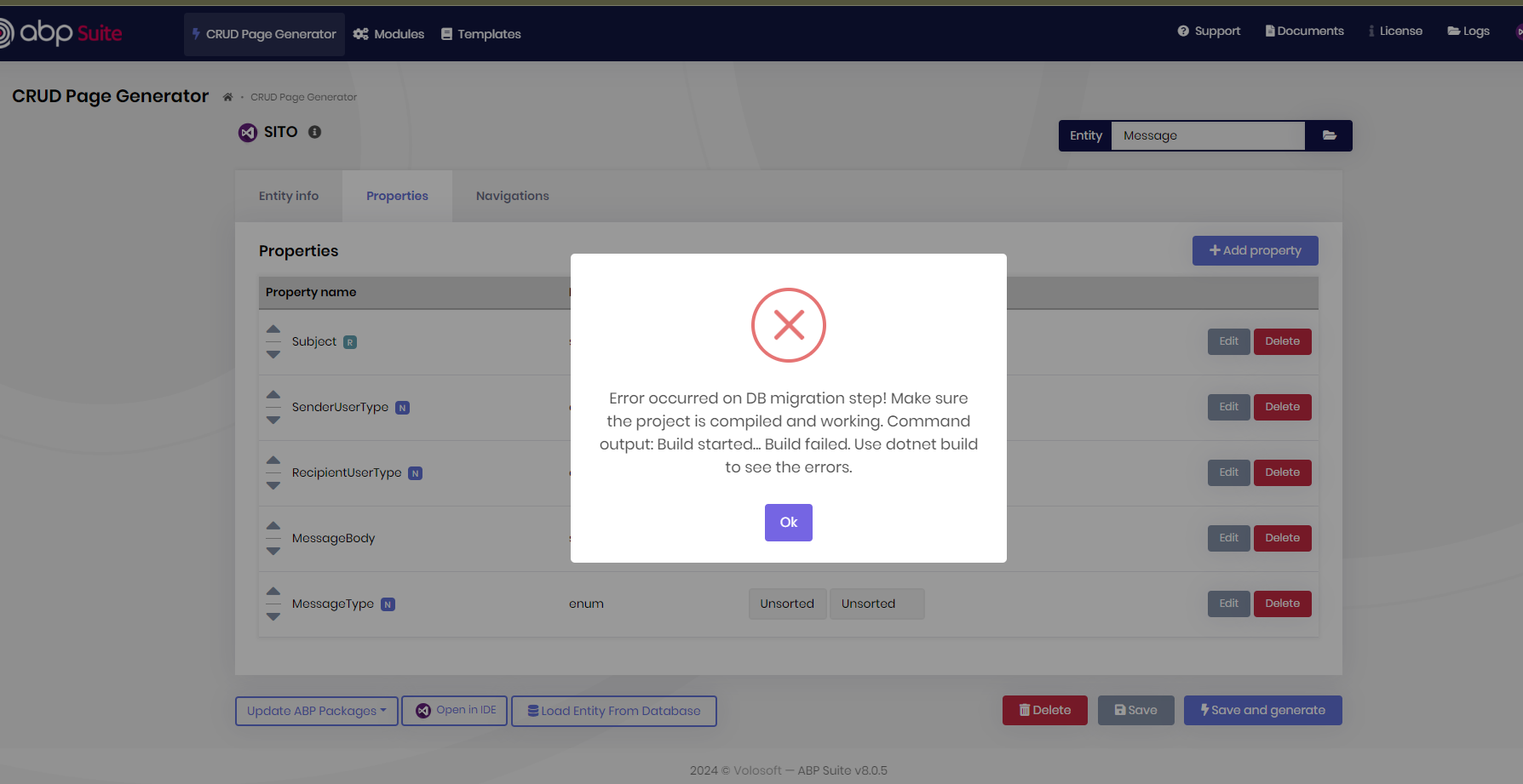
In ABP Suite, I just added an additional field on one of my entities, clicked Save And Generate and the codegen has introduced a bug in the code that prevents me from compiling. Seems it has added a ToString("d") to my enum fields, and the compiler obv does not like this.
Assuming this is a bug in codegen, is there a workaround that I can use here to get past this, I am on a tight deadline to deliver some functionality.
OK perfect, thanks.
OK so yes Non Nullable Enums work with the Blazorise Grid. I tried changing the Enum to Non Nullable but when I regenerated with ABPSuite it gave me some bad code, maybe you can take a look at this also ( screenshot below ). So updating to Non Nullable isn't an option for me.
Removing the Nullable Enum field from the DataGrid is the workaround for now. Please let me know when you think this issue can / will be fixed so that I can plan accordingly.
Also since this is a bug can you please credit me back this support ticket?
Thanks,
Karim
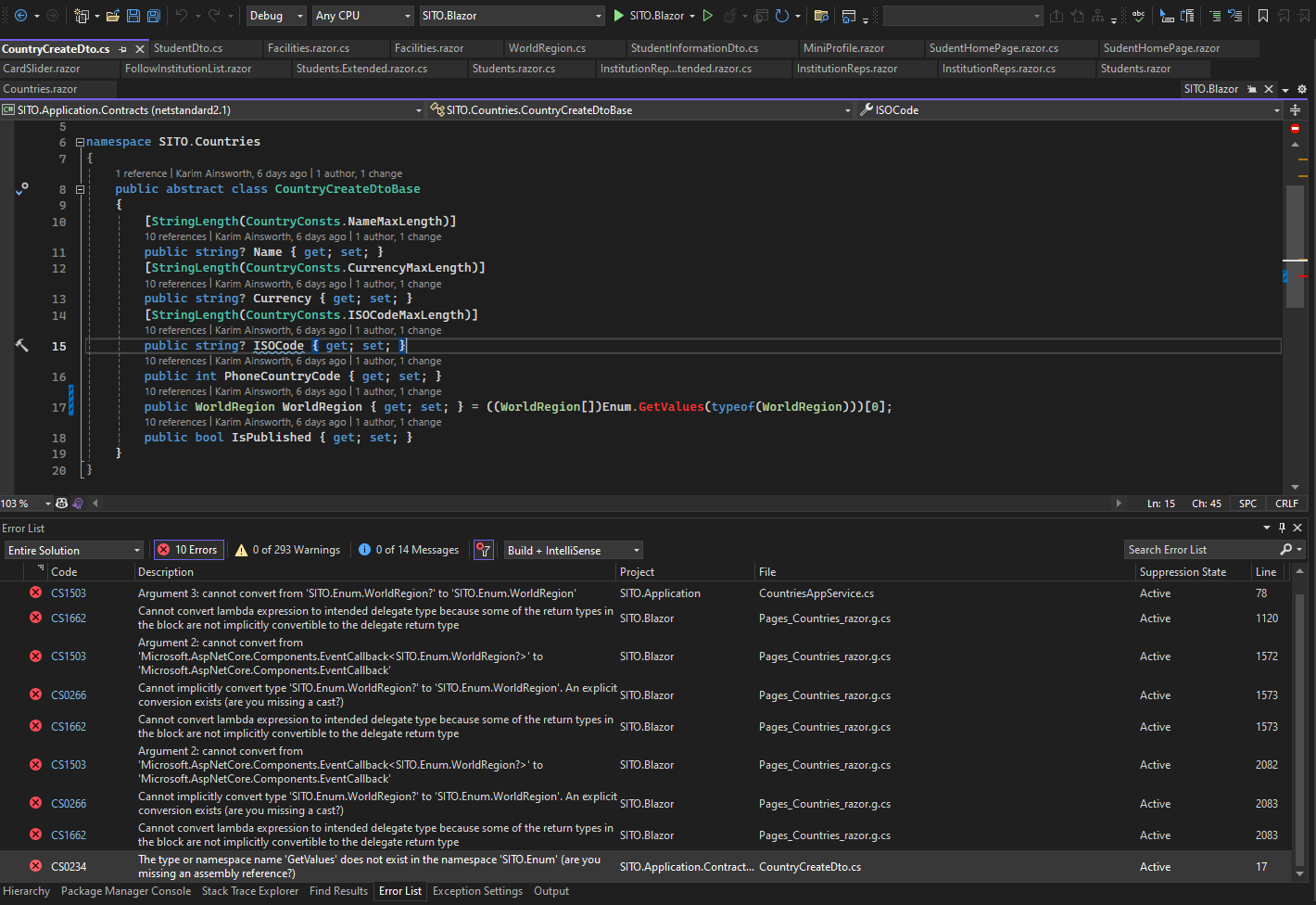
This is still throwing the same error, screenshot below. I didn't change any code, just generated straight from ABP Suite, exactly as discussed. Added a Country as shown, with Asia selected, and getting the same error message.
I have tested this in Chrome, Firefox, Edge, Brave browsers, all the same error.
The DataGrid field is generated as nullable right from ABP Suite:
          <DataGridColumn TItem="CountryDto"
                  Field="PhoneCountryCode"
                  Caption="@L["PhoneCountryCode"]">
          </DataGridColumn>

          <DataGridColumn TItem="CountryDto"
                  Field="WorldRegion?"
                  Caption="@L["WorldRegion"]">
                <DisplayTemplate>
                    @L[$"Enum:WorldRegion.{context.WorldRegion?.ToString("d")}"]
                </DisplayTemplate>
          </DataGridColumn>