Create reactive form w/ a formarray. add an item into the formarrary, then remove it
core.js:6142 ERROR TypeError: Cannot read property 'errors' of null at MapSubscriber.project (ngx-validate-core.js:1213) at MapSubscriber._next (map.js:29) at MapSubscriber.next (Subscriber.js:49) at FilterSubscriber._next (filter.js:33) at FilterSubscriber.next (Subscriber.js:49) at MergeMapSubscriber.notifyNext (mergeMap.js:70) at SimpleInnerSubscriber._next (innerSubscribe.js:10) at SimpleInnerSubscriber.next (Subscriber.js:49) at MapToSubscriber._next (mapTo.js:19) at MapToSubscriber.next (Subscriber.js:49)
Also we are still getting this error, mainly on pages with tabs. I reported this error before and it was replicated by abp.
ERROR Error: NG0100: ExpressionChangedAfterItHasBeenCheckedError: Expression has changed after it was checked. Previous value: ''. Current value: 'View_AbpUsers'.. Find more at https://angular.io/errors/NG0100 at throwErrorIfNoChangesMode (core.js:6724) at bindingUpdated (core.js:12855) at ɵɵproperty (core.js:14670) at LookupInputComponent_Template (volo-abp.commercial.ng.ui.js:223) at executeTemplate (core.js:9518) at refreshView (core.js:9387) at refreshComponent (core.js:10553) at refreshChildComponents (core.js:9184) at refreshView (core.js:9437) at refreshComponent (core.js:10553)
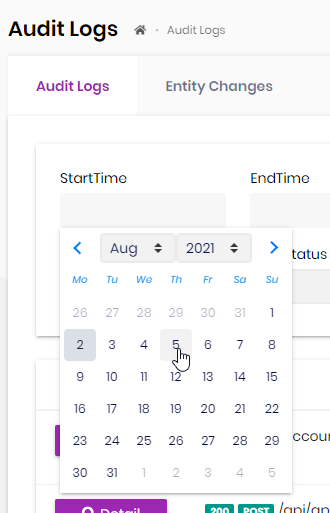
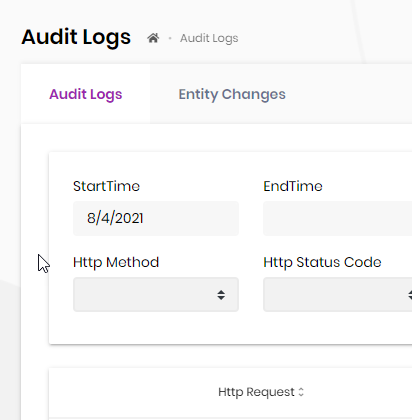
All of our datepickers pick the day before not the user selected date. An example is Administration | Audit Logs. Select any start time and the date before is selected. Same goes for end time as well as for pages we control
ABP Framework version: v4.3.3
UI type: Angular
DB provider: EF Core
Tiered (MVC) or Identity Server Separated (Angular): no
Exception message and stack trace:
Steps to reproduce the issue:"
i created a new project using the cmd: abp new Angular.TypeAhead -t app-pro -u angular --mobile none --database-provider ef -csf
in suite I create 2 entities Author and Book
i create a navigational property from Book to Author
I run the project add an Author and then try and add a book
I can see items are brought in Chrome DevTools back when I type into the authors fields, but no choices are displayed
If I change the typeahead to a dropdown in suite and then go back into books, i can select the author and save the item.
i have a ngbNav, with 7 tabs. i click save without some fields entered. the fields are required. i want the user to see what errors are. i change tabs after clicking submit and get the error. the error breaks the modal, i cannot cancel out of the moda. after googling it appears the error is becuase the validation component is being injected dynamically. short of disabling the save button if there are errors, i don't know how to prevent the issue happening.
It seems like the view has been created after its parent and its children have been dirty checked. Has it been created in a change detection hook?\n at throwErrorIfNoChangesMode (http://localhost:4200/vendor.js:11512:11)\n at bindingUpdated (http://localhost:4200/vendor.js:17623:17)\n at Module.ɵɵproperty (http://localhost:4200/vendor.js:19438:9)\n at ValidationErrorComponent_Template (http://localhost:4200/vendor.js:91900:65)\n at executeTemplate (http://localhost:4200/vendor.js:14286:9)\n at refreshView (http://localhost:4200/vendor.js:14155:13)\n at refreshComponent (http://localhost:4200/vendor.js:15321:13)\n at refreshChildComponents (http://localhost:4200/vendor.js:13952:9)\n at refreshView (http://localhost:4200/vendor.js:14205:13)\n at refreshEmbeddedViews (http://localhost:4200/vendor.js:15275:17)
is there any documentation on how to use the control 'abp-lookup-typeahead' in angular? This what i tried so far. I see another parameter called filter that might be needed, but not sure how to use it
<abp-lookup-typeahead
    [getFn]="settings"
    displayNameProp="displayName"
    lookupFilterProp="displayName"
    formControlName="category">
</abp-lookup-typeahead>
We are using a npm package that determines if the user has been idle for x minutes. The package works ok when the user is not in a modal. If the user is in a modal, the user gets the dialog below after calling authService.logout
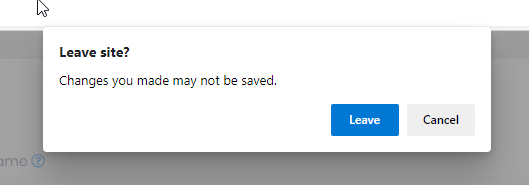
To try and get around this, I added some code to remove all .ng-dirty before calling authService.logout, but I am still presented with the dialog from the window:beforeunload. I still want the user to be presented with a dialog if they make changes to a form and then forget to save the form, so I do not want to shut off the "are you sure you want to leave" entirely, just when they have been idle for more than x minutes. How do I logout the user and bring them back to the login screen without the dialogs?
Check the docs before asking a question: https://docs.abp.io/en/commercial/latest/ Check the samples, to see the basic tasks: https://docs.abp.io/en/commercial/latest/samples/index The exact solution to your question may have been answered before, please use the search on the homepage.
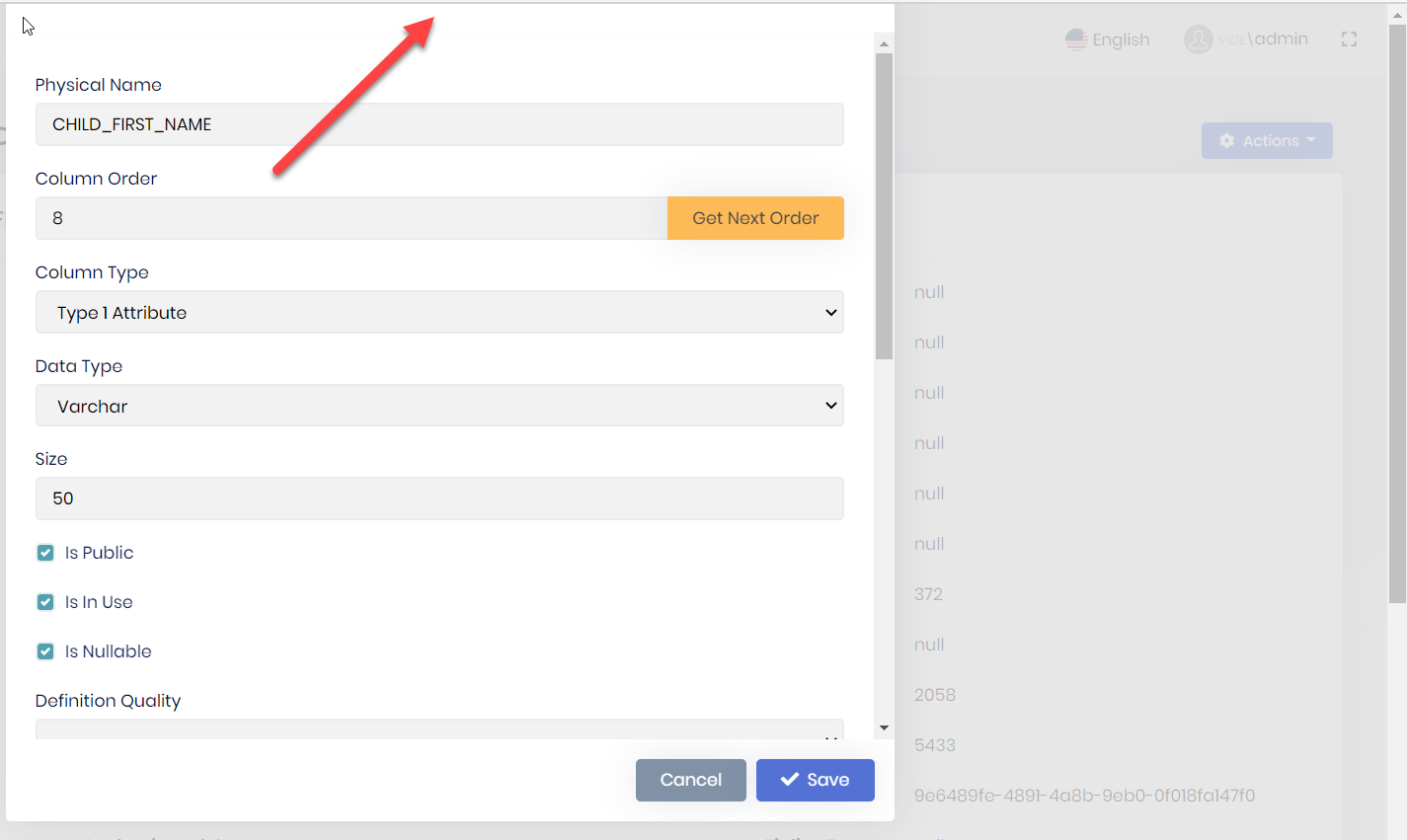
double scroll, scroll on inside, visible, and if you look very closely on the right hand edge you can see a very thin scrollbar
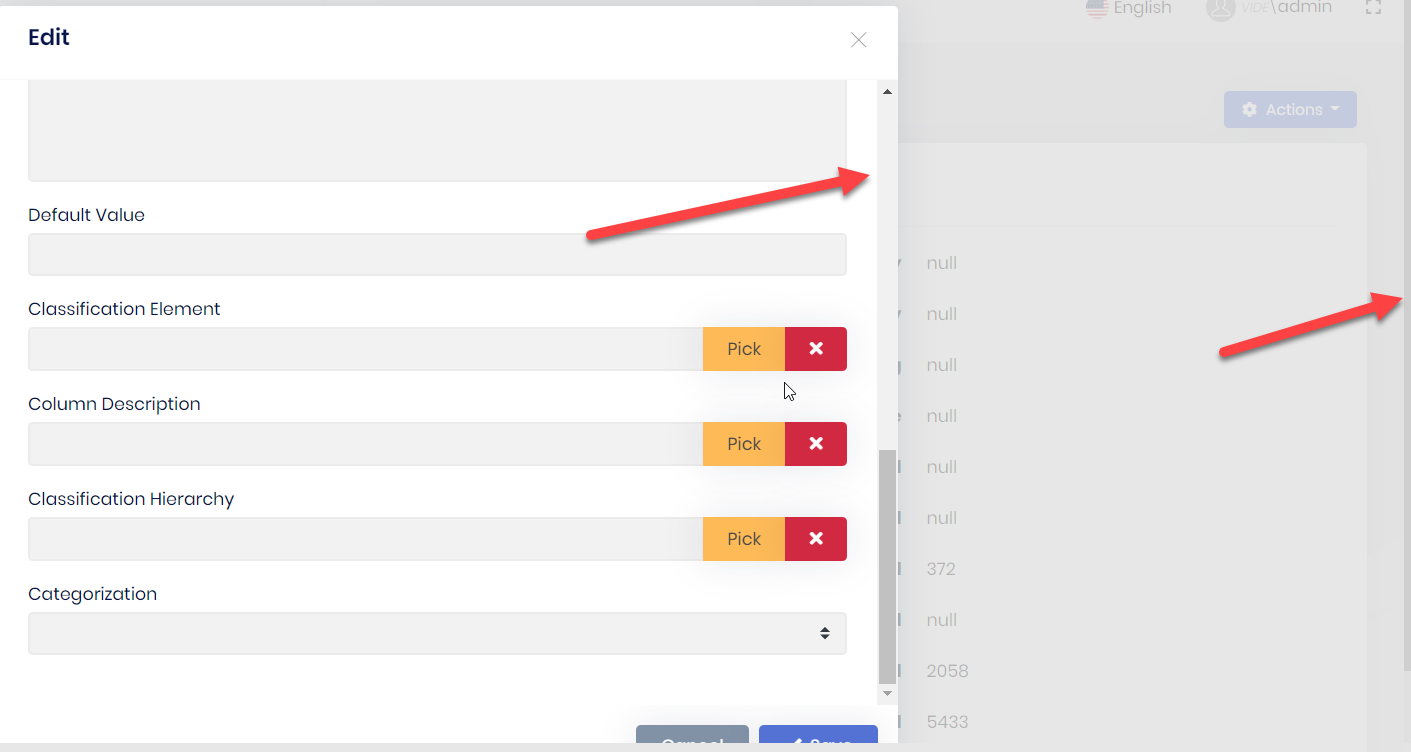
clipping - header is un-reachable
Check the docs before asking a question: https://docs.abp.io/en/commercial/latest/ Check the samples, to see the basic tasks: https://docs.abp.io/en/commercial/latest/samples/index The exact solution to your question may have been answered before, please use the search on the homepage.
Have a form in a modal with validation. For simplicity mark fields as required
component.html <abp-modal [(visible)]="isModalVisible" [busy]="modalBusy" (disappear)="form = null"> <ng-template #abpHeader> <h3>{{ (selected?.id ? 'AbpUi::Edit' : 'HR::NewEmployeeExperience') | abpLocalization }}</h3> </ng-template>
<ng-template #abpBody> <form [formGroup]="form" validateOnSubmit> <div class="mt-2 fade-in-top"> <div class="form-group"> <label for="employeeExperience-workplace"> {{ 'HR::Workplace' | abpLocalization }} </label> <span class="req-mark"> * </span> <input type="text" id="employeeExperience-workplace" class="form-control" formControlName="workplace" /> </div> <div class="form-group"> <label for="employeeExperience-seniority"> {{ 'HR::Seniority' | abpLocalization }} </label> <span class="req-mark"> * </span> <input type="number" id="employeeExperience-seniority" class="form-control" formControlName="seniority" /> </div> <div class="form-group"> <label for="employeeExperience-position"> {{ 'HR::Position' | abpLocalization }} </label> <span class="req-mark"> * </span> <input type="text" id="employeeExperience-position" class="form-control" formControlName="position" /> </div> </div> </form> </ng-template>
<ng-template #abpFooter> <button type="button" class="btn btn-secondary" #abpClose> {{ 'AbpUi::Cancel' | abpLocalization }} </button>
<abp-button iconClass="fa fa-save" (click)="save()">
  {{ 'AbpUi::Save' | abpLocalization }}
</abp-button>
</ng-template> </abp-modal>
component.ts buildForm() { this.form = this.fb.group({ employeeCode: [this.employeeCode || '', [Validators.required]], workplace: [this.selected.workplace || '', [Validators.required]], seniority: [this.selected.seniority || '', [Validators.required]], position: [this.selected.position || '', [Validators.required]], }); }
submitForm(): void { if (this.form.invalid) { return; } .... remaining logic to do update }
don't enter any data, click save. the click will send it to the component, and indeed the form is invalid. the form is not marked up b/c validateOnSubmit is not triggered, the user cannot visually see what the issue is. i tried to move the form html element after <abp-modal [(visible)]="isModalVisible" [busy]="modalBusy" (disappear)="form = null"> so it would wrap all the ng-template. I also removed the click event and replaced it with a buttonType="submit" the html form element is not rendered.
Check the docs before asking a question: https://docs.abp.io/en/commercial/latest/ Check the samples, to see the basic tasks: https://docs.abp.io/en/commercial/latest/samples/index The exact solution to your question may have been answered before, please use the search on the homepage.
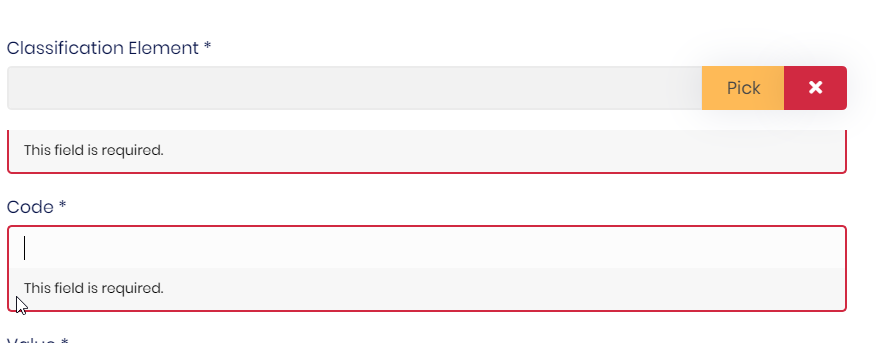
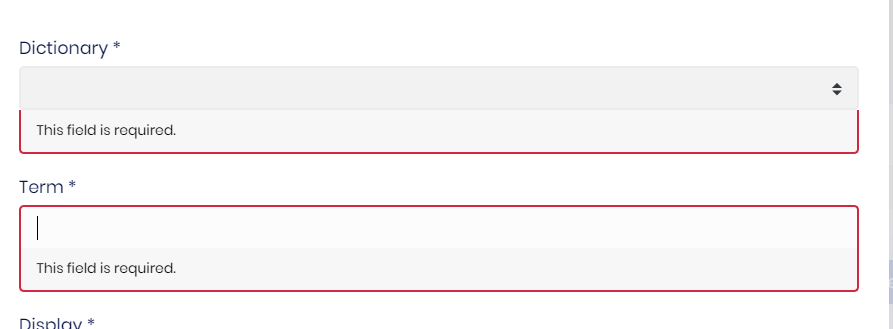
I have a abp-lookup-input in a model driven form. the field is required. the error display wen trying to submit the form is not very aesthetic. abp-lookup-select error display is not as bad but is not display like a input field
Check the docs before asking a question: https://docs.abp.io/en/commercial/latest/ Check the samples, to see the basic tasks: https://docs.abp.io/en/commercial/latest/samples/index The exact solution to your question may have been answered before, please use the search on the homepage.
We are able to use "deep links" when entering a client side address in the browser address bar, when testing locally. An example deep link is: http://otis.com/dashboard. When we promote the website to azure we are not able to access deep links. We can however access the "index.html". When we try and access a deep link, we get an error "The resource you are looking for has been removed, had its name changed, or is temporarily unavailable." dev tools shows: "Failed to load resource: the server responded with a status of 404 (Not Found)". The only difference that we see is locally we are using http, in azure we are using https. I tried looking at the middleware routes in .netcore, but I do not see them. Perhaps they are buried somewhere in the archecture. This is where in previous non abp environments I would have expected to see a spa route (a route that just redirects to the index.html, so that angular can handle the routing)









