Yes, I did it.

but still having the same problem
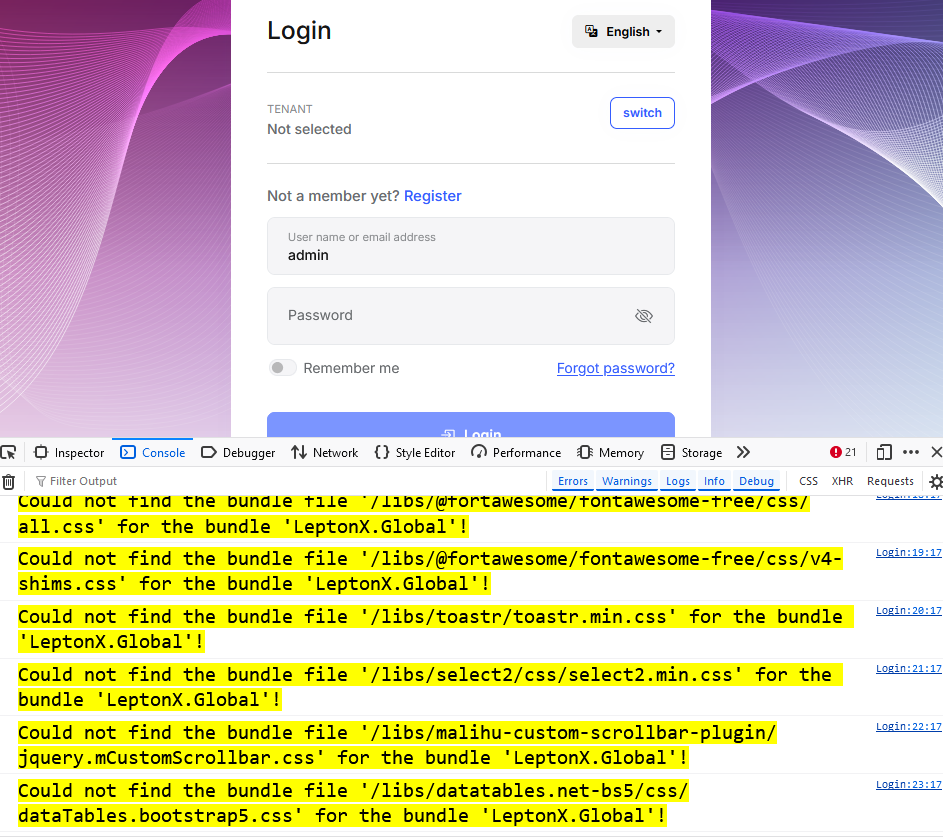
can you solve that one https://stackoverflow.com/questions/78775803/could-not-find-x-bundles-even-the-installation-is-fresh ?
The point is - like i wrote - every time I do the github action, the IP changes.
I know the ip only, when it fails not before (so i can enter it)
But back to my problem,
always when I rerun the github aciton, github changes the IP.
[10:55:38 INF] Started database migrations... [10:55:38 INF] Migrating schema for host database... Unhandled exception. Microsoft.Data.SqlClient.SqlException (0x80131904): Cannot open server 'xxmustafa18072024server' requested by the login. Client with IP address '20.62.206.238' is not allowed to access the server. To enable access, use the Azure Management Portal or run sp_set_firewall_rule on the master database to create a firewall rule for this IP address or address range. It may take up to five minutes for this change to take effect. at Microsoft.Data.SqlClient.SqlInternalConnection.OnError(SqlException exception, Boolean breakConnection, Action`1 wrapCloseInAction) at Microsoft.Data.SqlClient.TdsParser.ThrowExceptionAndWarning(TdsParserStateObject stateObj, Boolean callerHasConnectionLock, Boolean asyncClose) at Microsoft.Data.SqlClient.TdsParser.TryRun(RunBehavior runBehavior, SqlCommand cmdHandler, SqlDataReader dataStream, BulkCopySimpleResultSet bulkCopyHandler, TdsParserStateObject stateObj, Boolean& dataReady) at Microsoft.Data.SqlClient.TdsParser.Run(RunBehavior run
I update the azure firewall settings afterwards, but it has no effect
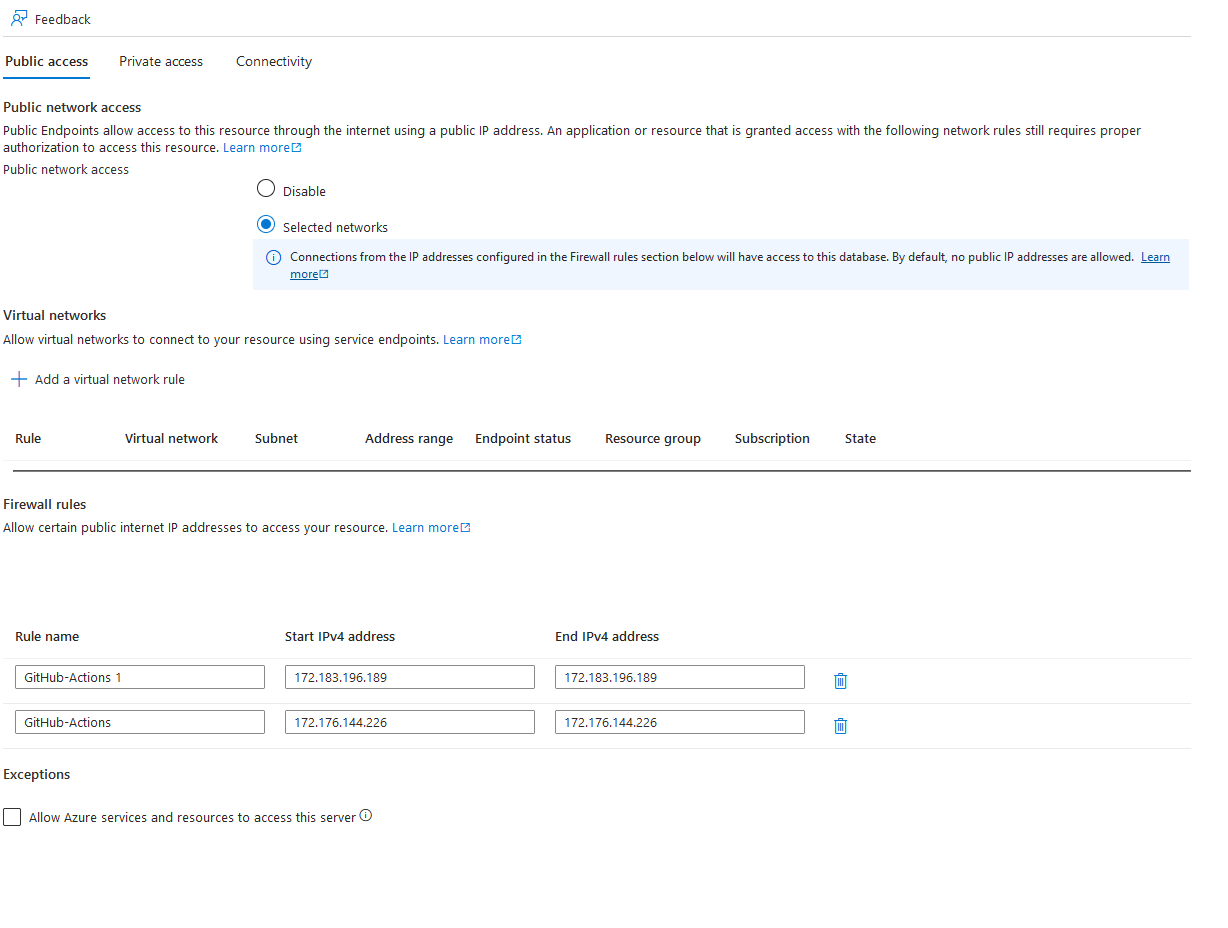
I would love that you put those things in the tutorial, because for a new comer - as me - it's important that the initial examples work.
This is the reason why I chose abp, to get a fully working example (and product)
following the example:
https://docs.abp.io/en/commercial/latest/startup-templates/application/azure-deployment/step3-deployment-github-action?UI=NG&DB=EF&Tiered=No
the run migration part fails:
- name: Run migrations run: dotnet run -- "${{ secrets.CONNECTION_STRING }}" working-directory: ./aspnet-core/src/Demo.AzureAppsAngular.DbMigrator # Replace with your project name
What do I have to change how in AZURE

"Run dotnet run -- "***" [19:10:55 INF] Started database migrations... [19:10:55 INF] Migrating schema for host database... Unhandled exception. Microsoft.Data.SqlClient.SqlException (0x80131904): Reason: An instance-specific error occurred while establishing a connection to SQL Server. Connection was denied since Deny Public Network Access is set to Yes (https://docs.microsoft.com/azure/azure-sql/database/connectivity-settings#deny-public-network-access). To connect to this server, use the Private Endpoint from inside your virtual network (https://docs.microsoft.com/azure/sql-database/sql-database-private-endpoint-overview#how-to-set-up-private-link-for-azure-sql-database). at Microsoft.Data.SqlClient.SqlInternalConnection.OnError(SqlException exception, Boolean breakConnection, Action`1 wrapCloseInAction) at Microsoft.Data.SqlClient.TdsParser.ThrowExceptionAndWarning(TdsParserStateObject stateObj, Boolean callerHasConnectionLock, Boolean asyncClose) at Microsoft.Data.SqlClient.TdsParser.TryRun(RunBehavior runBehavior, SqlCommand cmdHandler, SqlDataReader dataStream, BulkCopySimpleResultSet bulkCopyHandler, TdsParserStateObject stateObj, Boolean& dataReady)"









