Actually, the recommended fix should behave like this
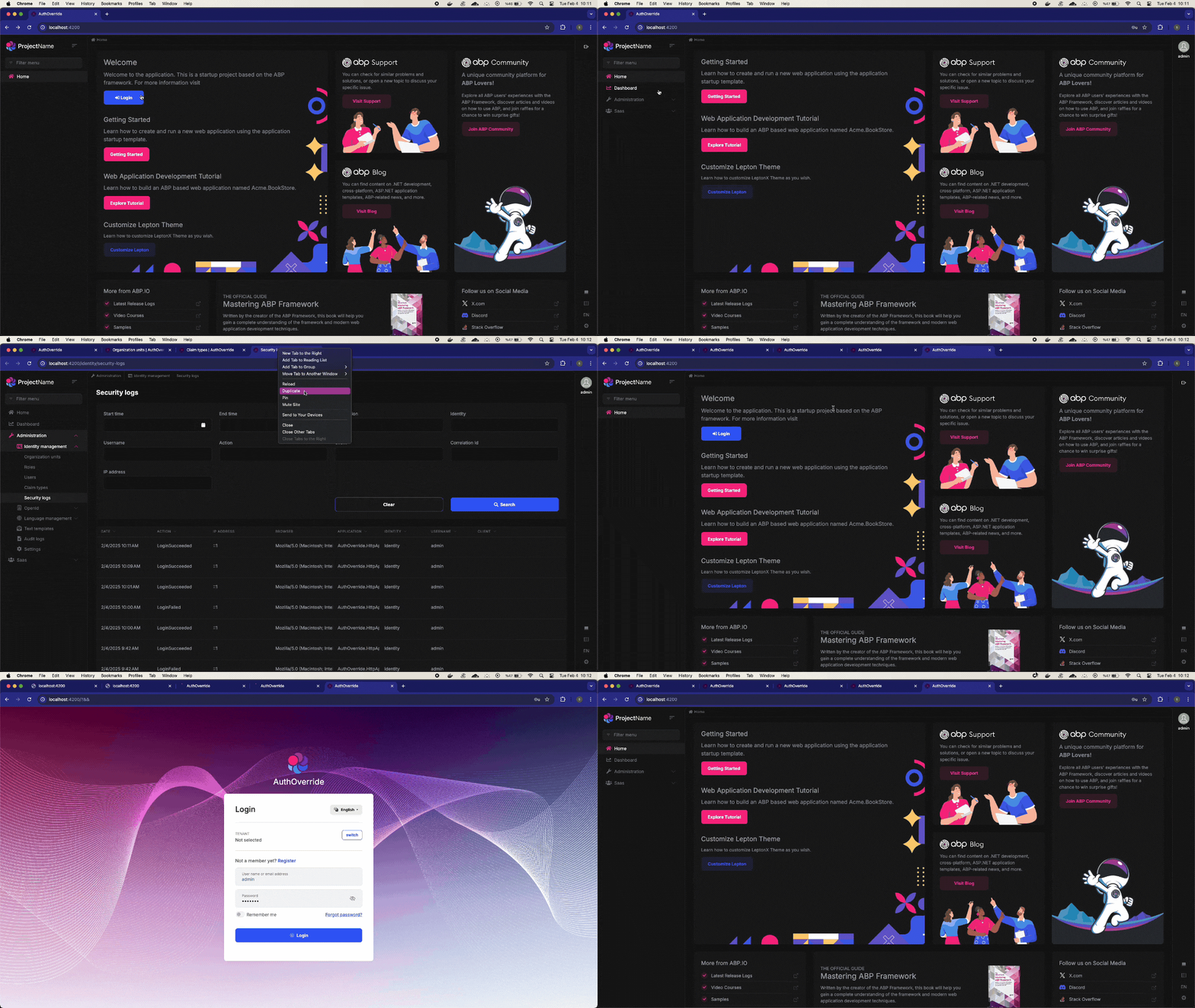
Can you share the error details if you encounter something other than you mentioned at the beginning?
For the time being, we are not planning to host the fonts ourselves or switch to Google Fonts. However, as a temporary workaround, you can consider loading Inter from an alternative CDN or serving a local copy within your project to avoid issues with rsms.me. The exact fix will be published in the next patch version.
While a long-term approach should minimize dependencies on external font CDNs, for now, implementing a short-term fix like the below should help mitigate disruptions.
//app.module.ts
import { LPX_STYLE_FINAL } from '@volo/ngx-lepton-x.core';

@NgModule({
  providers: [
  ...
    {
      provide: APP_INITIALIZER,
      multi: true,
      useFactory: () => {
        const styles = inject(LPX_STYLE_FINAL);
        return () => {
          const index = styles.findIndex(f => f.bundleName === 'font-bundle');
          if (index !== -1) {
            styles.splice(index, 1);
          }
        };
      },
    },
  ],
 ...
})
export class AppModule {}
You can refer to Google fonts or add a query parameter for the inter.css in your styles.scss file.
// styles.scss
@import url('https://fonts.googleapis.com/css2?family=Inter:wght@400;700&display=swap');
// @import url('https://rsms.me/inter/inter.css?v=1.0');
Another workaround can be replacing the font-bundle file in the angular.json
      "architect": {
          "options": {
            "styles": [
            ...
              {
                "input": "../angular/src/font-bundle.css",
                "inject": false,
                "bundleName": "font-bundle"
              },
            ...
            ],
          },
        },
      }
/* font-bundle.css */
@import url('https://fonts.googleapis.com/css2?family=Inter:wght@400;700&display=swap');
/* @import url('https://rsms.me/inter/inter.css?v=1.0'); */
Hello, the latest updates done on our side should not cause such a problem. I was only able to duplicate the problem when I clear the cached data. It also works fine on other browsers including Safari.
However, if you think that this disrupts the functionality of your application, you can share a sample project through this email: sumeyye.kurtulus@volosoft.com and I can assist you further.
The LocalStorageListenerService is located inside the core library, but you can also take the same action in the app.component.ts
export class AppComponent {
  window = inject(DOCUMENT).defaultView;

  constructor() {
    this.window.addEventListener('storage', event => {
      if (event.key !== 'access_token') {
        return;
      }

      const tokenRemoved = event.newValue === null;
      const tokenAdded = event.oldValue === null && event.newValue !== null;

      if (tokenRemoved || tokenAdded) {
        location.assign('/');
      }
    });
  }
}
You can follow the release notes that is announced here.
Thank you for sharing the output from Expo-doctor. I would like to assure you that the concerns mentioned, such as validation warnings and package compatibility, are being addressed in upcoming releases.
These issues should not disrupt the core functionality of the app directly in the current version, but we recommend keeping an eye out for the next updates, which will resolve these points and improve overall compatibility.
Thank you for providing details, and bringing this to our attention. We are currently updating the templates, and these issues will be resolved in the next studio release. I appreciate your patience, and I have processed a refund for your ticket.
Regarding the antiforgery token issue, as a temporary solution, I recommend overriding the service like this. You can also apply the same logic in your app.component.ts if that works better for you.
//app.module.ts
@NgModule({
 ...
 providers: [
 {
   provide: LocalStorageListenerService,
   useValue: MyLocalStorageListenerService,
 },
 ...
 ],
 ...
})
export class AppModule {}
//my-local-storage-listener.service.ts
import { DOCUMENT } from '@angular/common';
import { inject, Injectable } from '@angular/core';
@Injectable({
  providedIn: 'root',
})
export class MyLocalStorageListenerService {
  window = inject(DOCUMENT).defaultView;

  constructor() {
    this.window.addEventListener('storage', event => {
      if (event.key !== 'access_token') {
        return;
      }

      const tokenRemoved = event.newValue === null;
      const tokenAdded = event.oldValue === null && event.newValue !== null;

      if (tokenRemoved || tokenAdded) {
        location.assign('/');
      }
    });
  }
}
Hello, I’m having trouble understanding your steps. Could you please clarify how you created and integrated the modules into your app? If possible, sharing your package.json file would also help in identifying the issue. Thanks!
Hello, you can use this key eThemeLeptonXComponents.MobileNavbarSettings to manage the mobile navbar settings.
May I also ask how you have added the FAQ component that would result in a scroll problem?









